Tax Software


Tax resolution work is rarely straightforward. Between IRS notices, client documentation, deadlines, and compliance pressure, CPA firms often find themselves juggling too many moving parts at once.
With the rise of global tax disputes and non-compliance, around 43% of tax inquiries evolve into full disputes. Most of these businesses now choose a well-structured CPA CRM. This is not just software. It becomes the operational backbone of the entire practice here.
A CPA CRM built for tax resolution cases strategically helps organize client communication, track case progress, and ensure that no critical step is missed in the resolution journey.
In this guide, we will gradually explore how CRM for CPAs, designed specifically for tax resolution cases, improves efficiency, what features actually matter most, and how solutions like IRSLogics support firms handling complex IRS-related workflows.
[Visual 1]: Traditional CRM vs CPA CRM For Tax Resolution
A CPA CRM refers to a client relationship management system designed specifically for accounting and tax professionals. Unlike generic CRMs, it is strategically built to handle financial documentation, compliance workflows, client communication, and case tracking in a single, structured system.
For firms handling multiple tax resolution cases simultaneously, a CPA CRM ensures that each client has a clear, trackable journey without information loss or delays.
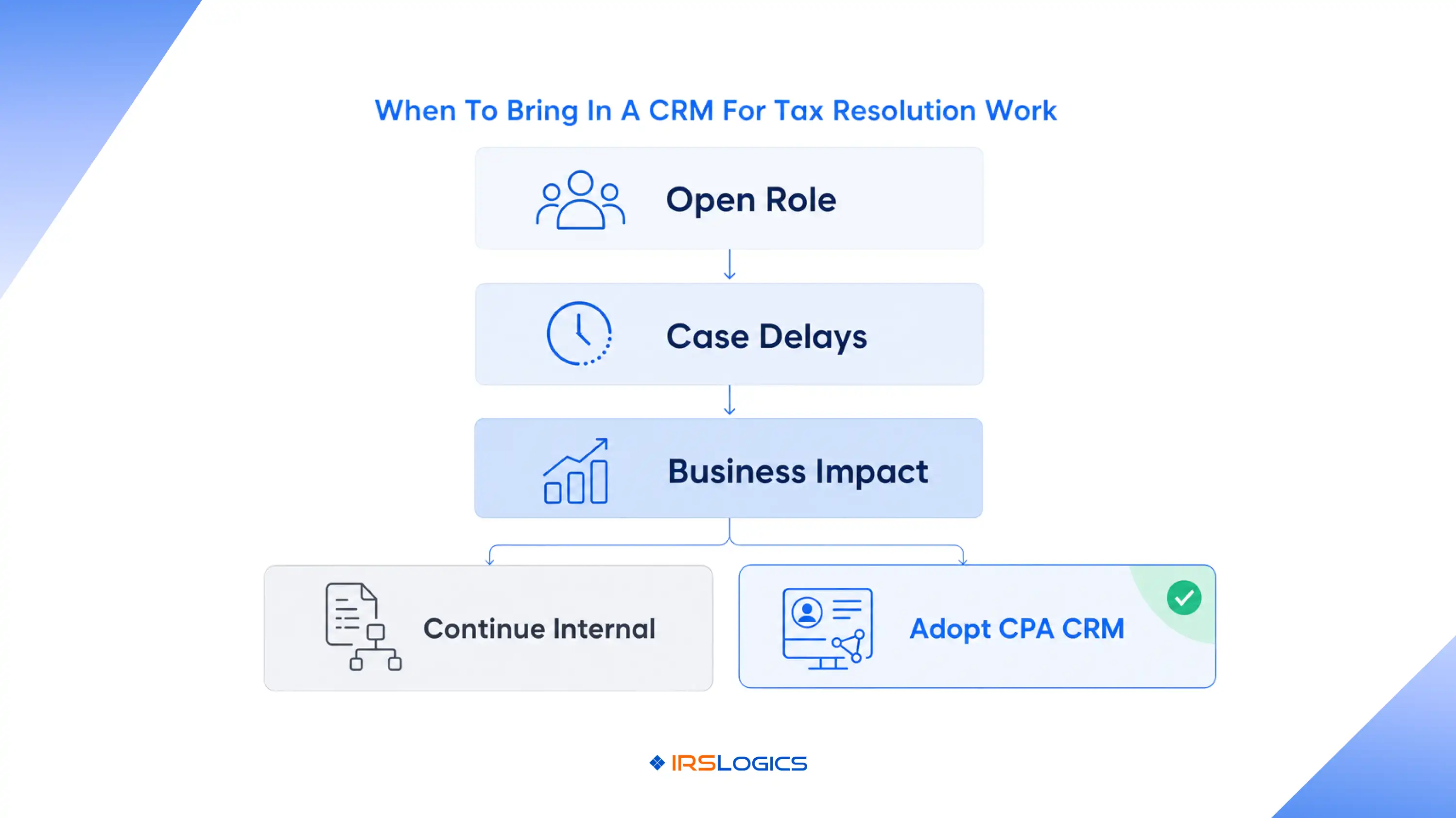
There are high stakes, strict deadlines, and multiple stakeholders involved here. A generic CRM is no longer enough to handle such complex matters, especially in IRS negotiations, installment agreements, or even penalty abatement cases.
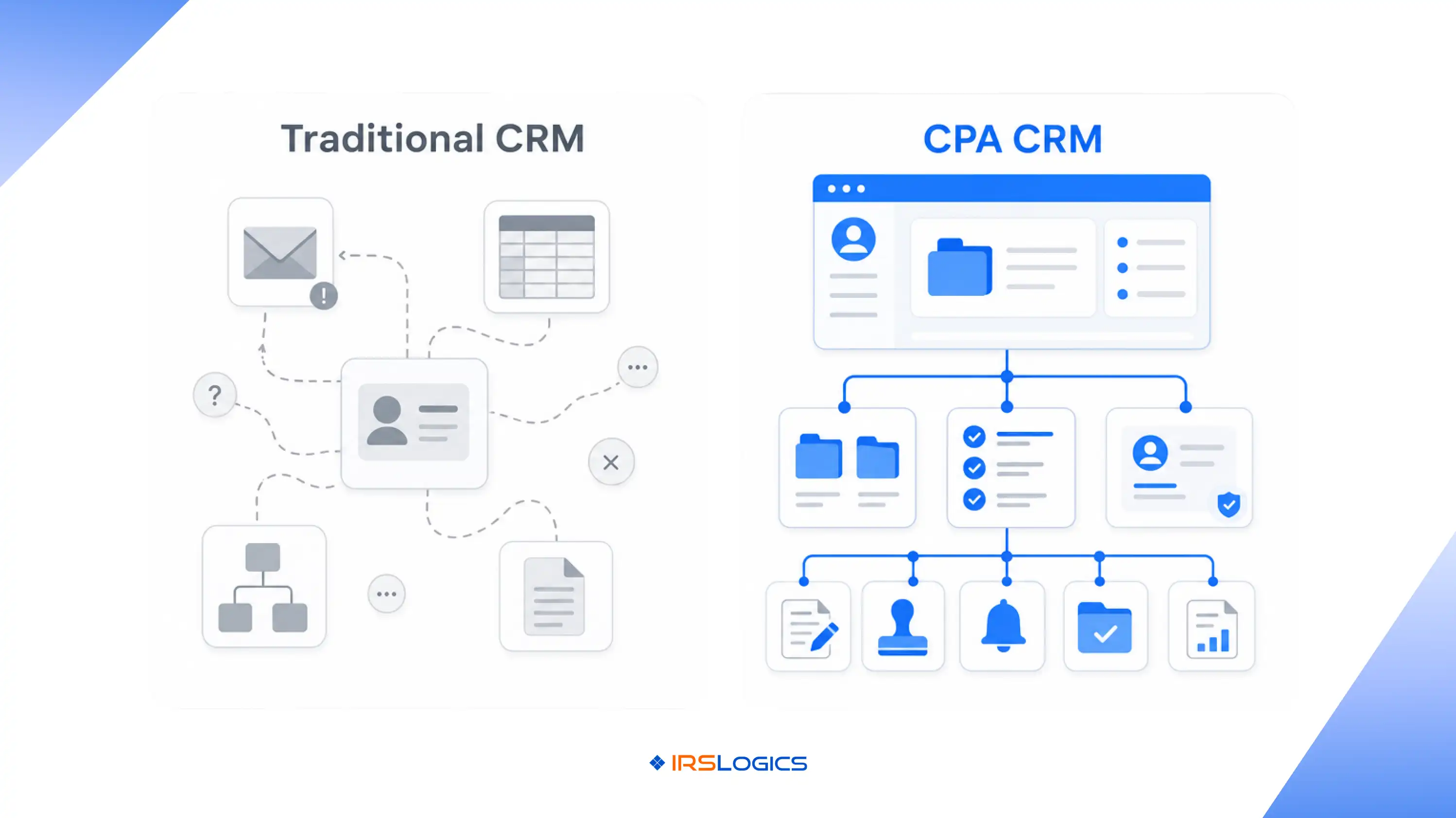
A specialized CPA CRM helps firms manage:
Without any structure in your CRM for CPAs, your firm only relies on basic spreadsheets and emails. This eventually increases the risk of missed deadlines and various compliance errors in the long run.
Not every CRM is suitable for tax resolution work. A strong CPA CRM should include features designed specifically for compliance-heavy workflows.
Key features include:
Each client should have a dedicated case file with full history, documents, and communication logs.
Automated task creation for IRS notices, follow-ups, and document requests reduces manual effort.
Tax resolution involves sensitive financial data, so secure file handling is necessary.
A CRM for CPAs must ensure no IRS deadlines are missed, especially for appeals and submissions.
All client communication should be logged in one place for audit readiness.
Firms benefit from dashboards that show case progress, workload distribution, and resolution timelines.
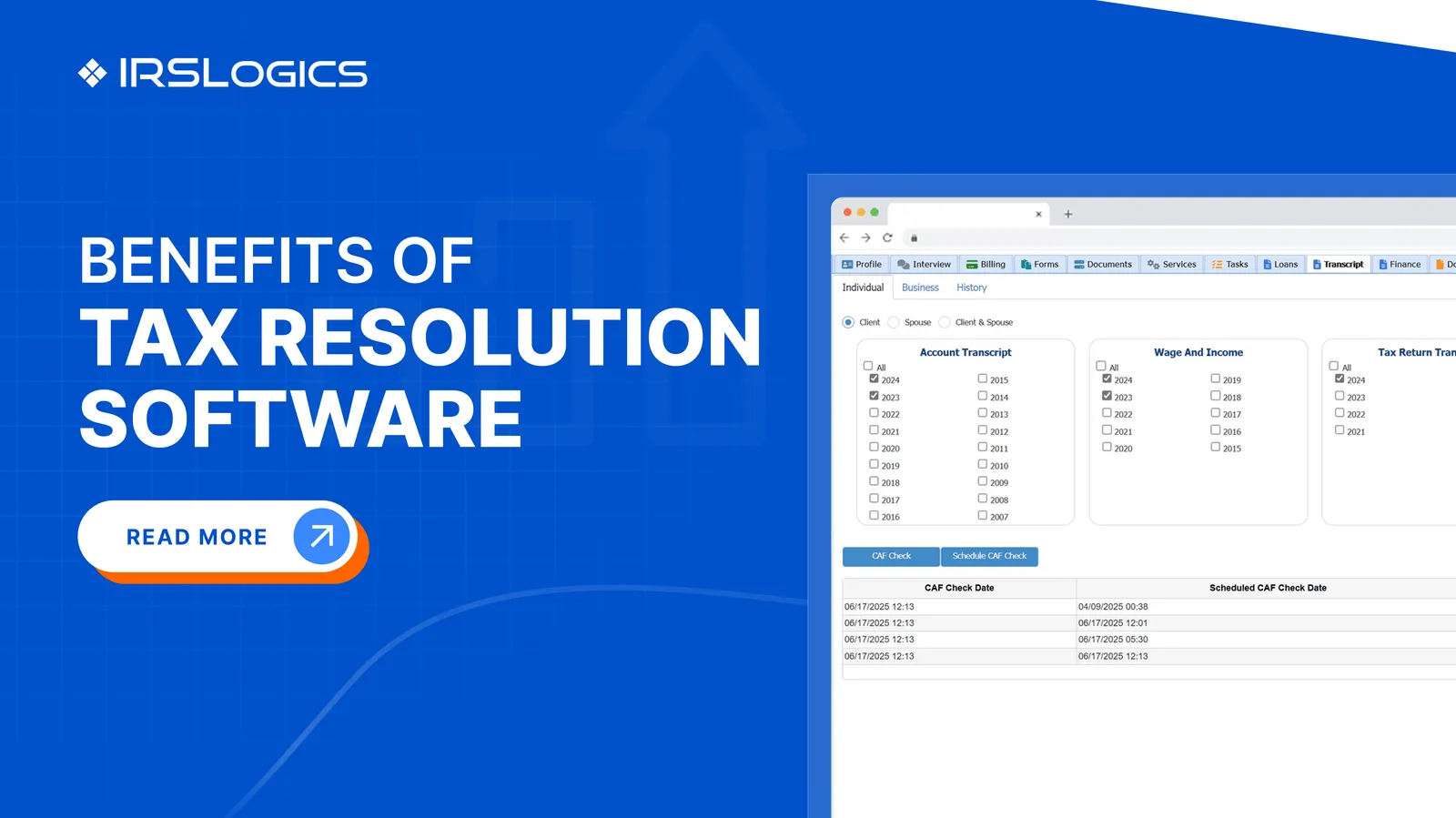
Platforms like IRSLogics provide a dedicated tax resolution software solution that integrates these capabilities into CPA workflows through Tax Resolution Software.
Implementing a CPA CRM changes how tax resolution firms operate on a day-to-day basis.
Every team member can see exactly where a case stands, reducing confusion and duplication of work.
With all data centralized, CPAs can respond to client queries quickly and accurately.
Automation reduces all your everyday repetitive tasks, such as reminders, follow-ups, and document requests.
A structured CRM for CPAs ensures deadlines and IRS requirements are always met.
Clients feel more confident when they experience organized communication and timely updates. Over time, this leads to better efficiency and higher case success rates.
[Visual 2]: Tax Resolution Case Lifecycle In CPA CRM
A CPA CRM simplifies the entire tax resolution lifecycle into structured steps.
This structured workflow ensures that CRM for CPAs becomes a central hub for all tax resolution activities.
Most CPA firms don’t realize how much inefficiency builds up in tax resolution work until case volume increases. On paper, things look manageable, but in real operations, small gaps in tracking and communication quickly turn into delays and compliance risks.
A CPA handling just a few IRS cases can still manage through emails and spreadsheets. But once multiple clients enter different stages of resolution, the system starts breaking quietly.
In many firms, IRS response deadlines and client document requests are tracked manually. It usually begins with one missed follow-up, then another. Over time, clients start responding late, not because they are uncooperative, but because reminders are inconsistent.
In tax resolution cases, there are multiple people involved. One collects the documents while the other handles the IRS communication, and others prepare the filings. Without any proper structured CRM for CPAs, it can get extremely disorganized and cluttered. This results in potential duplication or even missing out on important parts of the filing process.
IRS notices rarely arrive in an organized way. They come through email, physical mail, or client uploads. In firms without a CPA CRM, these notices often get buried in inboxes or scattered folders. The result is delayed action, which can directly affect case outcomes.
Many small and mid-sized CPA firms still rely on memory or basic calendars for IRS deadlines. This works until the workload increases. Once multiple cases overlap, even a small oversight can lead to penalties or missed filing windows.
Without a centralized system, clients often receive inconsistent updates depending on who responds. One staff member might say the case is in negotiation, while another is still waiting on documentation. This inconsistency slowly reduces client trust.
Adding more cases should ideally mean more revenue. But without a proper CPA CRM, growth often brings operational stress instead. Instead of improving output, teams spend more time managing confusion.
IRSLogics is designed specifically for different types of firms that handle IRS-related cases. The services here are specifically built around real tax resolution pain points rather than just generic accounting needs. Here is a clearer breakdown of how its offerings support CPA firms in day-to-day operations:
By using a CRM for CPAs that aligns with tax resolution needs, firms can improve operational clarity and reduce time spent on manual coordination.
A CPA CRM is used to manage client relationships, tax workflows, and case tracking in accounting firms. It helps organize communication and documentation in one system.
A CPA CRM is designed specifically for accounting and tax workflows, unlike regular CRMs, which focus on sales and marketing processes.
Yes, CRM for CPAs helps track IRS notices, manage deadlines, and streamline communication during tax resolution cases.
Yes, even small CPA firms benefit from structured workflows and automation that reduce manual work.
Yes, IRSLogics offers tax resolution software designed to support CPA firms with structured case management and workflow tools.
Focus on case tracking, automation, document management, compliance tools, and integration capabilities.
A modern CPA CRM is no longer optional for firms handling tax resolution cases. It takes care of different aspects that become really challenging if you are handling them all alone. It ensures adequate efficiency, compliance, and client satisfaction.
The best tax resolution software by IRSLogics ensures that workflows are always managed in a structured and reliable way. This reduces any potential errors and improves overall case outcomes in the long run.
All
Tax Software
Workflow & Automation
Industry News
Resolution Tips
Tax Resolution Marketing

Lorem ipsum dolor sit amet, consectetur adipiscing elit. Suspendisse varius enim in eros elementum tristique. Duis cursus, mi quis viverra ornare, eros dolor interdum nulla, ut commodo diam libero vitae erat. Aenean faucibus nibh et justo cursus id rutrum lorem imperdiet. Nunc ut sem vitae risus tristique posuere.


Share this article directly by email. Simply enter the recipient’s details below.

Article has been send to you.






.webp)



