Tax Software


You cannot work a single resolution case without transcripts. Not one. And yet, at most firms, pulling them remains the most laborious part of the job. Log in to e-Services. Request the transcript. Wait for it. Download the file. Switch tools. Upload it somewhere. Note what you found. Create a follow-up manually. Every single time. For every single client.
The IRS Transcript Delivery System gives credentialed tax professionals secure, near-instant access to client transcripts. That part is solved. But access is not workflow. If pulling transcripts still means leaving your case management platform, downloading files, and re-entering data somewhere else, you have not actually saved time. You have just moved the problem around.
This blog covers what TDS actually is, what resolution firms need from it, and how IRS Logics connects transcript retrieval directly into the case lifecycle so one pull sets the next five steps in motion automatically.
TDS is the IRS's secure electronic portal for credentialed tax professionals to retrieve client transcripts.
It lives inside IRS e-Services. It is not for taxpayers. It is for practitioners only. To access it, you need:
• A valid CAF number
• An active e-Services account with a registered e-file application
• A signed Form 2848 (Power of Attorney) or Form 8821 (Tax Information Authorization) on file for each client
The IRS Get Transcript tool is a different system entirely. That one is for individual taxpayers accessing their own records. TDS is for tax professionals acting under valid authorization.
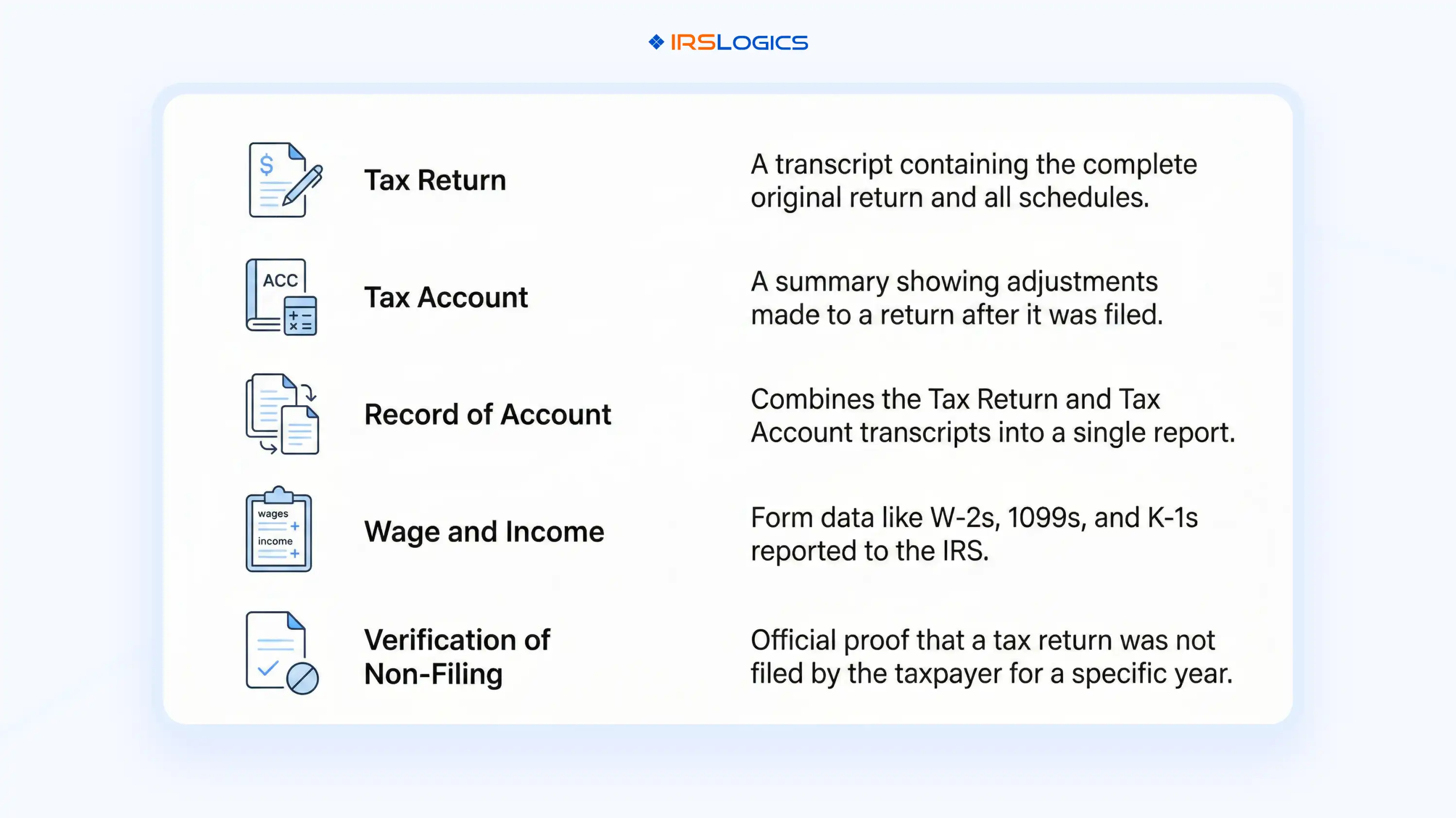
What TDS actually returns depends on what you request. For resolution work, these are the five types that matter:
• Account transcripts: assessments, payments, penalties, applied credits, existing liens, and all IRS notices issued
• Wage and income transcripts: W-2s, 1099s, and all third-party reported income by tax year
• Return transcripts: what the client actually filed
• Record of account transcripts: return data and account data combined
• Business Entity transcripts: a newer type released mid-2024, showing EIN status, filing requirements, and exempt organization information
Since 2019, use of tax professional transcripts has grown sharply, with annual downloads trending toward 1 billion. Natptax That number tells you everything about how central transcripts have become to resolution work. The question is not whether your firm pulls transcripts. The question is whether the way you pull them adds hours to your week or takes them away.
Here is what a typical manual transcript workflow looks like when your software is not built for resolution.
Fifteen to twenty minutes per client. It may be more when TDS is slow, or the authorization has not been updated yet.
Across fifty or eighty active cases, that is hours of pure admin every week. And there is a bigger problem than time.
When transcripts live outside your case record, information gets siloed. One case manager pulls the transcript. Another team member needs to reference it. Nobody knows if it has been pulled, when it was pulled, or what years were requested without physically asking someone.
That is a compliance problem, not just an inconvenience. The NAEA's standards for enrolled agents require that practitioners maintain adequate records of their representation. A transcript pulled from e-Services and saved to someone's desktop does not meet that standard.
No automatic log. No retrieval date. No record of what was requested. This is the gap that resolution-specific software should close. And most of the tools firms reach for first do not.
Not every case needs every transcript type.
But resolution work creates very specific patterns worth understanding before you automate.
For OIC evaluation: Account transcripts first. They confirm the assessed balance, CSED dates, whether a substitute for return was filed, and any existing liens or levies. Wage and income transcripts come next, to cross-reference what the client reported in financial intake against what the IRS has on file.
For installment agreements: Account transcripts confirm the total liability across all open years. Return transcripts are pulled when the client disputes the balance or an SFR needs to be identified and challenged before filing the IA.
For Currently Not Collectible status: Account transcripts establish the active collection status and flag any pending levy action. That is the foundation of any hardship argument.
For lien discharge or subordination: Multiple years of account transcripts are typically required to build a complete picture of liability before the IRS considers releasing or subordinating a lien.
In every one of these situations, the transcript is not the final output. It is the starting input. And what happens immediately after you get it determines how fast the rest of the case can move.
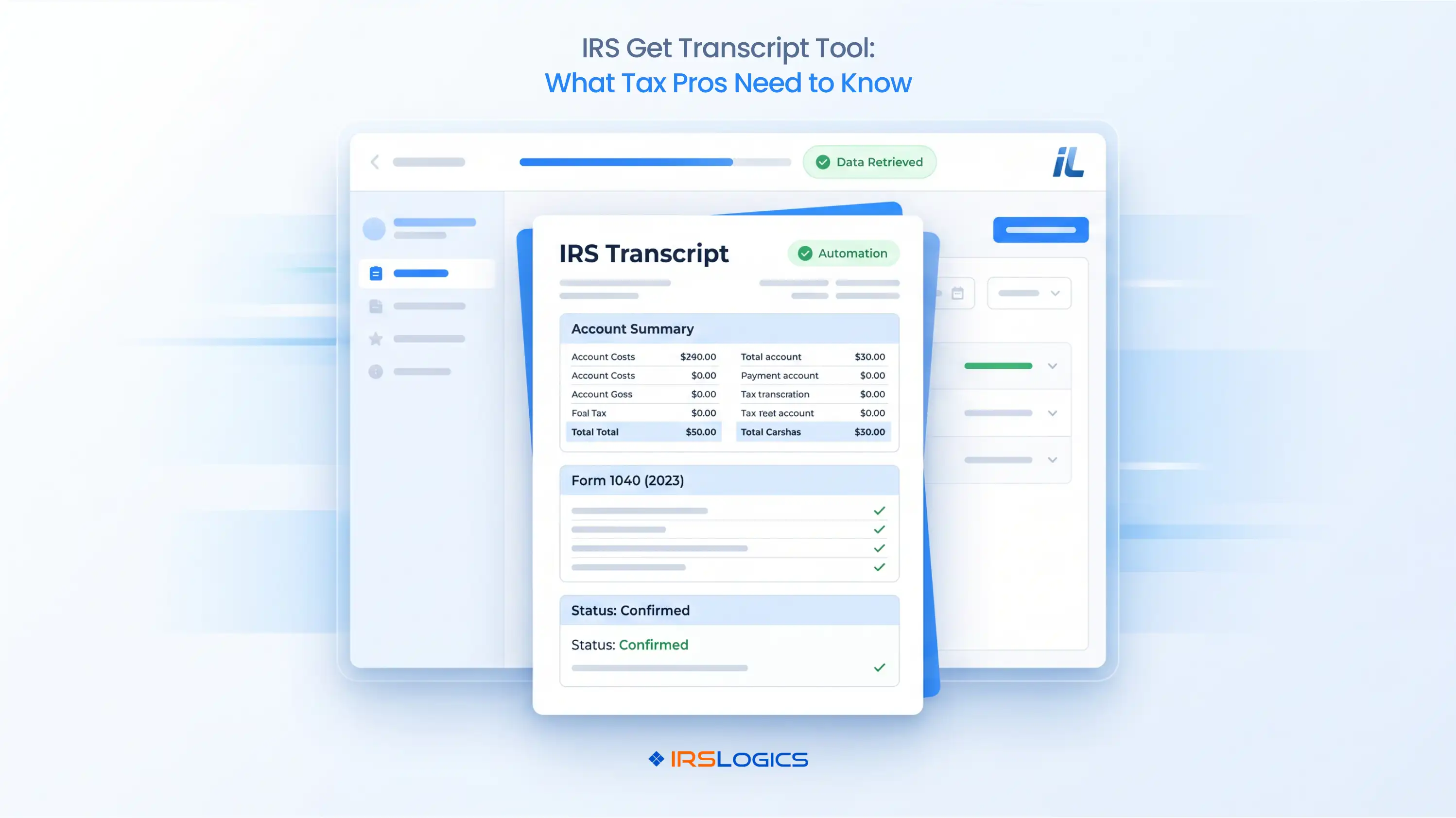
IRS Logics connects to the IRS Transcript Delivery System directly inside every client case record. You do not leave the platform. You do not download a file. You do not re-upload it somewhere else.
The request goes through TDS from inside the case. The transcript comes back and is stored in that same case record. Every request is automatically logged in the Transcript Logs feature, which records the request date, the transcript type, the requested tax years, and the current retrieval status. No one needs to manually document anything. The log is built as you work.
Access to retrieved transcripts is controlled through the Roles and Permissions feature. Firm administrators assign access levels by job function. The right team members see what they need. Nothing is placed in a shared folder without controls or version tracking. And every transcript retrieval action is recorded in the Case Activities log, which tracks everything that happens on a case. Full audit trail. Automatic. No extra steps.
This is the difference between a tool that connects you to TDS and a platform that integrates TDS into a complete resolution workflow. For a direct comparison of how that distinction plays out in practice, the IRS Logics accounting practice management software vs. tax resolution software breakdown details it.
Here is where competitors in this space stop talking.
They cover retrieval. They cover storage. Some cover monitoring alerts.
None of them covers what actually happens inside the case after the pull, which is the part that takes the most time when your tools are not connected.
Inside IRS Logics, the transcript sits in the same case record as everything else:
• The Financial Questionnaire the client submitted and the data it auto-populated into the 433-A and OIC worksheets
• The Case Profile with debt details, tax problem type, and assigned users
• The Forms section with all federal IRS forms built in
• The Tasks assigned to the case manager with deadlines attached
So the moment a transcript is retrieved, the workflow does not pause. It continues.
The case manager reviews the account transcript. CSED date is there. A task is created inside IRS Logics tied to that deadline. No switching tools. No calendar entry somewhere else. The wage and income transcript is pulled. The income figures are cross-referenced against what the client submitted in the Financial Questionnaire. Discrepancies are caught before the 433-A goes to the IRS. Not after.
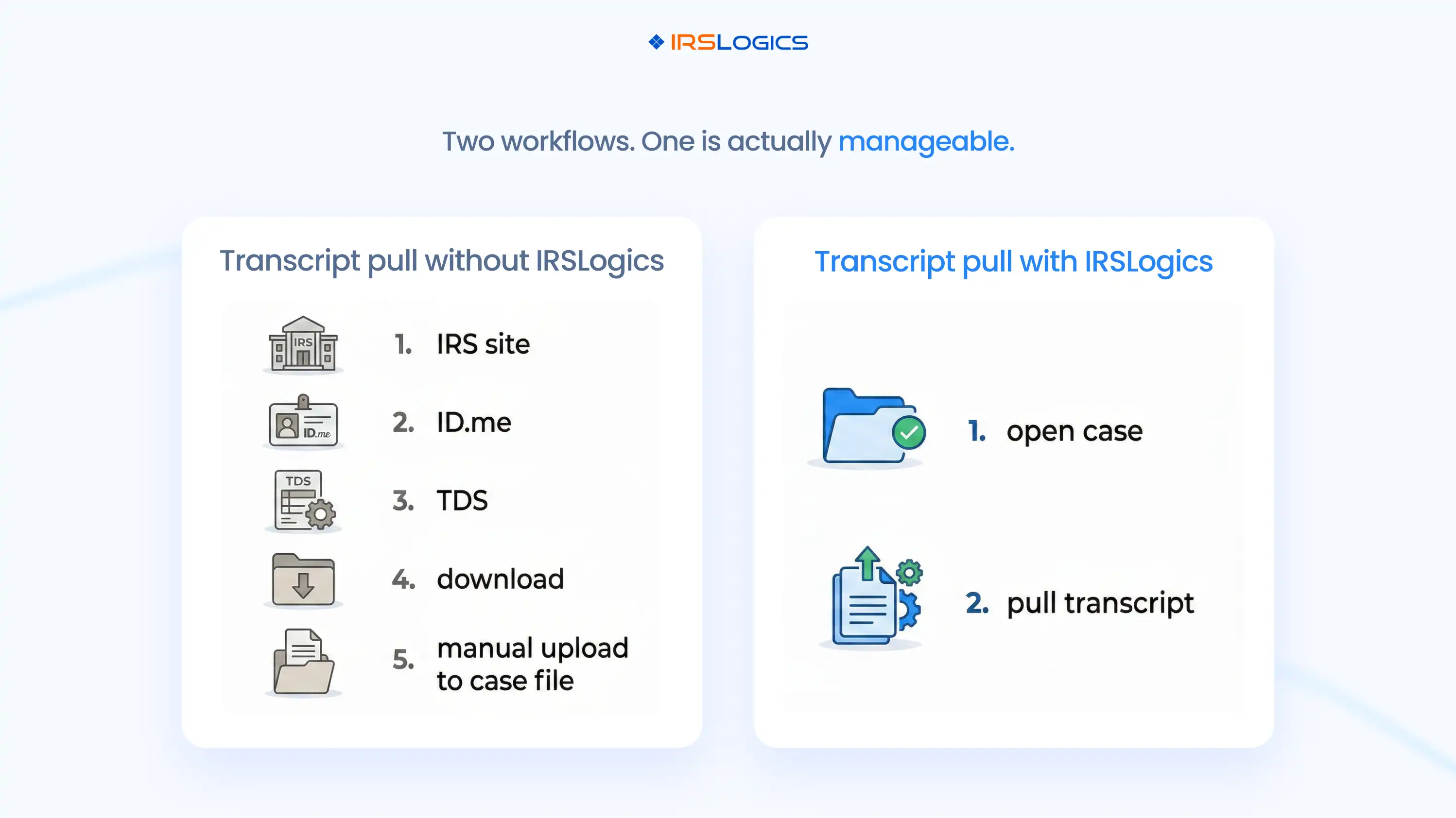
The Case Activities log automatically records transcript retrieval. The audit trail is complete without anyone having to write a note about it. Now compare that to a firm where the transcript lives in a downloads folder, the CSED date is entered into a spreadsheet by whoever remembered to do it, and the 433-A is manually keyed from financial data collected somewhere completely separate.
Both firms have the transcript. One of them has a workflow. For firms evaluating what that workflow looks like at the transcript stage specifically, the IRS Transcripts 101 guide on the IRS Logics blog covers the foundational concepts.
And for firms comparing resolution-specific tools with general practice management platforms on exactly this question, tax professionals have increasingly moved toward integrated transcript platforms, such as Natptax, that reduce the manual steps between retrieval and case action. IRS Logics is built for that exact use case. Pitbull Tax and IRS Solutions both offer transcript retrieval. Neither connects TDS retrieval to the full-resolution case lifecycle intake, questionnaire cross-referencing, CSED task creation, audit trail, billing, e-signature, and client portal within a single platform.
That is not a feature comparison. That is a workflow comparison. And it is the one that actually matters.
• TDS is the IRS's secure portal for credentialed tax professionals to pull client transcripts. It requires a CAF number, e-Services access, and a valid Form 2848 or Form 8821 on file.
• Manual TDS workflows cost 15–20 minutes per client and create compliance exposure through undocumented retrieval history.
• IRS Logics integrates TDS directly inside the case record. Transcripts are retrieved, stored, and logged without leaving the platform.
• The Transcript Logs feature creates an automatic audit trail of every retrieval, supporting NAEA documentation standards with zero extra effort from your team.
• The real value is not just speed. It is what happens immediately after the pull: CSED task creation, Financial Questionnaire cross-referencing, 433-A auto-population, and a full audit trail, all inside one connected case record.
IRS Logics is a purpose-built tax resolution platform designed for CPAs, Enrolled Agents, and tax attorneys who handle IRS cases every day. From intake and IRS transcript pulls to OIC filing, client portal communication, e-signatures, and billing, every feature inside IRS Logics maps to a real stage of the resolution case lifecycle. It is not a general practice management tool adapted for resolution work. It was built for resolution from the ground up.
"Before IRS Logics, every transcript pull meant logging into e-Services separately, downloading the file, and manually uploading it into our case records. Now it happens inside the case in minutes, and the log updates automatically. That alone saves my team hours every week."
Sarah Mitchell, EA | Principal, Mitchell Tax Resolution Group
"The audit trail inside IRS Logics changed how we handle compliance internally. Every transcript request is logged with a date, the years requested, and the status. When a client asks what happened in their case, I can show them exactly what was pulled and when. That level of documentation wasn't possible before."
James Kowalski, CPA | Managing Partner, Kowalski Tax Advisory

What is the IRS Transcript Delivery System (TDS)?
TDS is a secure IRS application that allows credentialed tax professionals to retrieve client account and return transcripts electronically through IRS e-Services. It requires a valid CAF number and either a Form 2848 or Form 8821 on file authorizing the practitioner to act on the client's behalf.
How is TDS different from the IRS Get Transcript tool?
Get Transcript is for individuals accessing their own records. TDS is for professionals accessing client records with proper authorization.
How quickly can transcripts be retrieved through TDS?
Inside IRS Logics, transcripts are usually returned within minutes of the request. Mail requests typically take five to ten business days.
Which transcript types matter most for OIC cases?
Account transcripts show balances, CSED dates, and collection history. Wage and income transcripts verify the client-reported income against IRS records.
Does IRS Logics log every transcript request automatically?
Yes, every request is logged with type, year, date, and status. Your team does not need to manually track or document anything.
Which apps integrate with the IRS Transcript Delivery System?
Authorized professionals can access TDS after completing IRS requirements and checks. Platforms like IRS Logics integrate this access directly into the case workflow.
Can multiple team members access pulled transcripts inside IRS Logics?
Yes, access is controlled through role-based permissions set by your firm. Each team member sees only the records relevant to their role.
What happens if TDS is down?
Transcript retrieval stops because the system is controlled by the IRS. Logs inside IRS Logics still show request status, so nothing gets lost or unclear.
Transcript access is not optional in resolution work. It is literally where the case begins.
The question is not whether your firm uses TDS. The question is whether the tool sitting around it actually turns that access into a connected case workflow, or just gives you a file to deal with manually every single time.
IRS Logics connects TDS retrieval to the case record, the audit trail, the financial forms, and the task system, so one pull feeds the next five steps without leaving the platform.
Book a free demo at irslogics.com and see exactly how transcript integration works inside a live resolution case.
All
Tax Software
Workflow & Automation
Industry News
Resolution Tips
Tax Resolution Marketing

Lorem ipsum dolor sit amet, consectetur adipiscing elit. Suspendisse varius enim in eros elementum tristique. Duis cursus, mi quis viverra ornare, eros dolor interdum nulla, ut commodo diam libero vitae erat. Aenean faucibus nibh et justo cursus id rutrum lorem imperdiet. Nunc ut sem vitae risus tristique posuere.


Share this article directly by email. Simply enter the recipient’s details below.

Article has been send to you.