Tax Software


Most missed IRS deadlines do not happen because someone forgot the law. They happen because the case went quiet for two weeks, the client did not upload one document, and the team assumed somebody else was on it.
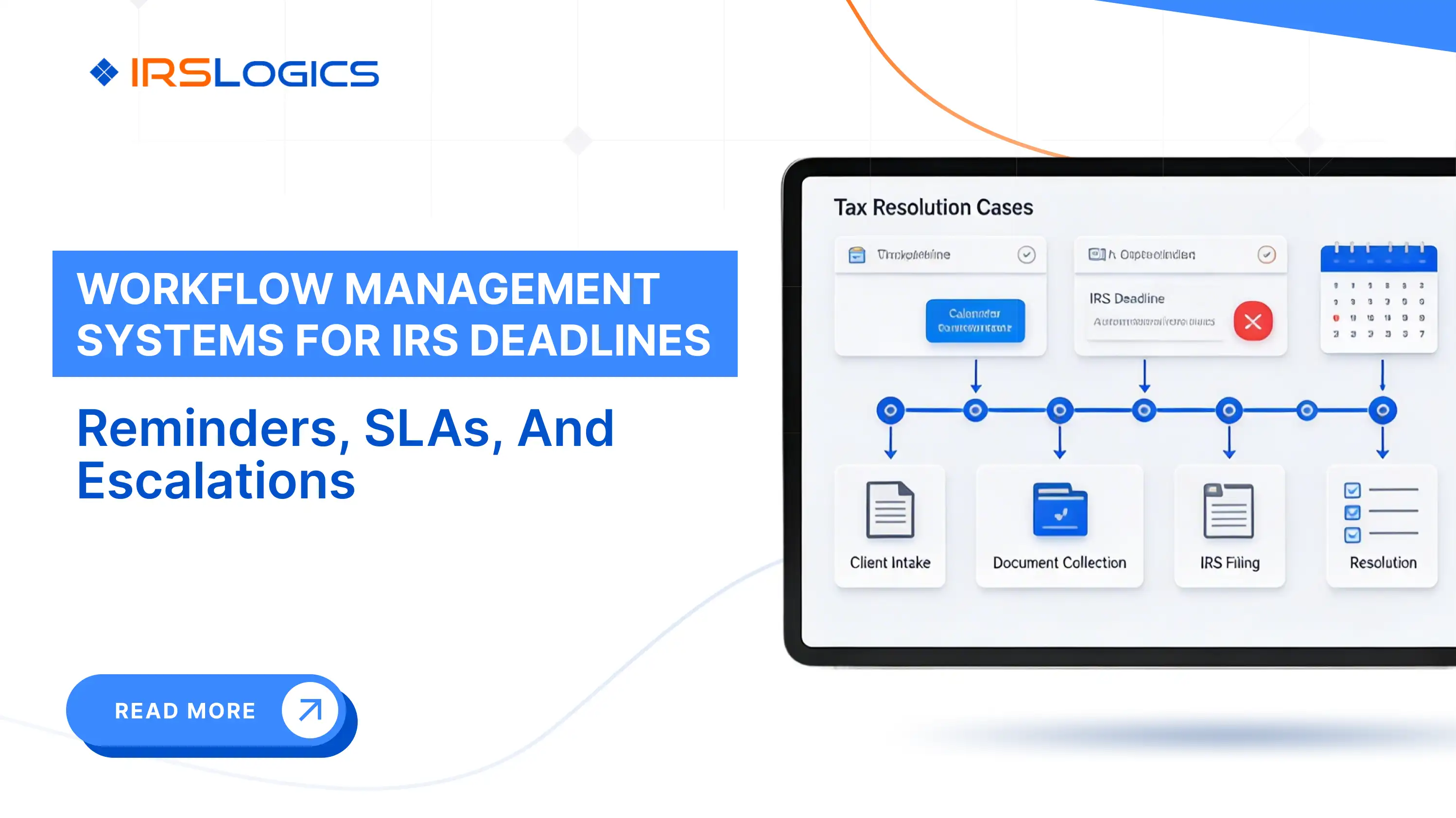
A workflow management system fixes this by making deadlines visible, assigning ownership automatically, and escalating overdue work before it becomes an emergency.
This guide shows how to set up reminders, SLAs, and escalations for IRS deadline tracking in a way that is realistic for tax resolution teams.
IRS work has two qualities that make it unforgiving:
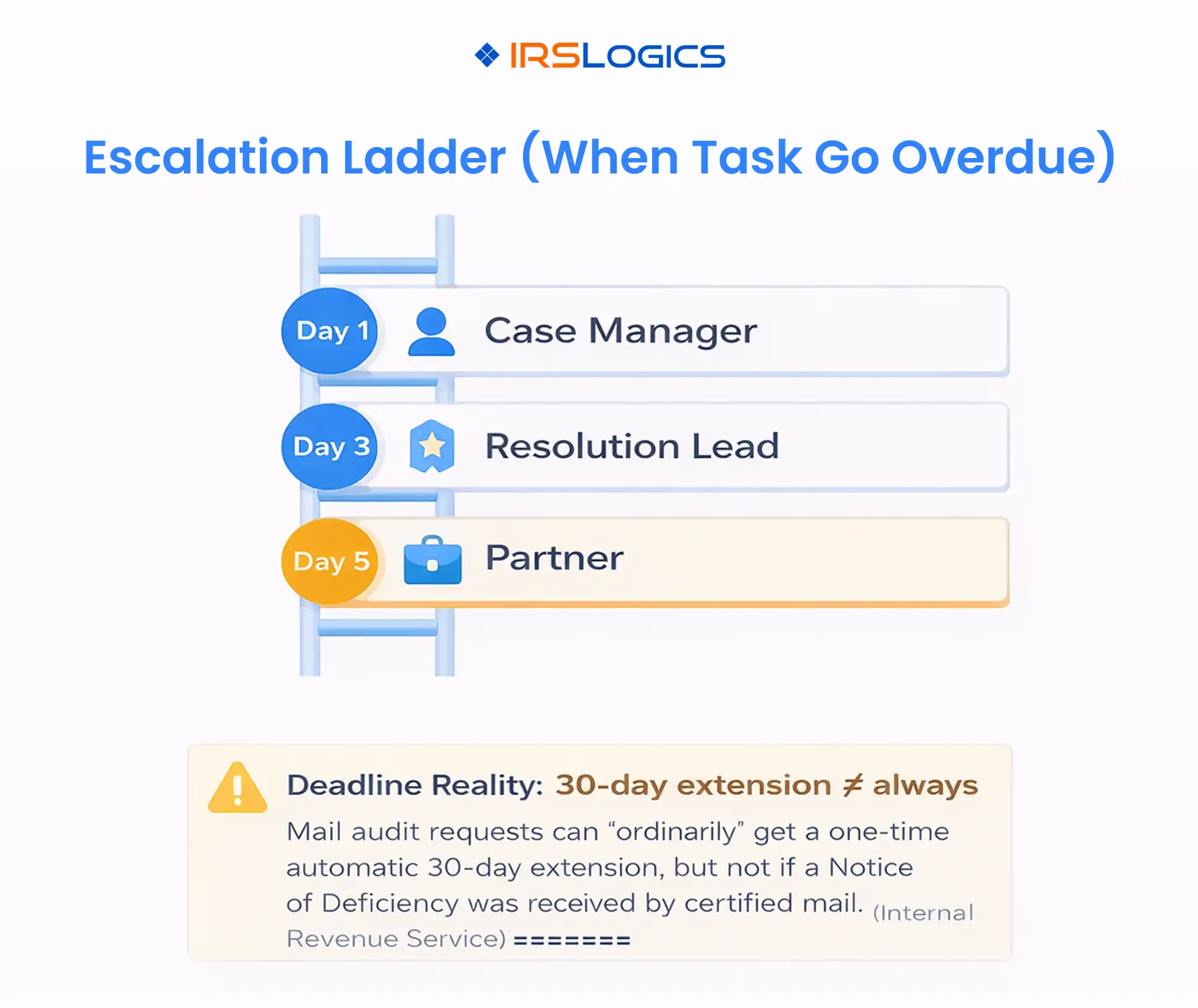
For example, the IRS notes that for many mail audits they can ordinarily grant a one-time automatic 30-day extension, but not when the taxpayer receives a Notice of Deficiency by certified mail.
That is why “we will remember” is not a process. Your workflow system must track deadlines and enforce follow-through.
The cleanest way to run IRS deadline tracking is to treat time like a stack with three layers.
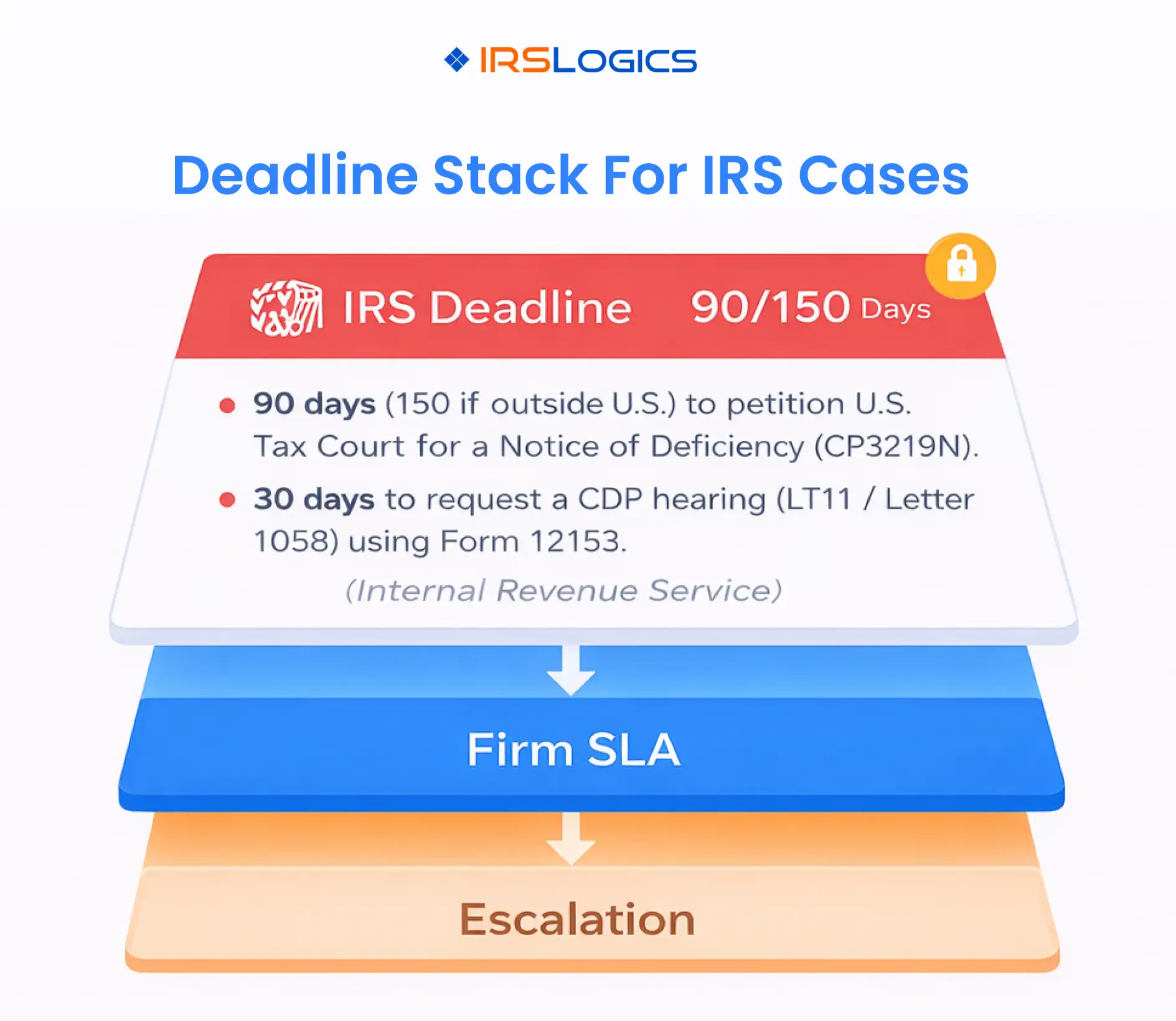
These are the non-negotiables from notices, statutes, and IRS processes. Your system should always store:
SLAs are internal service targets, not legal deadlines. They keep your team moving early, so you are not working in the red zone. SLA-driven escalation workflows are a common best practice in operational systems because they surface handoff delays and overdue work quickly.
Escalations define what happens when a task is late, for example, notify a case manager at 24 hours overdue, and a resolution lead at 72 hours overdue.
A tax resolution platform like IRSLogics highlights structured workflows with tasks and reminders, plus reporting and activity logs, which is the operational foundation you need to enforce this stack.
Deadlines vary by notice and situation, and the notice itself should always be your source of truth. Still, there are a few high-impact timelines most resolution teams build into workflow templates.
The IRS describes CP3219N as a Notice of Deficiency (a 90-day letter), and notes that to challenge the proposed tax, the taxpayer generally has 90 days from the date on the notice to file a petition with the U.S. Tax Court, or 150 days if outside the country.
The IRS Collection Due Process FAQs state you have 30 days from receipt of an LT11 or Letter 1058 to request a CDP hearing using Form 12153.
IRS Publication 594 also explains that for proposed levies, the CDP deadline is generally 30 days from the date of the letter, and mentions the possibility of an Equivalent Hearing within one year if the request is not timely.
The IRS emphasizes responding by the date shown on the letter or notice, and notes that if you do not respond by the due date, they may complete the audit and issue a report with proposed changes.
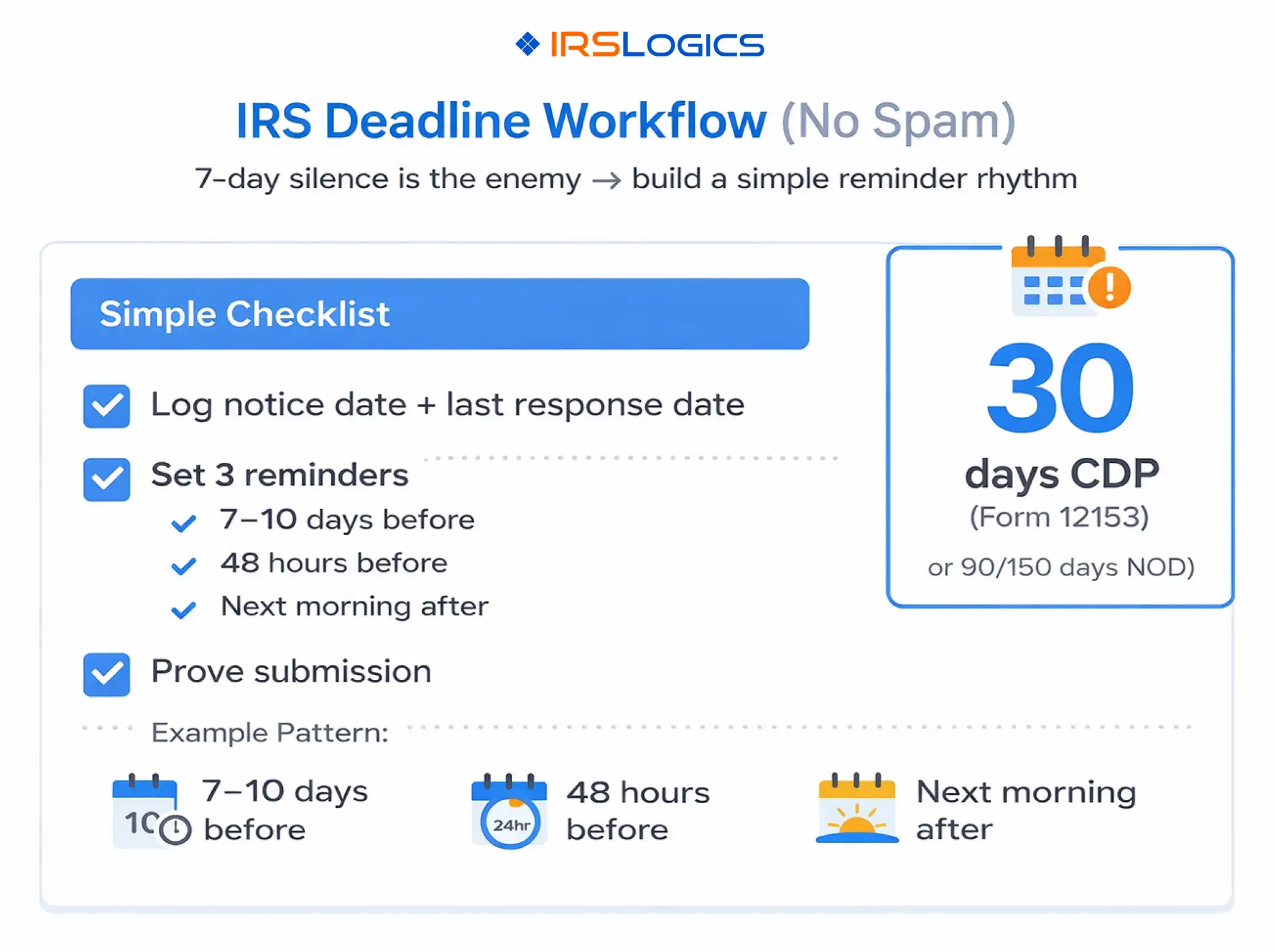
A good reminder system is simple, consistent, and linked to the actual deadline.
This structure reduces notification fatigue while still preventing last-minute surprises, and aligns with common reminder best practices used in SLA and escalation systems.
When reminders are tied to roles, they still fire even if someone is out sick.
IRSLogics notes workflow management and also references calendar integration for reminders and deadlines, which supports this kind of consistent reminder behavior.
SLAs should be designed around the work that causes IRS deadline misses.
These are internal operating targets. They exist so your team is not racing the IRS clock.
The biggest win from workflow tools is converting expectations into templates and automation, so the same steps happen every time.
Escalations should be predictable. People should know what happens when something is overdue.
In workflow systems, escalation best practices often center on clarity of responsibility and visibility into bottlenecks, so overdue items cannot disappear.
Not every overdue item deserves the same escalation.
If you can only build a few dashboards, start with views that prevent silent failure.
IRSLogics highlights built-in reminders for IRS deadlines and follow-ups, plus timelines and status views, which map directly to these leadership reports.
They are systems that organize IRS case work into stages and tasks, track deadlines, send reminders, and provide reporting so teams can manage cases consistently and avoid missed dates.
It is the process of logging notice dates and last response dates, assigning ownership, setting reminders, and documenting submissions so the team can prove what was done and when. The IRS emphasizes responding by the date shown on the notice or letter.
SLAs create internal time targets, so the team completes controllable work early, like review, document collection, and follow-up scheduling, instead of waiting until the IRS deadline is near.
Start simple, escalate to a case manager after 1 day overdue, to a resolution lead after 3 days, and to leadership after 5 days. Then tighten the timeline for statutory deadlines like CDP and deficiency-related work.
Sometimes, and sometimes not. For example, the IRS notes they can often grant a one-time automatic 30-day extension for audits by mail, but not for a Notice of Deficiency received by certified mail.
Workflow management systems reduce IRS deadline risk by turning time into a managed process, not a memory test.
Key takeaways:
All
Tax Software
Workflow & Automation
Industry News
Resolution Tips
Tax Resolution Marketing

Lorem ipsum dolor sit amet, consectetur adipiscing elit. Suspendisse varius enim in eros elementum tristique. Duis cursus, mi quis viverra ornare, eros dolor interdum nulla, ut commodo diam libero vitae erat. Aenean faucibus nibh et justo cursus id rutrum lorem imperdiet. Nunc ut sem vitae risus tristique posuere.


Share this article directly by email. Simply enter the recipient’s details below.

Article has been send to you.