Tax Software


You searched "IRS tax software" and landed somewhere you did not expect.
Because most of the results for that term are for TurboTax, FreeTaxUSA, and IRS Free File. Consumer products. Tools built for W-2 employees filing a 1040 once a year.
That is not you.
You are a CPA, an Enrolled Agent, or a tax attorney managing a caseload of clients with IRS debt, open installment agreements, pending OIC submissions, and transcript requests that need to move fast. The IRS tax software conversation you need to have is completely different from the one Google keeps showing you.
This blog is that conversation. We will cover what IRS tools actually matter for resolution professionals, what your tech stack needs to include, and why the category most people call "IRS tax software" splits into two very different things depending on who is doing the work.
When someone types "IRS tax software" into a search engine, they are usually looking for one of two very different things.
The first is consumer e-file software. TurboTax. H&R Block. FreeTaxUSA. Tools built for individuals who file once a year and want the simplest path to a submitted return.
The second is what tax professionals actually need: a combination of IRS-approved e-file access, IRS e-Services tools, transcript retrieval systems, and a case management platform that holds everything together.
If you are in resolution work, the second category is your entire practice infrastructure. And most search results for "IRS tax software" will not tell you that.
Before we get into case management platforms, it helps to understand what the IRS itself provides and where those tools stop.
The IRS e-file program allows tax professionals to submit returns electronically through IRS-approved software. To e-file as a professional, you need an Electronic Filing Identification Number (EFIN) from the IRS. The IRS maintains a list of approved software providers for professional use, separate from the consumer products listed on the Free File program page.
Beyond e-filing, the IRS offers e-Services, a suite of web-based tools for tax professionals. The most relevant for resolution work are:
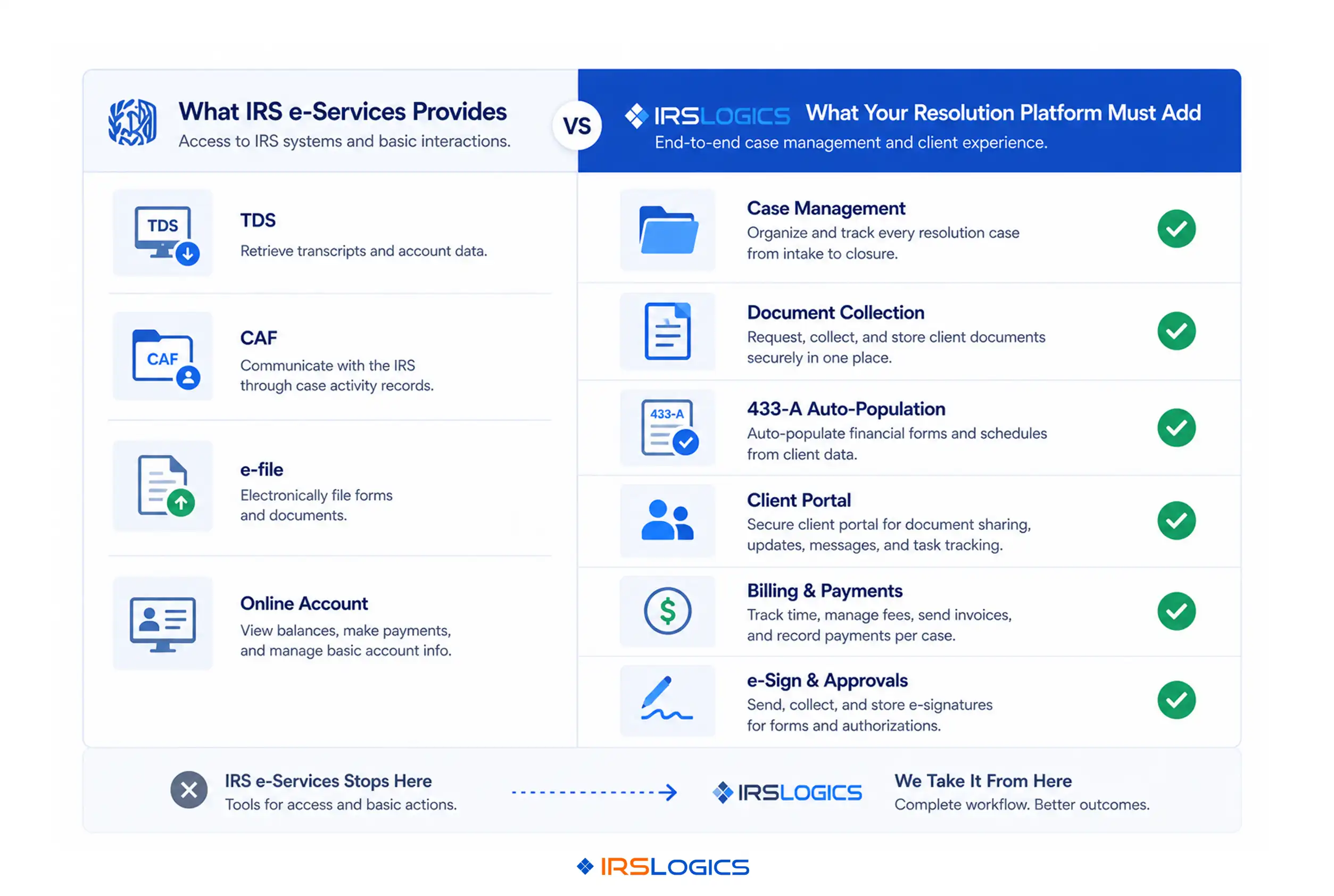
Transcript Delivery System (TDS). This is where professionals pull IRS transcripts for clients directly. Account transcripts, wage and income transcripts, tax return transcripts. These documents are the foundation of almost every resolution case. You cannot build an OIC, negotiate an installment agreement, or determine CSED dates without them.
Taxpayer Authorization Tools. The IRS's Centralized Authorization File (CAF) system processes Forms 2848 (Power of Attorney) and 8821 (Tax Information Authorization). You need these on file before you can pull transcripts or speak to the IRS about a client's account.
Online Account Access. The IRS now provides expanded online account access for tax professionals with valid authorizations. Balance due amounts, payment history, and some transcript data are available here.
These tools are essential. They are also where the IRS's direct offering ends. The IRS does not give you a way to manage your cases, track documents, bill clients, communicate through a portal, or file the actual resolution forms. That gap is exactly what practice management software exists to fill.
For a detailed walkthrough of IRS e-Services and professional access requirements, the IRS Tax Pro Center is the authoritative resource. The National Association of Enrolled Agents also maintains updated guidance on EA-specific IRS access and tools.
Many practices treat transcript pulling as an administrative task. Something to get done and move on from.
That is a mistake.
Transcripts tell you everything a client cannot or will not tell you themselves. CSED dates that change the entire resolution strategy. Unfiled years, the client forgot to mention. Assessed penalties and the timeline behind them. Liens and their priority dates.
Pulling transcripts fast, and pulling the right ones, is a case management skill. Account transcripts, wage and income transcripts, record of account transcripts: each serves a different diagnostic purpose in resolution work.
The problem most practices run into is not being able to access transcripts. It is tracking them. When you are managing 40 or 60 active cases, knowing which client's transcripts are current, which are pending, and which triggered something that needs action, becomes an operational problem.
The IRS Transcript Delivery System provides the access. What it does not provide is a case-connected log of every request, every result, and every follow-up action. That is a gap your practice management platform needs to fill.
TurboTax, H&R Block, and similar products are built around one workflow: collect income information, apply deductions, calculate tax owed or refund due, and submit the return.
That workflow covers almost nothing relevant to resolution work.
An OIC submission requires Form 656, Form 433-A or 433-B, supporting financial documentation, a detailed asset and liability picture, and a defensible calculation of reasonable collection potential. None of the major consumer products handle this. They are not built for it.
Installment agreements, currently not collectible status, penalty abatement requests, and audit reconsideration: all of these involve IRS procedures, client financials, and case documentation that fall completely outside the scope of what consumer e-file software handles.
This is not a criticism of those products. They do what they were designed to do. The issue is that "IRS tax software" as a search term pulls it to the top of results, creating category confusion that wastes time when resolution professionals are actually evaluating tools.
Drake Software is frequently compared to resolution platforms and deserves a specific note here. Drake is a strong professional tax preparation product. It handles complex returns and e-filing at high volume, and is genuinely useful for firms that handle both preparation and resolution. What it is not is a case management platform. Document collection, client portal, billing, e-signatures, and OIC workflow management are not what Drake was built for. A firm doing significant resolution work typically needs Drake or a comparable prep tool plus a dedicated resolution platform running alongside it. Canopy and TaxDome sit closer to the practice management category, but are not built specifically for resolution case workflows either.
Once you move past the IRS's own tools and the consumer or general-purpose software category, you get to what resolution practices actually need in their core platform.
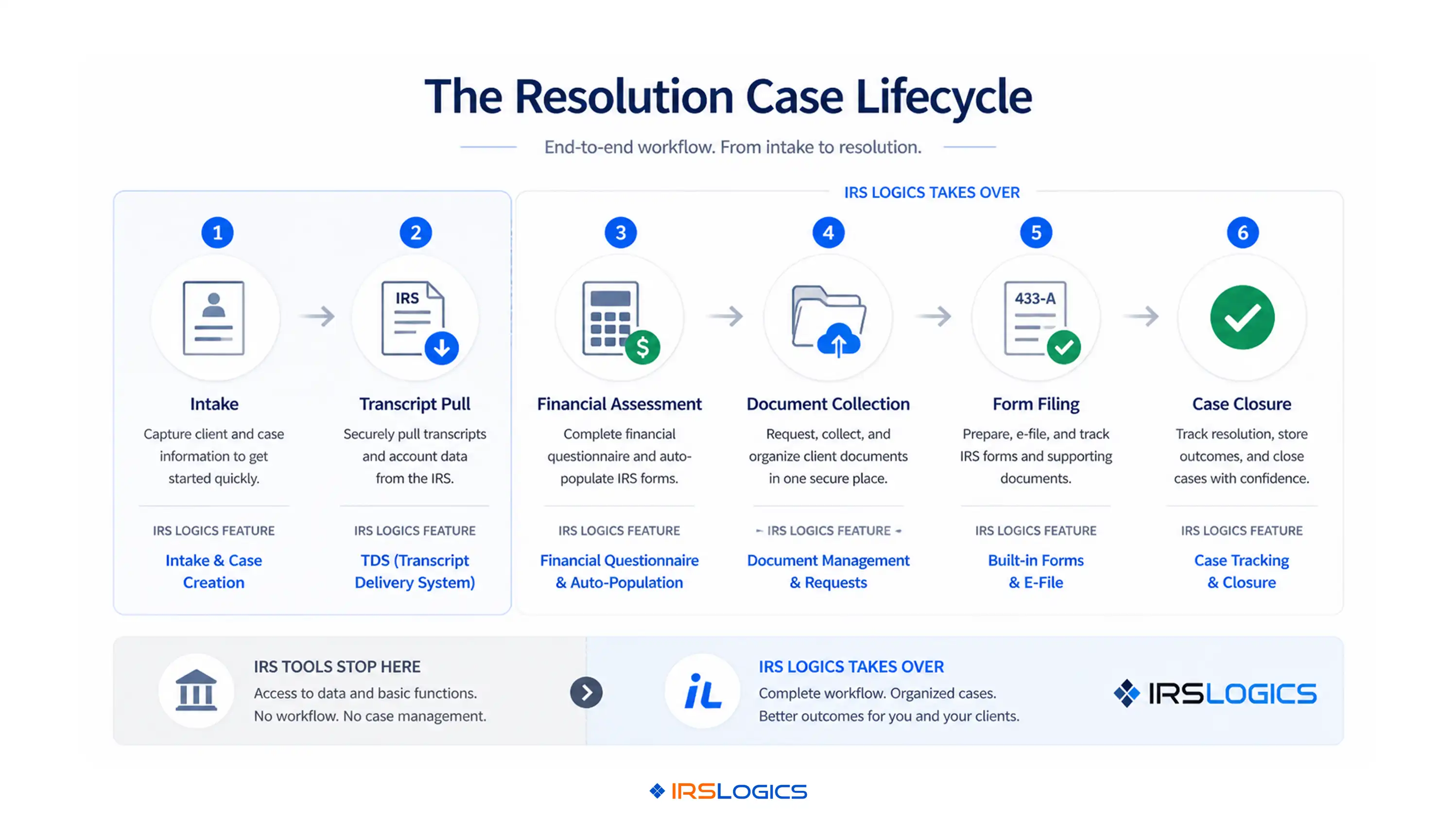
The workflow of a resolution case looks roughly like this:
A new lead comes in. You collect intake information. You pull transcripts. You assess the client's financial picture using Form 433-A or 433-B data. You identify the right resolution path. You collect supporting documents. You prepare and file the resolution form. You track IRS responses. You bill and collect through the case lifecycle.
Each one of those steps has specific software requirements that general tools do not meet.
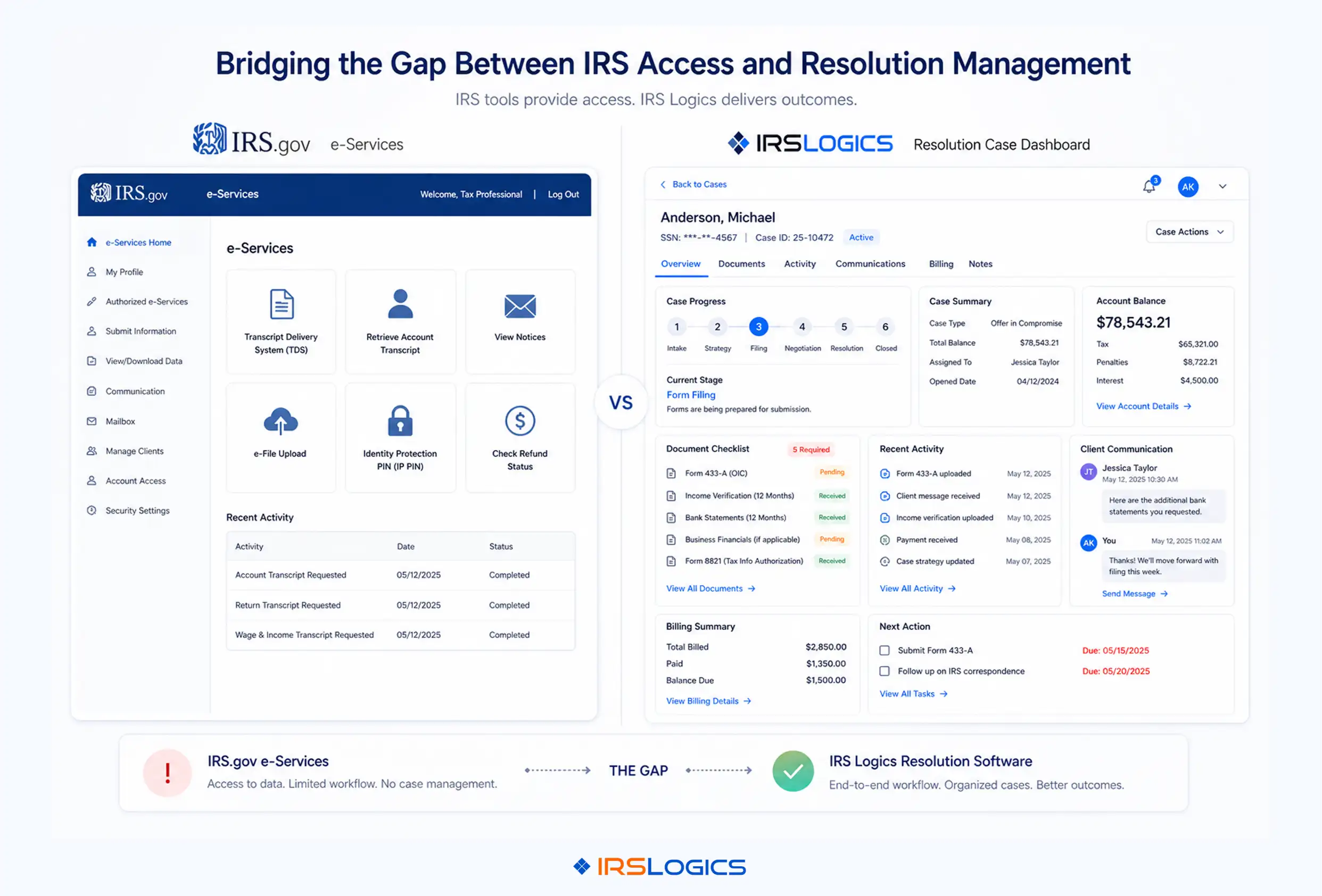
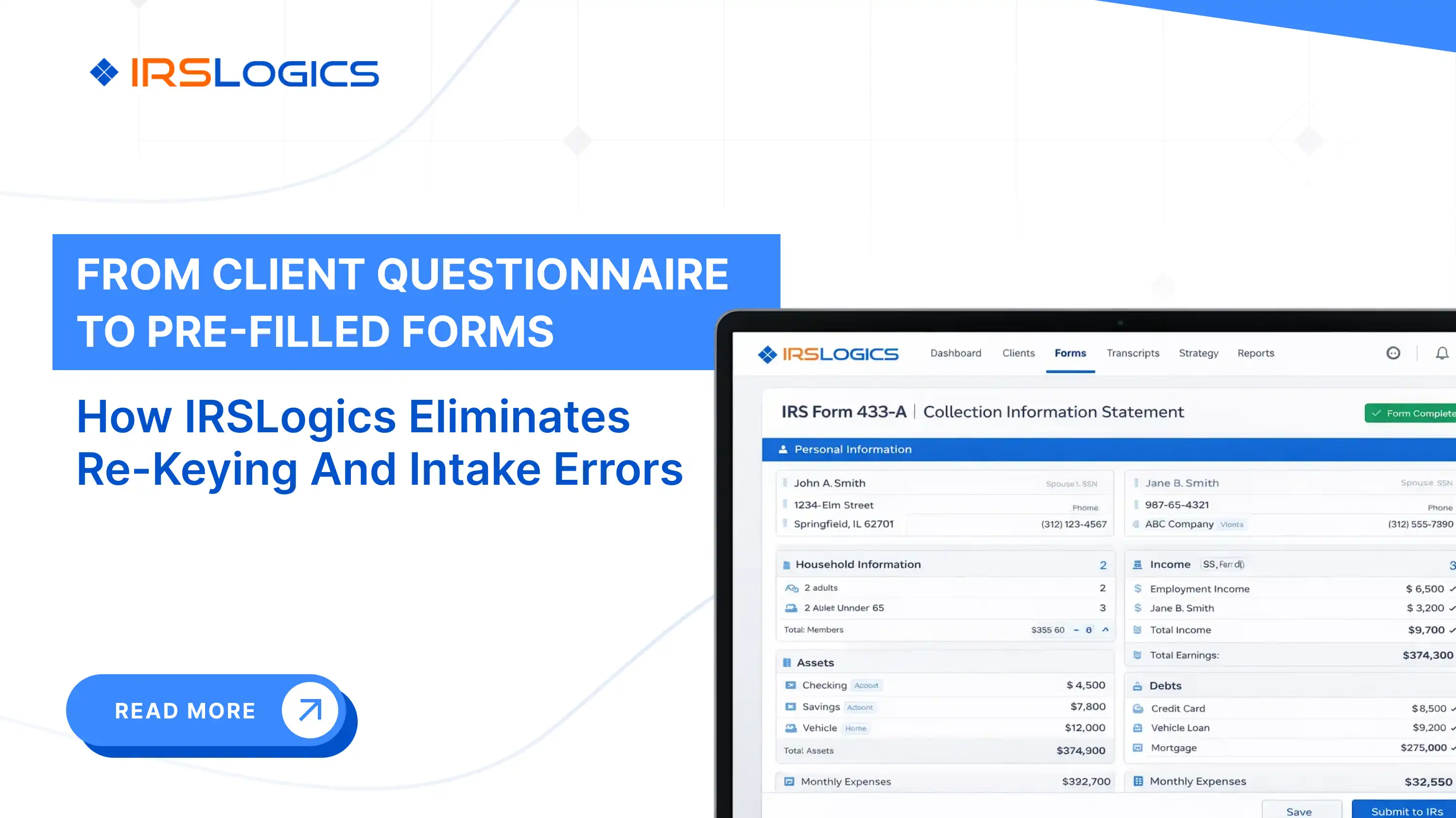
Financial intake and auto-population. The Financial Questionnaire inside IRSLogics sends a fillable form directly to the client. The client fills it in, the firm is notified, and the data automatically flows into the 433-A, 433-B, and OIC worksheets within the platform. This eliminates re-keying financial data across multiple forms, which is one of the most error-prone manual steps in resolution work.
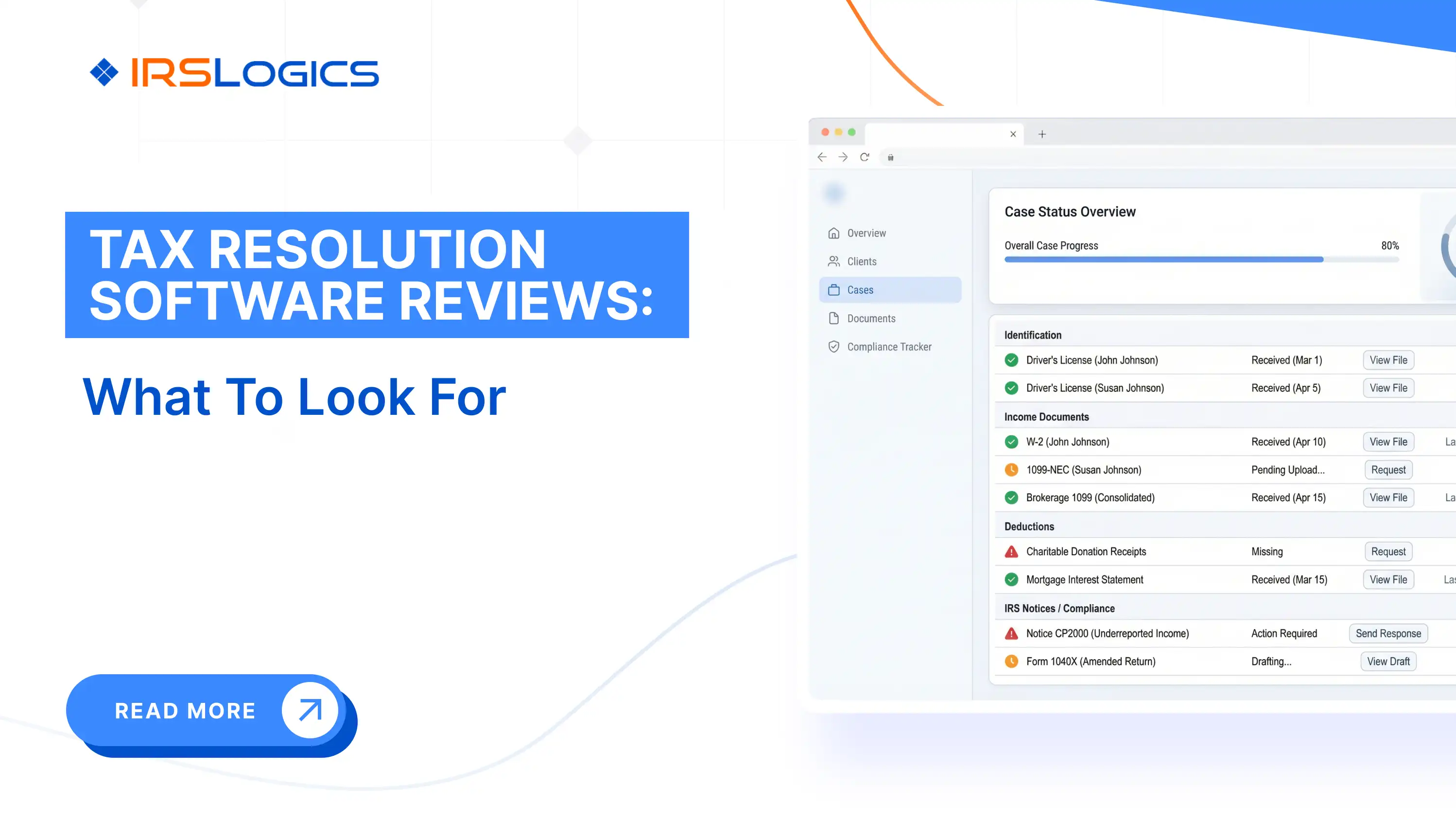
Document collection and tracking. The Document Collection Tab in IRSLogics runs a multi-office workflow that tracks the status of every document request across all cases. When onboarding a client who needs to provide bank statements, pay stubs, proof of expenses, and business financials, a tracked request process is not a luxury. It is the difference between a case moving and a case stalling. This connects directly to the broader document collection workflow covered in the IRSLogics blog here.
Built-in IRS forms. All federal and state IRS resolution forms are built into IRSLogics. Custom forms can be added using merge fields. You do not upload templates manually or maintain a separate form library outside the platform.
Transcript integration. IRSLogics connects directly to the IRS Transcript Delivery System. Transcript requests are initiated from within the client case record and logged automatically. The Transcript Logs feature gives you a full view of every request and its current status across your entire caseload. This is explored in more depth in the IRS transcripts and case management blog on the IRSLogics site.
Billing connected to case records. The Tying Payments to Invoices feature links every payment to its specific invoice, so you always know what is outstanding and on which invoice. Accounts receivable visibility across a resolution practice is a cash flow management function that general CRM tools rarely handle well.
Client communication in one place. SMS Conversation View brings two-way texting into a threaded view inside the client case record. The Client Portal gives clients a secure, branded space for documents, e-signatures, appointment booking, and billing. Communication stops being scattered across email threads, text messages, and phone notes.
The IRS gives you the access tools. e-Services, TDS, CAF processing, and online account access. What it cannot give you is a workflow layer that sits on top of those tools and connects them to your actual case management.
That is what a purpose-built resolution platform does. IRSLogics was built specifically for this workflow. Not adapted from a general CRM. Not a tax preparation tool with resolution features bolted on. Every feature on the platform maps to a stage in the resolution case lifecycle, from intake through filing to case closure.
For a detailed comparison of how resolution-specific platforms differ from general practice management tools, the CRM comparison for tax professionals blog covers the distinction in depth.
If you are evaluating your current stack against what a resolution-focused platform offers, book a demo with IRSLogics to see the end-to-end case workflow.
IRSLogics is a software platform built specifically for tax resolution firms. It brings the entire workflow into one system, from lead intake to final IRS resolution.
The platform combines CRM, case management, document collection, IRS form generation, client communication, and billing in a single dashboard. Instead of switching between tools, firms can manage everything in one place with a structure that matches how IRS cases actually work.
It is designed for CPAs, enrolled agents, and tax attorneys who need a system that supports real resolution workflows, not generic sales pipelines. The focus is on reducing manual work, keeping cases organized, and helping firms operate more efficiently as they grow.
FAQ
Does the IRS have its own tax software for professionals?
No. The IRS provides access tools, not full software. You still need a platform to manage the actual work.
What is the difference between IRS tax software and tax resolution software?
IRS tools help you access data. Resolution software helps you run the case. One gives inputs, the other manages outcomes.
Can I use TurboTax or H&R Block for resolution cases?
No. They are built for filing returns. Resolution work requires completely different workflows and forms.
What IRS forms does resolution software need to include?
At minimum: 433-A, 433-B, 656, 9465, and 2848. Without these, you are still working manually.
How does transcript retrieval work inside a resolution platform?
It should happen inside the case. Requests are initiated, tracked, and stored without switching systems.
What should a tax resolution tech stack include?
IRS access tools, a tax prep solution, and a resolution platform that handles everything else in one place.
Is IRSLogics IRS-approved software?
It integrates with IRS systems. For approvals, always refer to official IRS guidance for your practice type.
If you searched "IRS tax software" looking for a tool that actually fits resolution work, now you know why most results missed the mark.
The IRS provides the access layer. You need a platform that turns that access into a managed, documented, billable case workflow.
To recap:
See how IRSLogics handles the full resolution workflow. Book a free demo at irslogics.com.
All
Tax Software
Workflow & Automation
Industry News
Resolution Tips
Tax Resolution Marketing

Lorem ipsum dolor sit amet, consectetur adipiscing elit. Suspendisse varius enim in eros elementum tristique. Duis cursus, mi quis viverra ornare, eros dolor interdum nulla, ut commodo diam libero vitae erat. Aenean faucibus nibh et justo cursus id rutrum lorem imperdiet. Nunc ut sem vitae risus tristique posuere.


Share this article directly by email. Simply enter the recipient’s details below.

Article has been send to you.