Tax Software


If you run a CPA firm, you already live in a world of calendars, closing dates, and filing deadlines. When you add IRS problem cases on top of compliance and advisory work, the risk profile of your practice changes quickly.
A single missed response date on a levy, a lost notice, or an undocumented conversation can have bigger consequences than a late tax return. It is not just about client satisfaction. It is about managing professional risk under Circular 230, the AICPA Statements on Standards for Tax Services, and your own malpractice coverage.
Most “best tax software for CPAs” lists focus on return preparation, not on representation and IRS case work. That leaves a gap. CPAs need to understand how tax resolution software fits into firm workflows and supports compliance and documentation standards, not just how it fills out forms.
This guide is written with that reality in mind. It will help you:
By the end, you will have a clear lens for comparing tools and a checklist your team can use in demos and vendor evaluations.
CPAs do not handle tax resolution in isolation. It sits next to:
That creates a few realities that any tax resolution software for CPAs has to respect:
At the same time, Circular 230 and AICPA tax standards set clear expectations for CPAs regarding diligence, documentation, and record retention for tax work and representation.
This combination is why generic practice management tools or basic tax prep systems rarely cover everything. A CPA firm needs resolution-specific workflows, transcript tools, and documentation capabilities that are tightly integrated with client records, billing, and internal controls.
When you evaluate software, it helps to separate feature lists from what actually matters in a CPA context. The following capabilities are typically non-negotiable.
Several platforms now position themselves explicitly as tax resolution software for CPAs, enrolled agents, and tax attorneys, rather than general tax tools.
You should be able to see that the system is designed for:
If a vendor primarily focuses on tax return preparation, it is probably not the right core system for representation work.
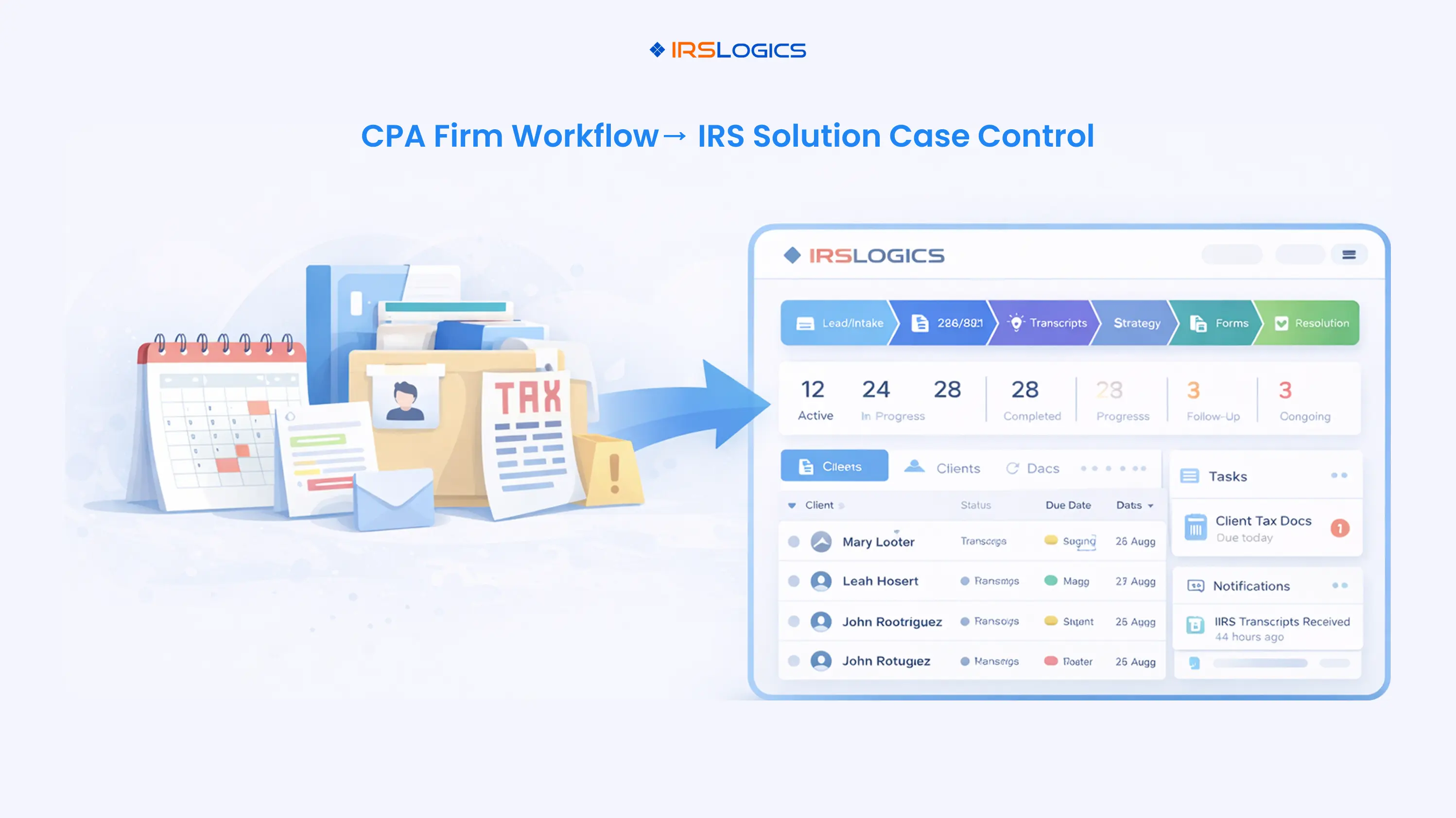
The best tax resolution software for CPAs gives you:
IRSLogics, for example, positions case and workflow management as a core pillar, alongside client portal, billing, and reporting.
This is particularly important in CPA firms where partners need dashboard views, and staff need clear task lists without relying on email.
CPAs who practice before the IRS can access the IRS Transcript Delivery System and other e-services, but manually pulling and analyzing transcripts is still time-consuming.
Look for software that:
Modern resolution platforms, including IRSLogics and competitors such as PitBullTax and Canopy, highlight these capabilities as core to their value proposition.
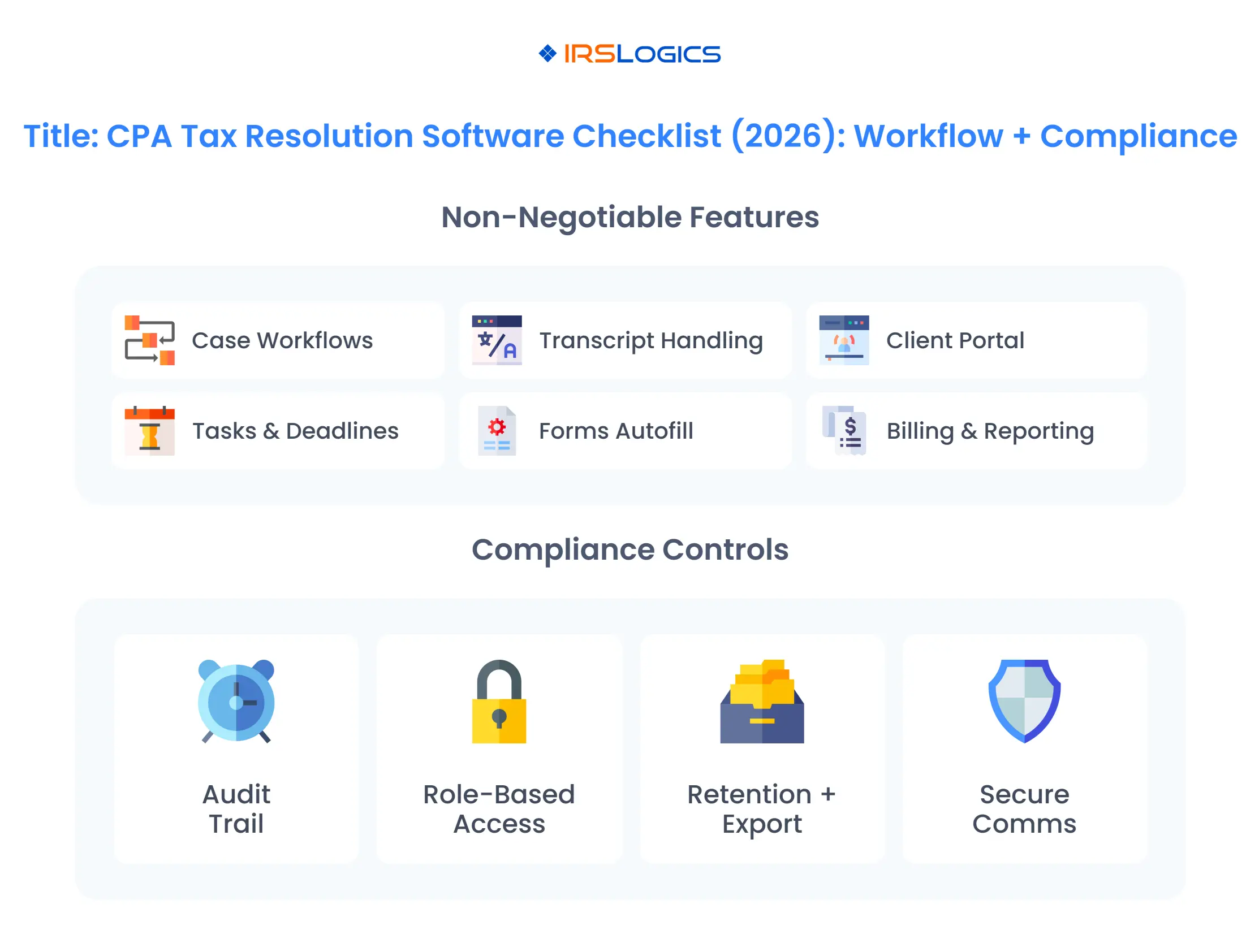
For CPA firms, it is not enough to have a portal that just exchanges files. You also need:
These communication records matter when demonstrating diligence and responding to inquiries or complaints later.
Tax resolution work often runs on retainers and staged fees. The software should:
IRSLogics, for instance, presents billing, payments, and reporting as part of an all-in-one tax resolution CRM for attorneys, CPAs, enrolled agents, and resolution firms.
To see whether a platform really fits CPA tax resolution workflow needs, walk through a complete case during your evaluation.
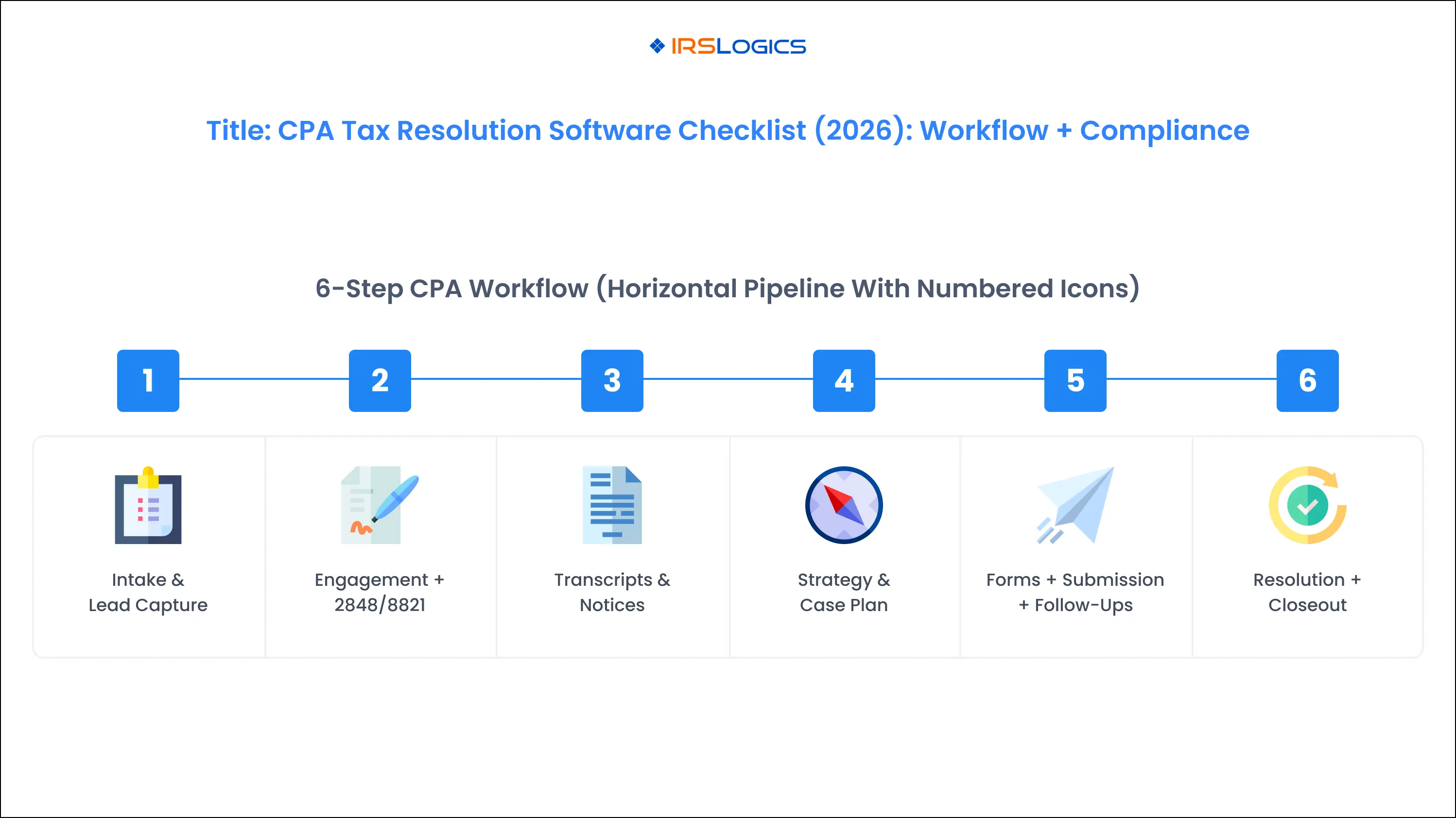
A typical CPA tax resolution workflow might follow these stages.
If a vendor cannot demonstrate this kind of end-to-end CPA tax resolution workflow in a live demo, you will likely end up with workarounds and spreadsheets.
CPAs cannot treat tax resolution software as a convenience tool. It is part of how you meet your professional obligations.
Several frameworks are particularly relevant.
Circular 230 governs practice before the IRS for attorneys, CPAs, and enrolled agents. It emphasizes:
These duties are directly tied to how you document work, maintain records, and track communications.
The AICPA Statements on Standards for Tax Services are enforceable practice standards for AICPA members. They highlight:
AICPA guidance and related resources encourage firms to adopt written document retention policies and apply them consistently, often citing periods of six to seven years or more, depending on the type of engagement and applicable law.
Articles and FAQs directed to tax practitioners emphasize that:
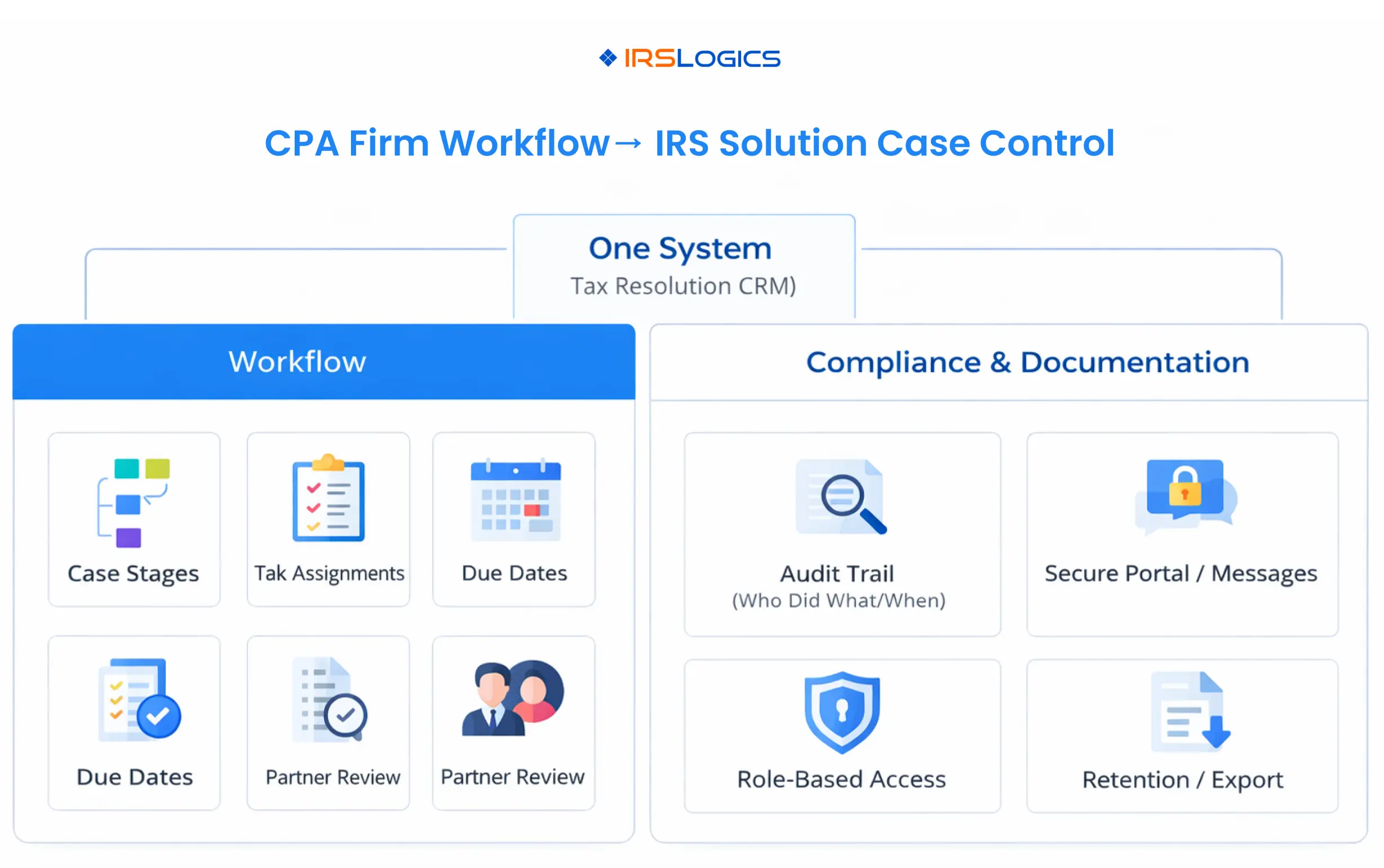
All of these factors are easier to manage when your tax resolution software offers centralized, secure document storage with clear audit trails and export capabilities.
When you look at systems, treat these obligations as design requirements. The right software will make compliance easier, not harder.
This is the part most “best software” articles skip. Use the checklist below as a practical tool when you evaluate tax resolution software for CPAs.
You can adapt it into an internal evaluation form or use it directly during demos.
For each item, note whether the vendor can clearly demonstrate it.
Again, evaluate whether the vendor can support each item concretely.
If a vendor cannot give straightforward, specific answers to these checklist items, treat that as a sign to look more closely or move on.
Several platforms regularly appear in discussions of the best tax resolution software for CPAs, including IRSLogics, PitBullTax, IRS Solutions, and Canopy.
At a high level:
These options differ in pricing models, add-ons, and the degree to which resolution is integrated with wider practice management.
The main gap for CPAs is not a lack of tools. It is a lack of structured guidance on aligning software with Circular 230 and AICPA documentation expectations. That is why bringing a workflow and compliance checklist into your evaluation process is so useful.
IRSLogics is positioned as a complete tax resolution CRM and workflow platform built exclusively for tax resolution firms, attorneys, CPAs, and enrolled agents.
From a CPA perspective, a few points stand out:
Choosing the right software is important, but implementation is where firms either get leverage or lose momentum.
For small CPA firms:
For mid-sized firms:
In both cases, schedule periodic reviews with a focus on:
If the answer is yes, the software is doing its job.
Return preparation tools focus on accurate filings and some workflow, but usually do not handle transcripts, notices, representation forms, and multi-month resolution workflows. Dedicated tax resolution software for CPAs brings together client communication, billing, and documentation in one system.
Circular 230 expects practitioners to exercise due diligence in preparing and filing documents and in representations to the IRS and clients. Software that centralizes case history, tasks, notes, and documents makes it easier to show that you followed a structured process, kept accurate records, and responded promptly to IRS requests for information.
Focus on whether the system supports documentation, audit trails, role-based access, secure storage, export capabilities, and alignment with your firm’s document retention policy. These areas directly align with AICPA and IRS expectations regarding recordkeeping and practitioner responsibility.
IRSLogics is built exclusively for tax resolution professionals, including tax attorneys, CPAs, enrolled agents, and tax resolution firms. It combines tax resolution workflows, CRM, client portal, billing, and reporting into a single system, which can be attractive to CPA firms that want a dedicated resolution platform rather than a general practice management tool.
Vendors commonly use per-user monthly subscriptions or membership models, with some offering modular pricing for transcripts, resolution tools, or additional features. Public pricing comparisons show ranges starting in the low hundreds of dollars per month for smaller firms, scaling with the number of users and modules.
Tax resolution work within a CPA firm is high-stakes, high-complexity, and tightly connected to your professional obligations. The right tax resolution software for CPAs should feel like a backbone for that work, not an extra tool you try to fit around your existing processes.
When you evaluate options, look beyond marketing bullet points. Ask how the platform supports your CPA tax resolution workflow and how it helps you meet Circular 230 and AICPA documentation expectations. Use the workflow and compliance checklist in this guide to keep your comparisons grounded in reality.
For CPA firms that handle a meaningful volume of IRS problem cases, getting this decision right is not just about efficiency. It is about building a defensible, scalable resolution practice that supports your clients and protects your firm.
All
Tax Software
Workflow & Automation
Industry News
Resolution Tips
Tax Resolution Marketing

Lorem ipsum dolor sit amet, consectetur adipiscing elit. Suspendisse varius enim in eros elementum tristique. Duis cursus, mi quis viverra ornare, eros dolor interdum nulla, ut commodo diam libero vitae erat. Aenean faucibus nibh et justo cursus id rutrum lorem imperdiet. Nunc ut sem vitae risus tristique posuere.


Share this article directly by email. Simply enter the recipient’s details below.

Article has been send to you.