Tax Software


You checked the box.
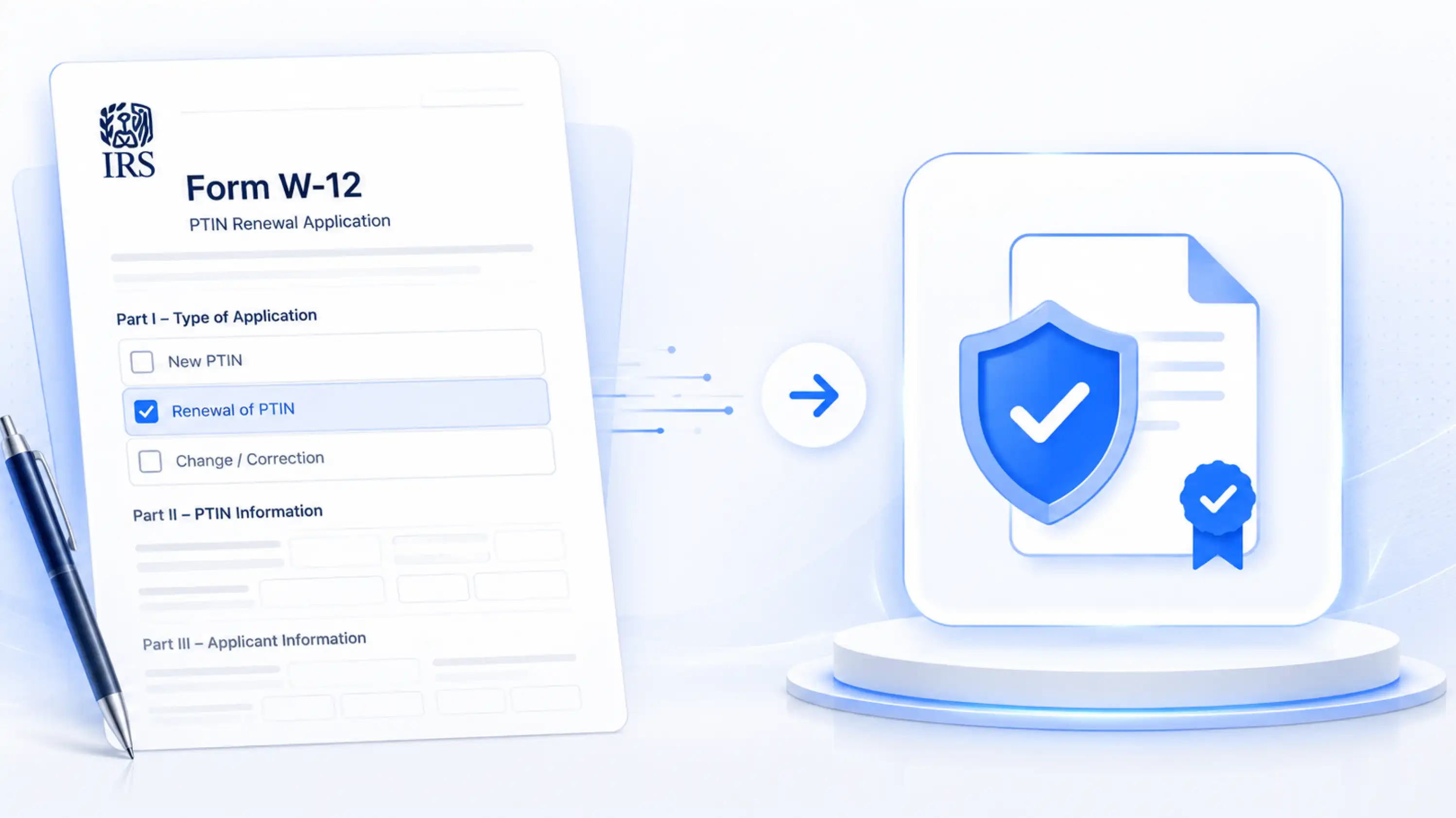
Line 11. Form W-12. PTIN renewal. The one that asks whether you maintain a Written Information Security Plan.
You checked it. Moved on. Filed your returns.
Here is the part nobody tells you upfront: that checkbox is a certification made under penalty of perjury. If you checked it without actually having a WISP in place, you have a legal problem. Not a technicality. A federal one.
And the IRS has signaled that audits are increasing through 2026.
This is not a scare tactic. This is the landscape that every Enrolled Agent, Tax Attorney, and CPA operating a tax resolution firm is working inside right now. The good news? Building a WISP for tax professionals does not have to be the administrative nightmare it sounds like. Done right, it becomes something your whole firm runs better because of.
Here is how resolution firms actually build one that holds up.
A Written Information Security Plan, or WISP, is a federally mandated document that outlines exactly how your firm protects client data. It covers your people, your systems, and your physical space.
The legal foundation is the Gramm-Leach-Bliley Act (GLBA), which classifies tax professionals as financial institutions. Same category as banks. Same data protection obligations.
The FTC Safeguards Rule builds on that. IRS Publication 4557 layers on further. And the updated IRS Publication 5708, revised in August 2024, introduced two changes that most firms are still catching up to:
The bottom line is this. A WISP for tax professionals is not optional paperwork. It is the documented proof that your firm has a plan, that your staff knows it, and that you can show it to a regulator if things go wrong.
Most firms cannot do that today. That is the real problem.
Every single person who prepares federal tax returns for compensation needs a WISP.
Solo practitioners. Two-person firms. Multi-office tax resolution practices. It does not matter how many clients you serve. The requirement applies to anyone handling taxpayer data with a PTIN, and it has no size exemption.
The AICPA has noted that during security training programs, a significant number of firms do not have a WISP, and many say they were not aware of the requirement, even though they had already attested to it on their PTIN renewal form.
That is the gap this blog exists to close.
For tax resolution firms specifically, the stakes are even higher. You are not handling simple 1040s. You are managing IRS transcripts, financial questionnaires, installment agreements, offer-in-compromise documentation, and bank statements. The data flowing through a resolution practice is among the most sensitive in the industry.
Your WISP needs to reflect that. A generic template designed for a general tax preparer will not cut it.
Think of your WISP as a house. These five sections are the structure. Without any one of them, the whole thing becomes shaky.
1. Designated Security Coordinator
Someone has to own this. Name one person, formally, who is responsible for implementing and maintaining the security program. In a solo practice, that is you. In a multi-staff firm, it should be a named individual whose responsibilities are documented. This is not a formality. It is required.
2. Risk Assessment
List every place client data lives in your firm. Every computer. Every cloud storage account. Every email client. Every case management platform. Then identify the realistic threats to each one: unauthorized access, phishing, device theft, accidental disclosure, insider mishandling. Document both the risks and how you address them.
For tax resolution firms using a client portal for case management, the risk assessment must cover how client documents are uploaded, who can access them, how logins are authenticated, and what happens if a client's portal credentials are compromised.
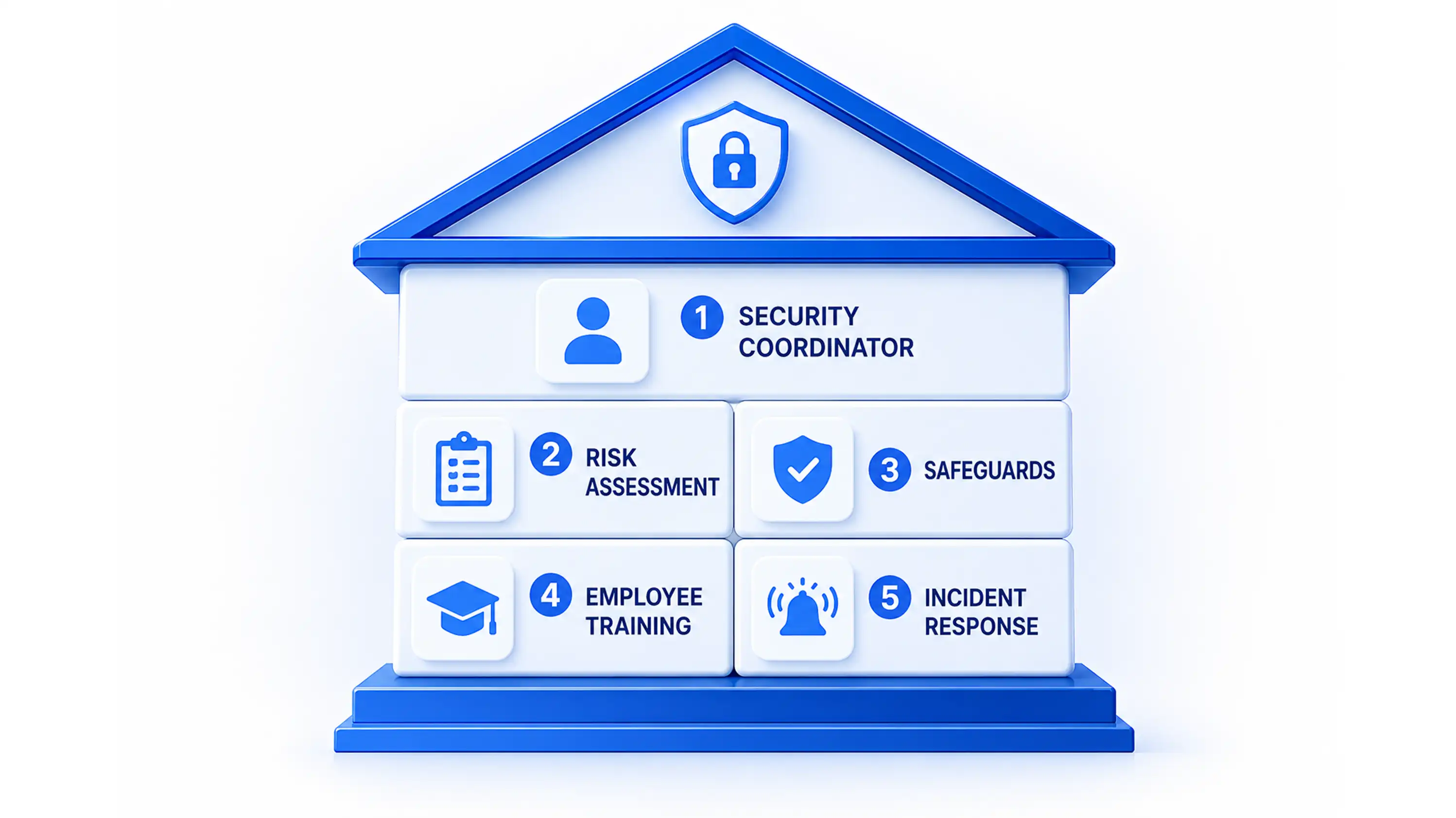
3. Safeguards Implementation
This is where your actual controls live. Multi-factor authentication on every system. Encrypted file storage. Role-based access so staff only see what they need to see. Endpoint protection on every device. Secure document disposal. A clean desk policy.
Per the 2024 update to IRS Publication 5708, MFA is now non-negotiable for all access to any information system. There is no in-office exception.
4. Employee Training and Management
Your WISP is only as strong as the person who falls for a phishing email at 6 PM on a Friday.
Staff training is mandatory and must be documented. Signed acknowledgments. Dates. Topics covered. The 2025 Verizon Data Breach Investigations Report found that 68 percent of breaches involved a human element. Training is not a checkbox. It is your first real defense.
New hires get trained during onboarding. Existing staff get trained annually at minimum. Every session needs a paper trail.
5. Incident Response Plan
When something goes wrong, and statistically it will, your staff needs to know exactly what to do without guessing.
Document the steps. Who gets notified internally. When the IRS Stakeholder Liaison gets the call. When the FTC breach report goes in, mandatory within 30 days if 500 or more people are affected. What clients are told and when.
Tax resolution firms that use SMS communication and client portals need to explicitly include those channels in the incident response section. If a breach affects client communications, the response plan must cover it.
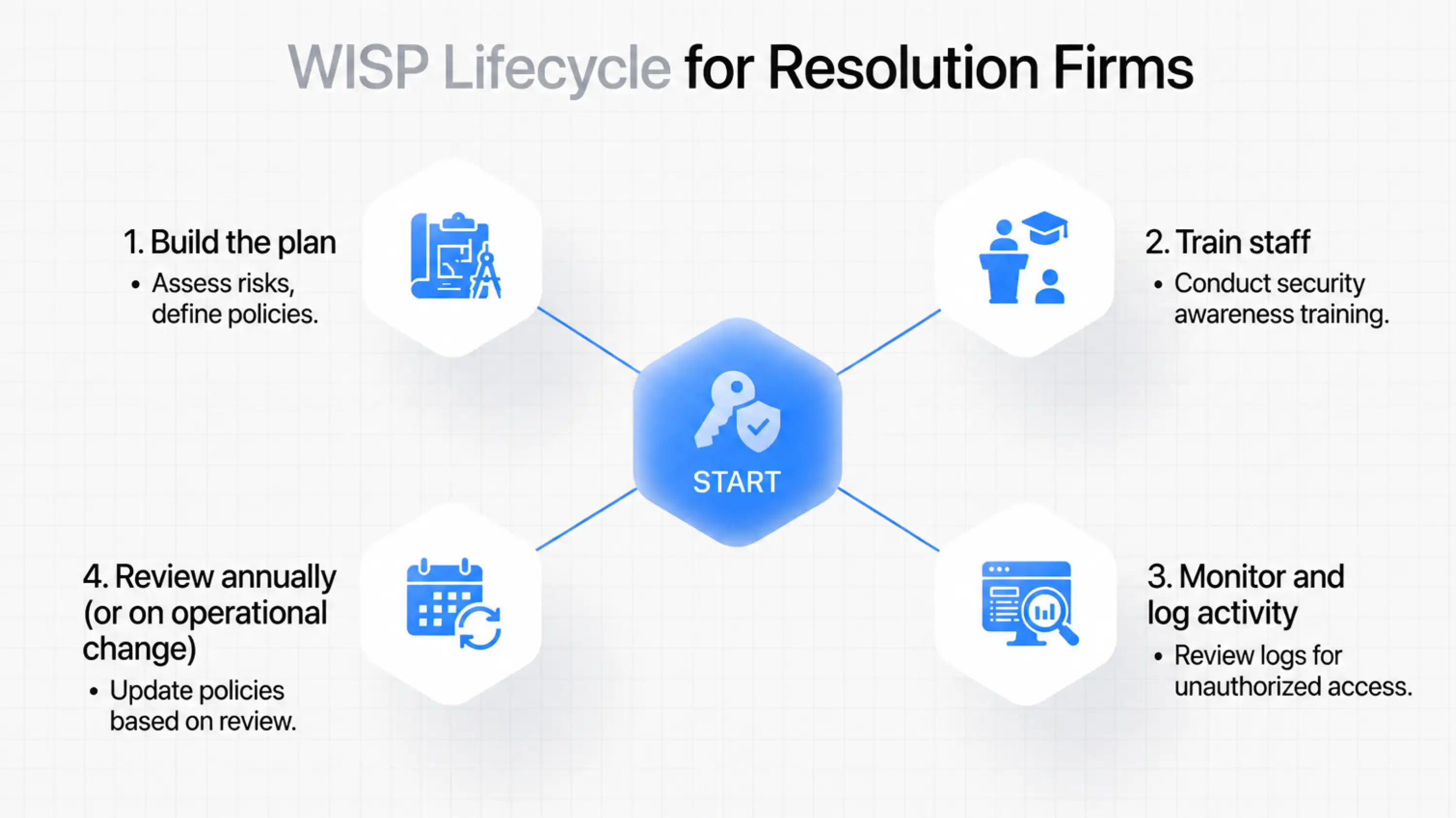
Annual review.
Not annual filing. Annual review.
Your WISP is a living document. Whenever something changes at your firm, it should trigger a WISP update. New software. New staff. New workflows. A new document collection process. A new client intake tool.
Most firms write a WISP once, print it, put it in a drawer, and forget it. That document stops reflecting your actual operations almost immediately. Under the FTC Safeguards Rule, your WISP has to describe what you actually do, not what you planned to do three years ago.
Review it every 12 months minimum. Update it every time your operations change. And keep a log of every review, including the dates and what was changed. That log is evidence of compliance.
Tax resolution firms do not need a generic practice management tool dressed up with a WISP guide stapled to it. They need software built for this industry, where workflows, data types, and compliance requirements are entirely different from those in general accounting.
IRS Logics is built exclusively for tax resolution professionals. The platform is designed around the exact workflows that a WISP for tax professionals needs to document and control. The Client Portal gives clients one secure, authenticated channel for document submission, case communication, billing, and appointment management, eliminating the unsecured email threads and scattered attachments that make WISP compliance nearly impossible to document.
The Financial Questionnaire collects client financial data through a structured, trackable intake process and auto-populates it directly into IRS financial forms inside the platform. The Document Collection workflow logs every file received, from whom, and when. Role-based access controls mean staff only see what they are authorized to see. Case activity logs give you the audit trail your WISP incident response section depends on.
When the IRS or FTC asks how your firm controls access to taxpayer data, IRS Logics gives you the answer. Not just in theory. In the actual record of your firm's operations.
See how IRS Logics handles tax resolution workflows and client data security.
It is mandatory. The Gramm-Leach-Bliley Act and the FTC Safeguards Rule require all tax professionals handling client data to maintain a Written Information Security Plan. Since 2024, PTIN renewal on Form W-12 requires you to certify this under penalty of perjury.
FTC penalties start at $50,000 per violation. The IRS can revoke your PTIN credentials, making it illegal to prepare returns for compensation. Professional liability insurance can also be voided. The cost of non-compliance far exceeds the cost of building a compliant plan.
Yes, a free template is a valid starting point. IRS Publication 5708 provides a sample WISP. However, the plan must reflect your actual operations, so any template needs to be customized to your specific systems, staff, workflows, and data types. A generic template used without adaptation may not hold up under scrutiny.
At minimum, annually. But operationally, any significant change to your firm, including new software, new staff, new client intake processes, or new communication channels, should trigger an immediate update. The WISP must describe what your firm actually does today, not what it did when the document was first written.
Yes. Any system through which client data flows, including a client portal, must be addressed in the WISP. This includes how clients authenticate, how documents are stored and transmitted, who has access, and what happens in the event of a security incident involving the portal.
The August 2024 update to IRS Publication 5708 made multi-factor authentication mandatory for all system access, not just remote logins. This means every staff member accessing any system containing taxpayer data must use MFA, even if they are sitting in the office. WISPs written before this update need to be revised to reflect this requirement.
Your WISP is not a document you write once and file away. It is the proof that your firm takes client data seriously, that your staff knows the plan, and that if something goes wrong, you are not scrambling to invent a response on the spot.
For tax resolution professionals, the data is too sensitive, and the consequences are too serious to risk with a half-built plan.
Build the five sections. Review them every year. Make sure your software supports what your WISP promises. And the next time you check Line 11 on Form W-12, you can do it knowing exactly what is behind it.
All
Tax Software
Workflow & Automation
Industry News
Resolution Tips
Tax Resolution Marketing

Lorem ipsum dolor sit amet, consectetur adipiscing elit. Suspendisse varius enim in eros elementum tristique. Duis cursus, mi quis viverra ornare, eros dolor interdum nulla, ut commodo diam libero vitae erat. Aenean faucibus nibh et justo cursus id rutrum lorem imperdiet. Nunc ut sem vitae risus tristique posuere.


Share this article directly by email. Simply enter the recipient’s details below.

Article has been send to you.



.webp)