Best Tax Resolution Software for Tax Attorneys: Case Notes, Audit Trails, Client Comms
If you handle IRS controversy work, you already know that the risk is rarely just about dollars. It is about what is on the record, who said what and when, and whether your files can withstand scrutiny years after a case closes.
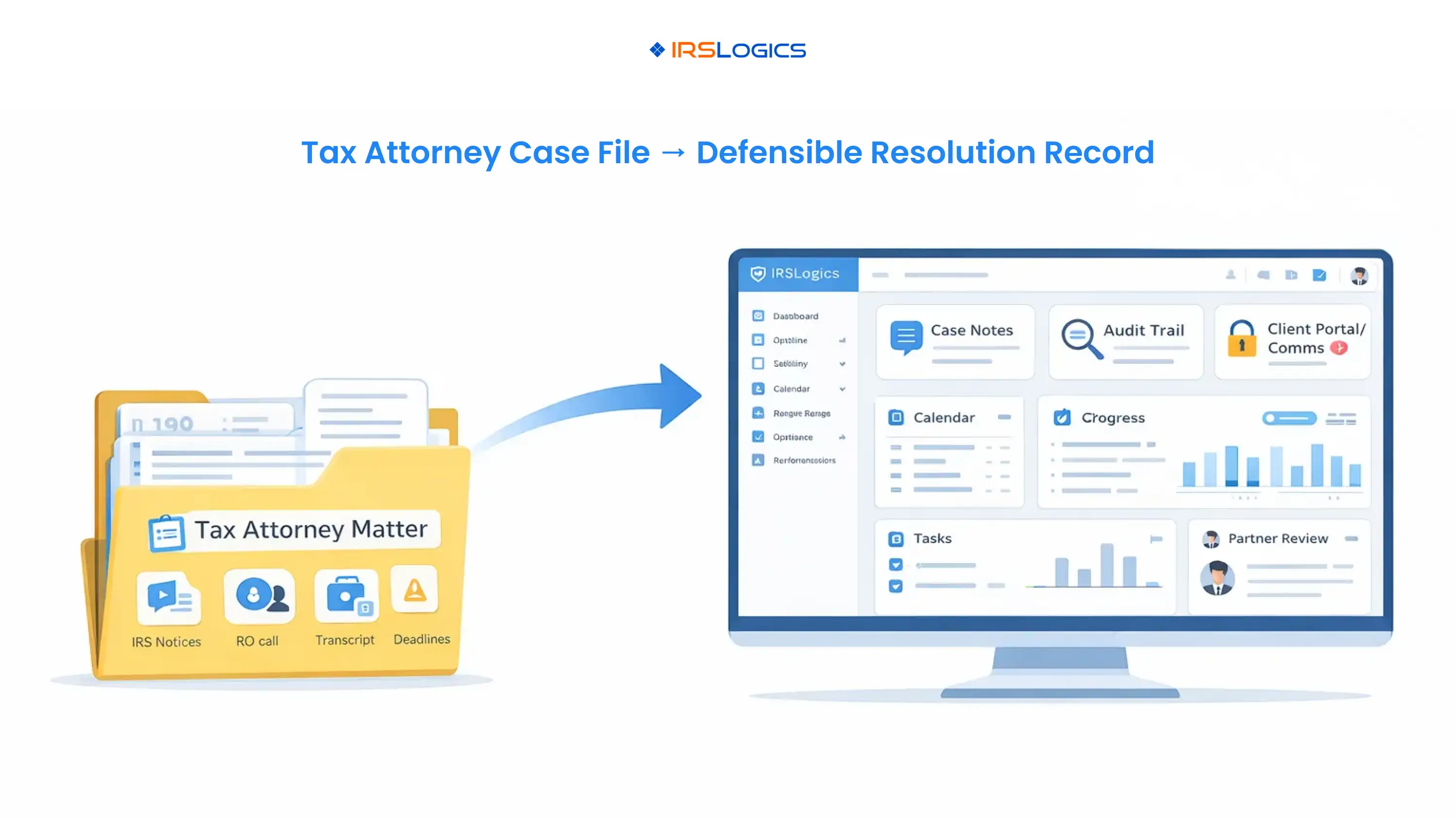
A late response to a notice, an undocumented call with a revenue officer, or missing work product can create real exposure. For tax attorneys, “best tax resolution software” is not simply the tool with the most features. It is the system that quietly protects you through detailed case notes, reliable audit trails, and clean client communication logs.
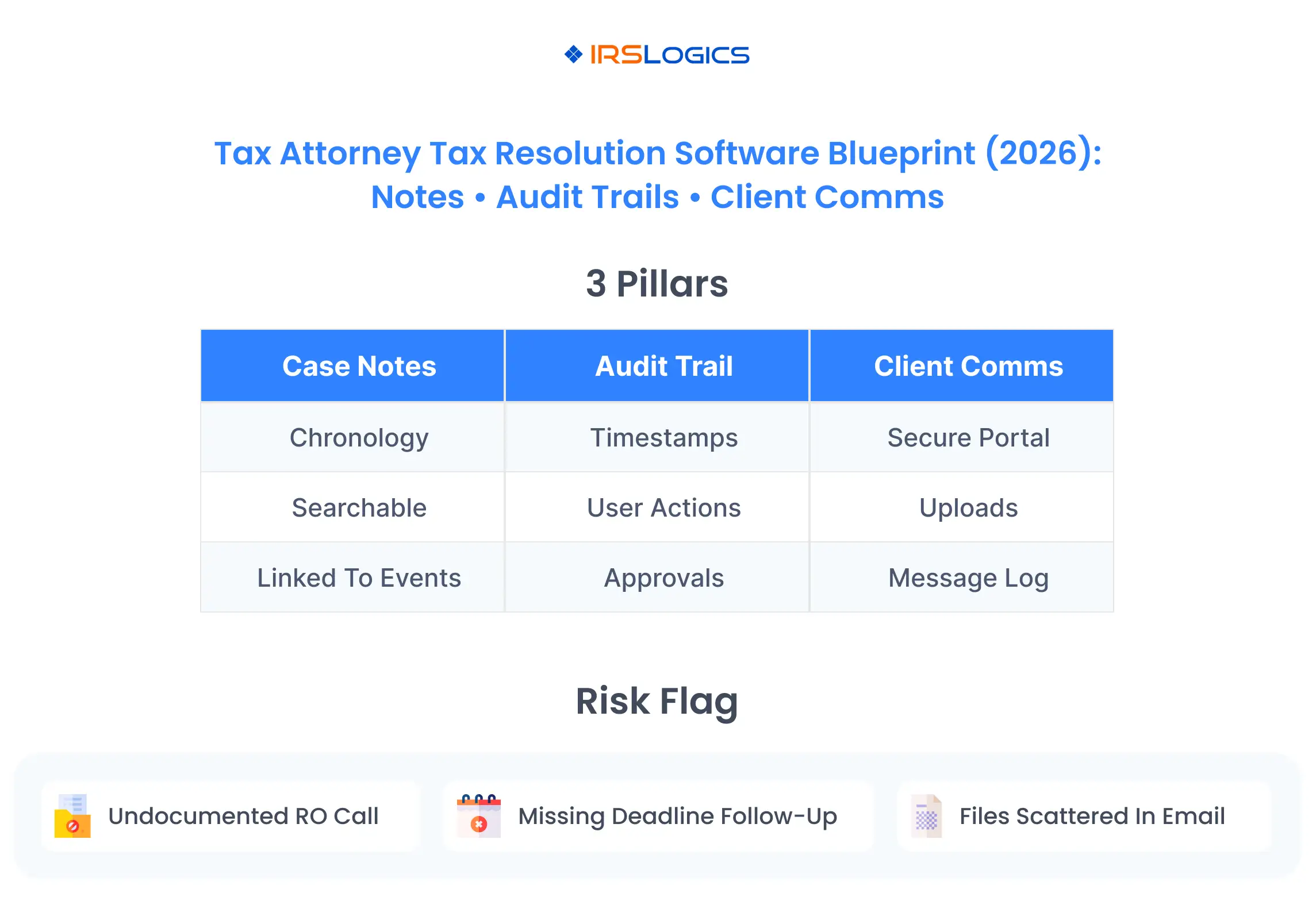
Modern tax resolution software for tax attorneys lives at the intersection of three things:
Tax-specific workflows and IRS tools
Legal-grade case management and documentation
Secure, organized client communication
This guide walks through what to look for, with a special focus on those three pillars, and shows where a platform like IRSLogics fits in the landscape of tools built for tax attorneys, CPAs, enrolled agents, and tax resolution firms.
The Tax Attorney Reality In IRS Resolution Work
Tax attorneys are often pulled into cases when the stakes are already high. Clients arrive with years of unfiled returns, levies, liens, or active audits. Matters can span multiple tax years, entities, and even forums, from IRS exams to appeals and, in some cases, Tax Court.
That creates a different reality than standard tax preparation work:
Multi-year timelines with overlapping issues
Complex fact patterns that evolve as more documents surface
Sensitive legal theories and settlement positions that must be carefully documented as work product
Cross-matter dependencies, such as related audits or bankruptcy proceedings
Tax resolution platforms like IRSLogics, IRS Solutions, PitBullTax, and Canopy all market themselves to tax attorneys alongside CPAs and EAs, because litigation and controversy practices now expect dedicated tools, not just spreadsheets and email.
What “Best” Really Means For Tax Attorneys
Most comparison posts talk about the “best tax resolution software” in terms of features: transcript downloads, calculators, forms, and client portals. Those matters, but for tax attorneys, are not the whole story.
The best tax resolution software for tax attorneys should:
Function as a tax-specific case management system, not just a forms engine
Capture a clear chronology of case notes that supports your legal strategy
Maintain a reliable audit trail of actions, edits, and communications
Provide secure, logged channels for client and third-party communication
Integrate tax tools like transcript analysis and IRS forms without breaking your legal workflows
In other words, it needs to behave like legal case management software built specifically for tax controversy and IRS resolution.
Pillar 1: Case Notes Built For Legal Practice
Generic tax tools often treat notes as an afterthought: a single free-text field attached to a client record. That is not enough if you are defending your decisions before a court, a bar authority, or a carrier.
When you evaluate tax resolution software for tax attorneys, look closely at how it handles case notes.
Key capabilities to prioritize:
Chronological note streams per matter Each case should have a timeline of entries that you can filter by author, date, or type (e.g., “call with RO,” “legal research,” “client meeting”).
Structured note types You should be able to distinguish between factual notes, legal analysis, strategy decisions, and internal to-dos, so it is obvious what is discoverable and what is privileged work product, according to your firm’s policies.
Linking notes to documents and events The best systems let you anchor notes to specific documents, deadlines, or tasks (for example, a note tied to a particular IDR or offer submission).
Searchable history In multi-year disputes, you will need to find “that one call” or “that one email” quickly. Full-text search across notes and documents is essential for real-world use.
Legal case management platforms highlight these exact benefits because they support collaboration and the creation of defensible records. Your tax resolution software should do the same, while layering tax-specific tools on top.
Pillar 2: Audit Trails And Defensible Records
For a law practice, “who did what and when” is not a nice-to-have. It is part of your defense if anything goes wrong.
Audit trail software across legal and compliance use cases is built to:
Track each case from intake to resolution with a complete activity log
Timestamp notes, document uploads, task changes, and status updates
Show which user created, edited, or approved key entries
This type of audit trail makes documentation accurate, complete, and defensible if you ever need to reconstruct what happened.
In the tax resolution context, make sure your software can:
Log transcript pulls and analysis
Record when forms were generated, edited, and filed
Capture when notices were received, reviewed, and responded to
Maintain a history of changes to settlement positions or strategy
If a vendor cannot clearly demonstrate audit-trail capabilities, that is a major gap in any tax attorney case management solution.
Pillar 3: Client Communication And Portals
Email alone is a weak foundation for sensitive tax controversy communication. It scatters files, makes it hard to see the full conversation, and creates security concerns.
Modern legal case management software emphasizes secure client portals and communication tools that:
Centralize messages, document uploads, and updates
Allow clients to track case progress and view key milestones
Reduce reliance on unsecured email threads for sensitive data
These same principles apply in a tax resolution practice.
When assessing tax resolution software for tax attorneys, ask:
Does the platform offer a client portal where clients can upload notices, financial data, and signed documents?
Are messages and alerts tied to the case record, so you can see a complete communication history?
Can you control who on the team can message clients, and how?
The goal is to make communication easier, more secure, and fully documented, without adding friction for stressed clients.
Mapping A Tax Attorney Case Lifecycle Inside Software
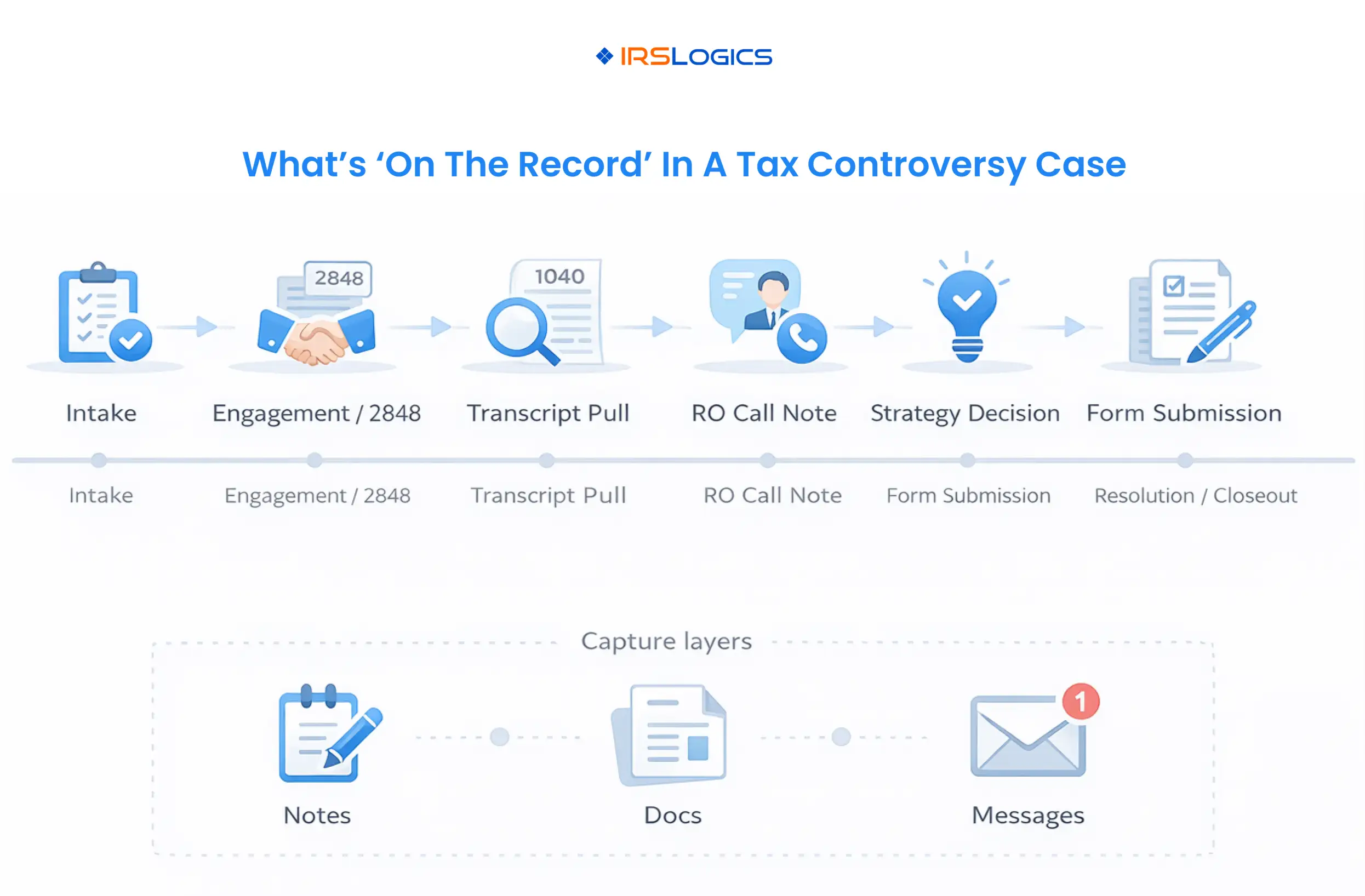
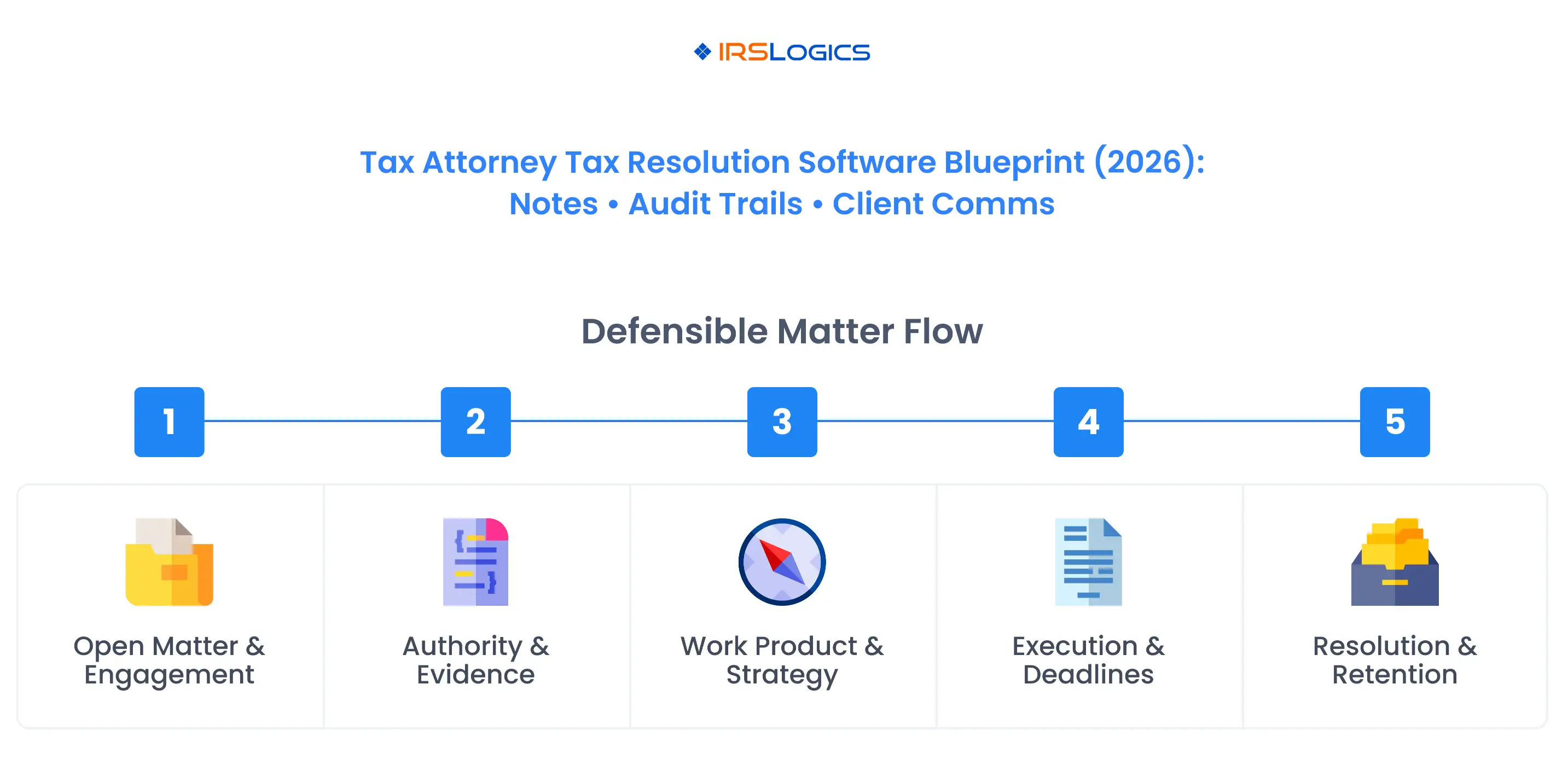
To see whether a platform is truly designed for tax attorneys, walk through a realistic case from first contact to final resolution. A typical lifecycle might look like this:
Intake And Conflicts
Lead comes from a referral, your website, or a CPA partner.
You run conflicts, capture initial facts, and open a potential matter.
Engagement And Authorizations
You send an engagement letter and fee agreement through the system for e-signature.
Once signed, you issue the power of attorney and information authorization forms.
Investigation And Transcript Analysis
You pull IRS transcripts or import them, then let the software generate summaries, timelines, and balances.
Case notes capture your impressions and emerging theories.
Strategy And Negotiation Plan
You evaluate options such as installment agreements, Offers in Compromise, currently not collectible status, or litigation.
You document the rationale and risks of each option in the case record.
Execution And Correspondence
The software auto-fills IRS forms using client and case data.
Task lists and reminders keep you ahead of deadlines and follow-ups.
All IRS and client correspondence is stored and logged in the case.
Resolution And Monitoring
You record the final agreement or outcome, attach key documents, and close the matter.
If ongoing monitoring is needed, you schedule transcript checks or alerts where supported by your platform.
If a tool cannot support this flow cleanly, you will end up patching gaps with spreadsheets or separate legal case management systems.
Compliance, Ethics, And Risk Management Considerations
Tax attorneys operate under professional conduct rules and ethical duties that intersect with how software is used.
A few areas where your platform should help rather than hinder:
Confidentiality and privilege Role-based access controls and secure portals help enforce confidentiality obligations and limit who can see sensitive case details.
Diligence and documentation Detailed case notes, task tracking, and audit trails support your ability to show that you acted diligently in investigating facts, advising clients, and meeting deadlines.
Record retention Your jurisdiction and malpractice carrier may expect clear record retention policies. Software that centralizes documents and offers export options makes it easier to comply with firm-wide policies.
Client communication Platforms with secure portals and logged messaging help you demonstrate that you kept clients reasonably informed and responded to inquiries, a common theme in bar complaints.
How To Evaluate Tax Resolution Software For Tax Attorneys
Once you have a shortlist of tax resolution software for tax attorneys, use a structured evaluation to avoid being swayed solely by demos and sales pages.
Here is a practical checklist tailored to tax attorneys.
Case Notes And Audit Trails
Can each matter hold a chronological, searchable stream of case notes?
Can you categorize notes (for example, internal analysis vs. client-facing)?
Does the system maintain an audit trail of user actions, edits, and status changes?
Client Communication
Is there a secure client portal tied to each case that supports uploads and messaging?
Are all communications (portal, emails, possibly SMS) logged in the matter record?
Tax-Specific Features
Does the tool support transcript retrieval or efficient imports and analysis?
Are IRS and relevant state forms built in and auto-filled from case data?
Are there calculators and workflows for standard resolution paths (OIC, installment agreements, CNC, penalty abatement)?
Legal Practice Fit
Can you configure matter types, custom fields, and workflows to match your tax controversy practice?
Does it support multi-attorney teams, conflicts tracking (even at a basic level), and role-based permissions?
Business And Support
How is pricing structured (per user, per firm, membership)?
What does onboarding look like for law firms?
Are there references or case studies specifically mentioning tax attorneys?
Where IRSLogics Fits For Tax Attorneys
IRSLogics is positioned as a complete tax resolution CRM and case management system created exclusively for tax resolution professionals, including attorneys, CPAs, enrolled agents, and tax resolution firms.
For tax attorneys, several aspects are particularly relevant:
End-to-end case and workflow management IRSLogics helps you manage cases from lead to resolution with tasks, reminders, and customizable workflows that reflect IRS resolution steps.
Integrated forms and transcripts The platform includes IRS and state forms with auto-fill capabilities, plus transcript download and handling as part of a broader tax resolution software feature set.
Client portal and collaboration IRSLogics emphasizes a secure client portal and collaboration features so documents, updates, and messages live in one place, tied to each case.
Billing, payments, and reporting The system ties billing and payments to cases, with reporting and analytics that let you see profitability by case type, client, or responsible attorney.
Implementation Tips For Law Firms
Even with the right platform, implementation is where many law firms struggle. A few practical steps:
For solo and small tax boutiques
Start with live, active cases Move a small set of current matters into the system and build workflows around real work, not theoretical designs.
Standardize templates Load your preferred engagement letters, status emails, and closing letters into the platform so the team uses consistent language.
Let the system be your daily home base Encourage use of the case pipeline and task list as the main “home screen” instead of an email inbox.
For mid-sized firms and multi-practice tax groups
Involve risk and ethics early Align use of case notes, portals, and retention settings with your professional responsibility policies and carrier expectations.
Build roles and permissions that mirror your org chart Partners, associates, paralegals, and support staff should have clearly defined access levels and responsibilities in the system.
Train in waves Pilot with a small group of tax attorneys and staff, refine workflows and naming conventions, then roll out more broadly with updated training materials.
FAQs
Why Do Tax Attorneys Need Specialized Tax Resolution Software Instead Of Generic Legal Case Management?
Generic legal case management systems are strong in workflows, client communication, and document storage, but they typically lack IRS-specific capabilities such as transcript integration, resolution calculators, and built-in tax forms. Dedicated tax resolution software for tax attorneys combines legal-style case management with the tax tools you need for IRS controversy work.
How Important Are Audit Trails In Tax Attorney Case Management Software?
Audit trails are critical. They create a defensible record of who performed which actions, when documents were added or changed, and how a matter progressed from intake to resolution. In any dispute about diligence or communication, a well-structured audit trail can be a key part of your defense.
What Should I Look For In Client Communication Features?
Look for secure portals where clients can upload documents, view status updates, and exchange messages without relying solely on email. Those communications should be tied to the matter record, creating a clear history of what was shared and when, which aligns with best practices in legal client communication.
How Does IRSLogics Compare To Other Tax Resolution Software Vendors For Attorneys?
Vendors like PitBullTax, IRS Solutions, and Canopy all serve tax professionals, including tax attorneys, with varying feature sets and pricing models. IRSLogics differentiates itself by focusing on being a complete, browser-based tax resolution CRM and case management system built exclusively for tax resolution professionals, bringing workflows, forms, transcripts, client portal, billing, and analytics together in one platform.
How Do Pricing Models Typically Work For Tax Resolution Software For Tax Attorneys?
Most platforms use per-user subscriptions, membership-style pricing, or modular pricing for resolution tools, transcripts, and monitoring. Public comparison charts and directories typically show ranges that start in the low hundreds of dollars per month for smaller practices, scaling with user count, modules, and included benefits such as education or marketing support.
Conclusion
Choosing the best tax resolution software for tax attorneys is not just a technology decision. It is a risk decision and a practice design decision.
You are not only looking for faster transcript downloads or cleaner forms. You are looking for a system that becomes your single source of truth for tax controversy work, capturing case notes, maintaining audit trails, and organizing client communications in a way that stands the test of time.
When you evaluate platforms:
Focus first on whether the software supports your actual tax attorney case lifecycle, from intake and investigation to negotiation and resolution.
Pay close attention to how it handles case notes, audit trails, and communication logs, since these are central to your risk profile.
Treat client portals, transcript tools, and integrated forms as part of a larger story: can the system act as your tax-specific legal case management hub?
Compare vendors not only on features and price, but on how clearly they address the needs of tax attorneys specifically, not just “tax pros” in general.
Look for a partner that can grow with your practice, backing strong software with onboarding, training, and ongoing improvements.
Best Tax Resolution Software For Lightning Fast Tax Resolution
Lorem ipsum dolor sit amet, consectetur adipiscing elit. Suspendisse varius enim in eros elementum tristique. Duis cursus, mi quis viverra ornare, eros dolor interdum nulla, ut commodo diam libero vitae erat. Aenean faucibus nibh et justo cursus id rutrum lorem imperdiet. Nunc ut sem vitae risus tristique posuere.
Email This Article
Share this article directly by email. Simply enter the recipient’s details below.
Thank you! Your submission has been received!
Oops! Something went wrong while submitting the form.