Tax Software


Most tax resolution firms do not lose time on hard work. They lose time on repeat work.
It is the same five to ten actions, over and over, across every case. Chasing documents, sending follow-ups, updating case status, moving stages, assigning tasks, requesting signatures, and checking whether the IRS responded yet.
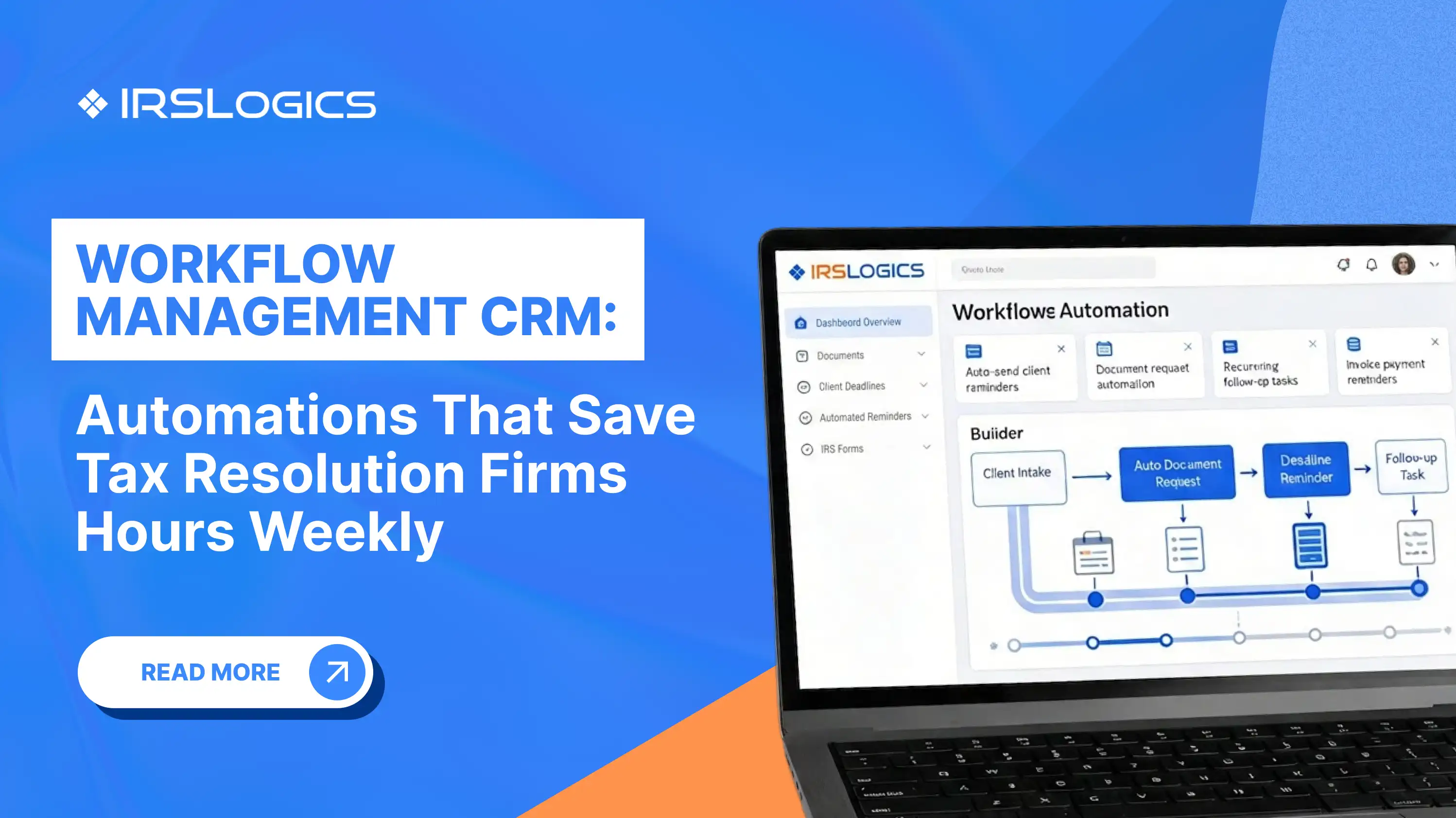
A workflow management CRM fixes this by turning your best process into an automatic process, so cases keep moving even when your team is busy.
IRSLogics, for example, positions workflow automation around case and workflow management, client portal collaboration, billing, and real-time reporting with audit trails, all designed for tax resolution operations.
A workflow management CRM is not just a contact database. It is a system that:
In accounting workflow tools, automation is often described as rules applied to tasks, subtasks, and client requests inside workflow templates.
For tax resolution firms, the “workflow” has to match IRS reality. That typically includes case stages, task checklists, reminders, transcript-driven updates, and client-facing case statuses.
IRSLogics highlights custom workflows and automations, end-to-end tasks and reminders, instant transcript pulls, and client portal case status updates, all tied to resolution work.
Tax resolution automation saves time because it attacks the highest-frequency tasks, not the hardest tasks.
These are the usual weekly time drains:
This is also why workflow providers emphasize reducing bottlenecks and increasing visibility across the firm.
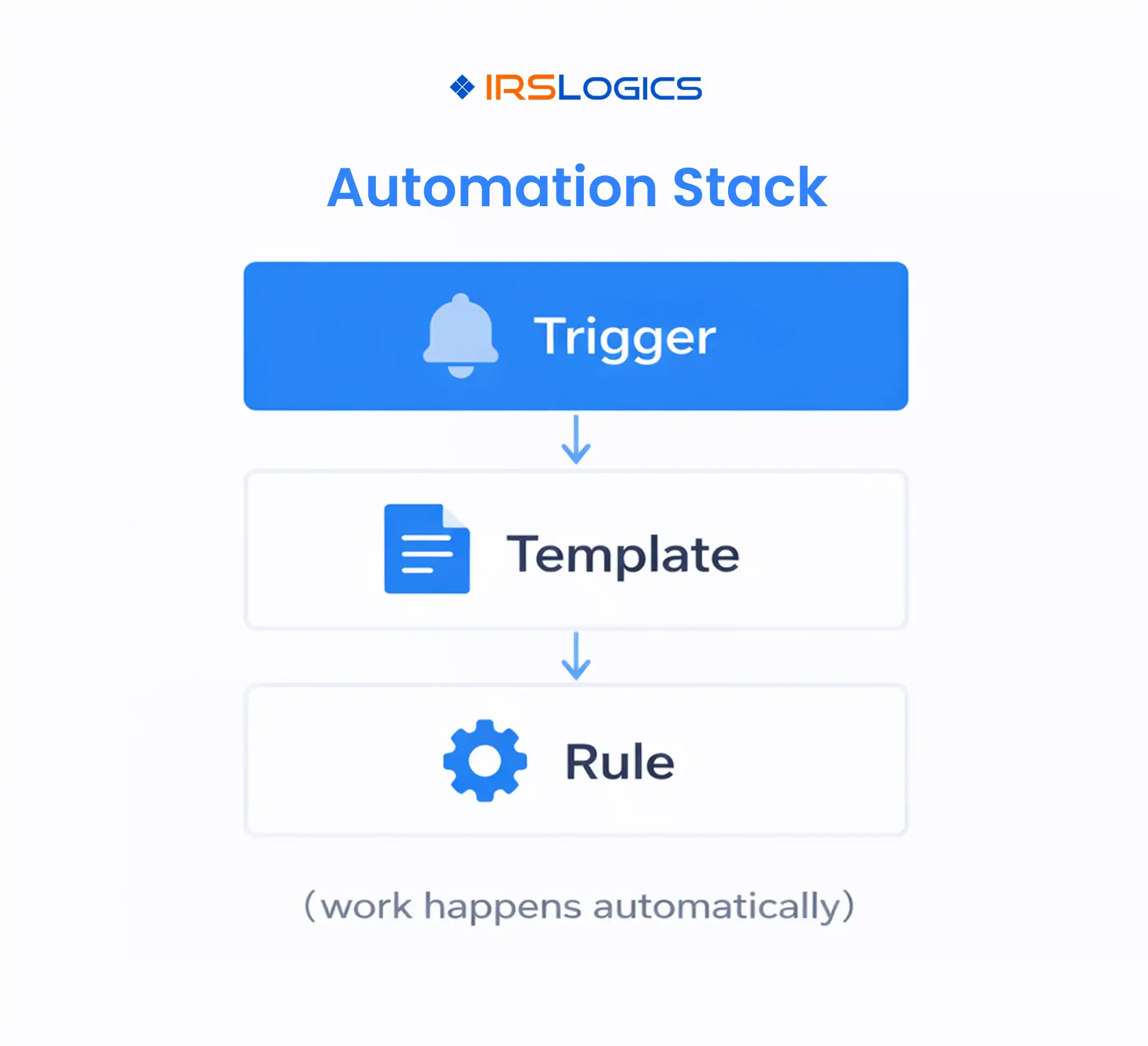
The best workflow management CRM setups are built on three layers.
A trigger is a moment that should create action automatically, for example:
Templates ensure consistency. Your team should not rebuild the same checklist for every OIC, IA, or notice response.
Rules decide what happens next, based on conditions. This is the difference between “we have a workflow board” and “our system runs the workflow.”
IRSLogics describes workflow management and rules engines that automate case stages and tasks.
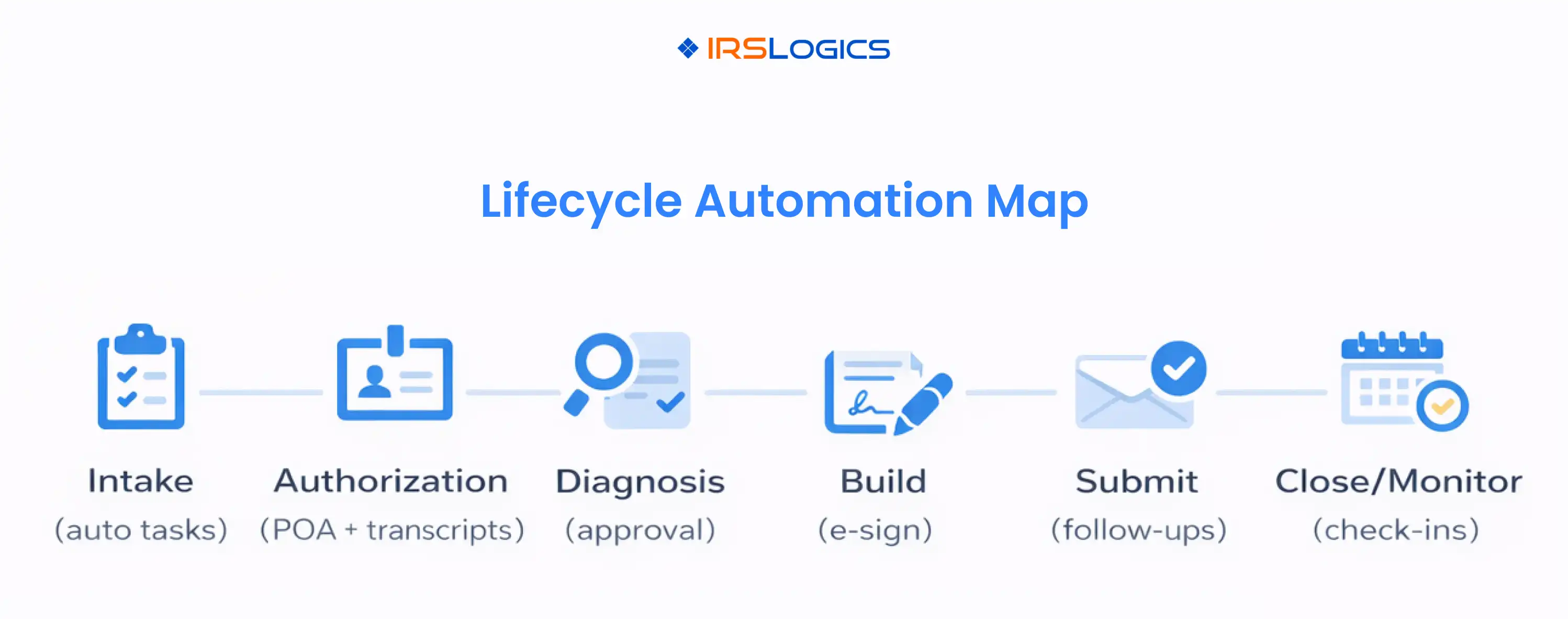
Here is a clean way to structure your automation by lifecycle stage.
If your platform includes portal updates and automation tied to case status, clients can see progress without your team manually sending updates every time.
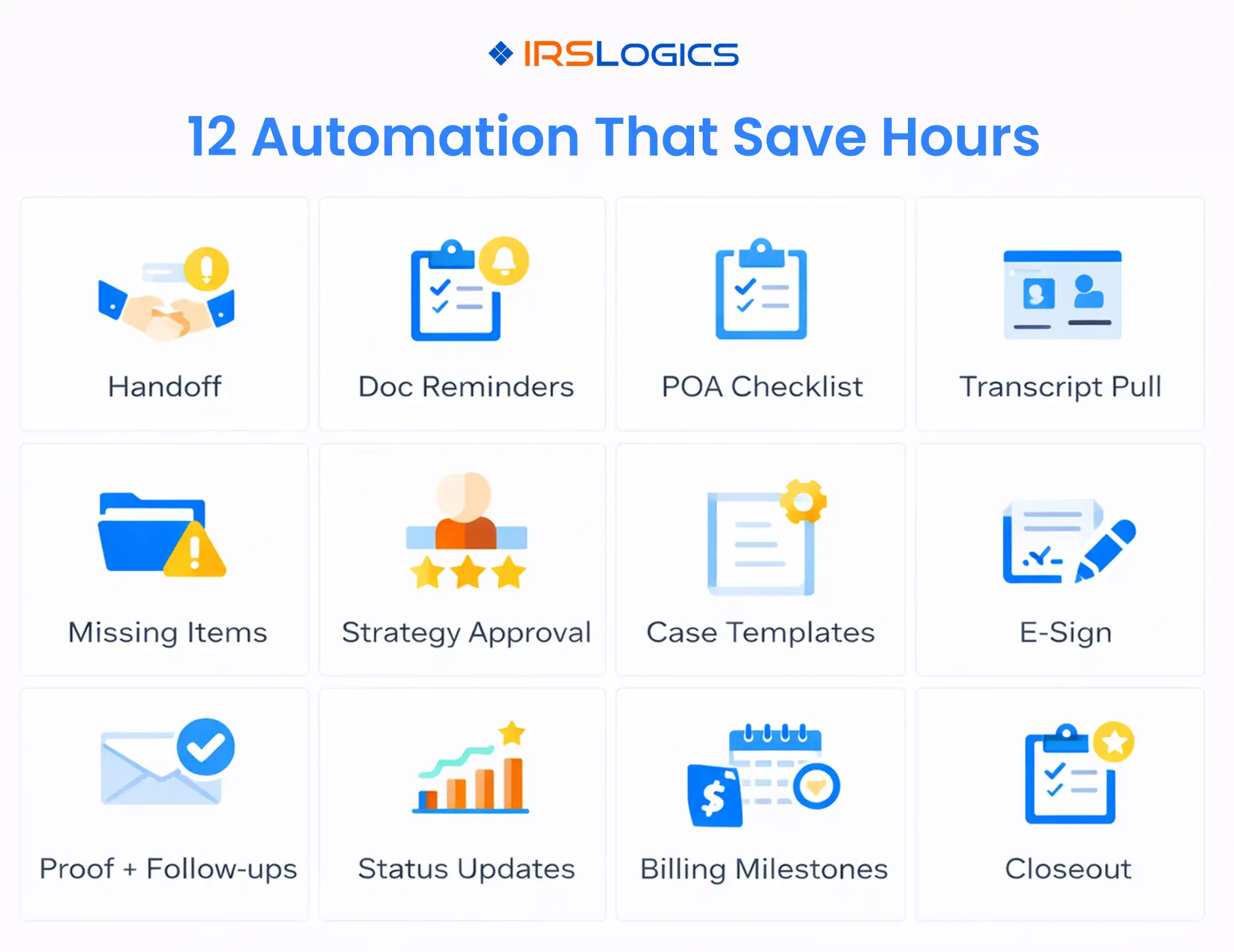
Use these as a practical blueprint. Each one is simple, but together they remove a large amount of weekly admin.
Trigger: signed engagement or paid retainer
Action: create a case, assign a case manager, generate intake tasks, set the first client-facing status.
Trigger: case created
Action: send a structured document request list, then auto-remind every 48 to 72 hours until complete, with a stop rule when files are received.
Client portal collaboration makes this smoother because uploads, messages, and updates live in one place.
Trigger: move case to “Authorization”
Action: create POA tasks, signature tasks, and submission logging tasks.
Trigger: POA accepted or authorization stage reached
Action: create transcript pull task, then auto-create transcript review and “issues found” tasks.
IRSLogics specifically calls out instant transcript pulls as part of the workflow.
Other resolution platforms emphasize transcript alerts as a major time saver as well.
Trigger: financial packet started
Action: system compares required docs vs received docs, then generates a missing items list and sends it to the client.
Trigger: diagnosis complete
Action: create approval task for the resolution lead or partner, block the next stage until approved.
Trigger: choose “OIC,” “Installment Agreement,” “Penalty Abatement,” or “Notice Response”
Action: load the right template instantly, with owners and deadlines.
IRSLogics highlights custom workflows, automation, and end-to-end tasks and reminders in its resolution flow.
Trigger: forms ready
Action: send e-sign packet, remind until signed, then auto-route to “Ready To Submit.”
IRSLogics also lists integrated e-sign tools in its features and integrations.
Trigger: marked as “Submitted”
Action: require proof upload, then schedule follow-ups (7 days, 14 days, 21 days), escalating if no response is logged.
Trigger: stage changes
Action: update the client-facing status automatically, and notify the client only when it is meaningful.
IRSLogics describes keeping case status updated so clients can see progress in the portal.
TaxDome also emphasizes automated communication updates to reduce manual admin load.
Trigger: stage milestones like “Engaged,” “Submission Ready,” “Resolution Achieved”
Action: generate invoice, apply payment plan rules, send payment reminders.
IRSLogics positions billing, payments, and forms as a core operational area, including automated invoicing and payment plans.
Trigger: case closed
Action: send final summary, create recurring monitoring tasks, and schedule check-ins.
Security note: IRS Publication 4557 specifically calls out withdrawing from outstanding authorizations for taxpayers who are no longer clients. That makes closeout automation more than “nice,” it is operational hygiene.
The easiest cases to lose are the ones that go quiet.
Your workflow management CRM should automatically surface:
IRSLogics highlights real-time dashboards, audit trails, and exportable reports, which are exactly what you need to manage case movement and accountability.
Automation should never come at the cost of control.
IRS Publication 4557 includes practical guidance like limiting access to taxpayer data to individuals who need to know, and implementing audit trails (audit logs) that record activities, who performed them, and when changes were made.
In practice, this means your CRM should support:
If you want fast adoption, roll out automations in this order:
When you are evaluating a workflow management CRM for tax resolution automation, ask:
It is a CRM that includes workflow templates, task automation, and rules to move work through stages, assign ownership, and reduce manual follow-ups.
Tax resolution automation is using workflows, triggers, and reminders to handle repeat steps in IRS representation, like intake follow-ups, transcript pulls, document collection, stage-to-task handoffs, and client status updates.
For most firms, document chasing, follow-up cadence after submissions, and stage-based task creation remove the most weekly admin because they occur across nearly every case.
You can automate internally without a portal, but portals make client uploads, updates, and communication far more organized. IRSLogics highlights client portal collaboration and case status visibility as part of the resolution workflow.
At minimum, role-based access and audit logs. IRS Publication 4557 explicitly calls out limiting access and implementing audit trails (audit logs).
Workflow management CRM automation is not about replacing expertise. It is about protecting expertise from being wasted on repeat admin.
Key takeaways:
All
Tax Software
Workflow & Automation
Industry News
Resolution Tips
Tax Resolution Marketing

Lorem ipsum dolor sit amet, consectetur adipiscing elit. Suspendisse varius enim in eros elementum tristique. Duis cursus, mi quis viverra ornare, eros dolor interdum nulla, ut commodo diam libero vitae erat. Aenean faucibus nibh et justo cursus id rutrum lorem imperdiet. Nunc ut sem vitae risus tristique posuere.


Share this article directly by email. Simply enter the recipient’s details below.

Article has been send to you.