Tax Software


A lead fills out your website form at 4 pm.
Someone copies it into the CRM. Someone else books the call. A third person texts the client. Billing finds out three days later.
Nobody did anything wrong. Your tools just don't talk to each other.
That is the problem tax resolution software with API integrations solves.
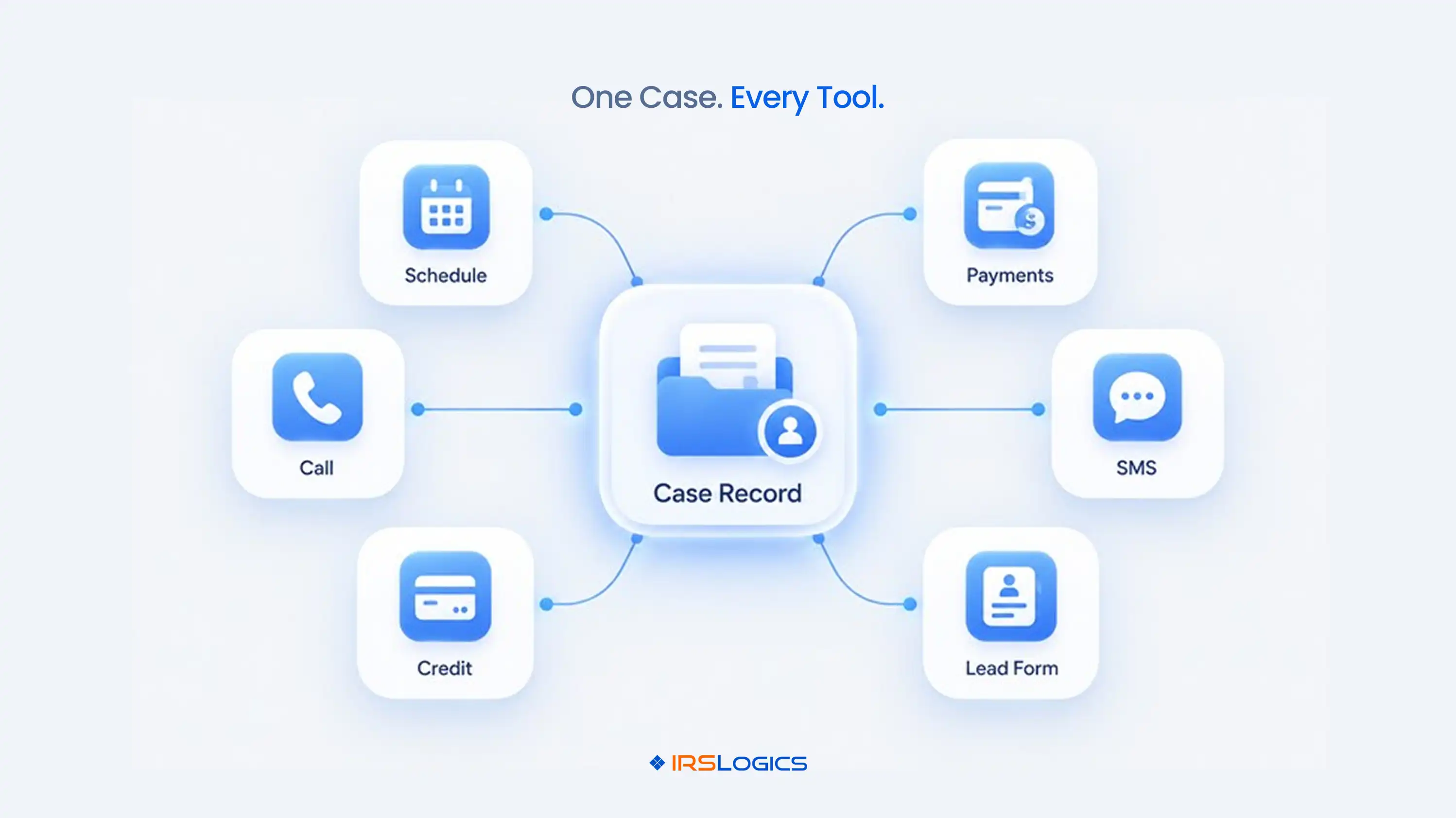
Quick answer: tax resolution software with API integrations connects your leads, calendar, calls, credit pulls and payments to one case record. Before you buy, ask what the tax resolution API can actually do. Here is how to check.
An API is a connection that lets two systems share data on their own. No exports. No copy and paste.
In a resolution firm, that means a website lead lands in your platform, an appointment shows up on your calendar and a call gets logged to the case. A tax resolution API is the door those tools use to talk to each other.
So tax resolution software with API integrations is a platform built for IRS case work that also connects to the tools around it: calendar, phone, credit, payments, messaging and lead sources.
The key word is "around." Your firm will always use other tools. The software should be the hub.
Here is a normal week without connections:
Each step is small. Together they eat hours. And every retype is a chance for a typo on a balance, a date or a Social Security number.
A general CRM can't fix this because it wasn't built for IRS case stages. We broke down the gap in our tax resolution CRM vs general CRM comparison.
Switching between five tools to do one job is not a workflow. It is a hobby.
Start with what your team touches every day:
Calendar sync alone ends the double booking arguments. Our guide on syncing appointments with Google Calendar shows how booked slots appear automatically.
Messaging is the other quiet winner. A clean SMS conversation view means nobody hunts for what the client replied last Thursday.
Lead intake is where connected software pays off first.
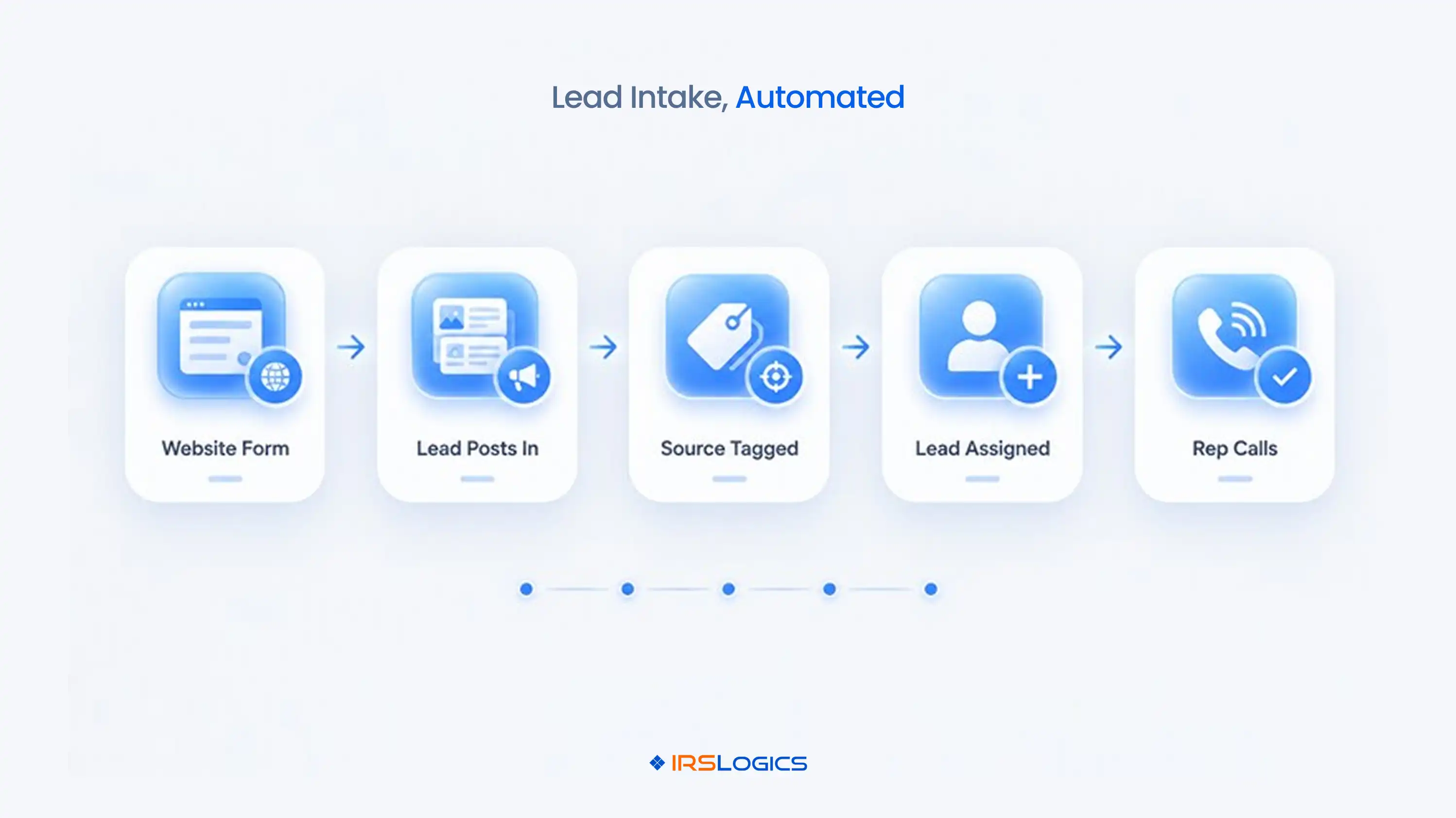
IRS Logics accepts leads by manual upload, HTTP POST or API. Picture the flow:
No inbox forwarding. No "did anyone call this person?"
Need something beyond standard lead posting? Ask about the Rule Engine, which builds custom automations to your requirements. Confirm the scope during your demo, since custom work depends on what you need.
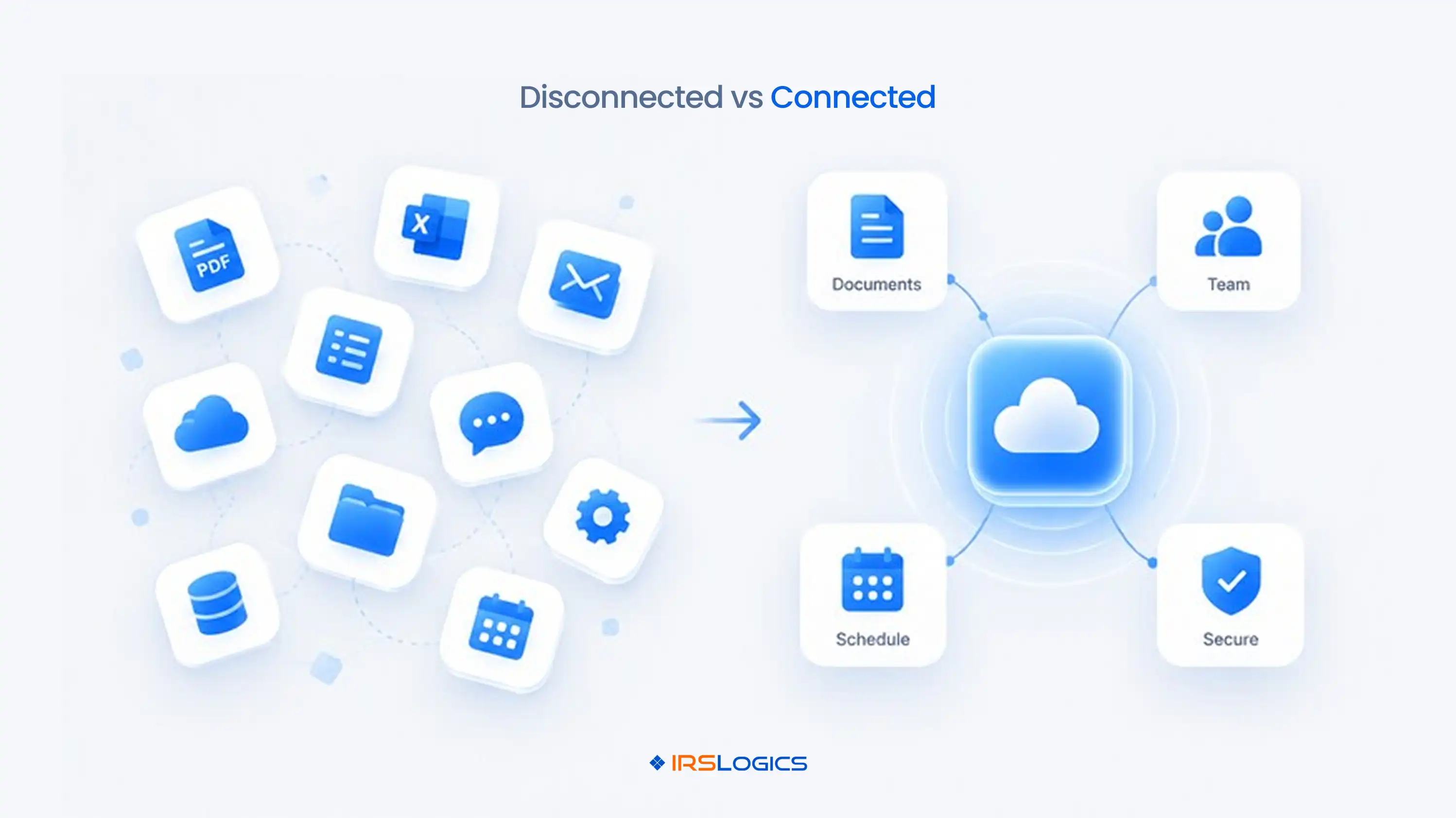
Here is the before and after for a firm running tax resolution software with API integrations.
Payments deserve a special mention. When you start tying payments to invoices, you know exactly which invoice is unpaid. That alone ends a lot of awkward Friday emails.
Every vendor says "we integrate with everything." Ask these instead:
That last one matters because hidden costs are the fear nobody says out loud. Our demo questions guide has the full checklist, and the pricing breakdown covers what to expect.
Pick tax resolution software with API integrations only after you have those answers in writing. A great demo is easy. Clear answers are rare.
More connections mean more doors. So check the locks.
Look for role-based access, so a sales rep doesn't see what a case manager sees. Look for an audit trail and login history with IP addresses. IRS Logics has Roles, Audit Trail and Login History built in.
Software helps, but it does not make your firm compliant on its own. The IRS sets the baseline in Publication 4557, Safeguarding Taxpayer Data, and its security guidance for tax professionals is worth a read. For transcript access, see the IRS page on e-Services for tax professionals.
Most failures look like this:
Start with two integrations. Prove they work. Then add more.
Firms that treat tax resolution software with API integrations like a one-time install end up with a mess. Treat it like a process and it pays you back every week.
IRS Logics is tax resolution software with API integrations built for one job: running resolution cases from lead to closure. Leads come in by upload, HTTP POST or API. Calendars sync with Google Calendar and Calendly. Calls go out through RingCentral, Vonage or Ytel. Credit reports come through iSoftPull. Everything lands on the same case.
Day to day, that looks like a lead assigned by Lead Distribution, a Document Collection Tab tracking what the client still owes you, SMS in a clean conversation view, transcripts pulled in minutes and payments tied to invoices. A merchant account lets you take payments straight from the case. See how it fits together in our Document Collection Tab walkthrough and our tax CRM software overview.
For a firm choosing tax resolution software with API integrations, the result is fewer tools, fewer retypes and fewer "who handled this?" moments. IRS Logics has served tax resolution professionals for over a decade. Less admin. More resolutions.
It is case management software built for IRS resolution work that connects to your other tools. Leads, calendars, calls, credit pulls and payments share data automatically instead of by hand.
It lets outside systems send data into your case platform. For example, a website form can post a lead straight into IRS Logics, where it gets tagged and assigned.
Start with lead intake and calendar sync. They touch every new client and show results within days.
Yes. Appointments booked through the Logics calendar appear in Google Calendar automatically. Calendly sync is also supported.
Not if you roll out in stages. Two integrations at a time keeps training simple and problems easy to spot.
Yes. Lead Distribution assigns leads by your allocation ratio, and the Rule Engine handles custom automations built to your requirements.
Connected tools don't just save time. They stop mistakes before they happen. The right tax resolution software with API integrations puts your leads, calls, calendar and billing on one case record and keeps your team off the copy and paste treadmill.
Click here to get a quote and see it on your own workflow.
P.S. How many tools does your team open before lunch?
Book a demo or call us at +1 (866) 386-2444 to see IRS Logics connect your firm's essential tools.
All
Tax Software
Workflow & Automation
Industry News
Resolution Tips
Tax Resolution Marketing
Lorem ipsum dolor sit amet, consectetur adipiscing elit. Suspendisse varius enim in eros elementum tristique. Duis cursus, mi quis viverra ornare, eros dolor interdum nulla, ut commodo diam libero vitae erat. Aenean faucibus nibh et justo cursus id rutrum lorem imperdiet. Nunc ut sem vitae risus tristique posuere.


Share this article directly by email. Simply enter the recipient’s details below.

Article has been send to you.