Tax Resolution Software Pricing: What Accounting & Tax Firms Should Expect to Pay (and Why)
1. Why pricing clarity matters for tax resolution software
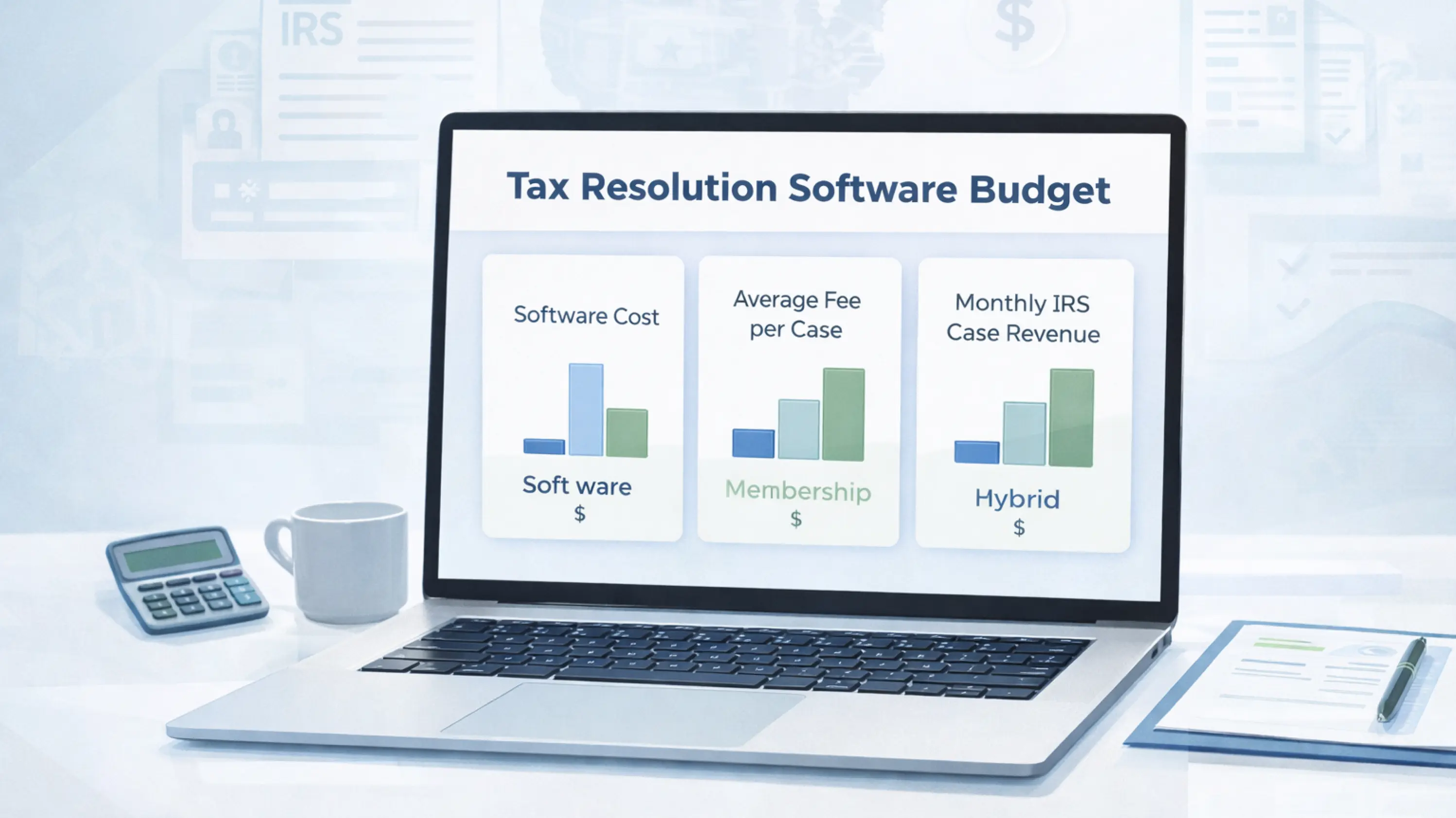
For US accounting firms, CPA practices, and enrolled agents, tax resolution has shifted from “occasional emergency work” to a planned revenue line. As more firms build IRS case practices, the question is no longer just which tax resolution software is best, but what a realistic, sustainable software budget looks like.
The challenge is that tax resolution software pricing is not always straightforward. Some vendors bundle software with memberships and add-ons, while others rely on per-user licenses with extra fees for transcripts, storage, or integrations. If you do not understand how these models work, your total cost can creep far beyond the sticker price.
IRSLogics takes a more transparent approach: plan-based, per-user pricing with unlimited clients and case management, clearly described features for each tier, and no requirement to buy a broader “membership” to unlock core functionality.
This guide explains what firms should expect to pay for tax resolution software and CRM, how IRSLogics fits into that landscape, and how to connect software costs to your tax resolution pricing and profitability.
2. How tax resolution software is typically priced
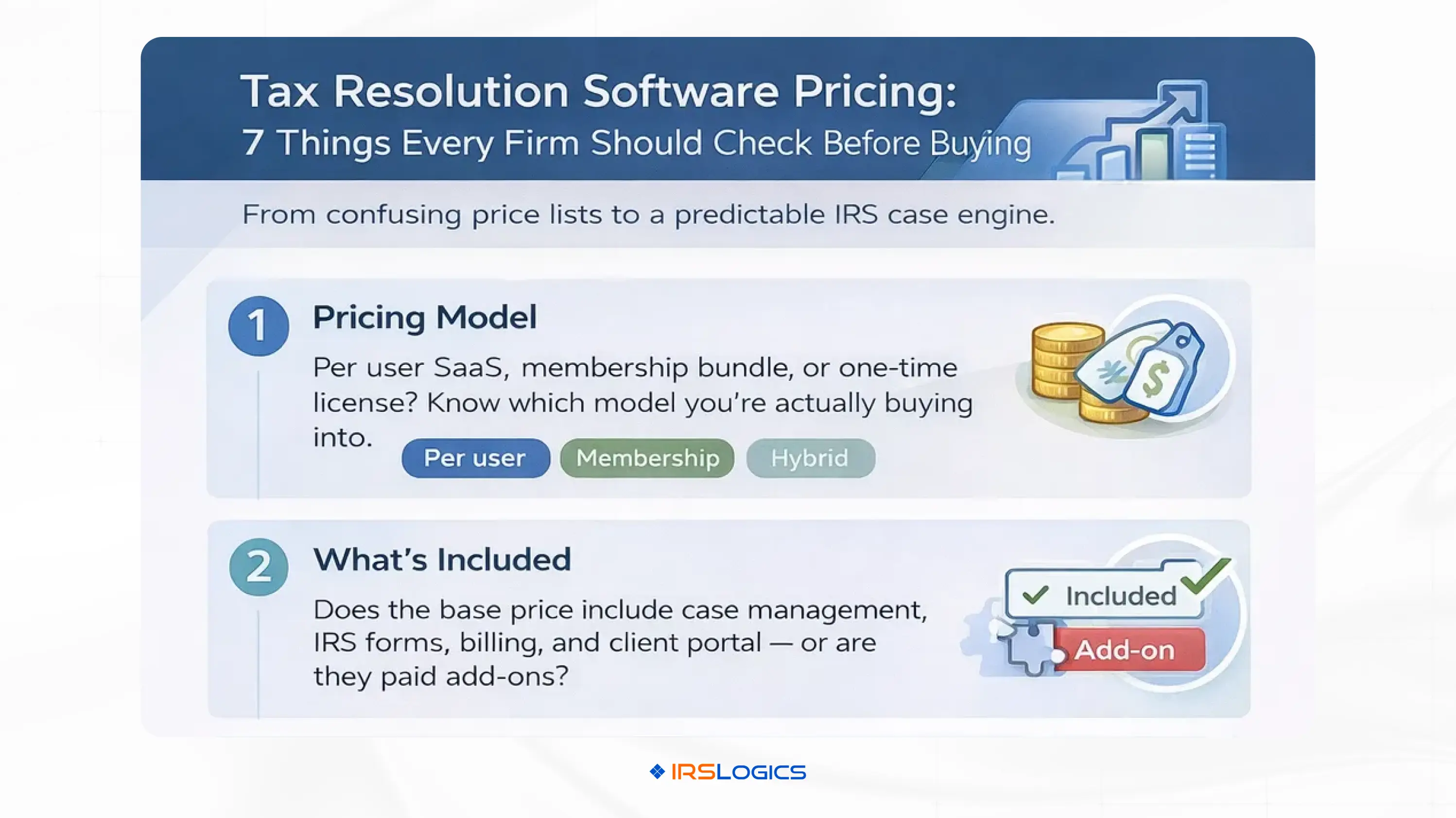
Across the market, tax resolution software and tax resolution CRMs for accountants are usually priced in one or more of these ways:
Per-user, per-month SaaS subscriptions
A fixed monthly fee for each named user, sometimes with volume discounts.
Often includes core features (case management, CRM, forms, billing) along with some limitations or add-ons.
Membership or “platform plus benefits” pricing
Software plus extras such as marketing materials, CE/CPE, coaching or community.
IRS Solutions, for example, packages software with education and marketing resources under a single membership-style price.
One-time licenses with optional add-ons
Some platforms historically offered a one-time or annual license with optional modules for transcripts, case management, and billing. PitBullTax pricing shows multiple tiers and add-ons such as transcripts and case management modules, with separate fees for multi-user licenses.
Hybrid models
Base subscription plus usage charges (for example, transcript pulls, e-signature envelopes, or extra storage).
This is common in broader practice-management ecosystems that integrate tax resolution features or IRS transcript solutions.
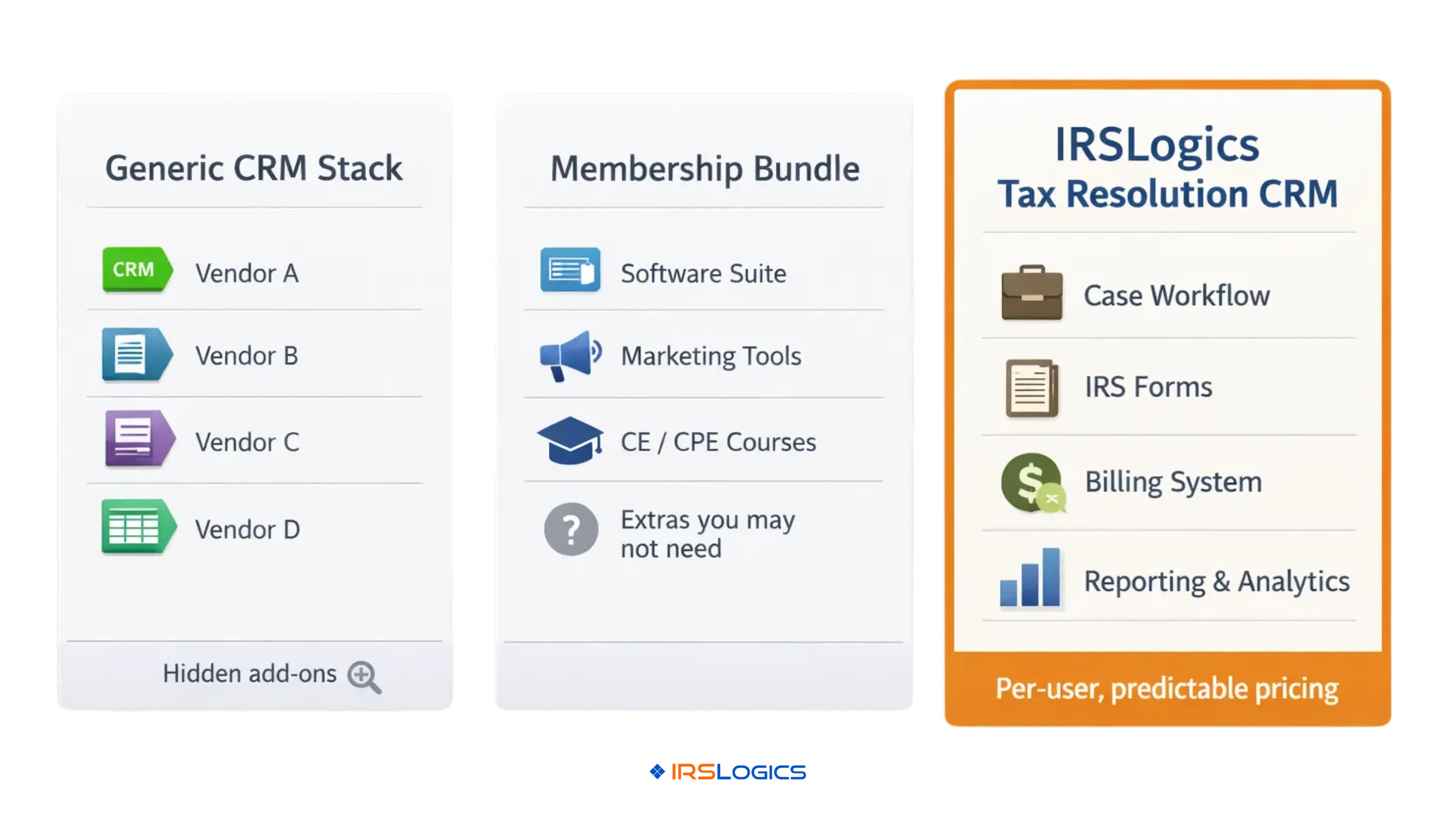
In practice, most accounting and tax firms end up comparing per-user SaaS models like IRSLogics against bundled membership offerings and configurable “toolbox” products with optional extras.
3. Key drivers of tax resolution CRM cost
When you dig beyond sticker price, several factors drive the real cost of tax resolution software for accountants and EAs:
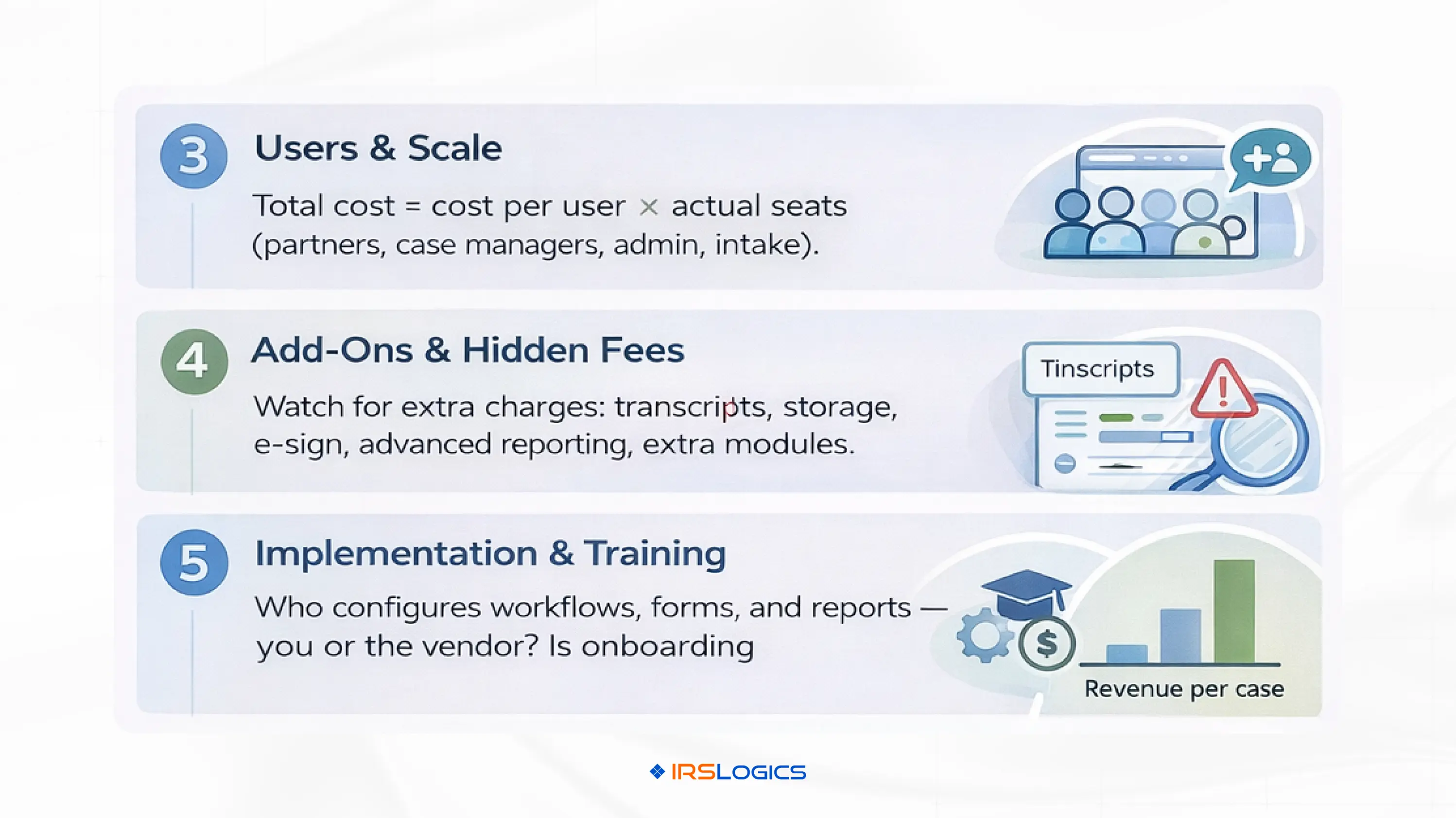
Number of users
Most platforms price primarily by user.
Solo practitioners pay for a single seat; growing firms often need seats for partners, case managers, admin staff, and sometimes sales or intake roles.
Features included vs add-ons
The core subscription includes case management, forms, billing, and client portals.
Others charge separately for transcripts, advanced reporting, workflow automation or integrations.
Implementation and onboarding
Time and effort to configure workflows, templates, and role permissions.
Some vendors include guided onboarding; others leave most of the setup to the firm or charge for implementation services.
Long-term maintenance
Training new staff, updating workflows, and maintaining templates as IRS rules change.
Custom-configured generic CRMs can be cheaper upfront but more expensive to maintain compared with a purpose-built tax resolution CRM.
Indirect cost of complexity
Platforms with many optional modules can be hard to budget for.
Transparent plan-based pricing, as used by IRSLogics, reduces that complexity by bundling what tax pros actually use into clear tiers.
Understanding these drivers is key before you compare numbers line by line.
4. What firms usually budget at different stages of growth
While exact numbers vary, there are some practical patterns in what firms budget for tax resolution CRM, and software.
Solo CPAs and EAs
Typical budget: a low three-digit monthly investment for a dedicated tax resolution CRM with core features.
Focus: getting out of spreadsheets, tracking deadlines reliably and looking professional to clients without overbuilding.
Small teams (2–5 users)
Typical budget: mid three-digit monthly spend across multiple users, depending on vendor and add-ons.
Focus: collaboration, stronger workflows, better reporting and more structured intake and follow-up.
Established multi-office firms
Typical budget: high three-digit to low four-digit monthly spend, depending on user count and feature set.
Focus: multi-office visibility, role-based permissions, deeper reporting, integrations, and more robust automation.
In all three stages, the critical framing is whether the software cost is covered by a reasonable number of tax resolution engagements per month and whether the platform helps you grow those engagements.
5. IRSLogics pricing overview and what you actually get
IRSLogics positions itself as a purpose-built tax resolution CRM with transparent, plan-based pricing for firms of different sizes.
From the IRSLogics pricing page and third-party listings, you can see:
A Starter-style plan for solo practitioners and small practices priced around 89 USD per user per month.
A Professional plan for growing and established firms, listed on the site at about 109 USD per user per month at the time of writing.
The Starter plan emphasizes:
Unlimited clients and case management
Secure document storage
Basic task management
Client portal and communication log
Standard workflows, basic reporting and self-serve onboarding with email support
The Professional plan adds:
Advanced task automation
More extensive workflow customization and integrations
Enhanced reporting with custom reports
Priority support and guided setup
Expanded client automation (for example, more automated updates and intake flexibility)
Across both plans, IRSLogics keeps a few critical cost levers simple:
Unlimited clients and cases
100 percent browser-based access, so no server installs
Built-in billing, case timelines, and reporting designed around tax resolution, not generic project work
For most accounting and tax firms, this makes software costs predictable and easy to map against user headcount and revenue.
6. Tax resolution software cost comparison: IRSLogics vs other platforms
Competitors in the tax resolution software and CRM space often land at higher or more complex price points when you compare like-for-like.
Based on publicly available information and vendor or third-party listings:
IRSLogics
Around 89–109 USD per user per month depending on plan, with unlimited clients and case management.
PitBullTax
Pricing pages and directories show various options, including single-user licenses and multi-user plans, often in the low to mid hundreds per month, with additional cost for certain modules and add-ons like transcripts or specific toolsets.
IRS Solutions
Markets itself as an all-in-one tax resolution and IRS monitoring platform with “one price” membership that includes software plus marketing materials, CE and community. Published comparisons position IRS Solutions as lower cost than a similarly configured PitBullTax subscription for a single user, but the model is membership-based rather than strictly per-user SaaS.
Other niche tools and transcript services
Some stand-alone or hybrid systems (for example, THS) charge fixed annual license fees in the mid hundreds of dollars, sometimes with separate charges for a resolution package of forms and calculators. (TaxCure)
The key point in a tax resolution software cost comparison is not just who is “cheapest” on paper, but:
Whether unlimited clients and cases are included
Whether you must buy add-ons to match IRSLogics’ core feature set
Whether membership benefits match your actual needs, or whether you end up paying for extras your firm will never use
For many small to mid-sized accounting and tax firms, IRSLogics lands in a sweet spot of tax resolution CRM cost: transparent, per-user pricing with a full operational feature set, without forcing you into a larger membership ecosystem.
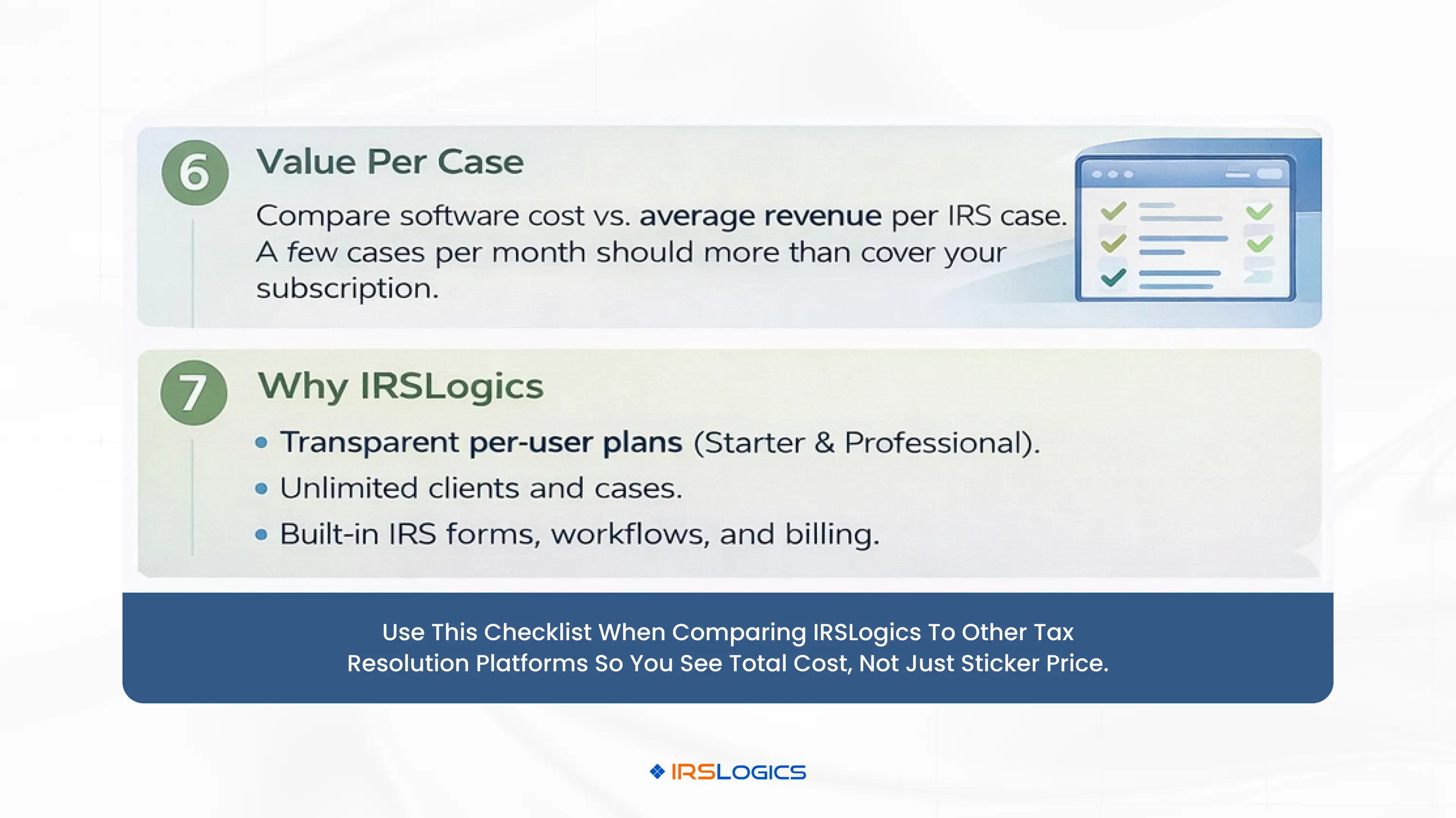
7. Connecting software cost to your tax resolution pricing and margins
The other half of the picture is your own tax resolution pricing. Software budget decisions are much easier when you think in terms of cost per case and margin per case.
A simple way to model it:
Estimate your average fee per resolution engagement
Many firms charge a flat or staged fee for standard resolution work, with additional fees for complex or multi-year cases. Even conservative case fees often run into the low four figures.
Estimate how many resolution matters you handle per month per staff member
As your workflows mature and your team uses tax resolution software effectively, capacity typically increases, so more cases can be handled without adding partners.
Divide monthly software cost by expected cases
For instance, if your total IRSLogics subscription across users is a few hundred dollars per month and you handle even a small handful of resolution cases, your software cost per case is modest relative to engagement revenue.
Because IRSLogics bundles CRM, case management, forms, billing, and reporting in a single tax-focused platform, you do not have to bolt together multiple tools or pay separate vendors for client communication, billing and document storage.
As your practice grows, the incremental cost of adding another user is usually far less than the revenue from the additional caseload they can handle when supported by a dedicated tax resolution CRM.
8. How to evaluate a tax resolution software pricing proposal
When you review tax resolution software pricing pages or proposals, consider the following checklist:
Total annual software spend
Look at the annual cost across all required users, not just the entry price for one seat.
What is included in the core subscription
Are IRS forms, workflows, billing and client portal included, or split into separate modules and add-ons?
IRSLogics’ feature list shows an integrated solution for case management, sales and CRM, billing, reporting and multi-office support.
Add-ons, overages and usage fees
Transcript pulls, e-signature envelopes, storage, or advanced analytics can all incur additional costs in some systems.
Confirm what is included vs billed separately.
Onboarding and training
Does the vendor provide guided setup, knowledge base access and responsive support inside your subscription, as IRSLogics does, or will you pay extra for implementation?
Contract length and flexibility
Monthly vs annual commitments, ease of scaling seats up or down, and any penalties for early termination.
Long-term roadmap and fit
Prioritize vendors that clearly invest in tax resolution features rather than treating it as a secondary use case inside a generic CRM.
This lens helps you avoid surprises and ensures your tax resolution CRM cost is aligned with the value you need.
9. Common pitfalls and hidden costs to watch for
Accounting and tax firms often run into avoidable issues when evaluating tax resolution software pricing:
Underestimating user count
Limiting licenses to partners only can force staff to use workarounds and shadow systems, increasing risk and reducing efficiency.
Ignoring add-on creep
Choosing a low base price but then adding separate modules for transcripts, billing, forms or reporting can result in a higher overall spend than a more complete platform like IRSLogics.
Overpaying for non-essential membership benefits
Membership-based pricing may include CE, marketing materials and coaching that are great for some firms but unnecessary for others. If you already have training and marketing elsewhere, you might be better served by a focused CRM like IRSLogics.
Customizing a generic CRM instead of adopting a dedicated tax resolution platform
Generic CRMs might look cheaper upfront but can require significant time and consulting to replicate what IRSLogics offers out-of-the-box, plus ongoing maintenance each time you change processes or when IRS rules update.
Not accounting for productivity gains
Focusing only on subscription cost and ignoring the hours reclaimed through automation, document management and auto-filled forms can lead to underinvestment in software that boosts your margins. IRSLogics’ own materials highlight time savings, reduced paper workflows and improved client relationships as key benefits.
A clear cost-benefit model that includes staff time and error reduction usually makes a dedicated tax resolution CRM easier to justify.
10. Conclusion
Tax resolution software pricing can seem confusing when every vendor uses a slightly different model. However, the underlying question is simple: how many tax resolution cases do you need to cover your software and still grow profitably?
For US accounting and tax firms, IRSLogics offers:
Transparent, per-user pricing around 89–109 USD per month, depending on plan
Unlimited clients and case management
An integrated tax resolution CRM that includes case workflows, IRS and state forms, billing, reporting, and client communication tools
Web-based access and role-based permissions that scale from solo practitioners to multi-office firms
When you connect that predictable tax resolution CRM cost to your own tax resolution pricing, a handful of well-structured cases per month can more than cover the investment. The rest is margin, scalability, and peace of mind that your IRS case work is managed in a system built specifically for this niche.
11. FAQs
1. What is a typical price range for tax resolution software?
Most dedicated tax resolution software platforms charge in the low to mid hundreds of dollars per month for small teams, usually on a per-user basis or through membership-style pricing. IRSLogics currently positions its Starter and Professional plans at 89–109 USD per user per month, with unlimited clients and cases, making it competitive in this market.
2. How is tax resolution CRM cost different from generic CRM pricing?
Generic CRMs often look cheaper at first, but they are not built for tax resolution workflows. To match what IRSLogics includes by default, you may need to add multiple apps or pay consultants to customize pipelines, forms and reporting, which increases total cost of ownership. A specialized tax resolution CRM includes IRS forms, case timelines, billing and reporting designed for IRS work from day one.
3. Why do some tax resolution software vendors bundle memberships with their pricing?
Platforms like IRS Solutions combine software with benefits such as marketing materials, continuing education and community access. For firms that want those extras, membership pricing can be attractive. For firms that primarily need a strong tax resolution CRM at a predictable cost, a focused platform like IRSLogics may be a better fit.
4. How can I tell if a software quote has hidden costs?
Look for separate line items for transcripts, storage, advanced reports, e-signature or additional modules. Ask whether features like billing, case management, client portals and forms are included. IRSLogics presents its plans as bundled solutions with clearly defined features per tier, which helps minimize surprises.
5. How do I align my tax resolution pricing with software costs?
Start by estimating your average fee per resolution case and how many cases you handle per month. Then compare your total monthly software spend across all users to that revenue. In most cases, if your practice is well-structured and you use your tax resolution CRM effectively, a small number of cases per month will more than cover your software subscription, especially when the platform helps your team work faster and with fewer errors.
Best Tax Resolution Software For Lightning Fast Tax Resolution
Lorem ipsum dolor sit amet, consectetur adipiscing elit. Suspendisse varius enim in eros elementum tristique. Duis cursus, mi quis viverra ornare, eros dolor interdum nulla, ut commodo diam libero vitae erat. Aenean faucibus nibh et justo cursus id rutrum lorem imperdiet. Nunc ut sem vitae risus tristique posuere.
Email This Article
Share this article directly by email. Simply enter the recipient’s details below.
Thank you! Your submission has been received!
Oops! Something went wrong while submitting the form.