Tax Software


You already know generic CRMs do not work for tax resolution.
You have probably tried one. Maybe it was great for tracking contacts. Maybe the pipeline view was clean. But the moment you needed to pull a transcript, send a financial questionnaire, and generate an OIC worksheet from the same case record, it fell apart completely.
That is not a workflow problem. That is a category problem. A tax resolution CRM is not just a CRM with a tax-flavored label on it. It is a platform built around the IRS case lifecycle from intake to resolution, and evaluating it the same way you would evaluate Salesforce or HubSpot will lead you to the wrong decision.
This guide scores the top tax resolution CRMs in the USA on the criteria that actually matter for EAs, CPAs, and tax attorneys handling IRS cases every day.
General CRMs are built around contact records and deal stages. Tax resolution is built around IRS case stages, financial disclosures, compliance deadlines, and documentation chains.
Those are fundamentally different problems.
When you close a deal in Salesforce, it moves to "Won" and you move on. When you close a tax resolution case, you have filed Form 433-A, negotiated a collection alternative, obtained client signatures, submitted documentation to the IRS, tracked a CSED, and logged everything for audit purposes. Those stages do not map to any default pipeline in a general CRM, no matter how many custom fields you add.
The firms that use general CRMs for resolution work end up building workarounds. Separate spreadsheets for transcript tracking. Separate billing tools. Separate e-signature platforms. Separate client portals. They spend more time managing the system than working the cases.
A purpose-built tax resolution CRM eliminates those workarounds because it was designed around the actual case workflow, not the other way around.
Before looking at specific platforms, establish what you are actually evaluating. The firms that choose the wrong CRM usually skip this step.
1. IRS Case Lifecycle Coverage
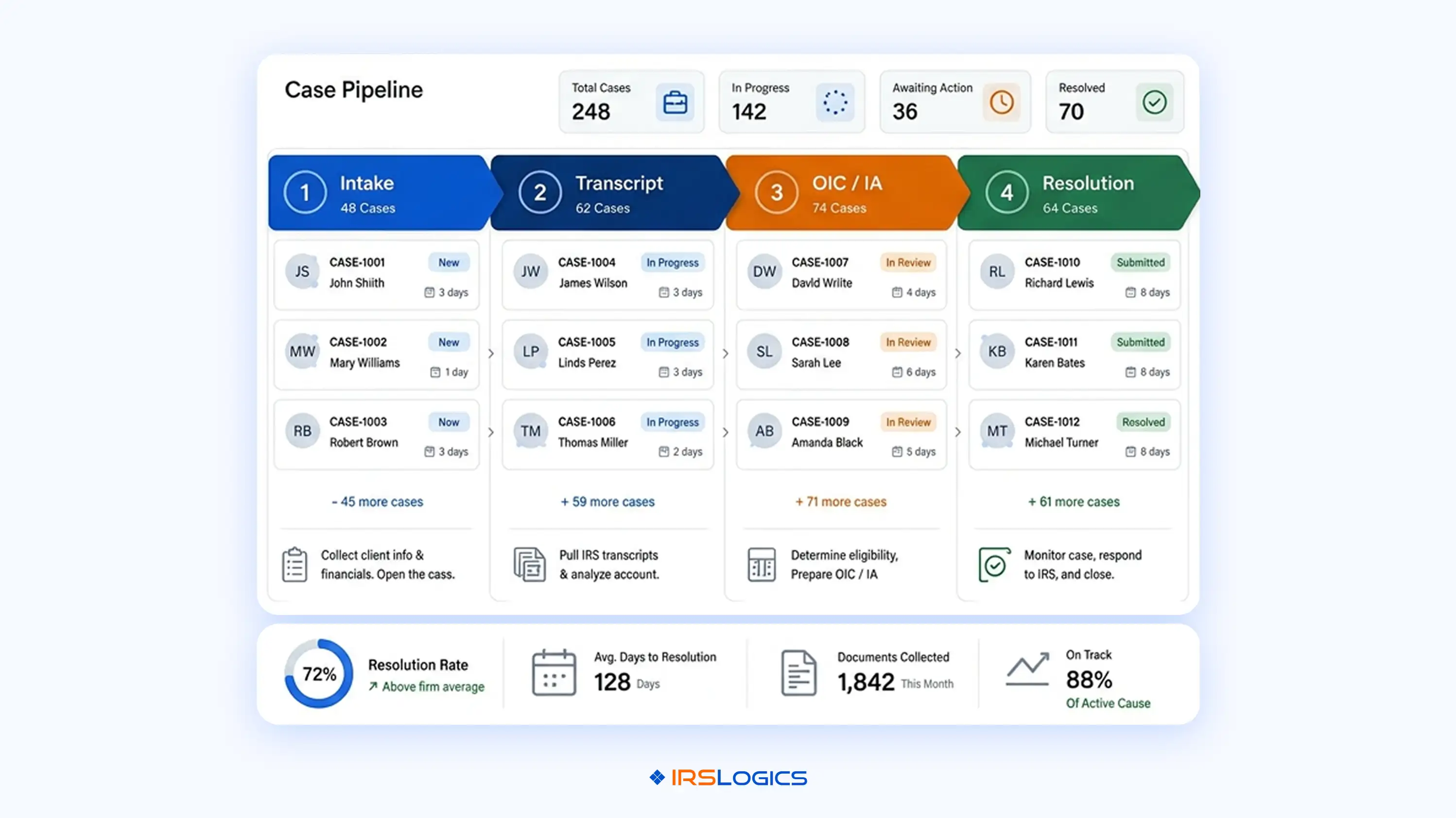
Does the platform cover the full case from intake through resolution? That means: client intake and financial questionnaire, IRS transcript retrieval, form generation (433-A, 433-B, OIC worksheets), case activity logging, and billing tied to case milestones. If you need a separate tool for any of these stages, you do not have a tax resolution CRM. You have a CRM plus a stack of workarounds.
2. Built-In IRS Forms
Federal and state IRS forms that are already built into the platform and update with regulatory changes are non-negotiable for compliance. A platform that requires you to upload custom forms manually places the compliance burden back on your team. The IRS regularly updates form requirements, and your platform should handle that, not your case manager.
3. Client Communication Infrastructure
Two-way SMS in a threaded view, a secure branded client portal, mass email, and e-signatures should all operate from within the same case record. When a client sends a message at 9pm about a document request, your team should be able to pull up the full conversation history alongside the case file in one place.
4. Financial Intake to Form Auto-Population
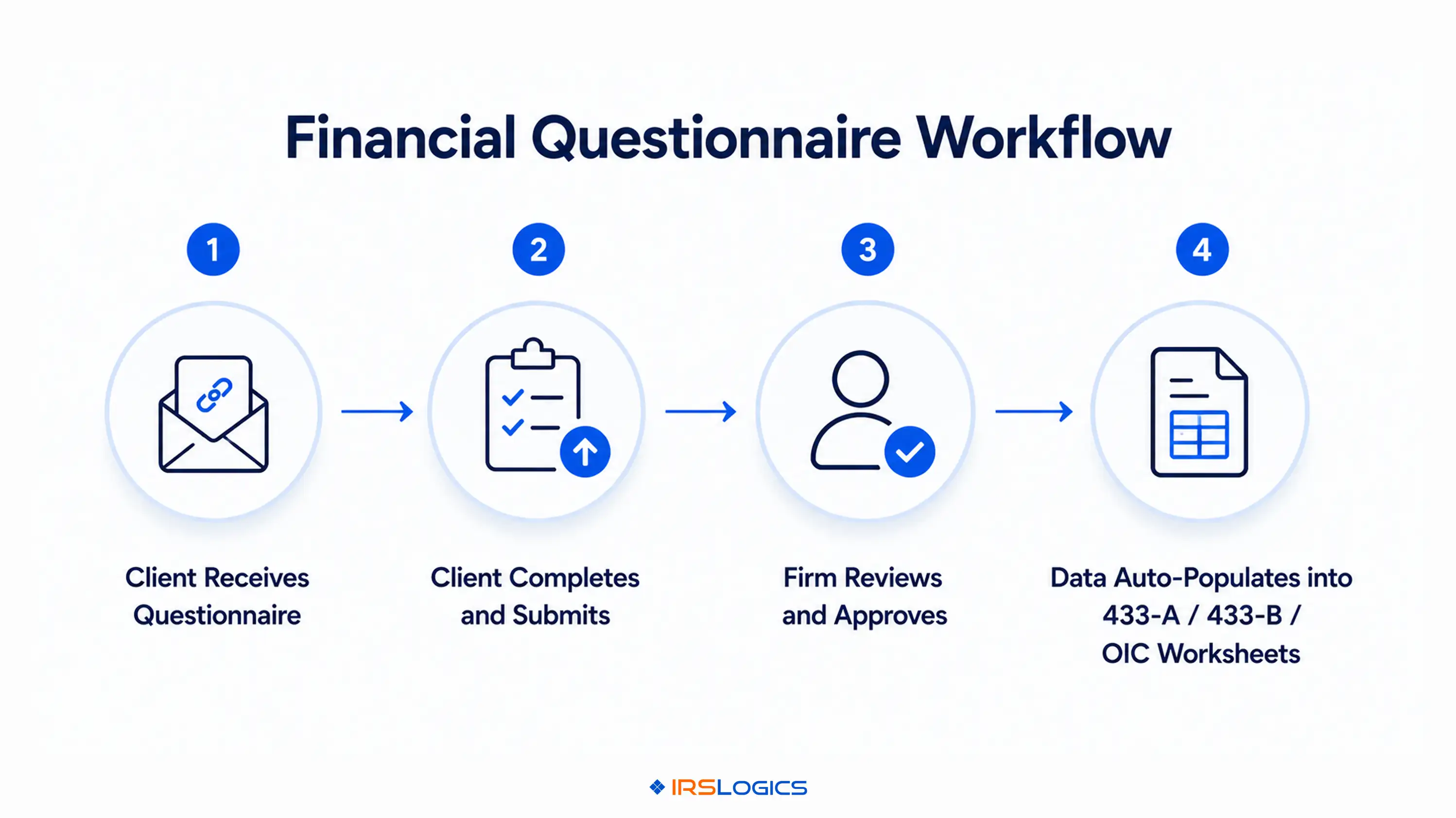
This is where most platforms fail. A strong tax resolution CRM sends a fillable financial questionnaire directly to the client, notifies the firm when it is completed, and auto-populates the data into the 433-A, 433-B, and OIC worksheets. That eliminates re-keying financial data across forms, which is one of the highest-risk points for manual errors in resolution work. The NAEA's guidance on OIC practice standards treats accuracy in financial disclosure as a core professional obligation, and your software infrastructure should support that standard.
5. Billing Tied to Case Milestones
Accounts receivable visibility is a real operational problem in resolution firms. You need to know exactly which invoice is outstanding, which payment has been received, and which client's billing is falling behind. A CRM that tracks contacts but not payment-to-invoice relationships gives you an incomplete financial picture of your own practice.
The market for purpose-built tax resolution software is small. Most platforms that claim to serve tax resolution are either adapted from general practice management tools or built primarily around tax preparation with resolution features bolted on. Here is an honest read of the landscape.
IRSLogics
Built specifically for tax resolution, not adapted from anything else. The platform covers the full case lifecycle: intake, transcript retrieval through the IRS Transcript Delivery System, OIC and installment agreement workflows, e-signatures, billing, and a branded client portal. The Financial Questionnaire feature sends directly to the client, and the completed data auto-populates into 433-A, 433-B, and OIC worksheets with no re-keying. Payments tie directly to invoices so firms always know what is outstanding. SMS Conversation View keeps all client messages threaded inside the case record. Integrates with Google Calendar, iSoftPull for tri-bureau credit reports, RingCentral, Vonage, and Ytel. The Rule Engine supports custom automations built to each firm's specific workflow. Strong fit for firms that want one platform for everything resolution-related.
PitBull Tax
A direct competitor with strong name recognition in OIC-heavy practices. Has recently added AI features including an IRM AI Companion and AI-assisted client questionnaire reminders. Well-regarded for its form library. More form-focused than case lifecycle-focused, which makes it a strong choice for practitioners who prioritise IRS form work but less suited for firms that need deep CRM functionality, billing integration, or client portal capabilities in the same platform.
IRS Solutions
Another direct competitor with a focus on tax resolution management. Includes IRS Advance Notice monitoring, client management tools, and invoicing. Has a strong community component with member support and educational resources. Does not match IRSLogics on CRM depth, transcript automation, or the full billing and client portal integration that resolution firms need as they scale.
TaxDome
A well-built general practice management platform. Strong for broad accounting and tax practices. The client portal and document management are genuinely good. However, TaxDome is not purpose-built for resolution. It lacks the IRS case-stage workflows, built-in federal resolution forms, and transcript delivery integration that resolution-specific practices require. A firm using TaxDome for resolution work will supplement it with other tools.
Canopy
Similar positioning to TaxDome: strong for general accounting practice management, lighter on resolution-specific functionality. The workflow builder is capable, but resolution practices need more than workflow management. They need transcript automation, OIC-specific financial intake tools, and form libraries that map to actual IRS resolution case stages.
The honest summary: if your practice is primarily tax resolution, the shortlist is IRSLogics, PitBull Tax, and IRS Solutions. The national platforms serve a different buyer.
Every platform claims all-in-one. Most mean it loosely.
In a tax resolution context, all-in-one means a single platform handles: client intake and profile, financial questionnaire, IRS transcript retrieval, case notes and activity logging, document collection and e-signatures, IRS form generation, client portal communication, billing, accounts receivable, and reporting. No switching tabs to a separate billing tool. No exporting data to a form builder. No third-party e-signature subscription.
That level of consolidation matters because resolution cases have long lifecycles. A case can run six months to two years. Any gap in your platform means information lives somewhere it should not, in a spreadsheet, an email thread, a separate system your new case manager has not been trained on.
When evaluating a tax resolution CRM, ask the vendor for a walkthrough of a full OIC case from intake to resolution, using only their platform. That single request will tell you more than any feature comparison table.
Here is a specific workflow that separates resolution-built platforms from everything else.
A client comes in with serious IRS debt. You need their full financial picture to evaluate collection alternatives.
In a general CRM or adapted practice management tool, you send a financial questionnaire via a separate form tool, manually transfer the responses into your IRS forms, re-enter data in multiple places, and hope nothing gets missed.
In a purpose-built tax resolution CRM, you send the Financial Questionnaire directly from the client case record inside the platform. The client fills it in from their device. Your firm gets notified. You review and approve the data. It auto-populates into the 433-A, 433-B, and OIC worksheets inside the same system with no re-keying.
That is not a small difference. Across a firm handling 50 active cases, that is dozens of hours saved per month and a significant reduction in data entry errors that could affect resolution outcomes.
The AICPA's guidance on tax practice standards is clear on the responsibility practitioners carry when submitting financial disclosures to the IRS. Your platform infrastructure should reduce the risk of errors in that process, not increase it.
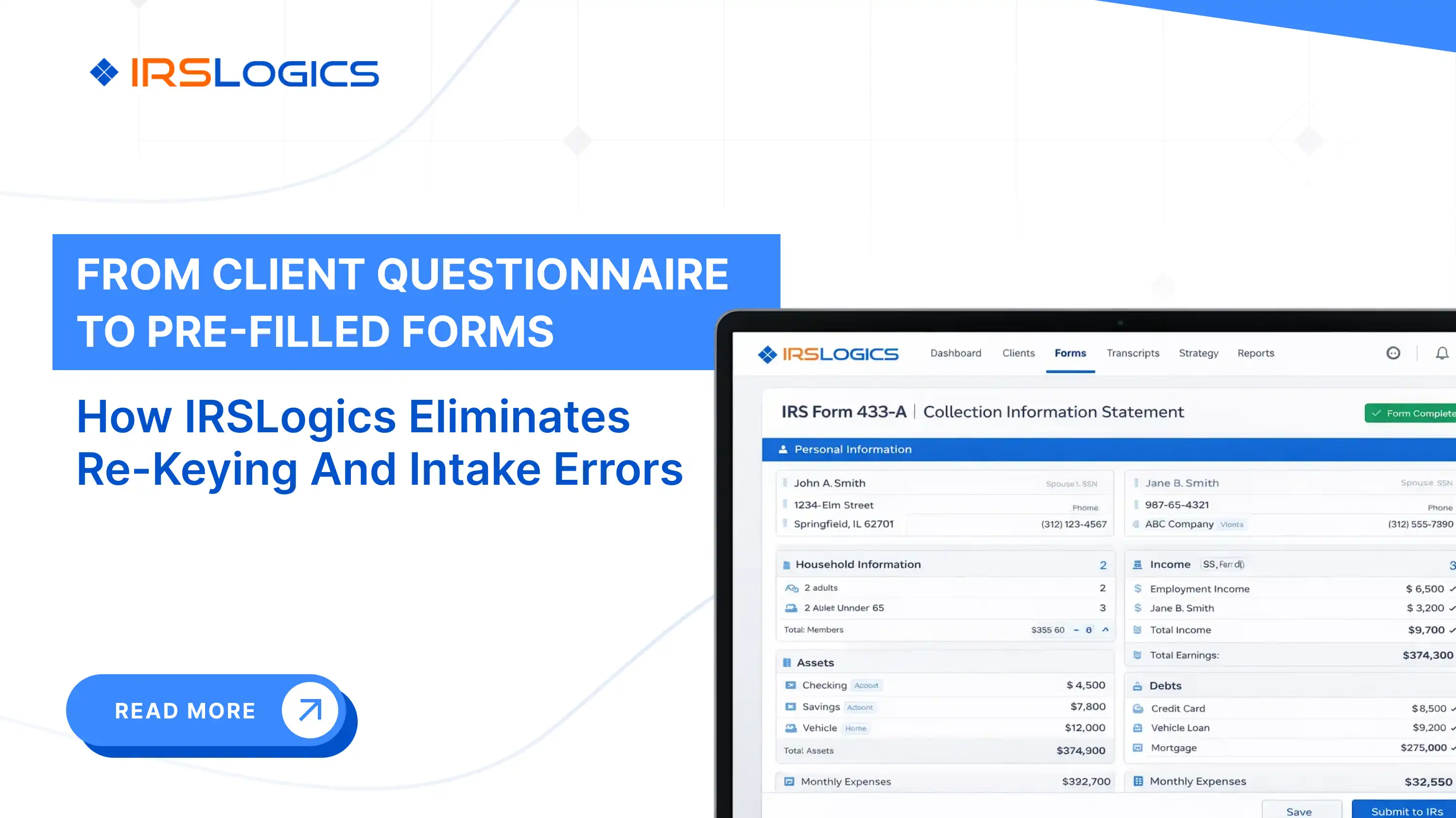
For a closer look at how financial intake works in a purpose-built platform, the IRSLogics guide on financial questionnaire to pre-filled IRS forms walks through the full workflow step by step.
This blog runs tax resolution CRMs through five criteria: IRS case lifecycle coverage, built-in forms, client communication infrastructure, financial intake to form auto-population, and billing tied to case milestones. IRSLogics was built to cover all five in one place, not to approximate them through a stack of connected tools.
The Financial Questionnaire goes directly to the client from inside their case record. When they complete it, the data auto-populates into Form 433-A, 433-B, and OIC worksheets with no re-keying. Transcript requests are initiated and logged inside the same case record through the IRS Transcript Delivery System. Payments tie directly to individual invoices so your accounts receivable picture is accurate without manual reconciliation. Two-way SMS sits in a threaded conversation view inside the case, visible to the whole team. The client portal handles document uploads, e-signatures, appointment booking, and billing in one branded, secure place.
The Rule Engine supports custom automations built to your firm's specific workflows, not just platform defaults. Role-based access keeps the right people in the right parts of the system. The audit trail logs every case action automatically.
It is not a general CRM adapted for resolution work. It is built around the IRS case lifecycle from intake to closure, which is the distinction this blog is really about.
Explore the full feature set or view plans and pricing before you book your next demo.
It is a system built for IRS case workflows. It manages intake, transcripts, forms, communication, and billing in one place.
It depends on your firm. Purpose-built tools like IRSLogics or PitBull Tax work best for resolution-heavy practices.
General tools manage broad workflows. Resolution CRMs handle IRS-specific tasks that cannot be added as basic features.
You need full case coverage. Forms, transcripts, client communication, billing, and automation working together.
You can, but with limits. They often need extra tools to handle full resolution workflows properly.
The client fills it once. Data flows directly into IRS forms, reducing errors and saving time.
It connects with calendars, calling tools, and credit report systems to keep your workflow centralised.
Most firms do not realise they have a category problem until they are six months into a platform that was never designed for resolution work.
The checklist is simple. Does your CRM cover the full IRS case lifecycle? Does it pull transcripts inside the case record? Does it auto-populate financial data into resolution forms? Does it tie payments to invoices so you always know what is outstanding?
If the answer to any of those is no, you are managing workarounds instead of managing cases.
Key reminders before you book a demo:
See how IRSLogics handles the full resolution workflow from intake to case closure. Book a free demo at irslogics.com.
All
Tax Software
Workflow & Automation
Industry News
Resolution Tips
Tax Resolution Marketing

Lorem ipsum dolor sit amet, consectetur adipiscing elit. Suspendisse varius enim in eros elementum tristique. Duis cursus, mi quis viverra ornare, eros dolor interdum nulla, ut commodo diam libero vitae erat. Aenean faucibus nibh et justo cursus id rutrum lorem imperdiet. Nunc ut sem vitae risus tristique posuere.


Share this article directly by email. Simply enter the recipient’s details below.

Article has been send to you.