Tax Software


It's the end of the month. Your books should close clean. Instead, you're staring at three invoices nobody remembers sending, one client who swears they already paid, and a spreadsheet that doesn't match your bank statement. If that sounds familiar, you don't have a client problem. You have a billing software for accountants problem, and it's costing you more hours than you think.
Here's the honest version nobody puts in a sales deck. Most accounting and tax resolution firms are still billing the way they did a decade ago. An invoice gets created in one tool. A payment gets collected in another. And reconciliation happens manually, usually late on a Friday, usually with a headache attached.
The problem isn't that your team doesn't know how to bill clients. It's that the tools don't talk to each other. Most accounting invoicing software on the market was built for freelancers and small retail shops, not for firms juggling dozens of active tax resolution cases with recurring fees, partial payments, and IRS-driven deadlines. It's the same disconnect we cover in why a tax CRM built for resolution work beats a general CRM, and billing runs into the exact same wall.
That mismatch is exactly why so many firms outgrow their accounting invoicing software within the first year of scaling a resolution practice.
Without billing software for accountants built specifically for this kind of caseload, you end up doing the same job twice. Once to send the invoice. Again, weeks later, to figure out whether it actually got paid.
Good billing software for accountants isn't just a fancier invoice template. It's the connective tissue between your case management and your cash flow. At a minimum, it should let your team:

That last point matters more than firms realize. When your billing software for accountants is disconnected from your case management system, you're relying on someone's memory to know which client owes what. That's not a process. That's a gamble, and it's part of why so many firms end up comparing platforms using our guide on what to ask during a tax resolution software demo before they commit to switching.
Reconciliation gaps happen for one simple reason. Payments and invoices live in different places, and nobody has time to manually match them every week.
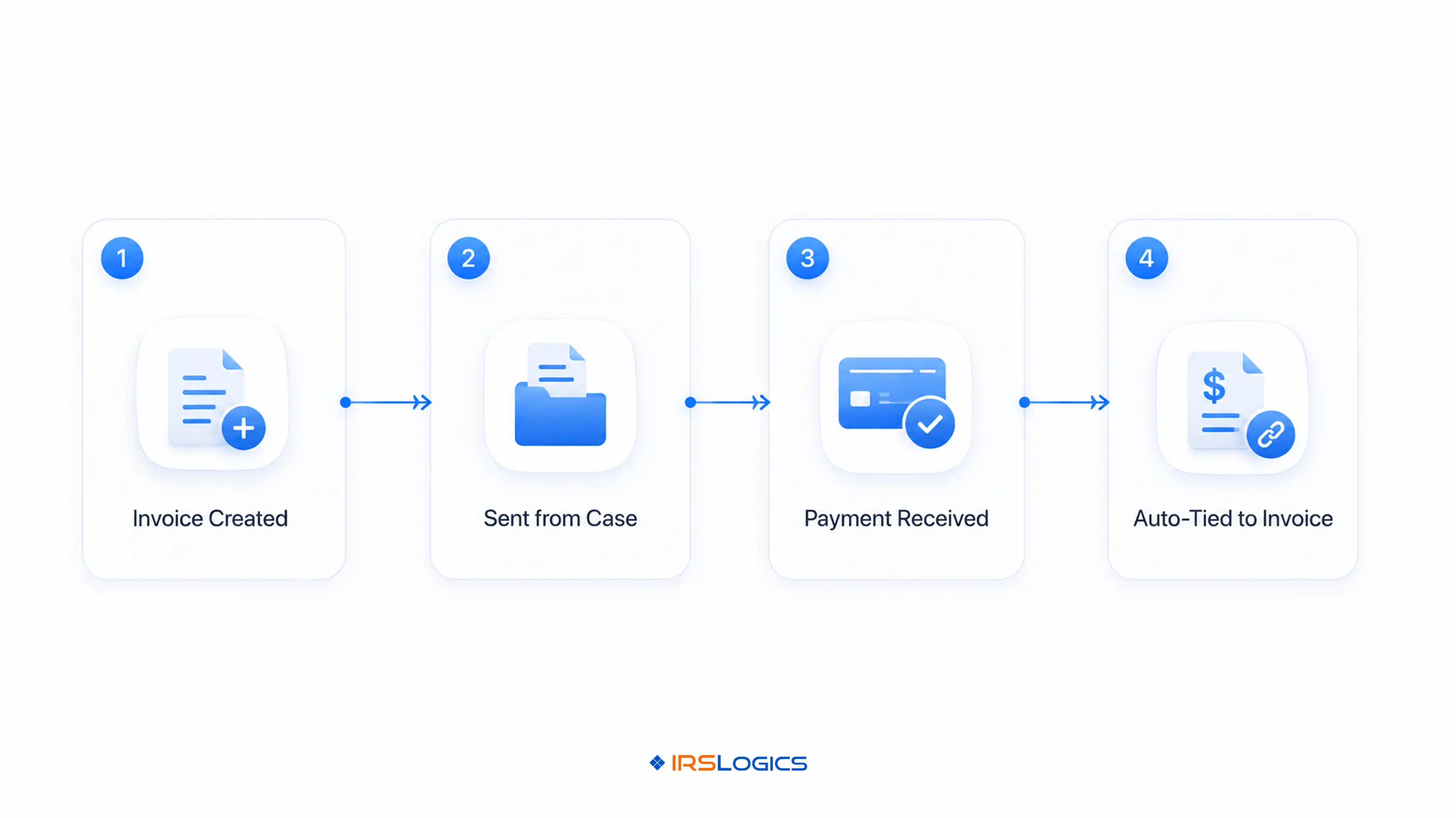
This is where tax firm billing software earns its keep. Instead of pulling a payment report from one system and an invoice list from another, everything sits inside the same case record. When a payment comes in, it gets tied directly to the invoice it belongs to, a workflow we broke down in detail in how tying payments to invoices closes the reconciliation gap. No guessing. No "did they pay for March or April" conversations with your bookkeeper.
For a firm juggling multiple case managers and dozens of active clients, this single change removes the single biggest source of billing confusion. Tax firm billing software that links payments to invoices means your accounts receivable report actually reflects reality, not a best-guess pieced together at month-end, the same reliability we cover in what a real tax CRM should track beyond contacts.
Not all invoicing tools are built the same, and for a resolution practice, that difference shows up fast.
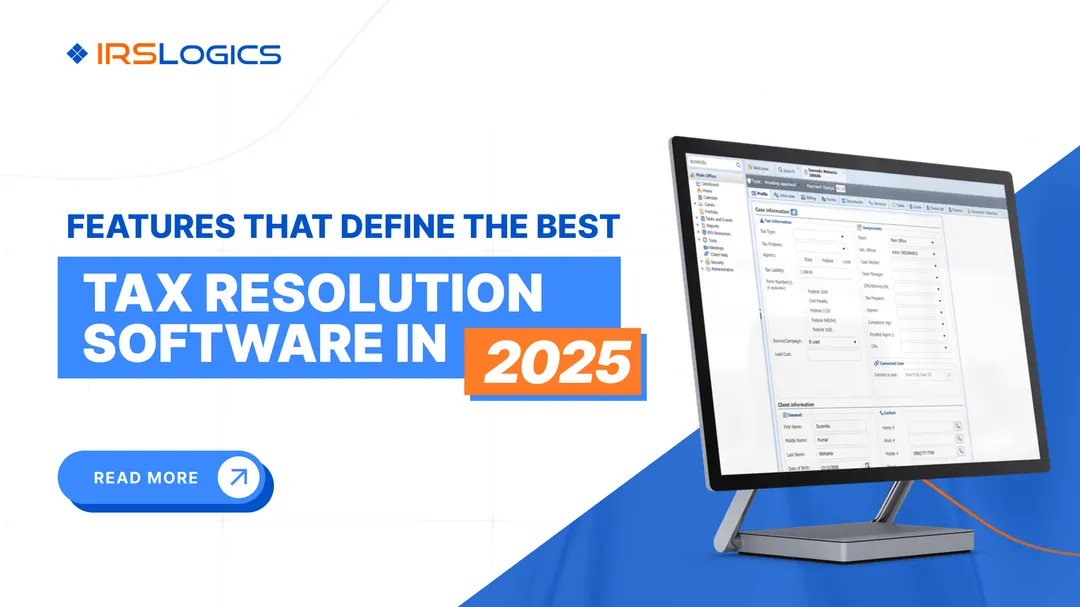
Generic accounting invoicing software works fine if you're sending five invoices a month to five clients who pay in full, right away. It falls apart the moment you're managing case-based billing, partial payments, and client communication all at once, which is exactly the daily reality for a tax resolution firm, and exactly why our breakdown of the best tax resolution software for CPAs puts billing infrastructure near the top of the evaluation list.
When you're evaluating payment management software, resist the urge to pick based on the prettiest invoice template. Ask these questions instead.

Does it connect billing to the actual case? Payment management software that lives outside your case management system just adds another tab to check.
Can clients pay without a phone call? A client portal where clients can view invoices and pay directly cuts down on the "can you resend that invoice" emails.
Does it show unpaid invoices clearly? The whole point of good payment management software is knowing, without digging, who owes you money right now.
Does it support your merchant account? Payment management software should let you process payments directly from the case, not force you into a separate payment processor with its own login and its own headache. It's worth weighing this against actual pricing before you decide, since bundled billing tools usually save more than a standalone processor.
A firm that gets this right spends less time chasing payments and more time actually resolving cases. And that's usually the moment a practice realizes its old accounting invoicing software was never built to keep up with case volume in the first place.
IRS Logics was built around the actual workflow of a tax resolution firm, not adapted from a generic bookkeeping tool. The Billing & Invoicing module lets your team create invoices, schedule payments, and pull a full billing summary directly from the client's case file, so nobody has to switch tabs to figure out where a client stands.
The Tying Payments to Invoices feature solves the exact reconciliation gap most firms struggle with, the same one we walk through case by case in our full feature breakdown for tax attorneys. When a payment comes in, it's linked to its invoice automatically, which means your Accounts Receivable view always reflects what's actually outstanding, not what someone remembers from three weeks ago. Add the Merchant Account integration for processing payments directly from a case, and the Client Portal for clients to view and pay invoices themselves, and billing stops being a separate job your team has to babysit.
For firms managing dozens of active cases at once, this isn't a nice-to-have. It's the difference between a billing process that runs itself and one that eats your Friday afternoons. Firms weighing the switch often start with our tax resolution software pricing guide to understand total cost before comparing platforms. If you're ready to see how case-connected billing software for accountants actually works in practice, book a demo and walk through it live.
Yes, especially if you're managing more than a handful of active cases. The time saved on manual reconciliation alone usually pays for itself within the first few months.
Tax firm billing software connects invoices directly to case records, handles recurring and installment billing, and ties payments to invoices automatically. Most general accounting invoicing software requires manual matching between separate systems, which is where reconciliation gaps creep in.
Yes. A proper client portal lets clients view their invoices and pay directly, which cuts down significantly on follow-up calls and emails.
It should. Look for payment management software that connects directly to your merchant account so payments process from within the case, not through a separate tool.
Invoices and payments living in disconnected systems. Without payments tied directly to invoices, matching them manually creates errors and delays.
IRS Logics is purpose-built for tax resolution work, which means CPAs, EAs, and tax attorneys managing IRS cases get billing tools designed around real case workflows, not adapted from general accounting software.
Billing shouldn't be the part of your practice that quietly bleeds hours every week. When billing software for accountants is actually built for case-based work, invoices get sent on time, payments get matched automatically, and reconciliation stops being a monthly fire drill. Swapping out disconnected accounting invoicing software for a system built around your caseload is what makes that possible. That's the whole point.
Ready to stop chasing payments? Talk to our team and see how IRS Logics handles billing, invoicing, and reconciliation in one place.
All
Tax Software
Workflow & Automation
Industry News
Resolution Tips
Tax Resolution Marketing

Lorem ipsum dolor sit amet, consectetur adipiscing elit. Suspendisse varius enim in eros elementum tristique. Duis cursus, mi quis viverra ornare, eros dolor interdum nulla, ut commodo diam libero vitae erat. Aenean faucibus nibh et justo cursus id rutrum lorem imperdiet. Nunc ut sem vitae risus tristique posuere.


Share this article directly by email. Simply enter the recipient’s details below.

Article has been send to you.