Tax Software


If you have ever asked, “Who is waiting on what,” and nobody can answer in one sentence, your issue is not effort. It is structure.
Tax resolution work has long case timelines, sensitive data, multiple handoffs, and follow-ups that can quietly slip if ownership is unclear. A practice management platform is supposed to fix that, but only if it is configured around how a tax resolution team actually works.
This guide shows how to design roles, permissions, and reporting so your team stays aligned, cases stay moving, and leadership can see risk before it becomes a problem. The IRS also recommends limiting access to taxpayer data and using audit trails, which makes permissions and logging a practical necessity, not a nice-to-have.
In general, accounting practice management software is positioned as an end-to-end system that brings key functions together, workflows, documents, billing, and client collaboration, in one place.
For tax resolution teams, a practice management platform must do something more specific. It needs to function like an operating layer for IRS case work, including:
IRSLogics positions itself as a tax resolution-first platform that combines workflows, roles and permissions, reporting, and multi-office support, built around IRS representation work.
A tax resolution team touches taxpayer identity data, financial records, and case strategy. That raises the bar for access control, documentation, and oversight.
The IRS guidance for safeguarding taxpayer data includes two points that directly connect to software configuration:
Separately, the IRS notes that FTC regulations require professional tax preparers to create and enact security plans to protect client data, and points tax pros to IRS Publication 4557 for recommendations.
If your platform does not support role-based permissions, approval gates, and audit-friendly activity logs, you end up relying on trust and tribal knowledge. That is not scalable.
You do not need a big firm to benefit from clear roles. You need consistency.
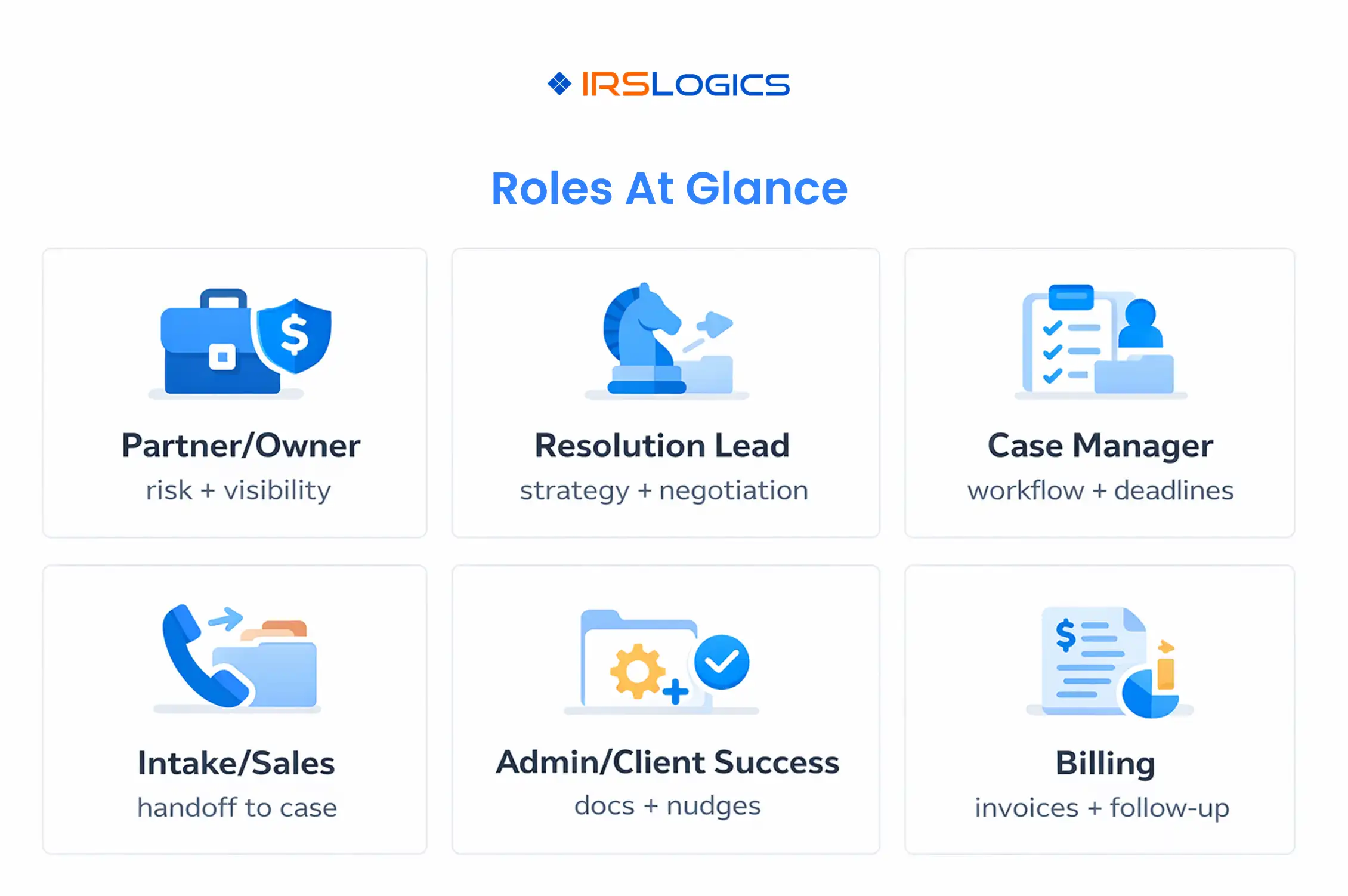
Here is a practical role set for tax resolution team management:
Owns risk, pricing, and quality control, needs visibility across all cases and reporting.
Owns technical strategy, submissions, and negotiations, typically needs full case access.
Runs the workflow day to day, assigns tasks, monitors timelines, keeps cases moving.
Handles leads, consult scheduling, initial qualification, and onboarding handoff.
Handles document collection, portal nudges, appointment coordination, basic updates.
Handles invoices, payment plans, follow-up, and finance reporting.
Pulls transcripts, prepares summaries, flags changes, supports resolution lead.
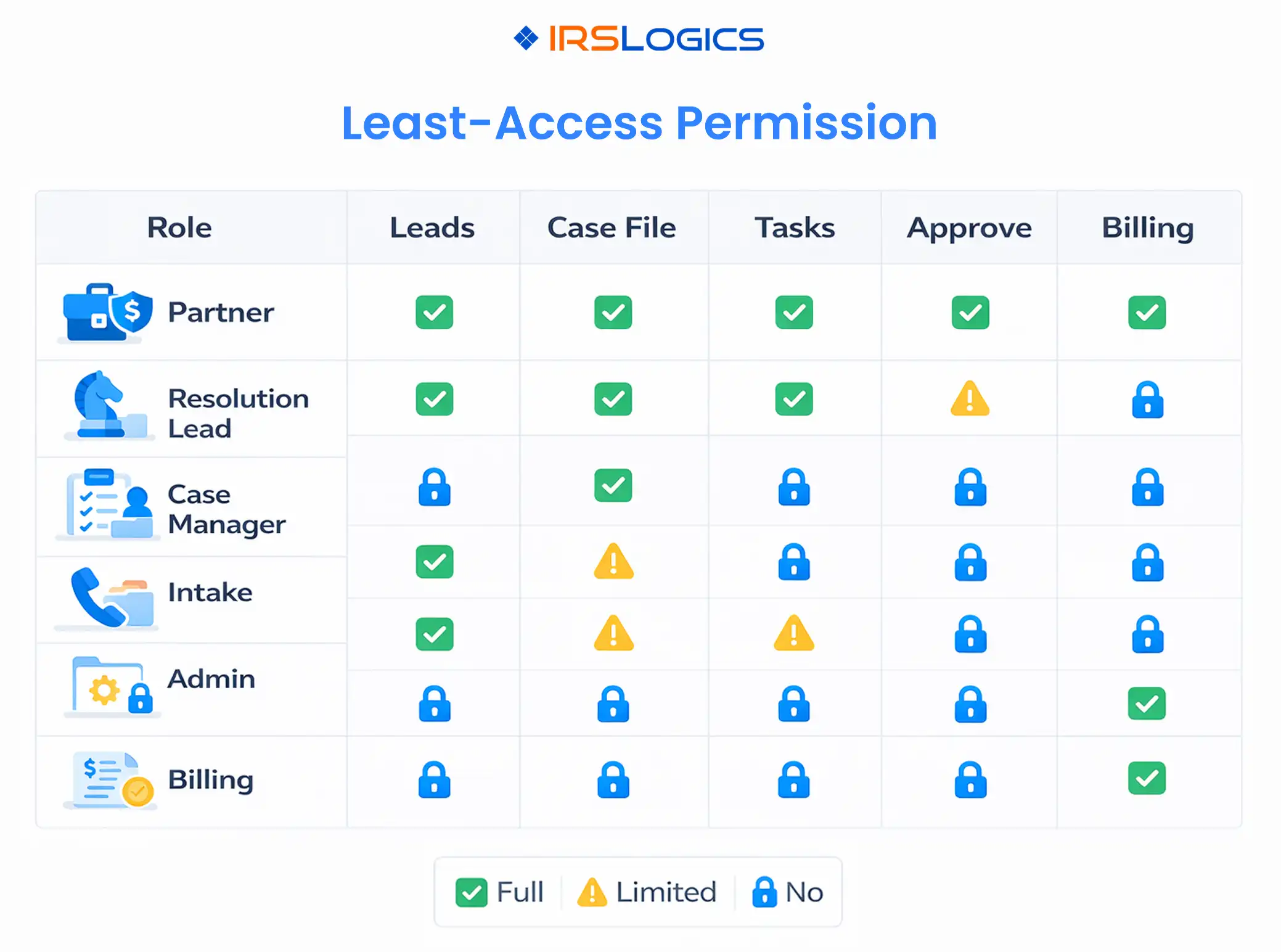
A platform built for representation work should support training and role assignment as part of implementation, including permissions that define who can view, edit, and approve cases, plus dashboards to track open cases and financial performance.
Permissions should be designed around three goals:
This structure supports least access while still enabling day-to-day execution, which aligns with the IRS guidance to limit access to taxpayer data and to maintain audit trails of activity.
Add a small number of approval checkpoints where mistakes are expensive:
This is also where role-based permissions become operational, not theoretical.
Audit logs matter because they answer questions fast:
Many enterprise practice management tools market detailed activity logs and oversight as a core value for regulated environments.
IRS Publication 4557 also explicitly calls out implementing audit trails that record activity and changes.
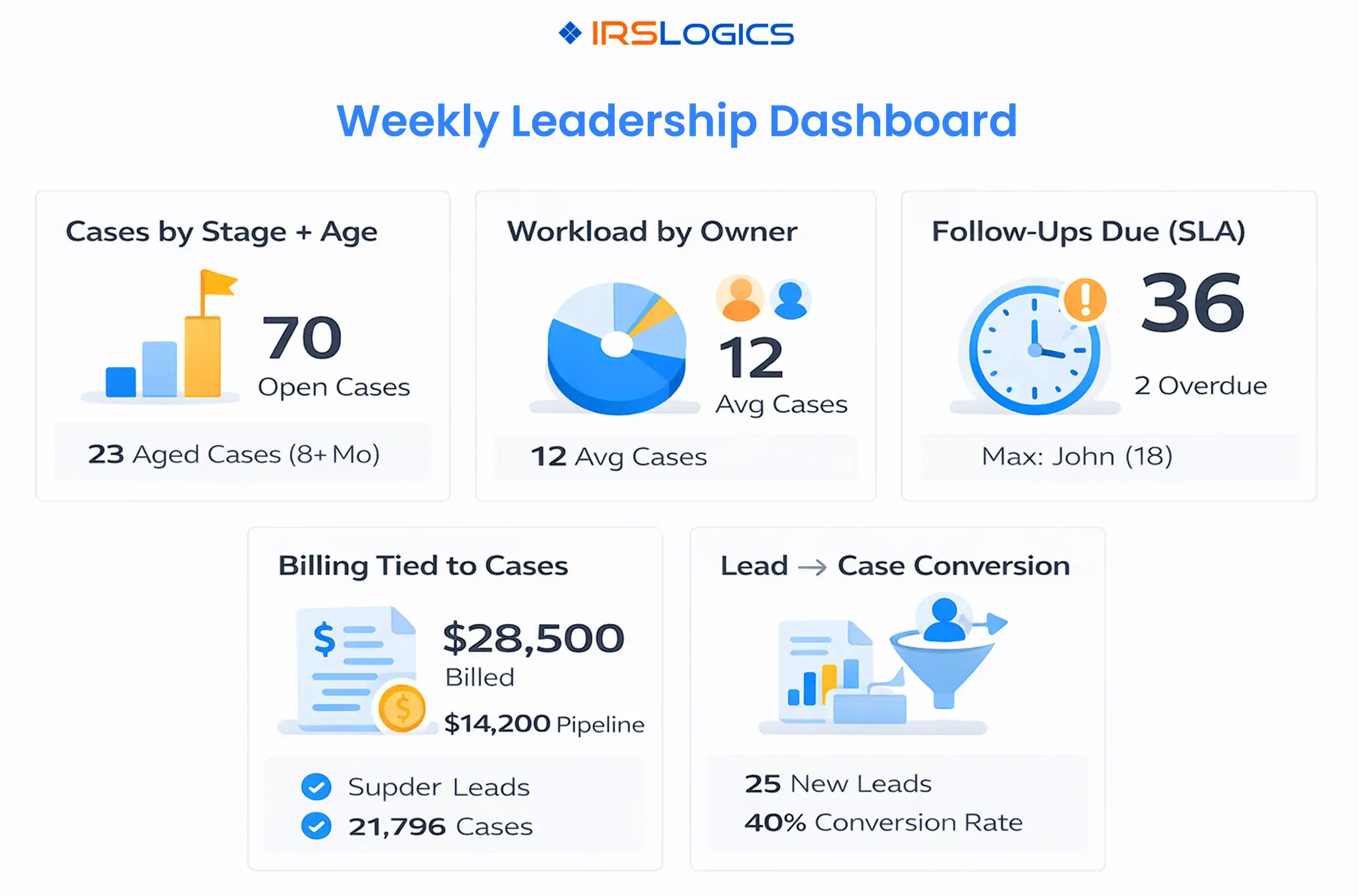
Reporting is where a practice management platform earns its seat. Tax resolution reporting should be designed for decisions, not vanity.
Shows how many cases are stuck, and where. Buyer guidance for tax resolution software highlights office-level reporting and oversight as crucial for teams.
Shows capacity and risk. If one case manager has double the load, your timelines will drift.
Shows whether IRS follow-ups and client requests are being handled on time. In tax representation software guidance, dashboards and reports for open cases are presented as part of running the practice.
Tax resolution billing often uses flat fees, retainers, or milestones. IRSLogics emphasizes reporting tied to cases, staff, and source.
This is the bridge between growth and delivery. IRSLogics also positions itself as a CRM that tracks leads and conversion reporting.
If you are operating across locations, you need structure, not just more users.
Look for:
IRSLogics states it supports multi-office management with user roles, permissions, and divisions for teams across locations.
When you are evaluating a practice management platform for a tax resolution team, ask:
It is a system that helps you run the operations of IRS case work, including workflows, tasks, permissions, billing, client collaboration, and reporting, designed for the realities of tax resolution cases.
Because you are handling sensitive taxpayer data and long-cycle cases with multiple handoffs. The IRS recommends limiting access to those who need it and implementing audit trails to record activities and changes.
Start with open cases by stage, workload by owner, follow-ups due, and billing tied to cases. These are the reports that prevent missed steps and make capacity visible.
It can, if it supports divisions, role-based permissions, and office-level reporting. IRSLogics describes multi-office support with roles, permissions, and divisions.
IRSLogics highlights permissions and roles for controlling who can view, edit, and approve cases, plus dashboards and reports to track open cases and financial performance.
A practice management platform only improves tax resolution team management when it enforces clarity.
Clarity of ownership, clarity of access, and clarity of what leadership should measure.
Key takeaways:
All
Tax Software
Workflow & Automation
Industry News
Resolution Tips
Tax Resolution Marketing

Lorem ipsum dolor sit amet, consectetur adipiscing elit. Suspendisse varius enim in eros elementum tristique. Duis cursus, mi quis viverra ornare, eros dolor interdum nulla, ut commodo diam libero vitae erat. Aenean faucibus nibh et justo cursus id rutrum lorem imperdiet. Nunc ut sem vitae risus tristique posuere.


Share this article directly by email. Simply enter the recipient’s details below.

Article has been send to you.