Workflow & Automation


You finally have a new client. The IRS has levies on the table. And you cannot touch the account, make a call, or pull a transcript until Form 2848 is signed, submitted, and processed.
Every tax resolution professional knows this bottleneck. The form itself is not complicated. But the workflow around it: collecting signatures, submitting correctly, tracking status, keeping records. That is where firms lose time and clients lose confidence. This blog breaks down how to submit Form 2848 online, where firms actually get stuck, and what a clean POA intake workflow looks like when it is built into your case management system from day one.
Form 2848 is the IRS Power of Attorney and Declaration of Representative. It authorizes a tax professional (an enrolled agent, CPA, or tax attorney) to represent a taxpayer before the IRS.
Without it, you cannot speak to the IRS on the client's behalf. You cannot pull transcripts through the IRS Transcript Delivery System. You cannot negotiate installment agreements, submit an OIC, or respond to a CP2000 notice. Everything in a tax resolution case depends on having this form processed and on file.
The IRS officially allows professionals to submit Form 2848 online. That is the good news. The harder part is building a workflow around it that does not create new bottlenecks in your firm.
The IRS Tax Pro Account is the cleanest, fastest route. Here is what the process looks like:
The taxpayer must have an IRS online account or be willing to create one. Once both parties are set, the professional initiates the POA request through the Tax Pro Account. The taxpayer receives a notification, reviews it, and approves it digitally. When approved, the authorization appears on the Centralized Authorization File (CAF) within minutes rather than the weeks it takes for faxed or mailed submissions.
The limitation: this only works for individual taxpayers with a Social Security Number. Business entities, trusts, and certain taxpayer types still require the upload route or paper submission.
For the Tax Pro Account method, the professional does not upload a signed PDF. The authorization is created and approved entirely within the IRS online system. There is no signature collection required from your end.
The IRS also allows professionals to upload a signed Form 2848 PDF through the Submit Forms 2848 and 8821 Online tool. This route works for situations where the Tax Pro Account method is not available: business entities, non-SSN filers, or cases where the client is not able to create an IRS online account.
For the upload route, the professional must:
Common processing times vary. Tax Pro Account approvals can reflect within an hour. Upload submissions typically process within a few business days, compared to weeks for fax or mail.
The NAEA's guidance on Form 2848 submissions is worth reviewing if your firm handles a high volume of business-entity clients, as the requirements differ from individual taxpayer cases.
Here is what actually happens in most tax resolution firms without a dedicated system.
The intake coordinator emails the client a PDF. The client prints it, signs it, and either scans it back or takes a photo with their phone. The photo is blurry. The signature is on the wrong line. The date field is missing. The rep number is from an old form version. The coordinator chases the client for a corrected form. Three days pass.
Then the corrected form arrives. Someone manually logs into the IRS tool, uploads it, and writes the confirmation number in a spreadsheet. Two weeks later, no one can find that spreadsheet. The case manager has to call the IRS to check whether the 2848 processed, which requires being on hold, which burns another hour.
This is not a technology problem. It is a workflow problem. And it is expensive in time, in client trust, and in firm capacity.
A purpose-built tax resolution platform removes the manual steps that cause these delays. Here is what that looks like in practice.
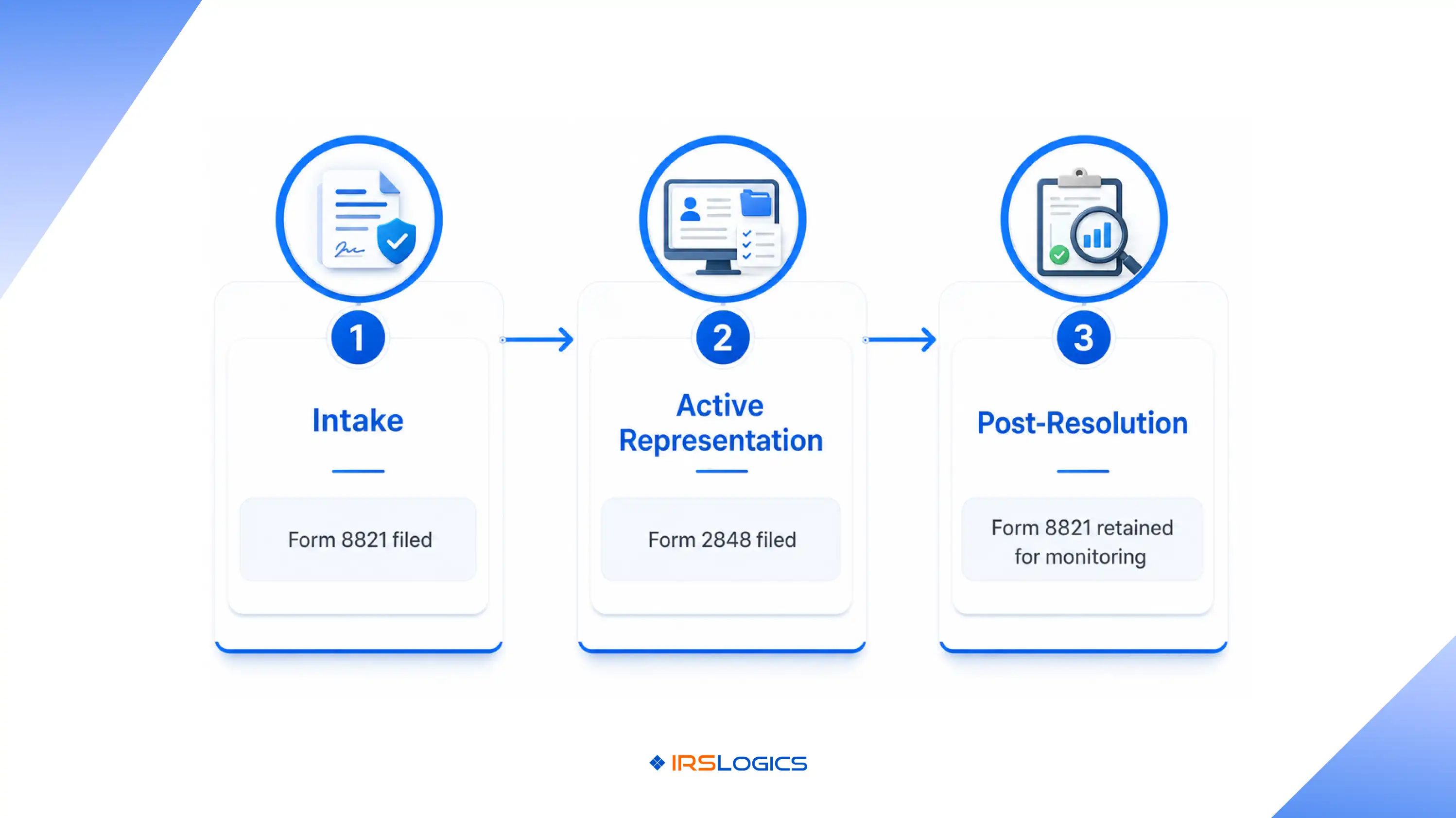
When a new case is opened, the POA intake workflow starts inside the client record, not in a separate email thread. The client receives a secure link to the IRSLogics Client Portal, where they can upload identity documents, review the Form 2848 draft, and sign it electronically through built-in e-signature without printing or scanning anything.
Once signed, the document is stored directly in the case's Document Collection Tab, categorized by file type, and visible to everyone with case access. The rep can then submit through the IRS tool immediately. No chasing, no reformatting, no lost files.
Follow-up communication runs through the platform's SMS Conversation View, so the entire exchange with the client is logged in one place. If the client has a question about what they are signing, they ask in the thread. If you need to remind them to approve the IRS Tax Pro Account request, you send a text from within the case, not from your personal cell phone.
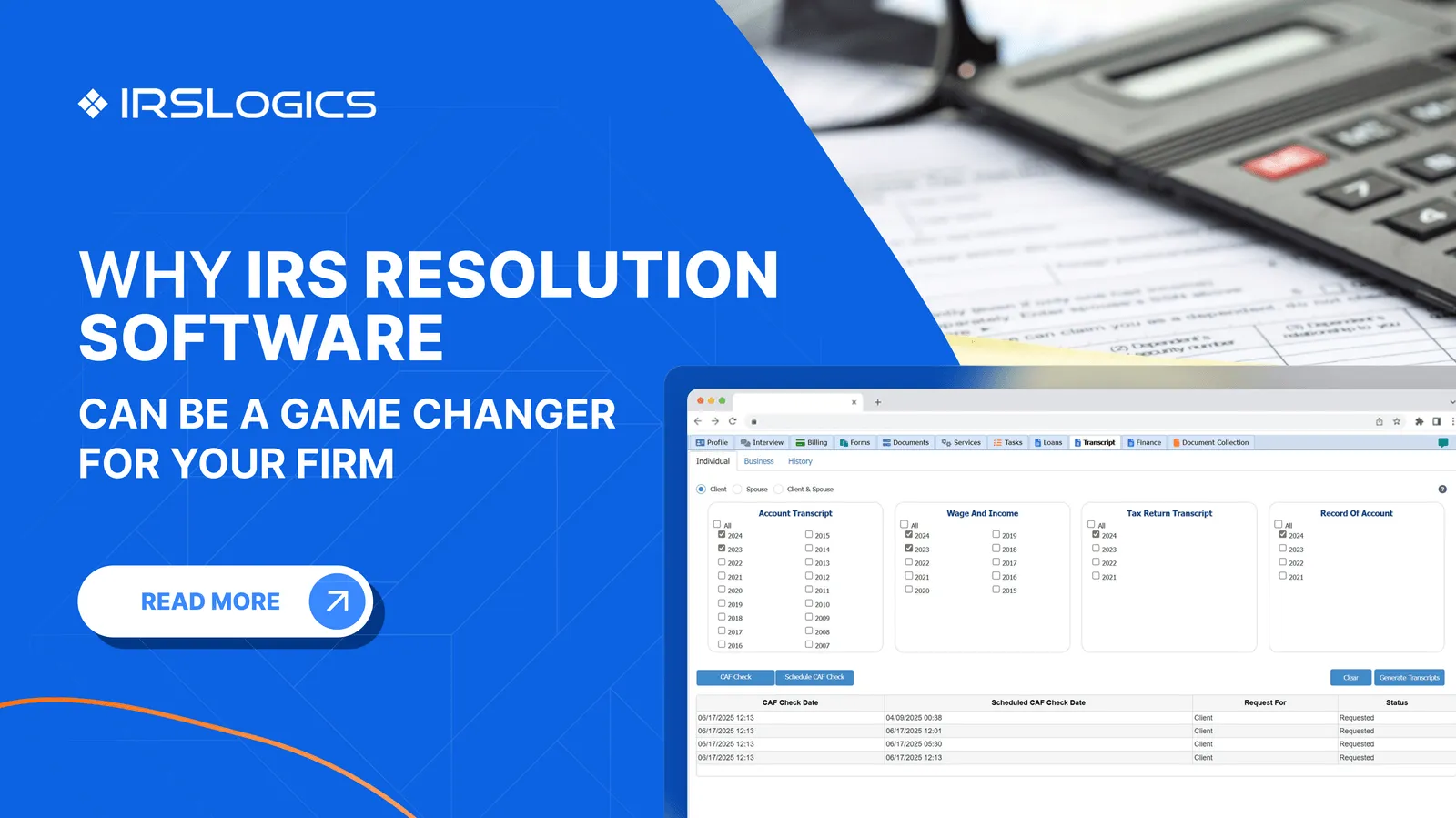
After the 2848 is processed, transcript pulls happen directly inside the platform via the IRS Transcript Delivery System integration. No separate login. No copy-pasting account numbers. The transcript lands in the case record and the case manager gets notified.
For firms running multiple offices or managing high case volumes, the Multiple Office Document Collection feature tracks request status across clients so nothing falls through. You can see which clients have sent the signed 2848, which are pending, and which need a follow-up, all at a glance without pulling a spreadsheet.
The AICPA's practice management resources outline what structured client intake looks like for CPA firms. The principles apply directly to tax resolution practices where POA collection is the critical first step.
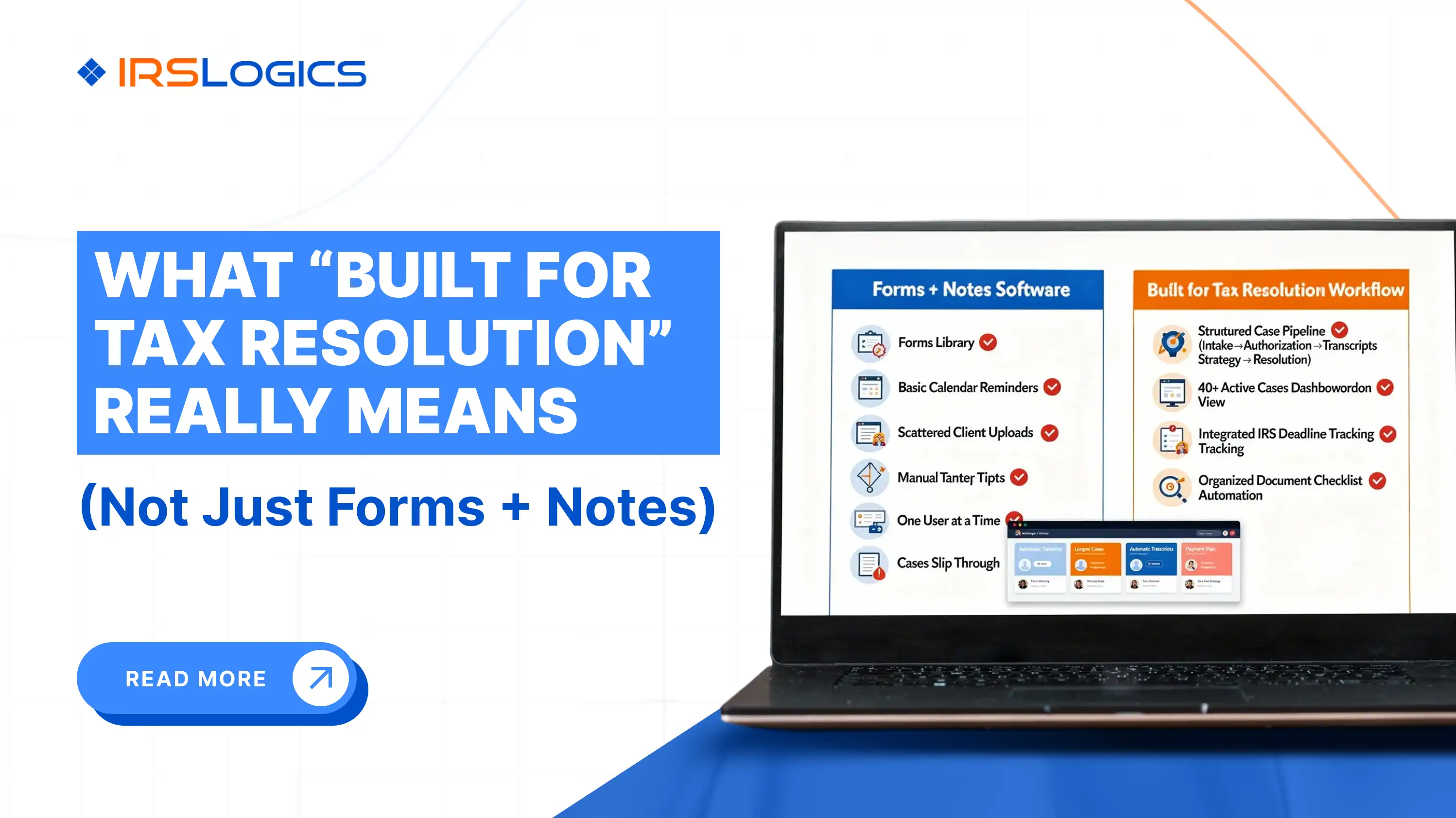
When the speed of your POA intake directly affects when you can start working a case, you need a platform built for that reality. IRSLogics is the only tax resolution software designed from the ground up for enrolled agents, CPAs, and tax attorneys who handle IRS cases every day. It does not adapt a general CRM for resolution work. Every feature inside it maps to a real stage of the case lifecycle, starting with the moment a client signs on.
The Client Portal lets clients upload identity documents, review the Form 2848 draft, and sign electronically without printing or emailing anything. The Document Collection Tab organizes every incoming file by category and tracks request status across your entire client base, so nothing sits unsigned and unnoticed. Once the POA is processed, IRS transcript pulls happen directly inside the platform through the Transcript Delivery System integration, with results logged automatically to the case record. The Financial Questionnaire then takes client financial data and auto-populates it into 433-A, 433-B, and OIC worksheets, eliminating the manual re-entry that slows down every resolution firm operating on spreadsheets.
Tax resolution firms using IRSLogics report 93% satisfaction on quality of support and 94% ease of doing business, across platforms including TaxRise, Jackson Hewitt, and Levy and Associates. The platform maintains those ratings not because it offers the most features, but because the features it has are the right ones for resolution case management. Book a free demo to see the full POA intake workflow in action.
Submitting Form 2848 online is straightforward once you know which route to use. The Tax Pro Account method is fastest for individual SSN filers. The upload route covers everyone else. What matters more than the submission method is whether your firm has a clean, trackable workflow around it from signature collection through processing confirmation through transcript access. A case management platform built for tax resolution turns that workflow into a repeatable system instead of a series of manual tasks.
If your team is still chasing signed PDFs over email, the problem is not the form. It is the process around it.
1. How do I submit Form 2848 to the IRS online?
You can submit Form 2848 through the IRS Tax Pro Account or the IRS online upload tool. Digital submission is usually much faster than mailing or faxing paperwork.
2. How long does it take the IRS to process Form 2848 submitted online?
Online approvals can process within hours or a few business days depending on the submission method. Fax and mail submissions generally take much longer.
3. What are common mistakes on Form 2848?
Common errors include incorrect taxpayer details, missing CAF numbers, blank tax year fields, and signature mistakes. Even small errors can delay processing significantly.
4. Is Form 2848 required before I can pull IRS transcripts for a client?
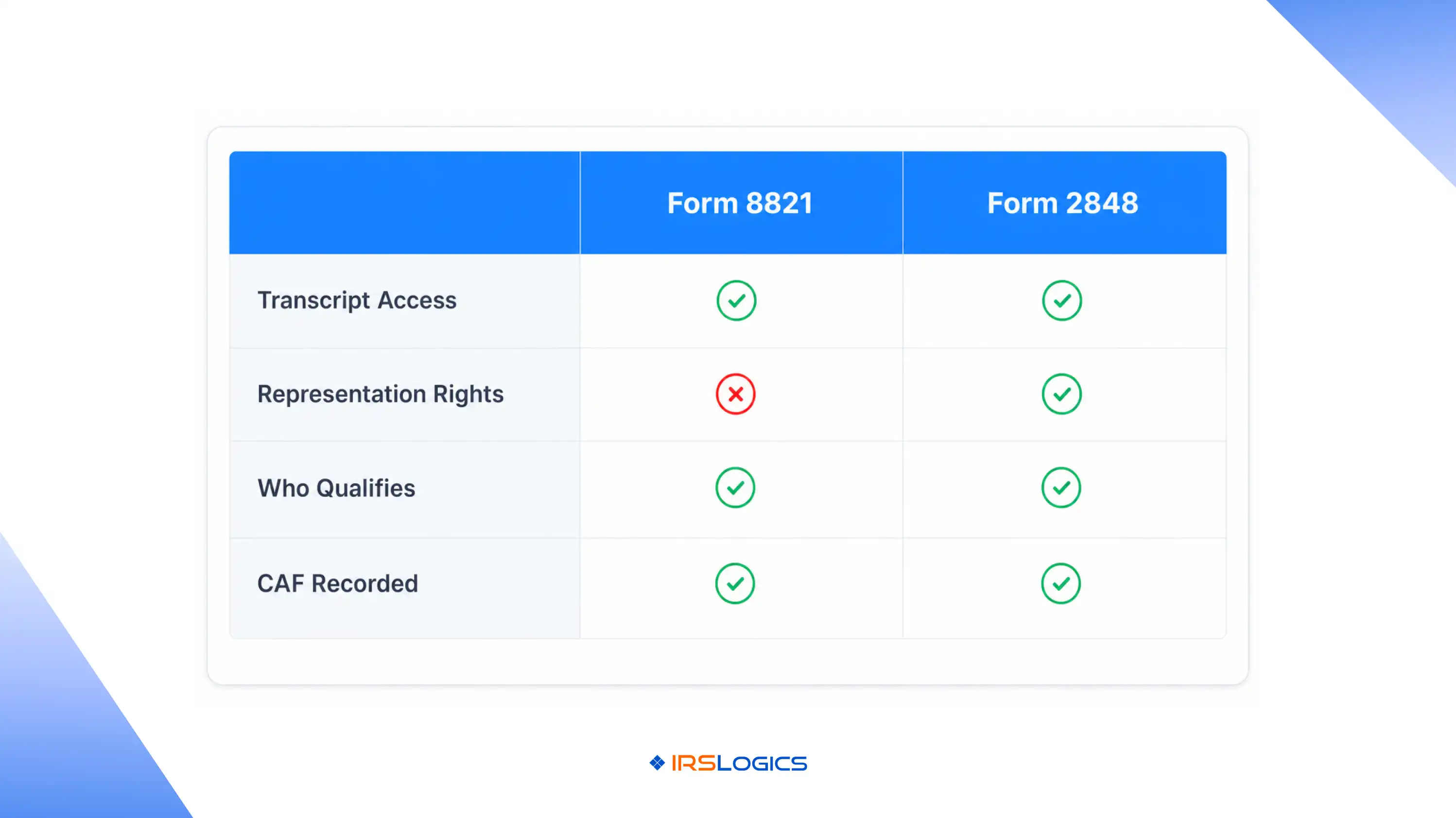
Yes. A processed Form 2848 or Form 8821 must usually be on file before transcript access is granted through IRS systems.
5. Can I use an e-signature on Form 2848?
Yes. The IRS currently accepts electronic signatures as long as identity verification requirements are properly met.
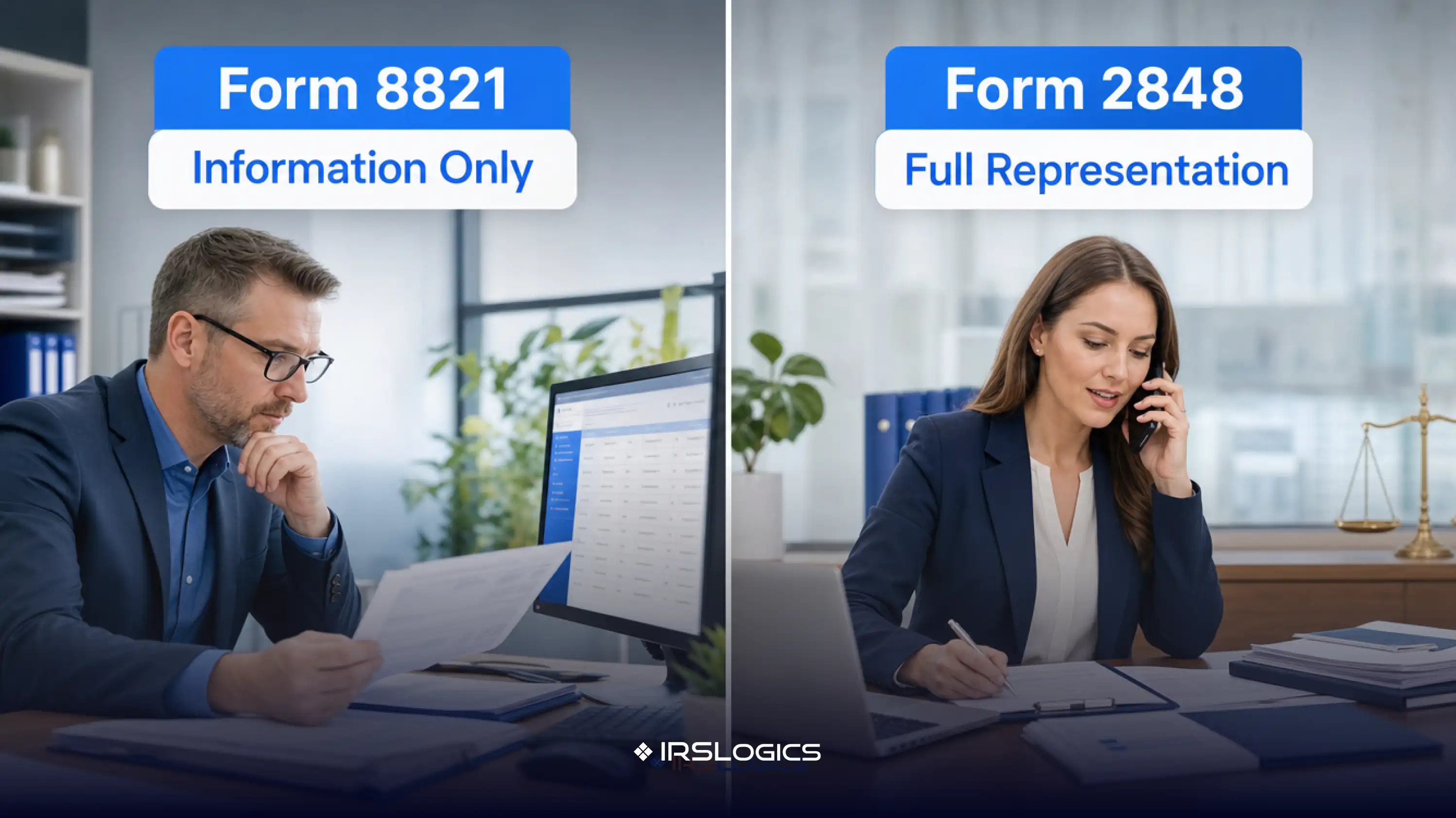
6. What is the difference between Form 2848 and Form 8821?
Form 2848 grants representation authority before the IRS, while Form 8821 only allows access to tax information and records.
7. How do I track whether my Form 2848 has been processed?
Processing status can be checked through IRS practitioner support channels or tracked internally through tax resolution workflow systems.
Ready to see a POA intake workflow that actually runs? Book a free demo with IRSLogics and we'll walk you through the full case lifecycle, from Form 2848 to resolution.
All
Tax Software
Workflow & Automation
Industry News
Resolution Tips
Tax Resolution Marketing

Lorem ipsum dolor sit amet, consectetur adipiscing elit. Suspendisse varius enim in eros elementum tristique. Duis cursus, mi quis viverra ornare, eros dolor interdum nulla, ut commodo diam libero vitae erat. Aenean faucibus nibh et justo cursus id rutrum lorem imperdiet. Nunc ut sem vitae risus tristique posuere.


Share this article directly by email. Simply enter the recipient’s details below.

Article has been send to you.