Tax Resolution Software: The 2026 Buyer’s Guide (Features, Pricing, Red Flags)
If you help clients with IRS problems, you have probably felt the shift. More notices arriving, more anxious clients, and a growing expectation that you can respond quickly, keep them informed, and handle complex cases without things slipping through the cracks.
In 2026, doing all of that with spreadsheets, email chains, and generic CRMs is not just inefficient. It is risky. Lost documents, missed deadlines, and inconsistent workflows are exactly the problems that undermine trust and profitability in a tax resolution practice.
This tax resolution software buyer’s guide is written for CPAs, enrolled agents, and tax attorneys who want to evaluate tools with a clear, practical lens. It focuses on three things:
The tax resolution software features that actually matter in 2026
How tax resolution software pricing works, and what is reasonable
The red flags you should not ignore when comparing vendors
Throughout the guide, you will see examples of how IRSLogics and other providers structure features and pricing, so you can compare the market in a grounded way.
What Tax Resolution Software Actually Does For A Firm
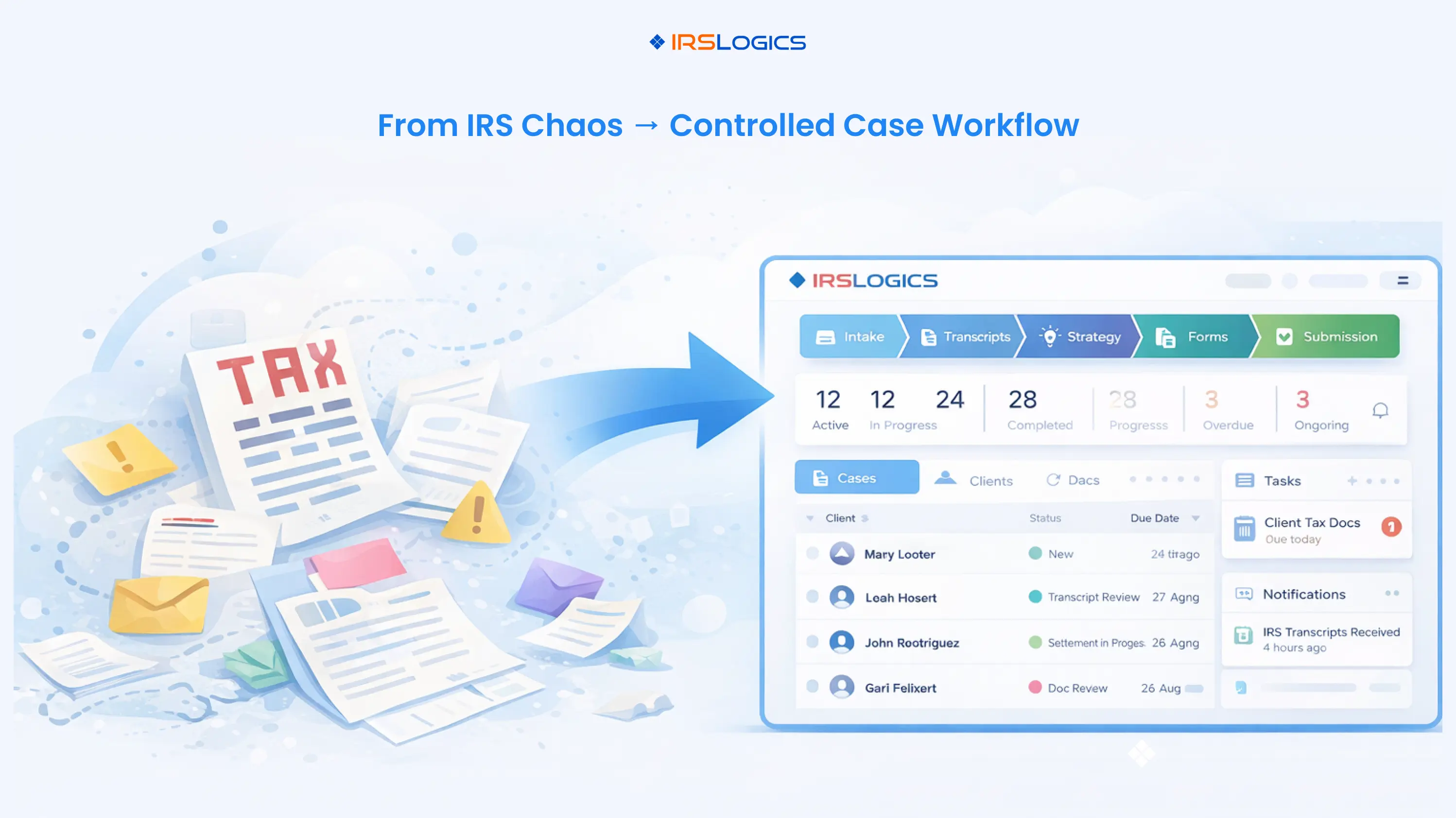
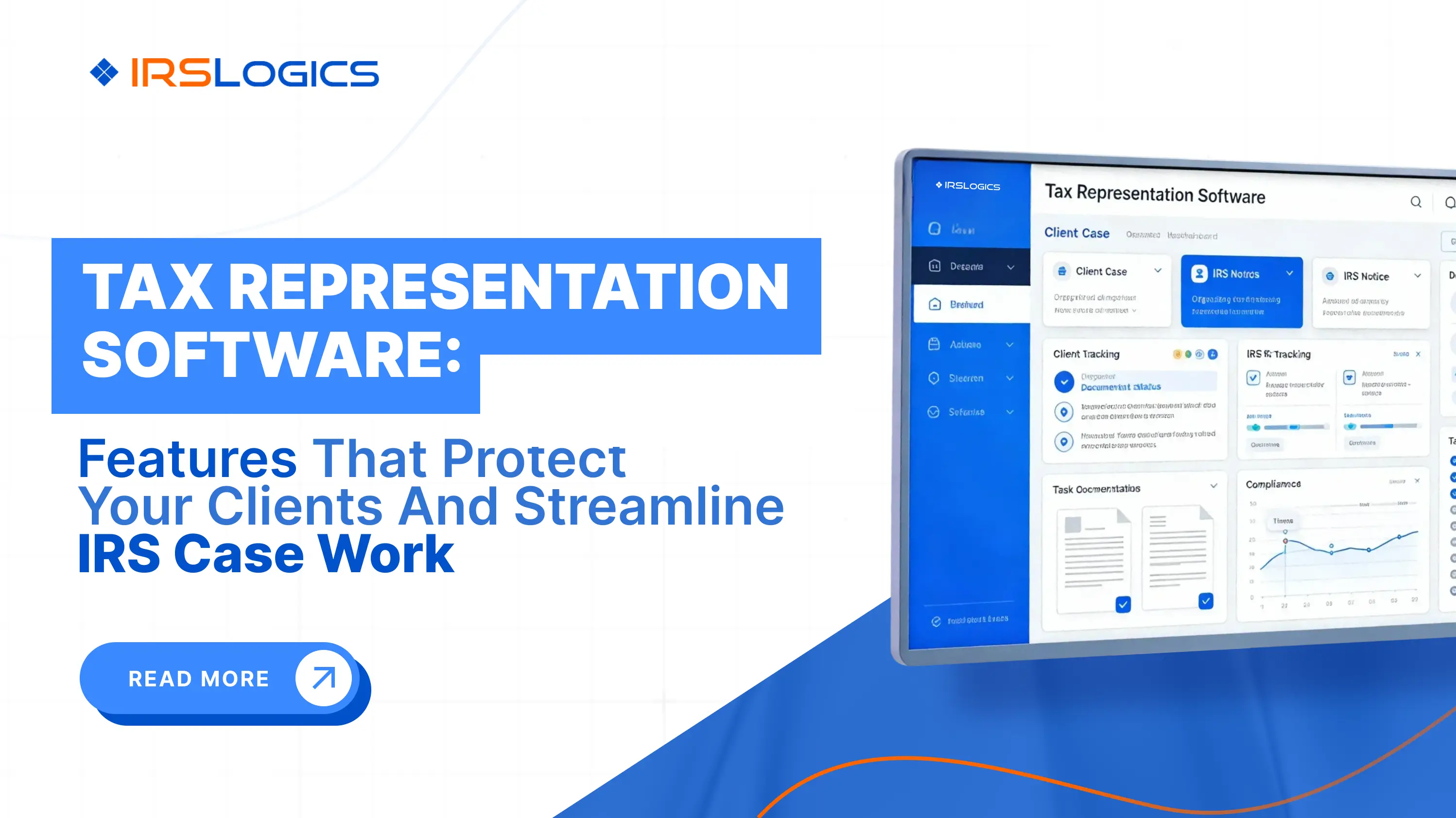
Tax resolution software is more than a digital forms library. At its best, it becomes the operating system for your IRS case practice.
A modern platform should help you:
Capture and qualify leads who have IRS issues
Centralize client, case, and IRS transcript data
Guide staff through standardized resolution workflows
Generate and auto-fill IRS and state forms
Keep clients informed through a secure portal
Track tasks, deadlines, and communication in one place
Bill, collect, and report on tax resolution engagements
Specialized tax resolution platforms like IRSLogics are built around these end-to-end processes, not just document storage.
If you currently rely on email folders, generic CRMs, and PDF form fillers, a dedicated system will usually pay for itself in reclaimed time and reduced risk once case volume passes a certain point.
When Your Firm Is Ready For Dedicated Tax Resolution Software
You are likely ready to invest in tax resolution software if any of these are true:
You handle IRS resolution work every month, not just once in a while
More than one person touches a typical case
Have you ever lost track of a document, deadline, or conversation thread
You want to scale tax resolution as a defined revenue stream, not just reactive work
You are tired of re-typing client data into forms and letters
Firms that deliberately build a tax resolution line of business are already moving in this direction. Many now use dedicated software and CRM to turn IRS cases into a predictable, scalable revenue stream.
Core Tax Resolution Software Features To Expect In 2026
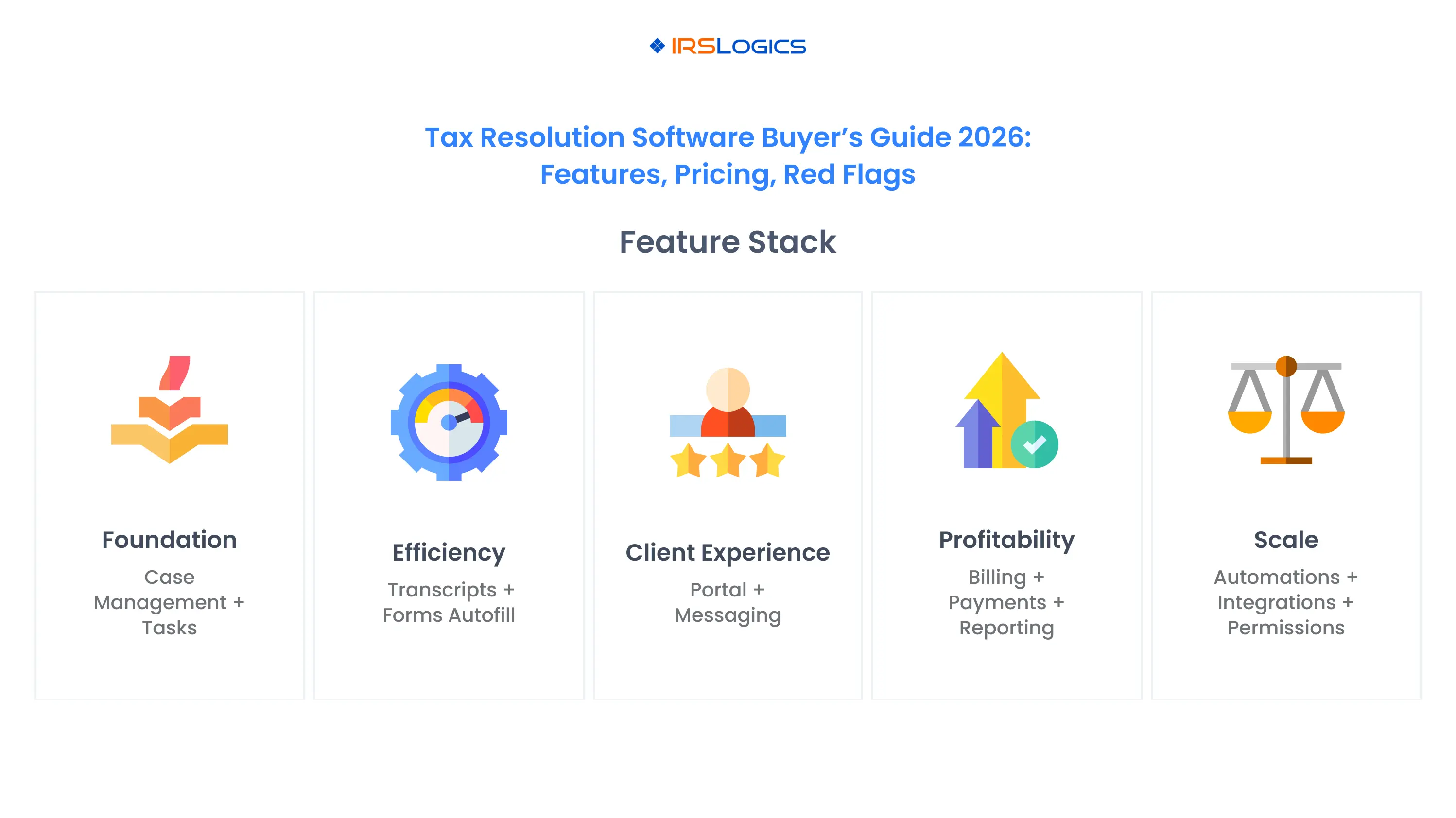
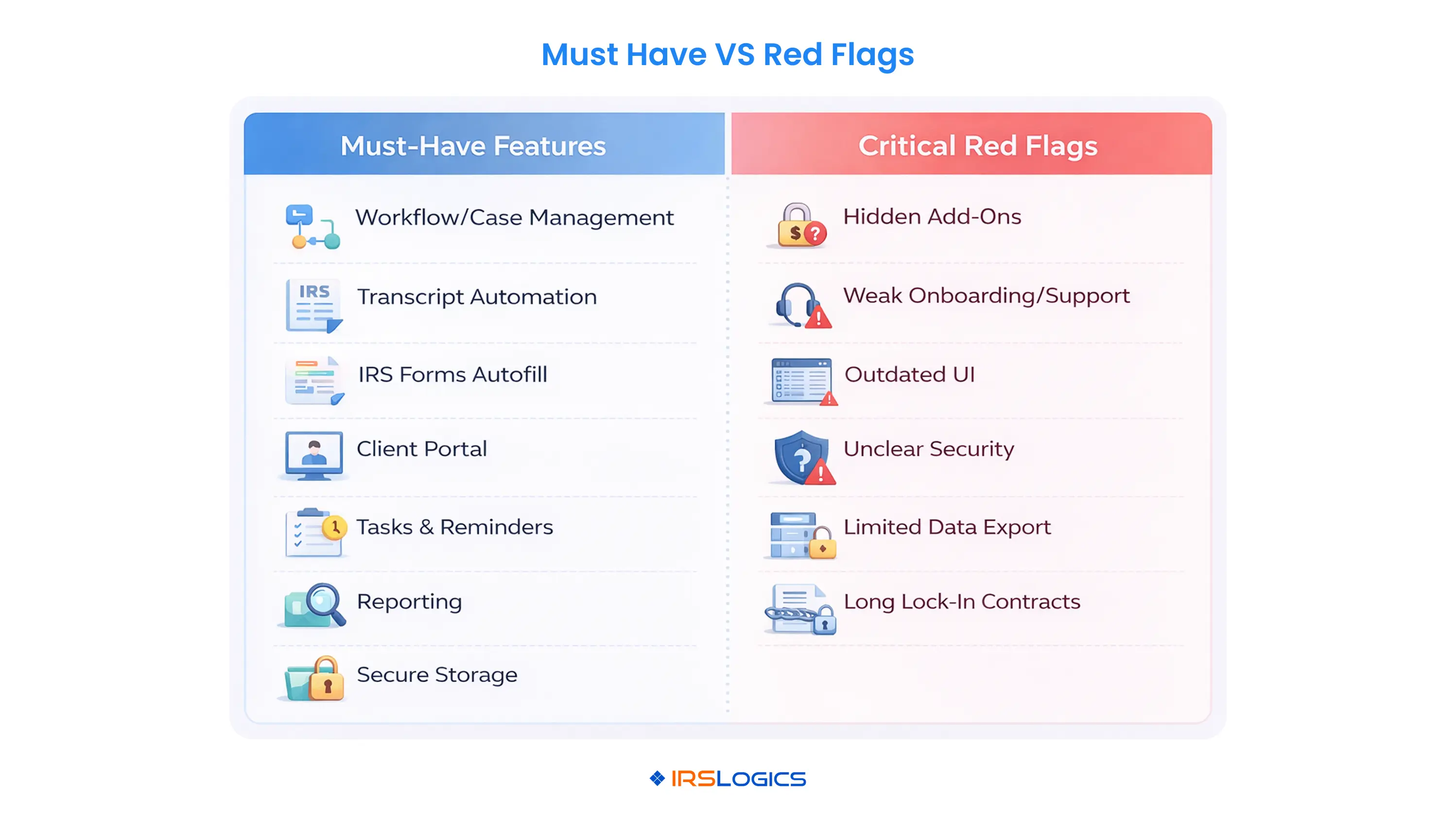
When you compare tools, it helps to separate “nice to have” from “non-negotiable”. The list below focuses on must-have tax resolution software features for 2026.
Resolution Workflows And Case Management
Every case follows a path. Intake, transcript review, financial analysis, strategy selection, form preparation, submissions, and monitoring. Without structured workflows, every staff member invents their own process.
Look for:
Pre-built resolution workflows for common scenarios like installment agreements, Offers in Compromise, and currently not collectible
Customizable steps and checklists that match your firm’s process
Case timelines and status views so you can see where every matter stands
Built-in reminders for IRS deadlines and follow-ups
IRSLogics, for example, emphasizes structured case management workflows with tasks and reminders to keep complex cases on track.
CRM And Client Management
Tax resolution is relationship-driven. You are coaching stressed clients through a high-stakes process.
Your software should:
Store full contact and entity profiles
Track every email, call, and message in one place
Show you the full case history for each client
Support lead tracking from the first inquiry to a signed engagement
A tax resolution CRM tightly integrated with case management is usually better than a generic CRM that requires heavy customization. IRSLogics positions itself as a tax resolution CRM, not just case software, which is a useful model to compare.
IRS Transcripts And Forms Automation
Manual transcript downloads and form preparation are major time sinks.
Look for:
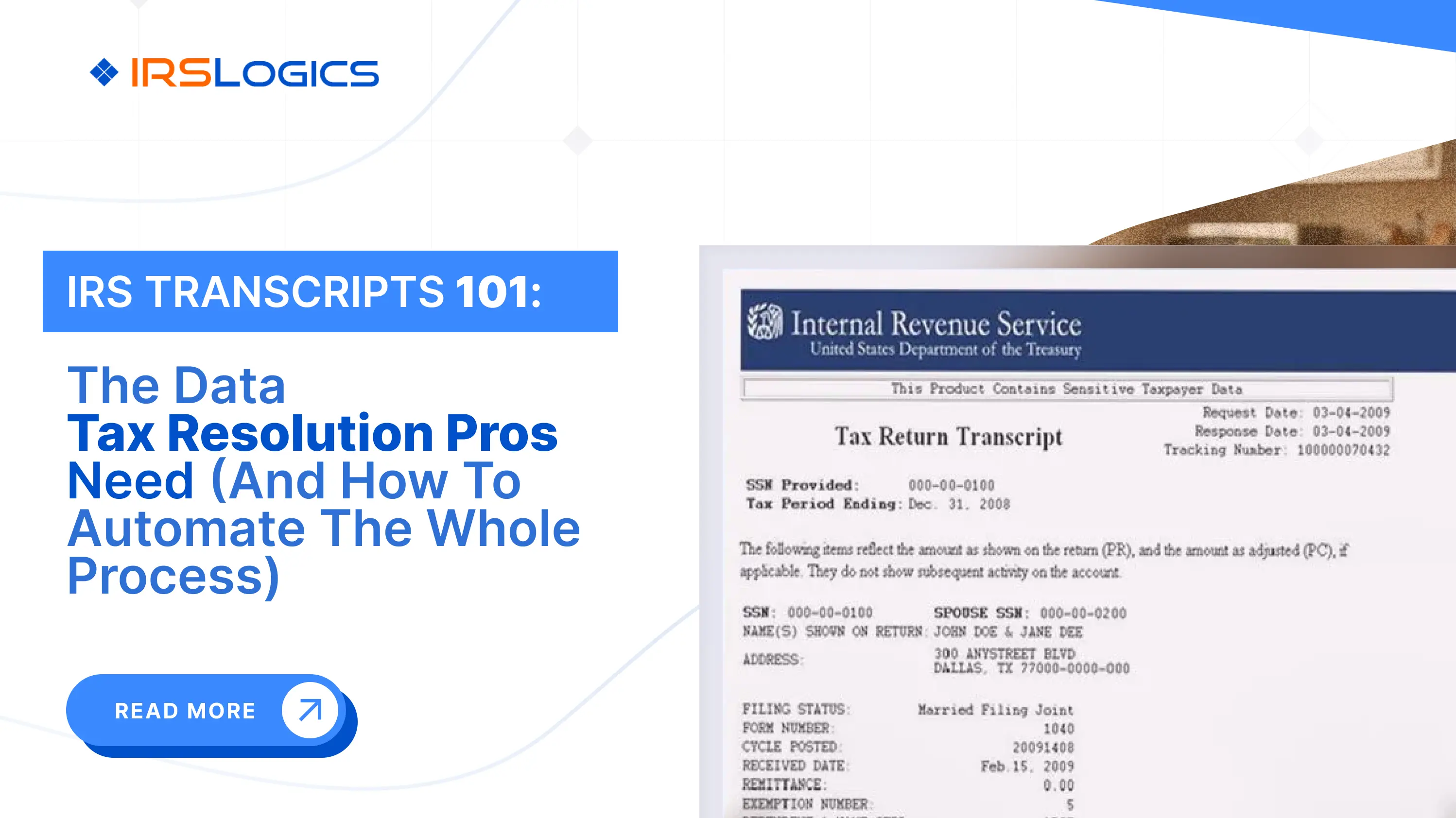
Direct integration with IRS transcript services or bulk transcript tools
Automatic transcript downloads and updates
Translation of transcript data into readable reports and calculators
Auto-filled IRS and state forms that pull from client and case data
Client Portal And Communication
Clients expect transparency and secure communication, especially when they are worried about IRS enforcement.
Your software should provide:
A secure client portal where clients can upload documents and view status
Messaging or comment threads tied to each case
Clear activity logs so you can demonstrate what has been done and when
IRSLogics and other modern platforms now treat the portal as a core feature rather than a paid add-on.
Billing, Payments, And Collections
If your tax resolution software is not connected to billing, you end up reconciling multiple systems.
Look for:
Time, invoice, or flat fee billing options tailored to IRS work
Online payment options for retainers and staged fees
Integration with accounting or payment tools
Reporting that shows profitability by case and by staff member
Tasks, Reminders, And Automations
In 2026, automation is no longer optional. You want the system to handle repetitive work.
Evaluate:
Automatic task creation when you open a new case type
Reminder emails or notifications for key dates
Templates for engagement letters, status updates, and closing letters
Automations that move cases between stages based on completed steps
Reporting, Documentation, And Compliance
Your software should help you manage both risk and revenue.
Key capabilities include:
Case pipeline reporting, by status and type
Staff workload reports
Documentation logs that show who did what and when
Secure document storage with access controls
A features overview, like the IRSLogics all features page, is a good benchmark for what a fully equipped platform should include.
Advanced Features That Future-Proof Your Practice
Once the basics are covered, advanced features help you scale without losing control.
Custom Workflows And Automations
Mature firms often want:
The ability to create their own workflows for niche resolution strategies
Rule-based automations that trigger tasks, emails, or status changes
Conditional logic in questionnaires and intake forms
This is where you should ask vendors to show, not tell, during a demo.
Multi-Office and Team Management
If you operate across multiple offices or have distributed teams, look for:
Role-based permissions for partners, case managers, assistants, and sales staff
Office-level reporting and configuration
Central oversight of templates, workflows, and compliance standards
IRSLogics positions itself as suitable for both solo and multi-office practices, which is helpful if you plan to grow.
Integrations And Data Flows
Tax resolution does not live in a vacuum.
Ask vendors about:
Integrations with tax prep, accounting, and e-signature tools
APIs or webhooks for more advanced data flows
How they handle common payment gateways and communication tools
Platforms like IRS Solutions and others now highlight integrations and APIs as differentiators.
Security, Privacy, And Compliance
You handle highly sensitive financial and IRS data. That makes security non-negotiable.
At minimum, you should expect:
Encryption in transit and at rest
Role-based access control
Regular backups and disaster recovery planning
Hosting with reputable cloud providers
Clear data retention and privacy policies
If a vendor cannot speak clearly about security, treat that as a serious concern.
Tax Resolution Software Pricing In 2026
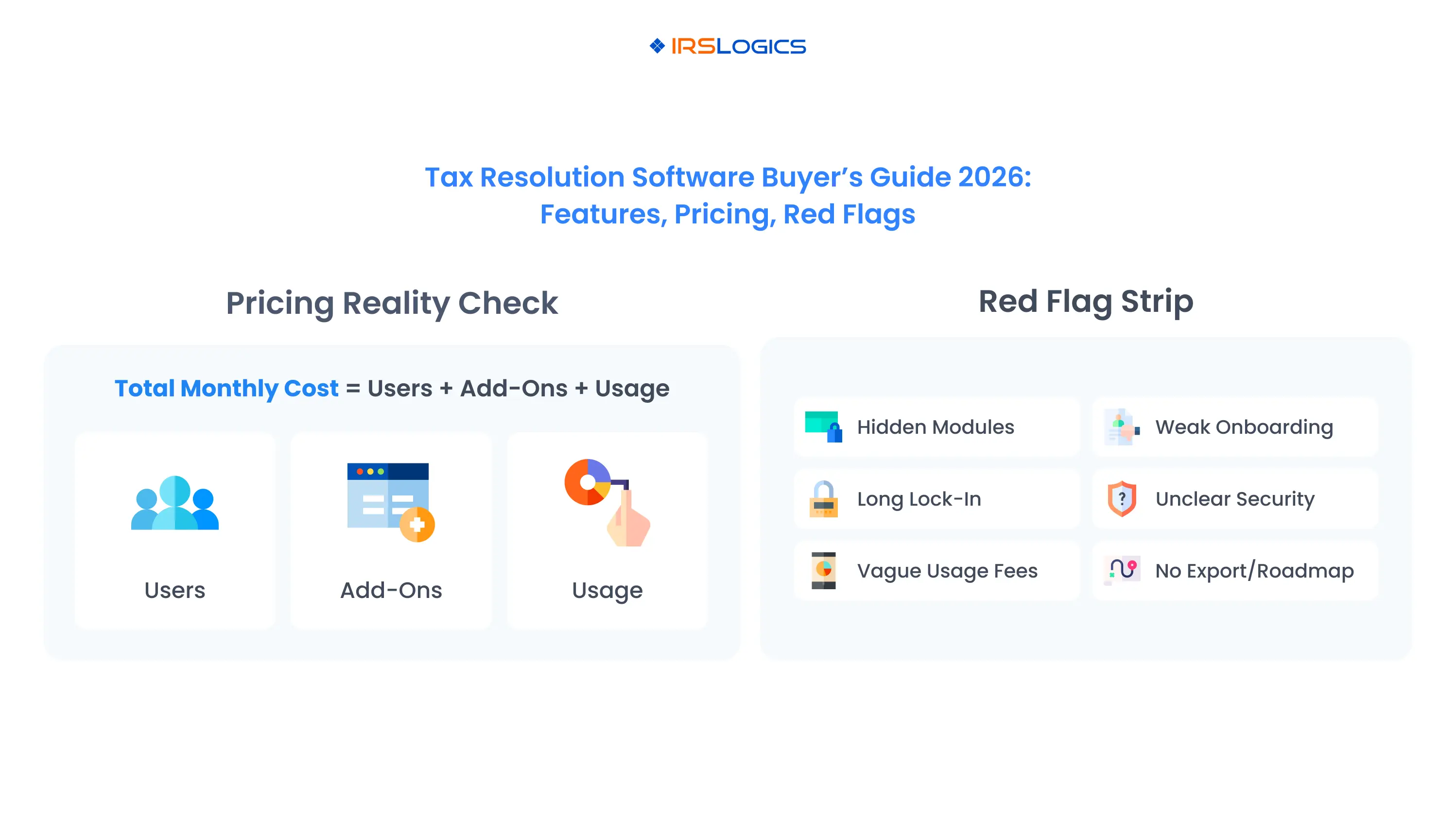
Pricing is where many firms feel the most uncertainty. The good news is that most tax resolution software pricing follows a small set of patterns.
Common Pricing Models In The Market
Based on public pricing pages and third-party directories, you will usually see four models.
Per user, per month subscriptions
A monthly fee for each named user
Core features included, with some usage limits
Membership or “software plus extras” pricing
Software bundled with marketing, education, or community benefits
IRS Solutions is an example, positioning itself as a membership that includes software and added services.
License plus modules
Base license plus separate modules for transcripts, case management, billing, and more
PitBullTax, for instance, lists separate pricing for case management, transcripts, and other add-ons.
Hybrid models
Subscription plus metered usage for transcripts, e-signature envelopes, or storage
Typical Ranges For Solo, Small, And Growing Firms
Exact numbers vary, but across the market:
Solo practitioners often pay in the low to mid hundreds of dollars per month for a dedicated tax resolution platform
Small teams with several users may see monthly software costs in the mid-hundreds to low thousands, depending on add-ons
Membership models can look similar at first glance, but may include additional non-software value that you should evaluate separately
Directories and comparison sites consistently show tax resolution tools in this general range.
For a deeper breakdown of tax resolution software pricing and how to model cost per case, you can review the IRSLogics tax resolution software pricing guide.
How IRSLogics Positions Its Pricing
IRSLogics uses a per-user, per-month model with plan-based tiers and unlimited clients and case management.
Key points:
Transparent, plan-based pricing
Unlimited clients and cases across tiers
Features grouped into Starter and Professional style plans
You can review current plans on the IRSLogics plans and pricing page.
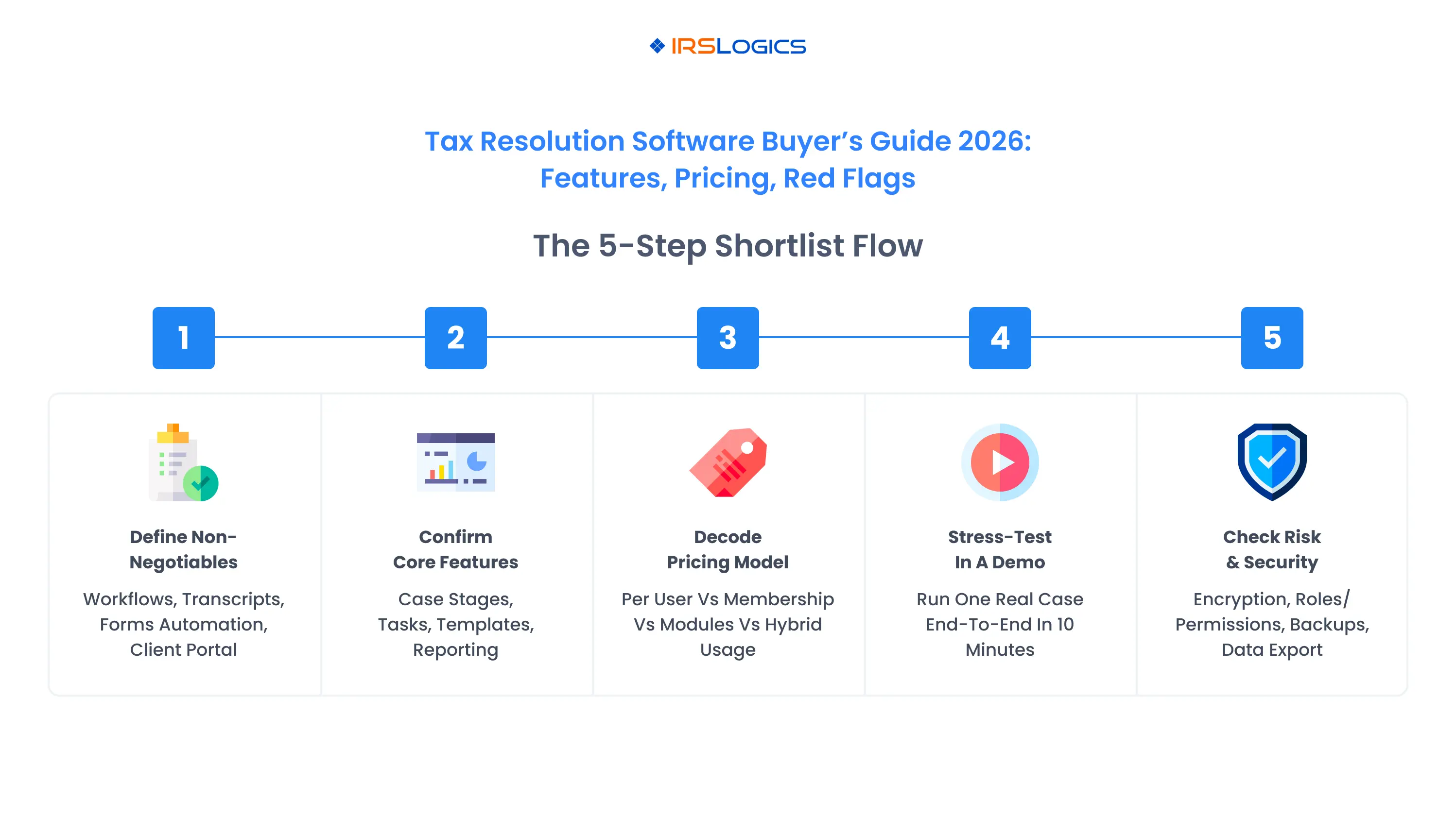
How To Shortlist And Compare Vendors In 30 Minutes
Instead of getting lost in endless tabs, use a simple, structured approach.
Define your non-negotiables
For example: transcript integration, client portal, auto-filled IRS forms, and case workflows.
Shortlist three to four vendors
Include at least one dedicated tax resolution CRM, like IRSLogics, and one membership-style platform so you can compare approaches.
Scan their features pages
Check whether all your non-negotiables are included in core pricing or sold as separate modules.
Review pricing pages and at least one third-party directory
Compare per-user pricing, add-ons, and any contract terms.
Book demos with your two strongest candidates
Ask them to walk through a real case scenario from your practice, from intake to resolution.
During each demo, test:
How quickly staff can navigate the interface
How well workflows match your actual process
How easy it is to adjust templates and workflows
What reporting looks like for partners and managers
Red Flags To Watch For Before You Sign A Contract
This is one of the biggest content gaps in many buyer guides. Features and pricing are covered well. Red flags are not.
Below are practical warning signs to look for when evaluating tax resolution software in 2026.
Pricing Red Flags
Critical functionality hidden behind add-ons For example, separate charges for case management, transcripts, or client portals that dramatically increase your real cost.
Long-term contracts with little flexibility Multi-year commitments without clear exit options or trial periods put all the risk on you.
Vague usage charges If transcript pulls, e-signatures, and storage are billed in complex ways, it becomes hard to forecast total spend.
Product And Support Red Flags
Not built specifically for tax resolution Generic CRMs and project tools may seem flexible, but you will end up building your own workflows, forms, and reports. This can cost more than buying a specialized platform.
Outdated or confusing interface If staff struggle during the demo, adoption will be an uphill battle.
Limited onboarding and training Good vendors offer structured onboarding and responsive support. Compare this across providers and in user reviews.
No clear product roadmap If a platform is not investing in automation, integrations, or usability, you risk being stuck on an aging tool while competitors advance.
Security And Compliance Red Flags
Vague answers about data security If a vendor cannot explain how they encrypt data, manage access, and handle backups, be cautious.
No documentation on data retention or export You should know how to export your data if you ever need to move providers.
Limited permission controls Without clear roles and permissions, it is harder to enforce confidentiality and segregation of duties.
Where IRSLogics Fits In The 2026 Landscape
Several providers serve the tax resolution market, including IRSLogics, IRS Solutions, PitBullTax, Canopy, and various transcript analysis tools.
IRSLogics positions itself as:
A dedicated tax resolution CRM and case management platform
Designed for tax resolution firms, attorneys, CPAs, and enrolled agents
Providing end-to-end workflows, client portal, billing, reporting, and automation
Priced with transparent per-user plans that include unlimited clients and cases
Implementation, Migration, And Change Management
Choosing software is only half the job. Implementing it well is what turns a line item into a profit driver.
Plan around these steps:
Clean your client and case data
Standardize naming, contact details, and case statuses before migration.
Define your standard workflows
Decide how you want Offers in Compromise, installment agreements, and other case types to flow through the system.
Configure templates and automations
Set up engagement letters, status emails, and closing letters.
Create standard task templates for common case types.
Train your team in stages
Start with a pilot group, refine workflows based on feedback, then roll out firm-wide.
Monitor adoption and refine
Use reports to see how consistently staff use the new workflows, and adjust as needed.
Well executed, implementation should reduce chaos, not add to it. That is why evaluating vendor onboarding support during the buying process is so important.
FAQs
1. What Is The Difference Between Tax Resolution Software And A Generic CRM?
Generic CRMs focus on leads, contacts, and sales pipelines. Tax resolution software adds IRS-specific workflows, forms, transcript tools, and billing tailored to resolution work. To match a specialized platform, you would usually need custom development on a generic CRM plus separate tools for forms and transcripts.
2. How Much Does Tax Resolution Software Typically Cost In 2026?
Most dedicated tax resolution platforms charge between $100 and $500 per month for small practices, either per user or via membership models. Total cost depends on your user count, add-ons, and whether you pay separately for transcripts and e-signatures. IRSLogics currently positions its plans around a transparent per-user model with unlimited clients and cases.
3. Can I Start With Tax Resolution Software As A Solo Practitioner?
Yes. Many tools, including IRSLogics and other leading platforms, explicitly support solo practitioners while also scaling to multi-office firms. Starting early lets you build standardized workflows from the first cases rather than retrofitting later.
4. What Should I Focus On In A Demo?
Ask vendors to walk through a realistic case from your practice. Watch how easily they:
Capture a new lead
Pull transcripts
Evaluate resolution options
Prepare forms
Communicate with the client
Track tasks and deadlines
If the path from “new client” to “resolved case” feels smooth and intuitive, that is a positive sign.
5. How Do I Connect Software Cost To Profitability?
A simple model is:
Estimate your average fee per resolution case
Estimate the number of cases per staff member per month
Calculate your annual software spend across all users
If a modest number of cases per month covers the software and still leaves strong margins, the investment is usually justified. Detailed guidance on this approach is available in the IRSLogics pricing guide.
Conclusion
Choosing tax resolution software in 2026 is not about chasing the longest feature list. It is about finding a platform that aligns with your firm's workflow, supports your clients during stressful situations, and makes your revenue more predictable.
A focused tax resolution software buyer’s guide should help you:
Understand which tax resolution software features are non-negotiable
Decode tax resolution software pricing models and avoid hidden costs
Spot the red flags that could lead to regretful contracts
See where specialized tools like IRSLogics fit within the broader market
If you are already handling a steady flow of IRS cases, the real risk is often failing to invest in the right system. The cost of a missed deadline, a lost document, or an inconsistent process can be far higher than the subscription cost for a structured, purpose-built platform.
Key takeaways:
Treat tax resolution software as the core operating system for your IRS case work, not a side tool.
Prioritize features that directly reduce risk and manual work, such as workflows, transcripts, forms automation, and client portals.
Evaluate the total cost of ownership, including add-ons and usage charges, not just entry-level prices.
Watch for red flags in pricing, product maturity, support, and security before you commit.
Choose a platform that can grow with your firm, from solo practitioner to multi-office practice.
Best Tax Resolution Software For Lightning Fast Tax Resolution
Lorem ipsum dolor sit amet, consectetur adipiscing elit. Suspendisse varius enim in eros elementum tristique. Duis cursus, mi quis viverra ornare, eros dolor interdum nulla, ut commodo diam libero vitae erat. Aenean faucibus nibh et justo cursus id rutrum lorem imperdiet. Nunc ut sem vitae risus tristique posuere.
Email This Article
Share this article directly by email. Simply enter the recipient’s details below.
Thank you! Your submission has been received!
Oops! Something went wrong while submitting the form.