Tax Software


You found a few reviews. The ratings look solid. Maybe a 4.5 here, a 4.6 there. And you're thinking, okay, this one seems safe.
But here's the thing. Most software reviews are written by people who have used the tool for two weeks, maybe a month. They have not filed a 433-A through it. They have not chased a client for documents across three follow-ups. They have not hit a billing dispute in the middle of a complex OIC.
So you end up booking a demo based on a review that sounded good but told you almost nothing about whether the software actually works for tax resolution.
This blog is about how to change that. Also, check how to evaluate tax resolution software demos, and what "purpose-built" actually means in practice.
General software review platforms are useful. Capterra, G2, Software Advice. They aggregate real feedback, and they are worth reading.
But they have a structural problem.
Most reviewers are rating on ease of use, onboarding experience, and how quickly the support team responds. These things matter. They are just not the whole picture for a tax resolution practice.
An enrolled agent handling OIC cases needs to know whether the software properly handles Form 433-A. A tax attorney managing a firm of case managers needs to know whether the audit trail is defensible. A CPA adding resolution services needs to know whether the client portal actually reduces back-and-forth in document collection.
Reviews rarely cover this.
So when you're evaluating tax resolution software reviews, the first thing to do is figure out who wrote the review and what they were actually doing in the software. The National Association of Enrolled Agents outlines the scope of practice for enrolled agents, which helps frame why role-specific reviews carry more weight than general user feedback.
Not every review deserves equal weight. Here is what to look for in the ones that do.
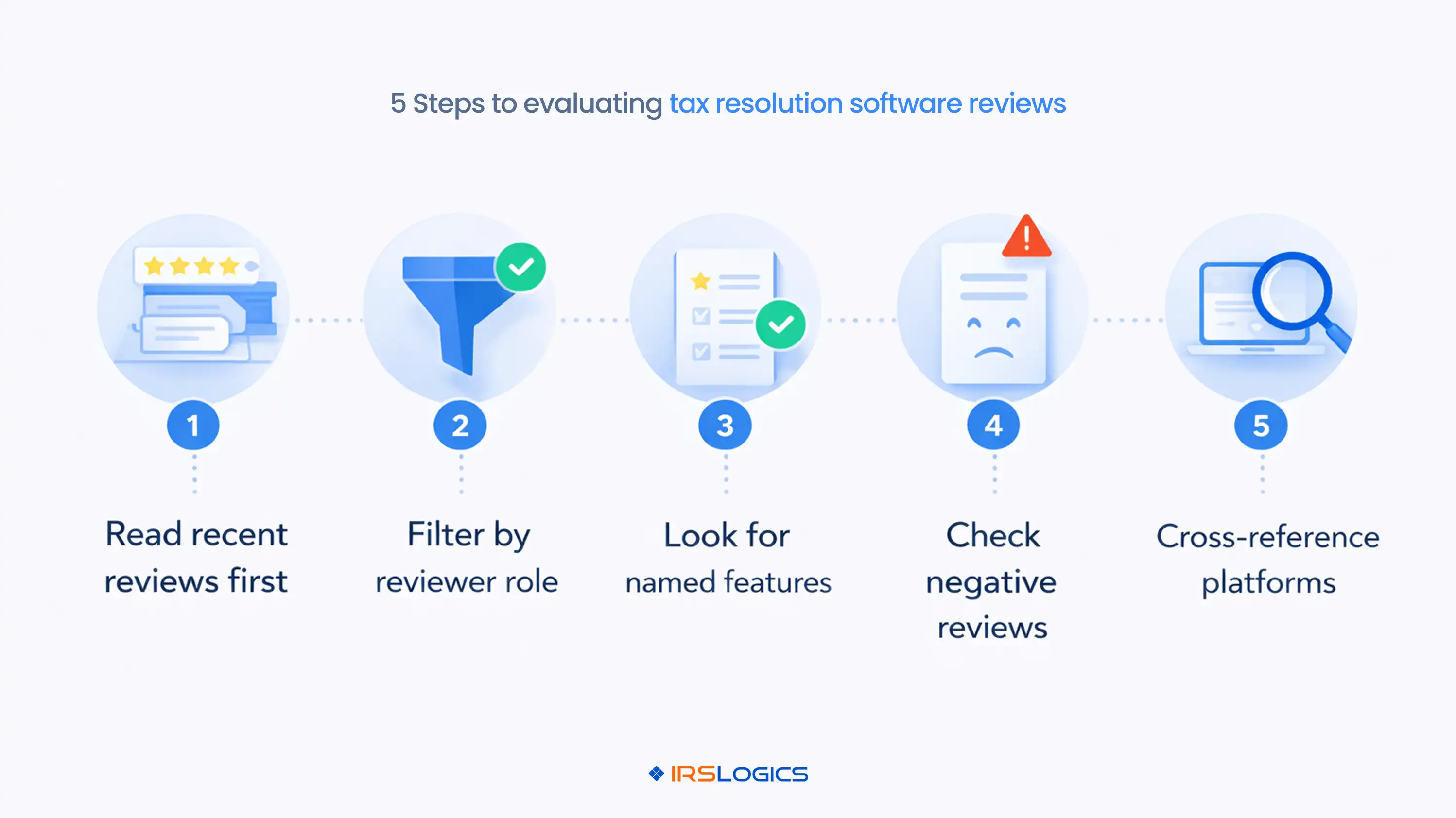
A case manager and a practice owner have completely different pain points. A review from someone who processes payments all day will tell you a lot about billing. It will tell you nothing about OIC workflows or transcript access.
Filter for reviews from enrolled agents, tax attorneys, and CPAs. Not just generic "tax professional" tags.
If a review says "great software, very easy to use," it is not useful. If it says "the SMS conversation view finally gave us a clean thread instead of scattered texts, which made client follow-up much faster," now you are getting somewhere.
Named features in reviews signal that the person actually used the product. Vague praise is just noise.
Tax resolution software changes. A 2022 review might describe a version that no longer exists.
Prioritize reviews from the last 12 to 18 months, especially if the platform has released significant updates. G2's software review methodology explains how recency weighting works in their scoring system, which is worth understanding before you place too much trust in an aggregate rating.
A platform with only five-star reviews and zero criticism is not more reliable. It is less. Honest reviews mention friction. What matters is whether the friction was resolved and how fast.
A platform with 40 reviews, most of which come from resolution firms, tells you more than a platform with 400 reviews spread across every type of tax practice. Resolution is a specific discipline. General tax prep users reviewing resolution software are usually reviewing a different use case entirely.
You have read the reviews. Now, here are the things that should make you pause before you give your time to a demo.For anyone also weighing the billing and payment management side, which comes up frequently in reviews, the post on tying payments to invoices inside IRS Logics explains how outstanding invoice tracking works in practice.
Great onboarding is table stakes. What you actually need is software that holds up six months in, when you are managing 30 active cases, chasing transcripts, and processing monthly retainer payments.
If every review is about how smooth the setup was and nothing about long-term workflows, that is a gap worth probing.
These two ratings tell different stories. A simple tool is easy to use. A purpose-built tool meets your requirements.
For tax resolution, you want both. But "meets requirements" is non-negotiable.
On platforms like G2 and Capterra, filter by these specific satisfaction metrics. A platform sitting at 80 percent on "meets requirements" should raise a question. Whose requirements are they not meeting?

If you read 20 reviews and none of them mention transcripts, OIC, installment agreements, CNC status, or IRS forms, the platform is probably not being used for resolution work.
It might be great for general accounting. For resolution, that is a mismatch.
Missing a levy deadline because support took three days to respond to a billing error is not the same as waiting two days for a cosmetic UI fix.
Read support reviews carefully. Speed matters less than reliability on high-stakes issues.
If you are looking at a platform that could easily be swapped for TaxDome or Canopy, tools built for general tax practice management, not IRS resolution specifically, ask yourself whether it was actually built for the work you do.
General practice tools can handle a lot. But they are not designed to work with the OIC lifecycle, the IRS Transcript Delivery System, or Form 433-A auto-population. That design difference shows up in daily use.
Here is a framework that works.
Go to the review platform. Sort by most recent. Filter by role if the platform allows it. Read the three or four most detailed negative reviews first.
Not because you are looking for reasons to disqualify, but because how a platform handles criticism tells you how it will handle your problems.
Then read the detailed positive reviews. Look for named features. Look for workflow descriptions. Look for reviews that sound like they were written by someone mid-case, not someone who just finished onboarding.
Cross-reference across platforms. A platform that scores consistently across Capterra, G2, and direct testimonials on its own site is showing you something real. A platform that looks great on one site and patchy on another is worth digging into.
Please reach out to the reviewer. Many review platforms show the reviewer's firm. A quick message asking about their experience in year two of using the software will tell you more than the review itself.
IRS Logics was built specifically for tax resolution, not adapted from a general CRM or stretched from a tax prep tool. Each feature maps to a specific stage in the resolution case lifecycle.
On the metrics that matter for this kind of evaluation:

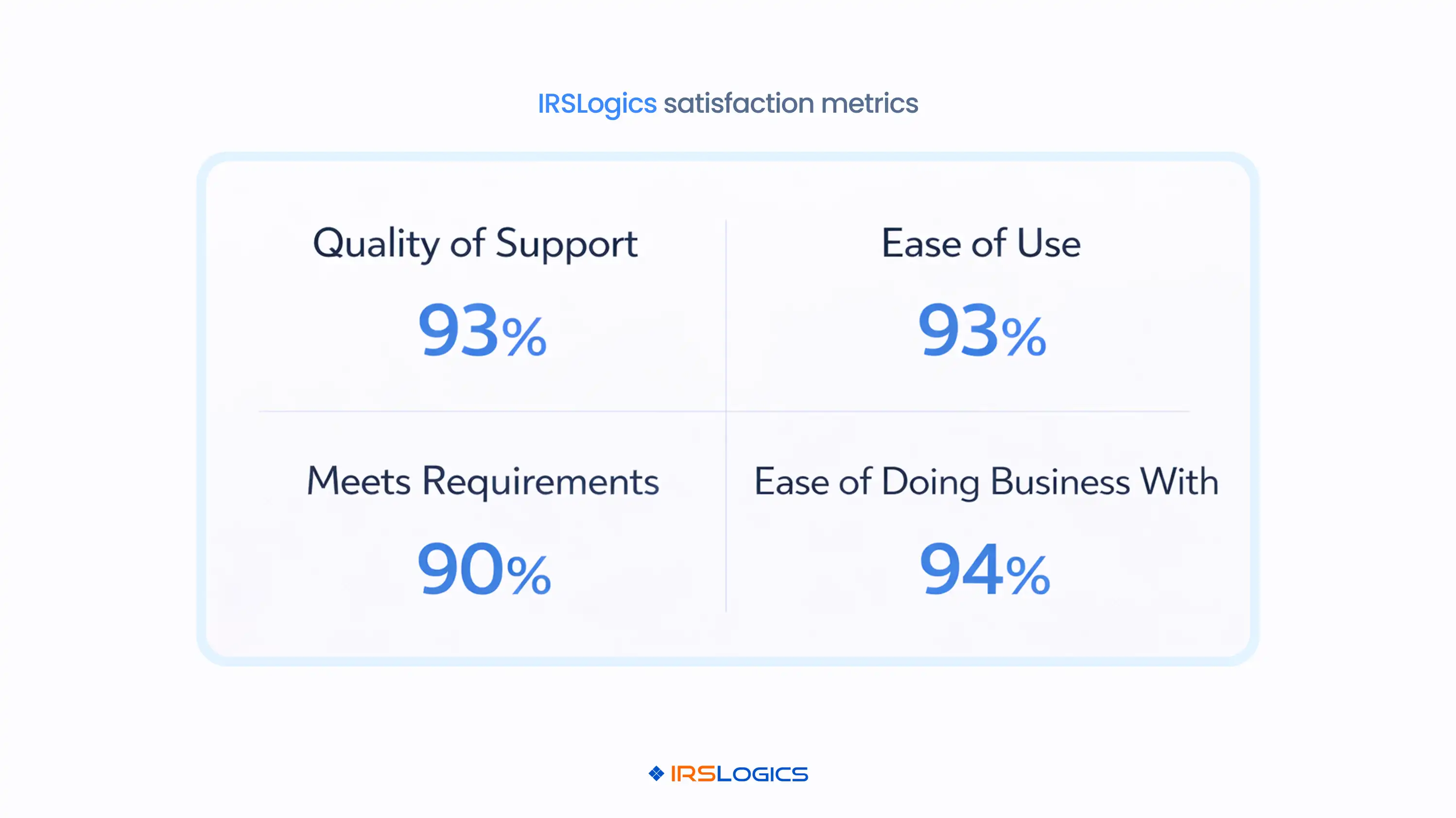
Quality of Support sits at 93 percent. Ease of Use at 93 percent. Meets Requirements at 90 percent. Ease of Doing Business is at 94 percent.
The "meets requirements" figure is the one worth paying attention to. For a platform used by enrolled agents, tax attorneys, and CPAs handling IRS cases, a 90 percent score on requirements means the people doing the hardest resolution work are finding what they need.
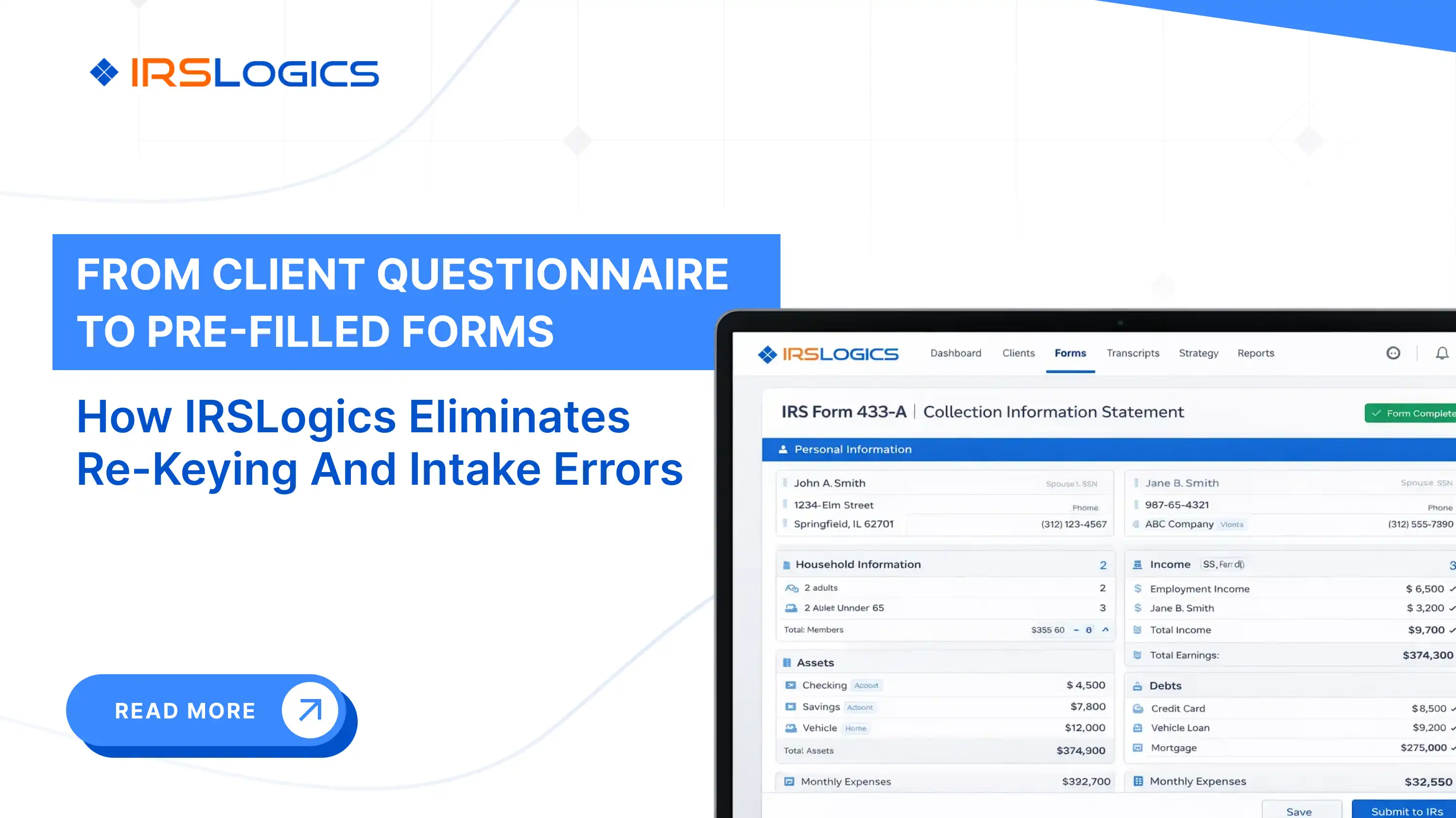
Named features that appear in genuine IRS Logics reviews reflect real resolution workflows. The Document Collection Tab for multi-office intake, the SMS Conversation View for threaded client communication, and the Financial Questionnaire that auto-populates the 433-A and OIC worksheets eliminate manual re-entry across multiple forms.
These are not generic software features. They were built for specific stages of the case. That specificity is what you should be looking for in any review of any platform you are evaluating.
If you are evaluating how this compares to general-purpose tools, the tax resolution CRM vs general CRM breakdown is worth reading before your next demo.
IRS Logics is a purpose-built tax resolution platform designed for CPAs, Enrolled Agents, and tax attorneys who handle IRS cases every day. From intake and IRS transcript pulls to OIC filing, client portal communication, e-signatures, and billing, every feature inside IRS Logics maps to a real stage of the resolution case lifecycle.
It is not a general practice management tool adapted for resolution work. It was built for resolution from the ground up.
[CPA, Mid-Sized Firm] "We chose a tool earlier based on reviews and regretted it within three months. Everything looked good on the surface, but it fell apart once we started handling real cases. With IRS Logics, the difference is that the workflows actually hold up when volume increases."
[Enrolled Agent, Solo Practice] "Most reviews talk about ease of use. That was not my issue. I needed something that could handle transcripts, OIC, and client follow-ups without me having to build workarounds. This is the first system where I did not have to patch things together."
[Tax Attorney, Resolution Firm] "We paid close attention to the 'meets requirements' side before switching. That ended up being the right call. The system covers the actual resolution workflow, not just the front-end experience, and that shows up in day-to-day use."
Does tax resolution software actually work for small firms? Yes, if it is built for resolution and not patched from general tools. All in one systems reduce tool switching and cut admin work per case.
What should I look for in tax resolution software reviews before a demo? Look for reviews from professionals actually doing resolution work. Ignore vague ratings and focus on detailed feedback about real workflows.
Are tax resolution companies and tax resolution software the same thing? No, firms handle client cases while software helps manage those cases. Most online reviews talk about services, not the software behind them.
How do I know if a platform is purpose-built for resolution or just adapted? Check if it includes IRS forms, transcript access, and OIC workflows natively. If it relies on workarounds or extra tools, it was not built for resolution.
What does meets requirements mean on software review platforms? It shows whether the software actually delivers what users need. In resolution, usability is not enough if core workflows are missing.
Why am I getting contacted by tax resolution services after searching for software? Your searches trigger ads from firms offering tax relief services. This is misdirected targeting and not related to the software itself.
How long does it take to properly evaluate tax resolution software? One demo is not enough to make a confident decision. A proper evaluation takes two to four weeks with testing and comparisons.
Reviews are a starting point, not a verdict.
The firms that end up with the wrong software are usually the ones who read the headline rating and book a demo without knowing what questions to ask. The ones who end up with the right software treat reviews like a case file, looking for specific evidence, checking the source, and reading for what is missing as much as what is there.
Read the reviews that way. Then go into the demo knowing exactly what you need to see.
Key reminders before your next evaluation:
See IRS Logics in action. Book a free demo at irslogics.com/demo.
All
Tax Software
Workflow & Automation
Industry News
Resolution Tips
Tax Resolution Marketing

Lorem ipsum dolor sit amet, consectetur adipiscing elit. Suspendisse varius enim in eros elementum tristique. Duis cursus, mi quis viverra ornare, eros dolor interdum nulla, ut commodo diam libero vitae erat. Aenean faucibus nibh et justo cursus id rutrum lorem imperdiet. Nunc ut sem vitae risus tristique posuere.


Share this article directly by email. Simply enter the recipient’s details below.

Article has been send to you.