Tax Software


IRS transcripts for tax professionals are the official record of a client's IRS history. You pull them through the IRS Transcript Delivery System (TDS) in e-Services once a valid Form 2848 or 8821 is on file.
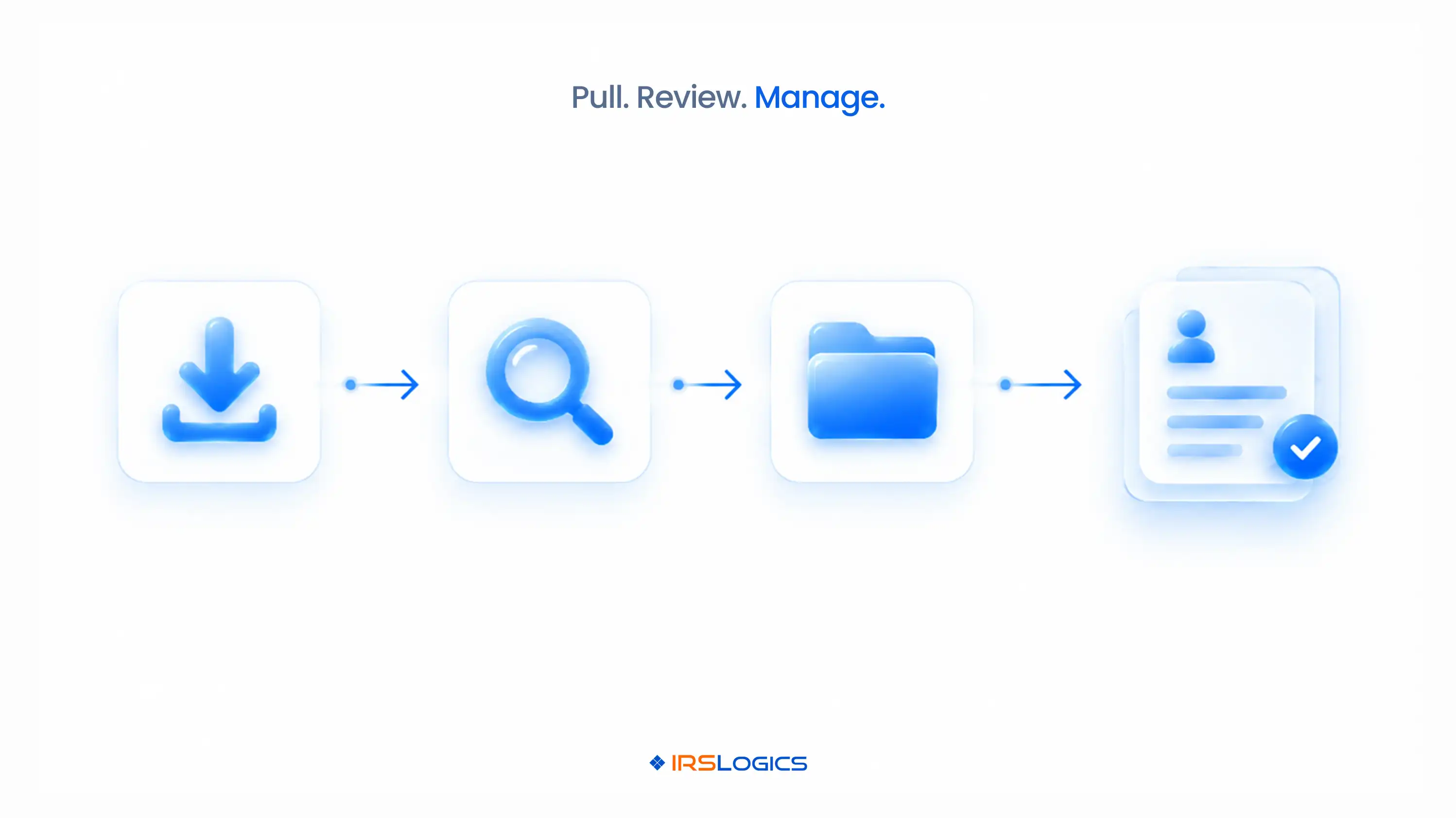
The job has three parts:
Simple on paper.
Messy at 40 cases.
This guide covers all three without the chaos.
TL;DR
Your client's memory is not evidence. Neither is their shoebox full of notices.
The transcript is.
It tells you:
→ What was filed and what wasn't
→ What the IRS assessed
→ What was paid
→ Which penalties hit
→ Where the account sits in collections
→ How long the IRS has left to collect
Picture this. A client tells you they owe "around $30,000." The transcripts show $47,000 across five years, plus a levy notice already issued.
That's not a small correction. That's a completely different case.
This is why IRS transcripts for tax professionals aren't one step in the case. They're the foundation everything else stands on.
Here's more on how IRS transcripts drive tax resolution cases from intake to closure.
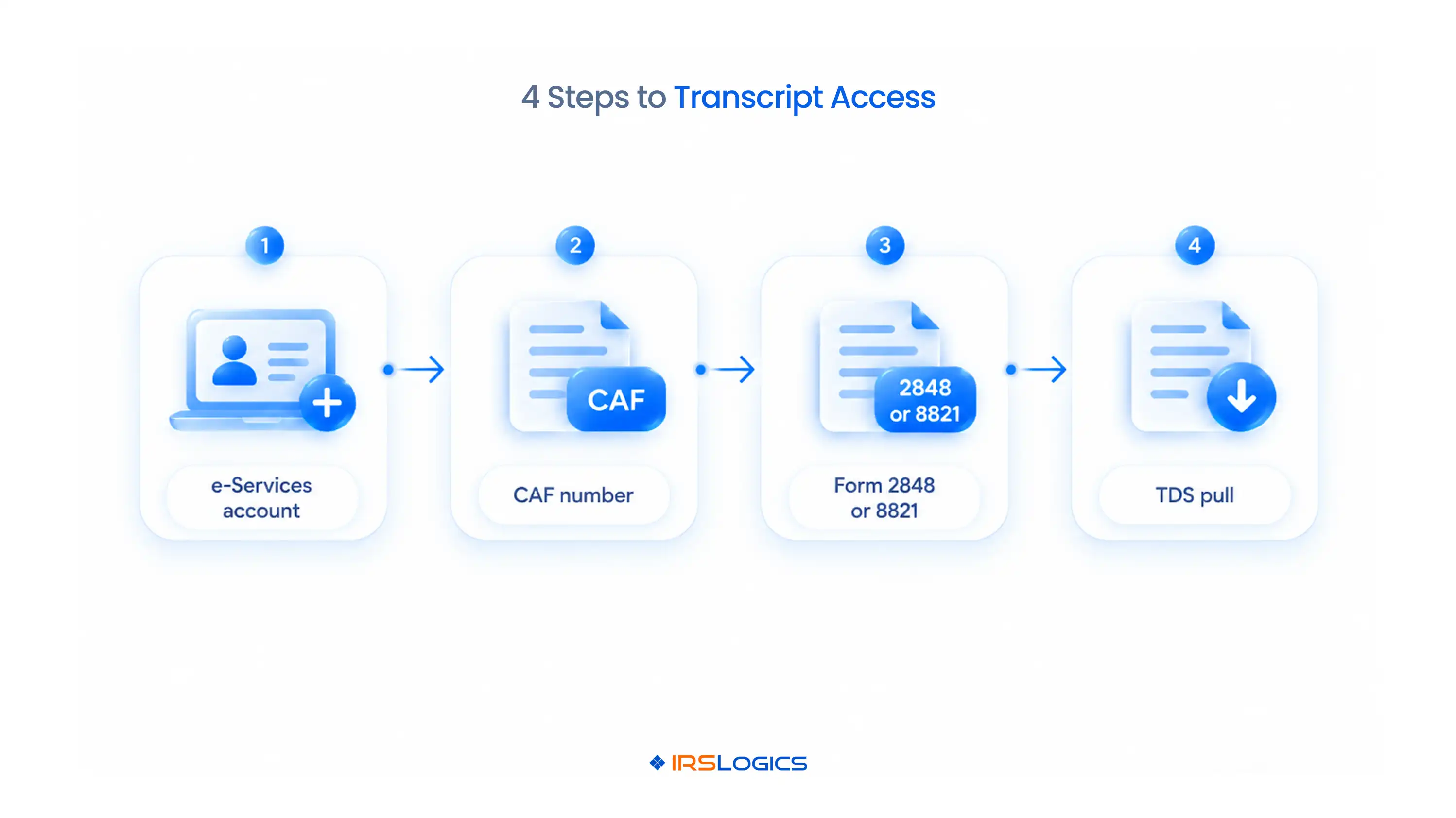
Before you pull anything, you need four things in place.
One detail catches people constantly.
The tax forms and years listed on the authorization must cover the transcripts you want. If you list 2021 to 2023 and need 2019, you're not getting 2019.
No authorization on the CAF means no IRS transcript access. It's that simple. This is the first place any IRS transcript tax professional process stalls, usually because of one missing year on a form.
Once you're set up, the IRS Transcript Delivery System lets you request transcripts for any client you've authorized.
That includes account transcripts, return transcripts, wage and income transcripts, record of account transcripts and verification of non-filing letters.
A few things worth knowing:
→ Transcripts are masked. Names and identifiers are partially hidden for privacy. The financial data shows in full.
→ You only get what's authorized. The years and forms on the 2848 or 8821 set your limits.
→ Phone requests work too. During a Practitioner Priority Service call, the IRS can deliver transcripts to your e-Services Secure Object Repository.
→ It's one client, one request at a time. There's no "refresh all my cases" button.
The IRS transcript delivery system is great at delivering.
It's not built to organize.
That part's on you, and it's where managing IRS transcripts for tax professionals gets hard.
Pulling is the easy part. Reading is where cases are won or lost.
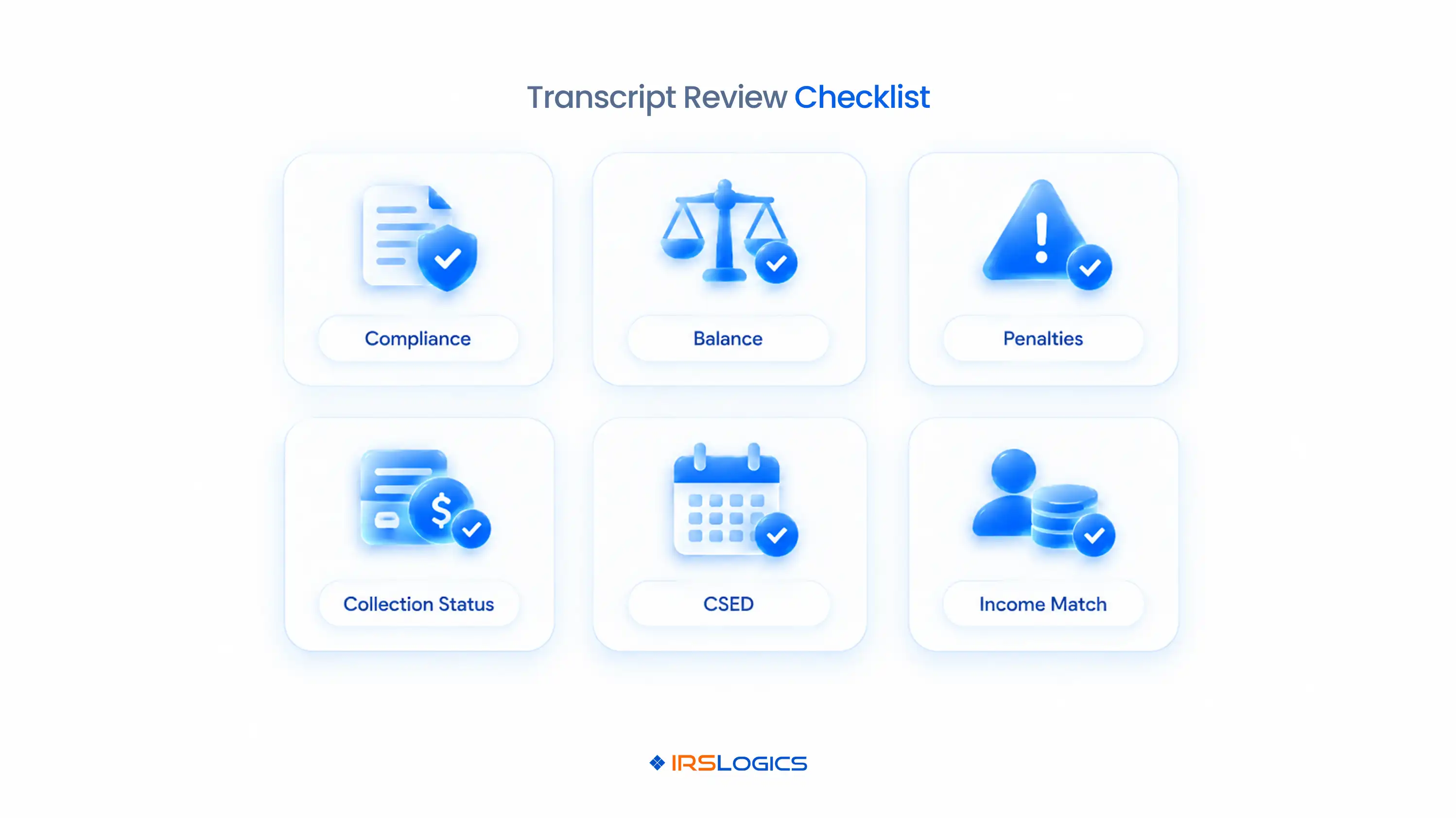
Here's a practical IRS transcript analysis checklist:
Skip step 6, and you'll find the missing 1099 at the same moment the IRS does. Not a fun meeting.
Pair your review with a solid tax resolution client financial intake checklist, so the transcript and the client's story actually line up.
Solid IRS transcript analysis happens before the strategy call, not after it.
Every IRS transcript tax professional has made at least one of these.
→ Working from a stale transcript. You pulled it at intake and submitted the 433-A three months later. The numbers moved.
→ Reading only the balance line. The codes below explain why the balance exists.
→ Forgetting accruals. The account balance and the payoff amount aren't always the same.
→ Missing CSED-extending events. One old TC 480 can throw off your whole timeline.
→ Pulling only years with a balance. Unfiled years don't show a balance, but they absolutely show up in your resolution options.
None of these are knowledge problems. They're process problems.
And process problems need process fixes.
Managing IRS transcripts for tax professionals at scale comes down to five habits.
→ One home per client. Transcripts belong in the case, not in a downloads folder. This is a big reason firms move to cloud-based tax resolution software.
→ Log every request. Who pulled it, when, and which years.
→ Re-pull before key submissions. Before the 433-A, the offer or the installment agreement request goes out.
→ Restrict access by role. Not everyone on the team needs to see every client's transcripts.
→ Keep transcripts next to everything else. Documents, notes and communication in the same record. That's what purpose-built tax CRM software is for.
Here's the truth.
IRS transcript access gets you the file. Management decides whether anyone can use it next week.
A clean IRS transcript tax professional system means any case manager can open a case and know exactly what's been pulled and when.
IRSLogics is tax resolution software where IRS transcripts for tax professionals live inside the case, not in a folder.
You pull transcripts in minutes directly from the client record, and Transcript Logs track every request and its status.
No separate downloads, no mystery PDFs, and no "did anyone pull 2020?" messages.
Here's how it plays out on a real installment agreement case.
With a Form 2848 recorded, you pull account and wage and income transcripts for five years straight into the case.
Your IRS transcript analysis happens right next to the client's profile, documents and notes.
The wage and income transcript shows a 1099 the client never mentioned, so the Document Collection Tab requests it and tracks it until it arrives.
Tasks remind you to re-pull before the 433-A goes out.
Roles control who can see transcripts, and the Audit Trail and Login History show who did what.
If the case moves toward an offer, the same record carries straight into your tax settlement software workflow.
Users rate it 93% for quality of support and 94% for ease of doing business with. It has served resolution professionals for over a decade, whether you're an EA, a tax attorney or one of the CPAs comparing the best tax resolution software for CPAs.
They're official IRS records of a client's filings, assessments, payments, penalties and collection activity. Practitioners use them to analyze cases and choose resolution strategies.
You need an e-Services account, a CAF number and a valid Form 8821 or 2848 recorded for the client. The authorization must list every year and form you want to pull.
TDS is the e-Services tool practitioners use to request transcripts for authorized clients. It covers account, return, wage and income, record of account and non-filing transcripts.
Yes. Form 8821 allows you to view and receive client information, including transcripts. You need Form 2848 to represent the client before the IRS.
Re-pull before any key submission, like a 433-A, an offer or an installment agreement request. Account activity can change within weeks.
Start with compliance, meaning which years are filed and which are missing. Then check balances, penalties, collection status, the CSED and income matching.
Resolution software like IRSLogics pulls transcripts into each client case, logs every request and sets reminders to re-pull. Your team always works from current data.
Transcripts aren't paperwork. They're the case.
Getting IRS transcript access right means your authorizations cover every year you need. Using the IRS transcript delivery system well means pulling on time, every time. And managing IRS transcripts for tax professionals properly means your whole team can trust the numbers they're working from.
Pull. Review. Manage. Miss one, and the other two don't matter much.
Evaluating tools? Bring these tax resolution software demo questions to your next call.
Ready to stop chasing transcript PDFs and start analyzing cases?
→ Book a free demo of IRSLogics
→ Rather talk it through? Call us at +1 (866) 386-2444
All
Tax Software
Workflow & Automation
Industry News
Resolution Tips
Tax Resolution Marketing

Lorem ipsum dolor sit amet, consectetur adipiscing elit. Suspendisse varius enim in eros elementum tristique. Duis cursus, mi quis viverra ornare, eros dolor interdum nulla, ut commodo diam libero vitae erat. Aenean faucibus nibh et justo cursus id rutrum lorem imperdiet. Nunc ut sem vitae risus tristique posuere.


Share this article directly by email. Simply enter the recipient’s details below.

Article has been send to you.