Tax Software


Tax reporting solutions for EAs give resolution practices one clear view of their cases, clients and firm performance.
That means knowing:
Not tax filing. Not information returns. Reporting on the practice itself.
Because here's an uncomfortable question.
If someone asked you right now how many OICs are pending, how much money is sitting in unpaid invoices and which lead source actually pays for itself, how long would it take you to answer?
If the answer involves three spreadsheets and a prayer, keep reading.
TL;DR
Search "tax reporting" and you'll mostly find software for filing 1099s.
That's not what this is about.
For a resolution practice, tax reporting solutions for EAs are the reports that tell you how the practice is actually running.
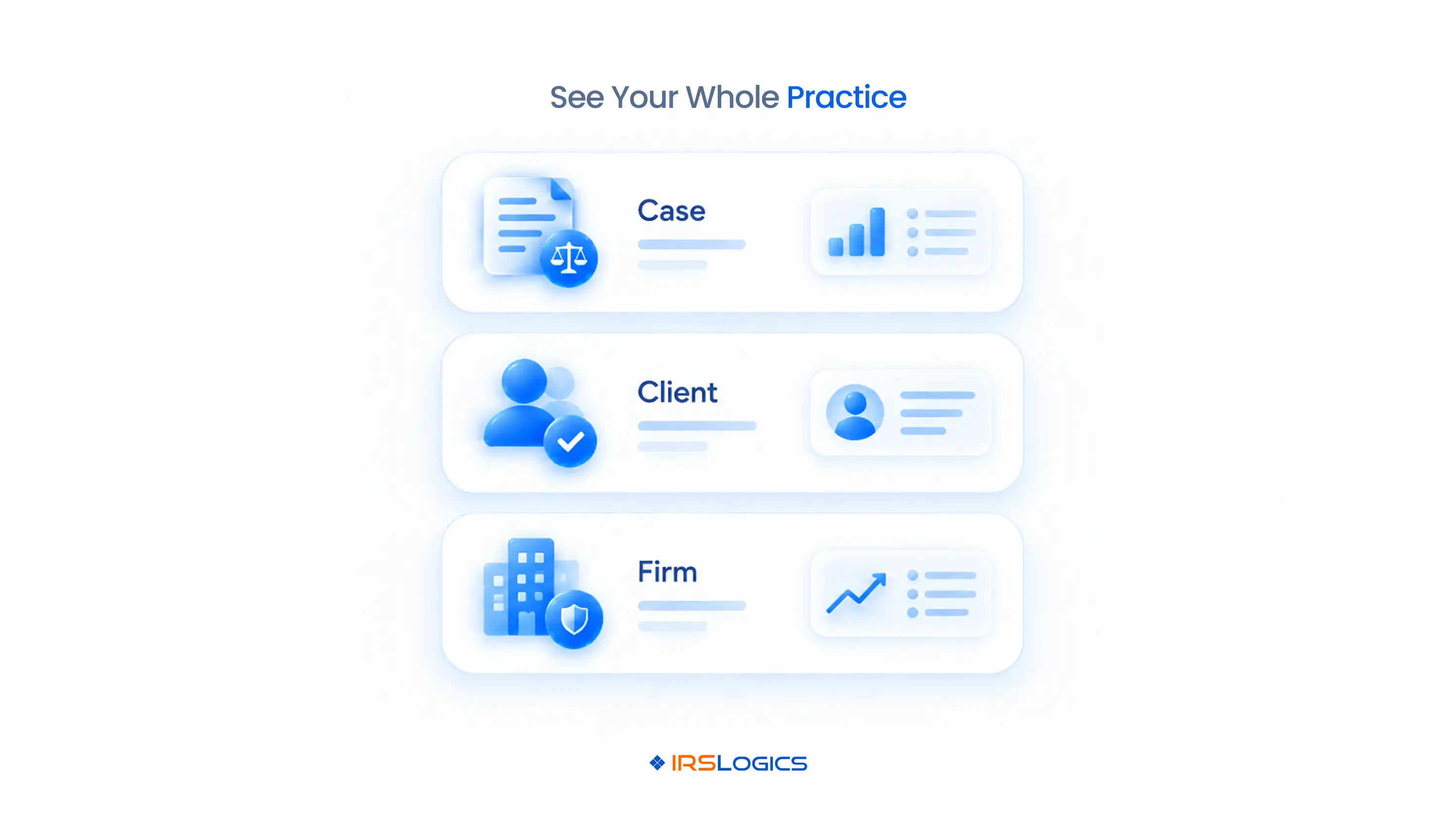
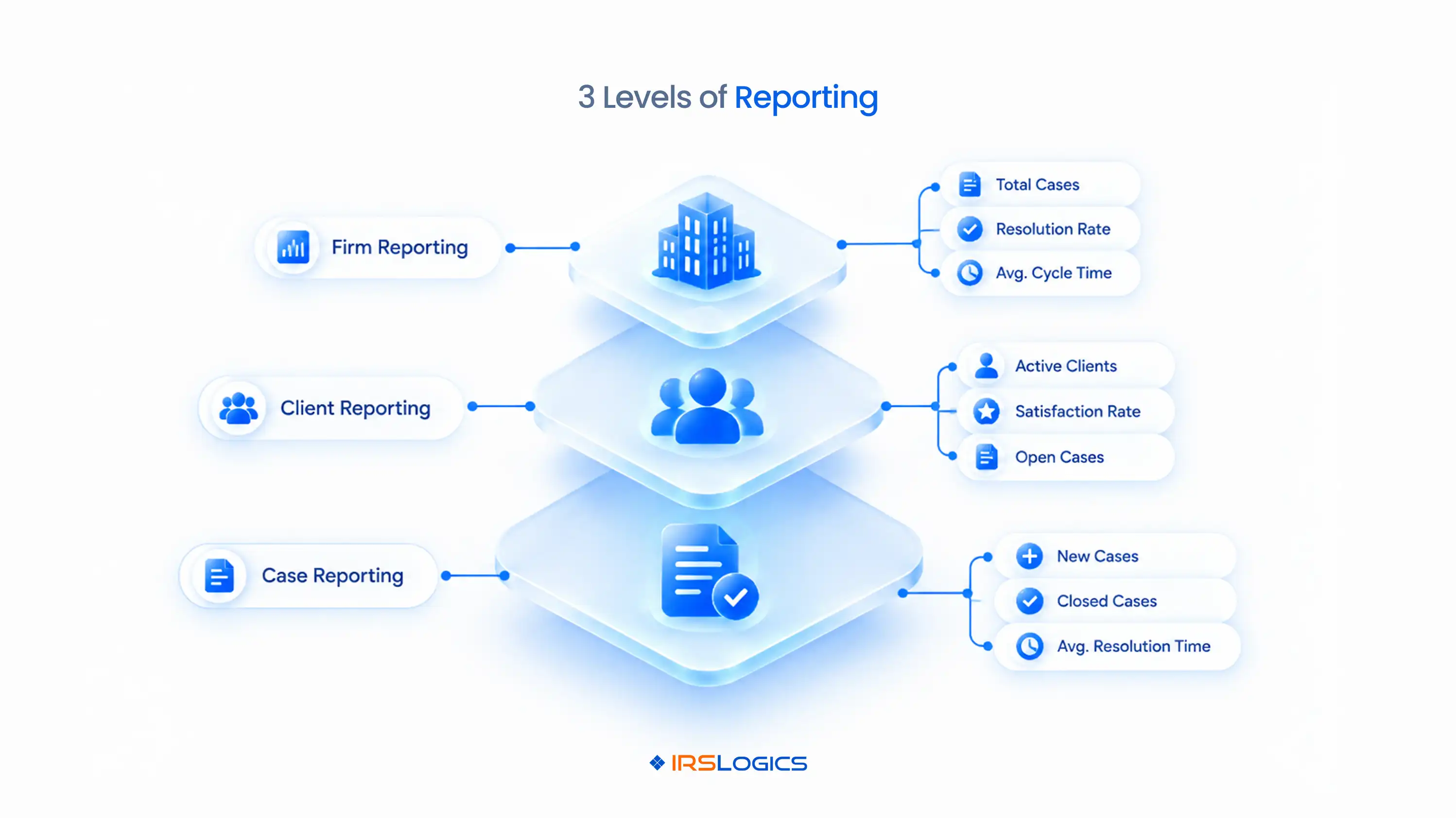
They work on three levels:
→ Case reporting: Where is each case? What's next? What's late?
→ Client reporting: What's been sent, signed, paid and said?
→ Firm reporting: Is the practice growing, profitable and under control?
Good tax practice reporting answers all three from the same data.
That's the key difference between real reporting software for enrolled agents and a pile of exports. When your cases, clients and billing already live in one system, like purpose-built tax CRM software, the reports build themselves.
Picture this.
Friday afternoon. 52 active cases. A client calls, frustrated. Nothing has happened on their case in six weeks.
You dig in. The case manager handling it was out for two weeks, and the follow-up task was never reassigned.
Meanwhile, invoices from last month are still sitting unpaid. And the lead source you've been spending on hasn't converted a single case in a month. Nobody noticed.
None of this is a disaster on its own. Together, it's a practice running on vibes.
Resolution work makes it worse, because cases run for months. Tax season ends. An OIC doesn't.
There's a compliance angle too. Circular 230 expects practitioners with principal authority in a firm to have procedures that keep the practice compliant. Reporting is how you actually see whether those procedures are working.
That's the moment tax practice reporting stops being a nice-to-have. And it's exactly the gap tax reporting solutions for EAs are built to close.
Tax case reporting is where you catch problems while they're still small.
At minimum, you want to see:
→ Case status by stage. Intake, transcripts pulled, financials collected, submitted, awaiting IRS, resolved.
→ Overdue tasks. What should have happened and didn't.
→ Transcript status. Which requests are pending, delivered or stale. More on how IRS transcripts drive tax resolution cases.
→ CSED dates. Under the IRS collection statute rules, the clock matters for strategy on every balance year.
→ Case activity history. Every action taken, by whom and when.
Tax case reporting isn't about pretty charts. It's about catching the case that's quietly dying.
Here's a real example of what that looks like. Build one custom filter: all OIC cases with no activity in the last 30 days.
That single report can save a client relationship.
Strong tax case reporting also protects you. When a client asks what you've done on their case, the activity log answers in seconds.
Client reporting is the layer most firms forget. Until a client says, "Nobody ever told me."
Here's what you need per client:
→ Communication history. Every SMS, every call. A threaded SMS Conversation View plus SMS and Phone Logs means nothing gets lost across phones.
→ Balances. Invoices sent, payments received and what's still open. Tying payments to invoices makes this exact instead of approximate.
→ Document and signature status. What's been requested, uploaded and signed.
When a client says "nobody told me," client reporting is your receipts.
This layer is where tax practice reporting meets client trust.
This is the founder's view. The one you check before deciding whether to hire, spend or cut.
That last row matters more than people think.
The FTC Safeguards Rule applies to tax preparation firms and expects them to monitor who accesses customer data. An audit trail and login history cover that without a separate tool.
Here's the truth. Tax firm reporting is how a founder stops being the firm's only memory.
And it's why generic CRMs struggle here. They don't know what a Settlement Officer is or how resolution revenue actually flows. Here's the full breakdown of tax resolution CRM vs general CRM.
Reports only help if someone opens them.
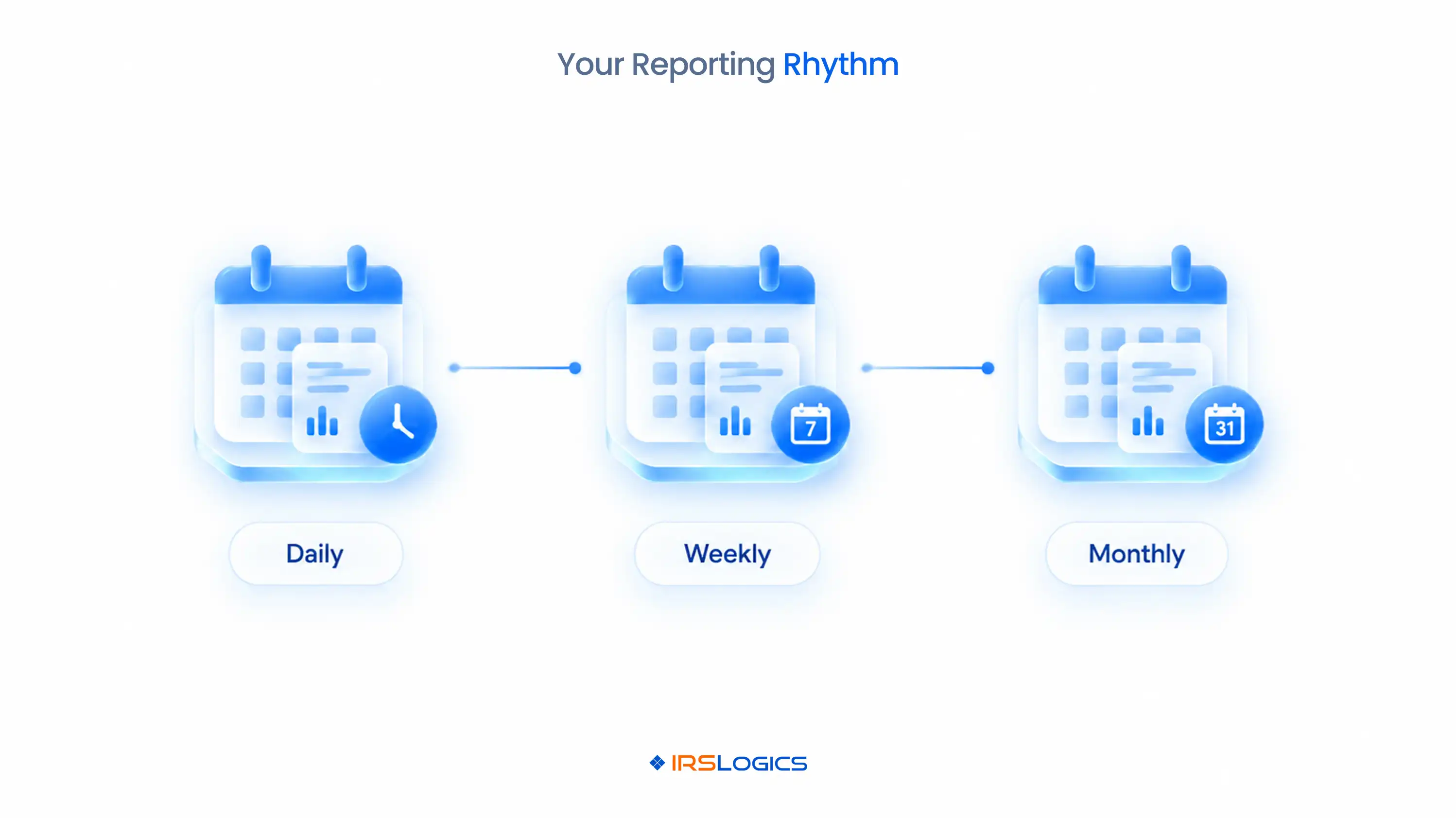
Here's a simple cadence:
Reporting you never open is just decoration.
Build the habit, and your reporting software for enrolled agents becomes a management tool, not a data graveyard.
Monthly tax firm reporting is also where the big calls get easier, like whether a campaign deserves more budget or whether it's time to hire another case manager.
IRSLogics is resolution software where reporting comes from the same case data your team already works in every day.
There are no exports and no Friday-night spreadsheet merges.
That's what makes it one of the few tax reporting solutions for EAs built around how resolution practices actually operate, with the Dashboard giving you a live view of leads, sales and overall numbers the second you log in.
Here's what a Monday morning looks like inside IRSLogics.
You open the Dashboard, then run a saved Filter for OIC cases with no activity in 30 days. Four cases show up, and you reassign them before lunch.
Task Summary shows one case manager sitting on far more pending tasks than everyone else, so you rebalance.
Account Receivable shows which invoices are still open, and Leads Source Summary shows which campaign actually converted last month.
At payroll, the Commissions Report and Set Off Sale report have the numbers ready.
And if anything ever looks off, the Audit Trail and Login History show exactly who did what.
It all sits alongside the case work in your tax representation software.
Users rate IRSLogics 93% for ease of use and 94% for ease of doing business with, and it has served resolution professionals for over a decade. Check tax resolution software pricing to see how it fits your practice's size.
They're tools that report on a resolution practice's cases, clients and firm performance. Think case status, overdue tasks, receivables, lead sources and team workload, all in one place.
Tax case reporting tracks individual IRS cases, their stages and deadlines. Tax firm reporting tracks the business as a whole: leads, revenue, commissions and staff workload.
Yes, especially once you pass a couple dozen active cases. Reporting software for enrolled agents catches stalled cases and unpaid invoices that are easy to miss when you're doing everything yourself.
Start with overdue tasks, case status by stage and receivables. Add lead source and sales reports once you're actively spending on marketing.
Yes. Filters let you build your own case reports, like every OIC case with no activity in 30 days or every client with an open invoice.
Audit Trail and Login History show every account-level change and every login with timestamps and IP addresses. That helps you monitor access to client data.
General CRM reports track contacts and deals. Tax reporting solutions for EAs track IRS case stages, transcript requests, Settlement Officer sales and resolution-specific billing.
You can't fix what you can't see.
Tax case reporting shows you the cases slipping through the cracks. Client reporting gives you receipts. Tax firm reporting tells you whether the practice is actually healthy.
The right tax reporting solutions for EAs pull all three from one place, so tax practice reporting becomes a five-minute habit instead of a Friday-night project.
Stop running on vibes. Start running on numbers.
Comparing tools? Bring these tax resolution software demo questions to your next demo.
Ready to see your whole practice in one view?
→ Book a free demo of IRSLogics
→ Rather talk it through? Call us at +1 (866) 386-2444
All
Tax Software
Workflow & Automation
Industry News
Resolution Tips
Tax Resolution Marketing

Lorem ipsum dolor sit amet, consectetur adipiscing elit. Suspendisse varius enim in eros elementum tristique. Duis cursus, mi quis viverra ornare, eros dolor interdum nulla, ut commodo diam libero vitae erat. Aenean faucibus nibh et justo cursus id rutrum lorem imperdiet. Nunc ut sem vitae risus tristique posuere.


Share this article directly by email. Simply enter the recipient’s details below.

Article has been send to you.