Tax Software


You added resolution services to your practice because it made sense. Your clients already trust you with their returns. When they end up with IRS debt, it's natural to want to help them through it.
But somewhere between that decision and today, you started noticing the problem. Your tax prep software handles the 1040s just fine. It was not built for OIC worksheets, case timelines, or chasing a client for the third time to get their 433-A financials in. So you started stitching things together. Spreadsheets for case tracking. A separate folder system for documents. Manual entries that you have already typed somewhere else. It works, until it doesn't.
This blog is about why that happens, what it actually costs your firm, and how to think about choosing software that does not make you pick between good tax prep and good resolution case management.
Tax prep software was designed around a single annual event: the return. You gather information, apply the tax code, file, and move on. The whole workflow is front-loaded and time-boxed.
Resolution is nothing like that.
A resolution case can run for months, sometimes longer. You are pulling IRS transcripts to understand what the IRS actually has on file. You are walking a client through Form 433-A or 433-B to build an accurate financial picture. You are qualifying them for an Offer in Compromise or setting up an installment agreement under the right resolution strategy. You are waiting on the IRS to respond, updating the case when they do, and keeping the client informed throughout.
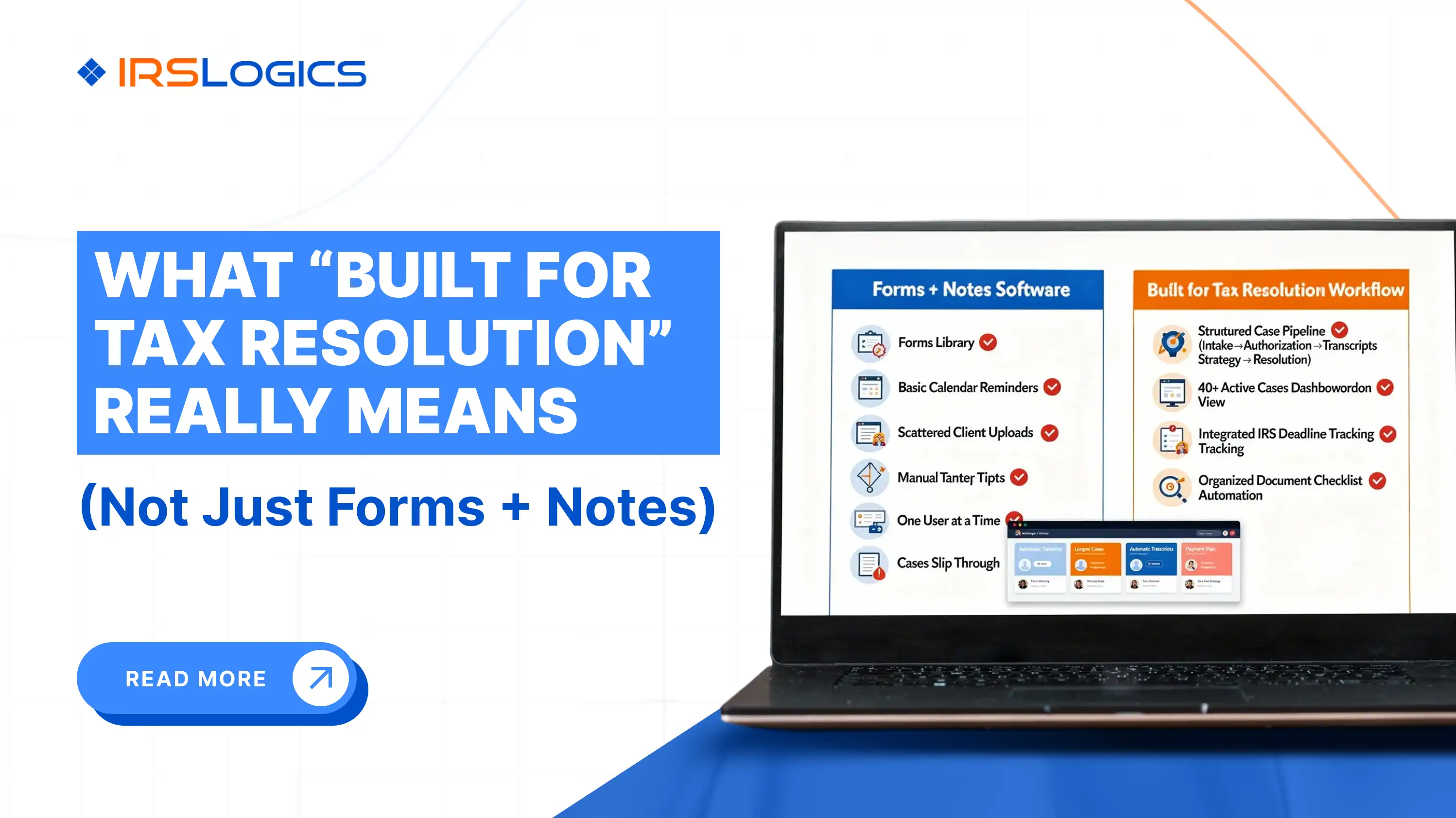
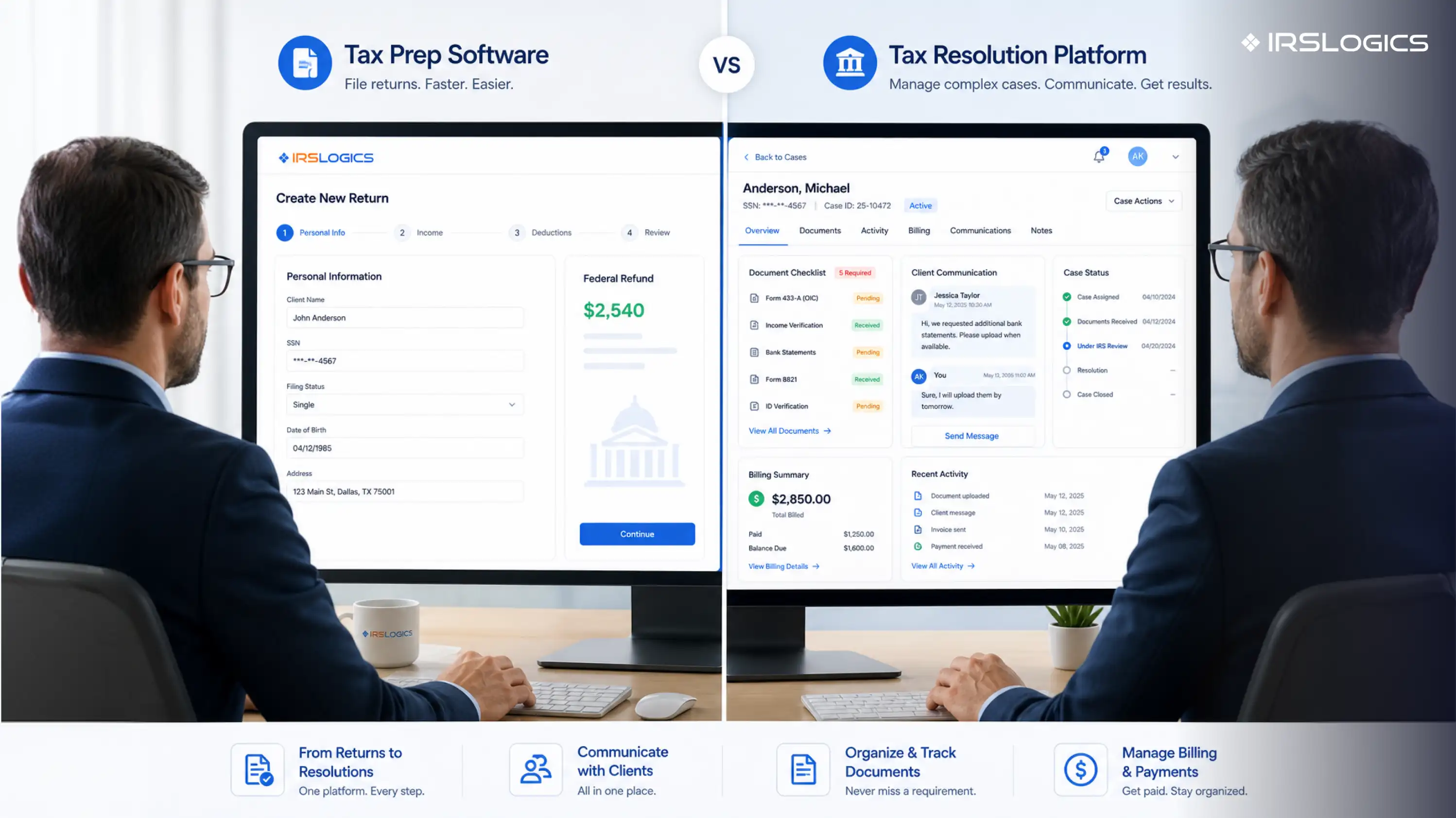
None of that maps onto a tax return workflow. Tax prep software like Drake is excellent at what it was built for. It handles federal and state forms with precision, and it serves accountants doing high-volume return preparation very well. But Drake is a tax preparation tool. It was not built around the lifecycle of an IRS collection case, and trying to use it as one creates gaps that practitioners fill with workarounds.
The workarounds are the problem. Every workaround is a place where data lives in two systems, neither of which talks to the other.
Most practitioners underestimate this. They consider it a minor inconvenience. But if you add up the actual hours your team spends re-entering client financial data from intake forms into IRS-specific forms, the number gets uncomfortable quickly.
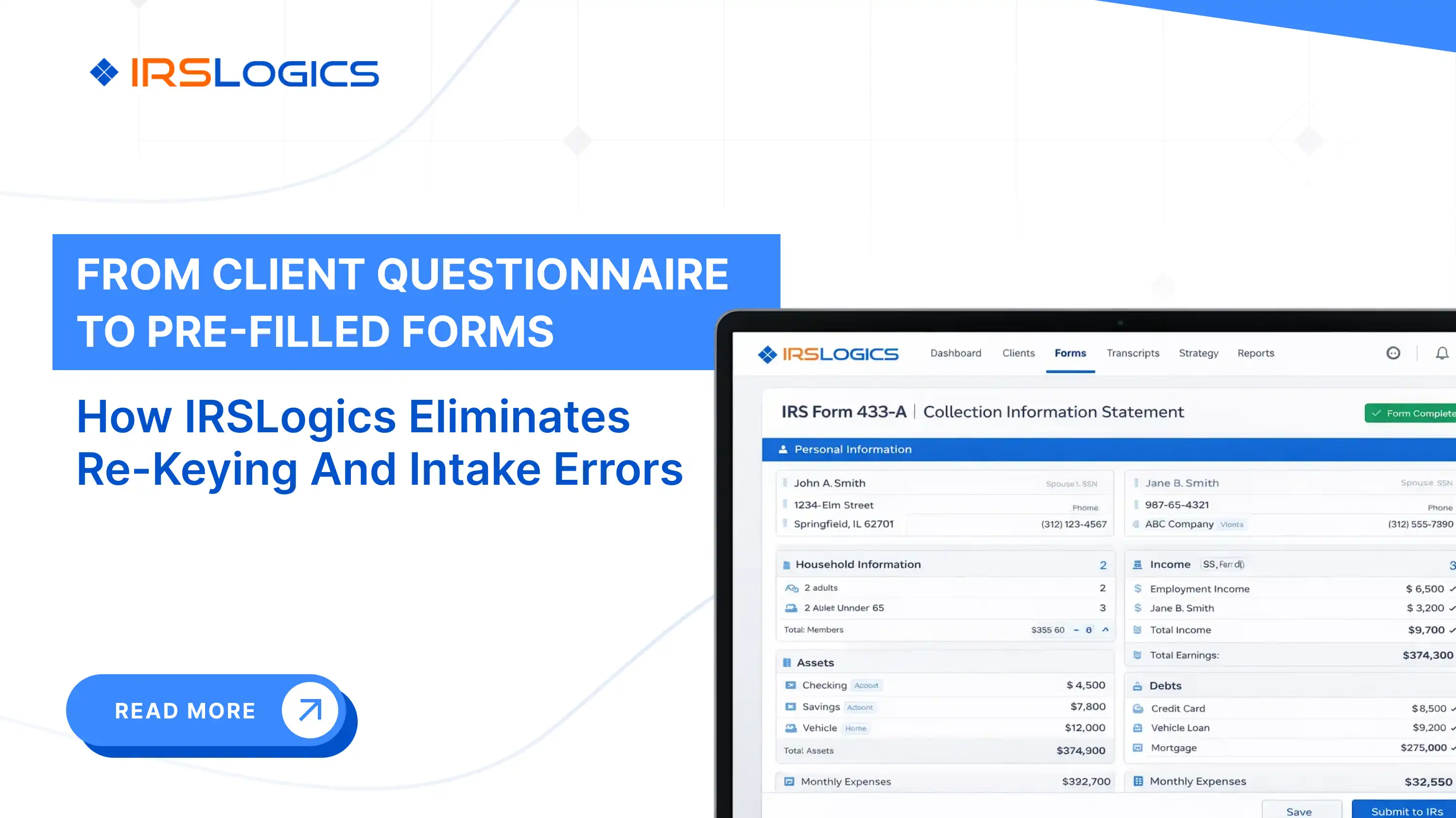
Consider what happens with a standard OIC case. You collect the client's financial information at intake. That data goes into your intake document or spreadsheet. Then someone re-keys it into the 433-A. Then it gets entered again into the OIC worksheet. If something changes because the client's income shifts or the IRS requests updated financials, the cycle repeats.
That is not a workflow. That is a liability. Re-entry creates error risk. When Form 433-A has figures that do not match what you collected at intake, and the IRS notices, it slows the case down. In resolution work, delays cost clients money and cost your firm credibility.
Beyond the risk of error, there is the time cost. Case managers who spend hours on data re-entry are not doing higher-value work: client communication, case strategy, document review.
The tools built specifically for resolution work solve this at the source. A platform with a built-in Financial Questionnaire, for example, sends the questionnaire directly to the client, who fills it out themselves. Once approved, that data auto-populates into the 433-A, 433-B, and OIC worksheets inside the platform. Nobody re-enters anything. The data flows.
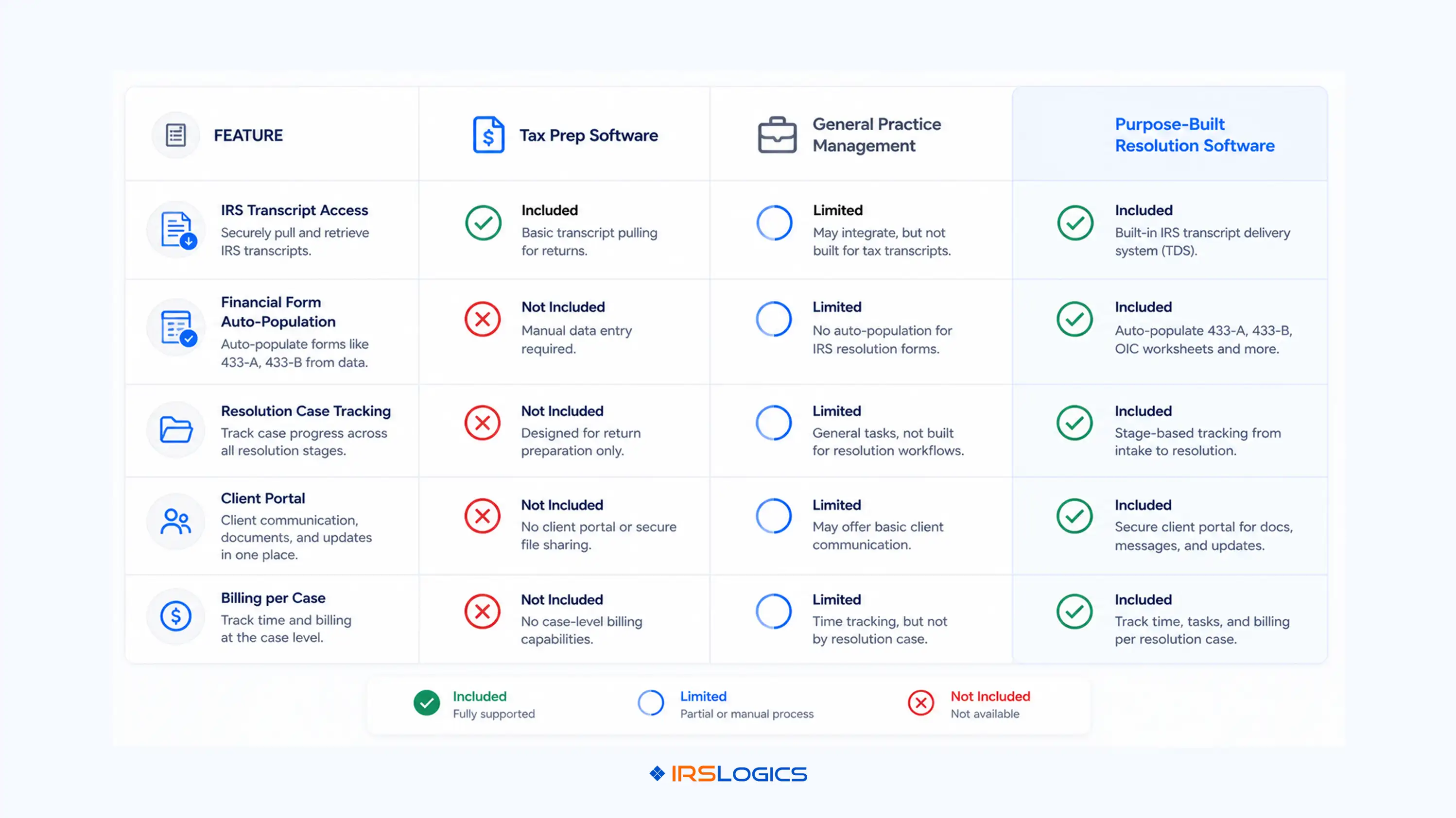
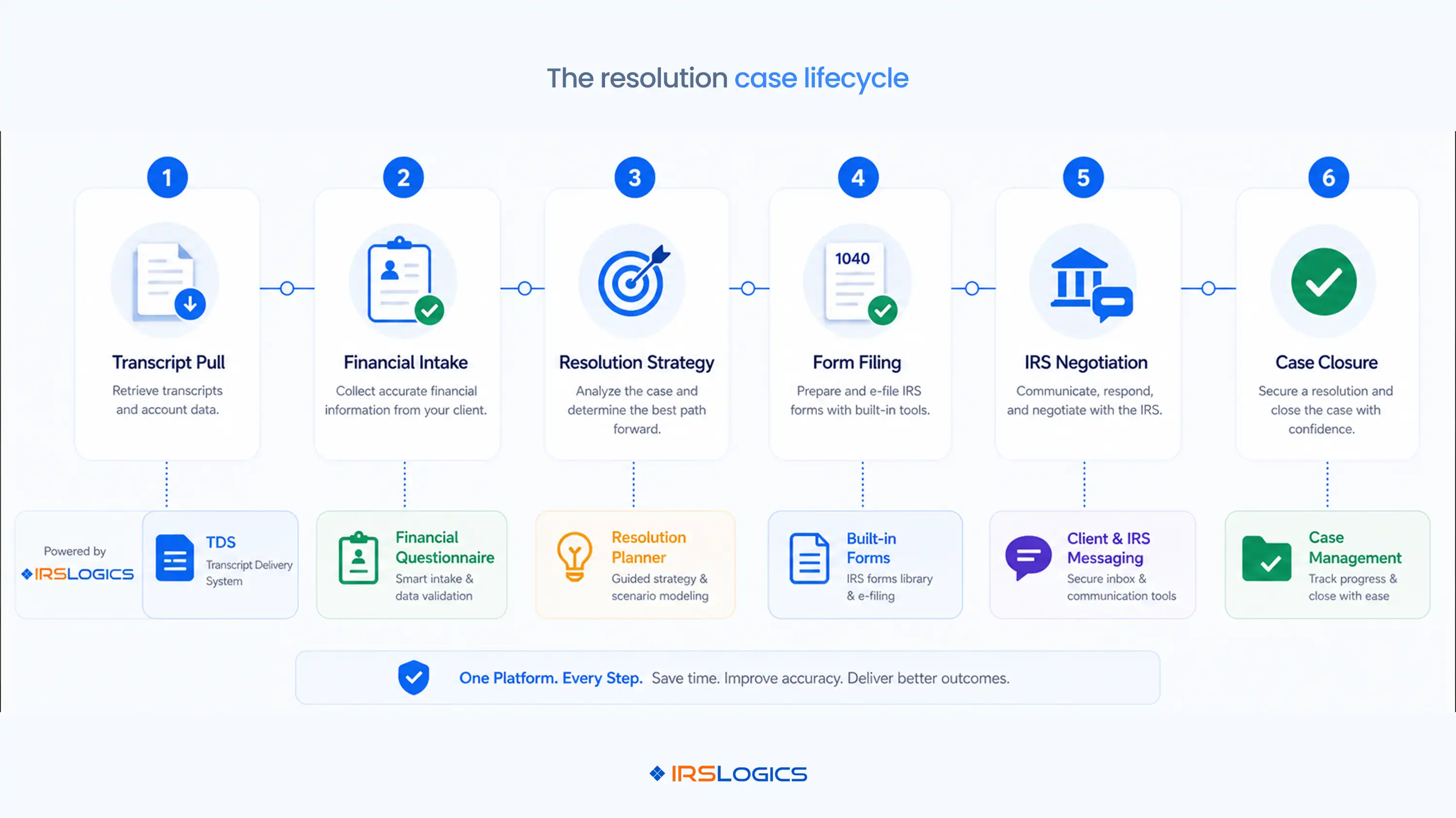
If your firm does both tax prep and resolution, your resolution-side software needs to handle the full case lifecycle. Not just forms. Not just document storage. The whole thing.
Here is what that actually looks like in practice.
IRS transcript access inside the case record. You should not log in to a separate system to pull transcripts. A purpose-built resolution platform connects directly to the IRS Transcript Delivery System, so you can pull a client's transcripts and have them automatically linked to the case, with a log of every request. This is how the IRS expects practitioners to work, and the IRS TDS program is designed to support exactly this kind of secure, practitioner-level access.
Document collection that does not depend on email. Chasing clients for documents over email is a time sink. A Document Collection workflow within the case lets you request specific documents, track which ones have been received and which are outstanding, and store everything in categorized folders by file type. When a document is missing, you know immediately. You are not digging through an inbox.
Billing is connected to the case. Resolution cases often involve payment plans, milestone-based invoices, and varying fee structures. When billing lives inside the case rather than in a separate system, you can see at a glance which invoices are paid, which are outstanding, and which payments are linked to which invoice. This is the kind of oversight that prevents billing disputes and unpaid balances from slipping through.
Client communication is built in. A secure client portal means your client does not need to email you documents, call your office to get a status update, or wait for a callback. They log in, see where their case stands, upload what is needed, and sign documents electronically. For enrolled agents and tax attorneys managing dozens of resolution cases simultaneously, this alone eliminates hours of back-and-forth every week. The National Association of Enrolled Agents consistently highlights client communication and documentation practices as areas where resolution practitioners can differentiate their service quality.
Workflow tracking that does not rely on memory. Tasks assigned to case managers with reminders, case activity logs that record every action taken, and status fields that reflect where a case actually stands: these are not nice-to-haves. They are how resolution firms stay compliant and avoid things falling through the cracks when a team member is out or a case goes quiet for a month.
The question most practitioners ask is: should I use a single platform for everything, or use separate tools for prep and resolution?
The honest answer is that it depends on your resolution volume. If you are handling five resolution cases a year as a side service, a general practice management tool with decent document handling might cover you. If resolution is a meaningful revenue line and you expect to grow it, a purpose-built resolution platform is worth the additional cost.
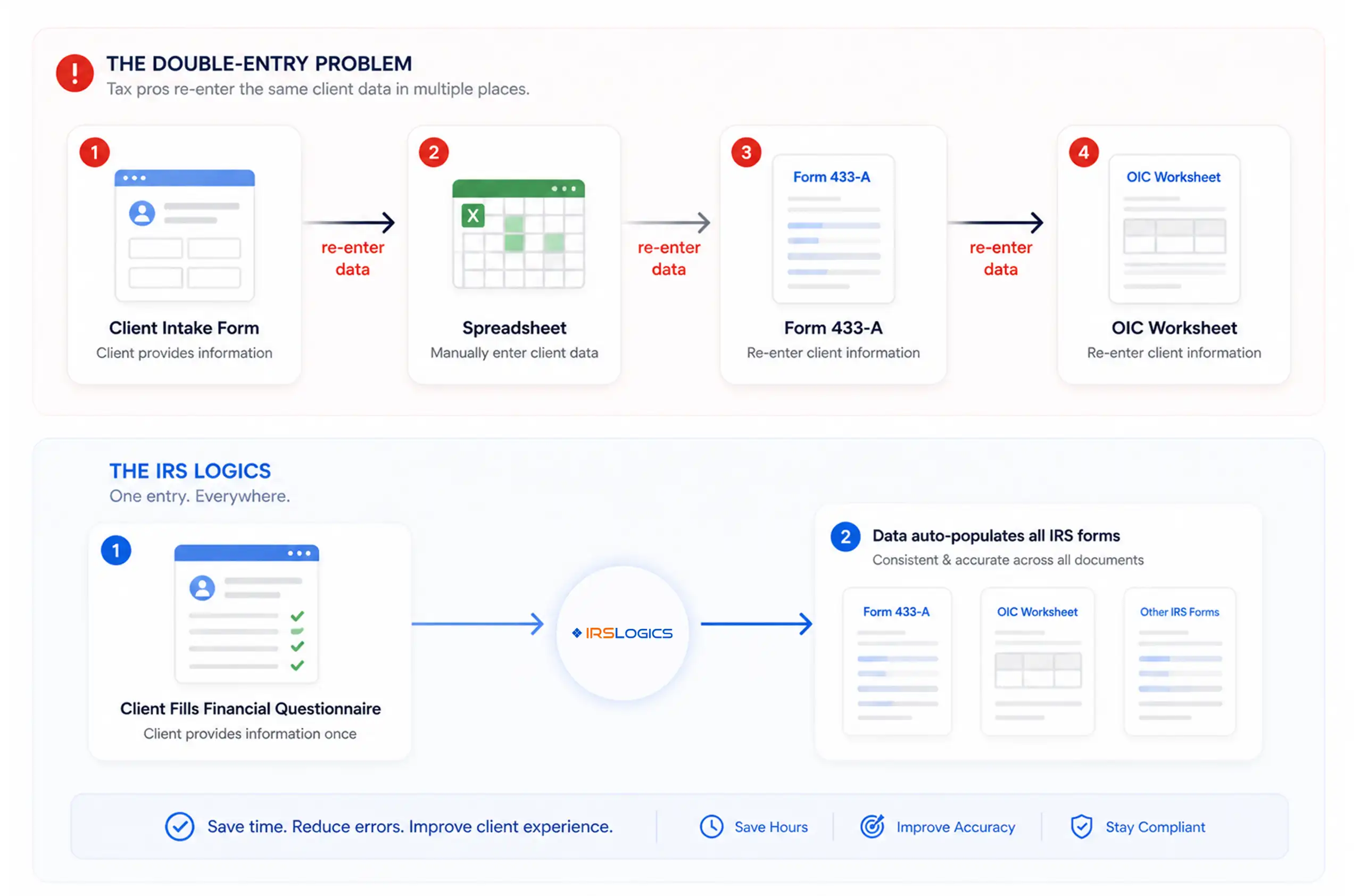
What you are actually evaluating is the cost of integration versus the cost of context-switching. Two systems that do not communicate require someone to bridge the gap manually. One system that covers the resolution case lifecycle end-to-end eliminates that gap entirely.
When you are comparing platforms, ask specifically about these workflows rather than features in the abstract. Ask whether financial questionnaire data auto-populates IRS forms. Ask how IRS transcripts are accessed and stored. Ask where billing lives relative to the case. Ask what the client experience looks like. Vague answers to specific questions are a useful signal.
You can find a list of questions worth asking on any tax resolution software demo that covers the kinds of specifics that general sales conversations often skip.
The two things that slow down transitions are data migration and adoption.
Data migration is usually simpler than it sounds for resolution cases because most live case data is in documents and notes rather than in structured database records. The more important thing is to have a clear handoff process: which cases are active, where each one stands, and what is outstanding on each.
Adoption is the harder problem. If your team has been running resolution cases through a combination of spreadsheets, email, and shared drives, a structured platform with tasks, case statuses, and role-based permissions can feel like a big change. The platforms that get adopted are the ones where the day-to-day workflow is genuinely faster, not just more organised. Pay attention to how the demo handles the things your team does every day: pulling a transcript, sending a document request, checking which invoices are unpaid. If those actions are slower or more complicated in the new system, adoption will be a fight.
The AICPA's practice management guidance for tax professionals is also worth reviewing before making a decision on a platform change, particularly around data security and client confidentiality standards that your resolution software should meet.
For a deeper look at how cloud-based and desktop options compare on these practical adoption questions, the breakdown in cloud versus desktop tax resolution software covers the tradeoffs specific to resolution practices.
IRSLogics is a software platform built specifically for tax resolution firms. It brings the entire workflow into one system, from lead intake to final IRS resolution.
The platform combines CRM, case management, document collection, IRS form generation, client communication, and billing in a single dashboard. Instead of switching between tools, firms can manage everything in one place with a structure that matches how IRS cases actually work.
It is designed for CPAs, enrolled agents, and tax attorneys who need a system that supports real resolution workflows, not generic sales pipelines. The focus is on reducing manual work, keeping cases organized, and helping firms operate more efficiently as they grow.
What is the difference between tax prep software and tax resolution software?
Tax prep software handles returns. Resolution software handles everything after a problem occurs. Different workflows, different tools.
Can I use one software platform for both tax preparation and tax resolution?
You can try. Most tools do one well and the other halfway. If resolution matters to your business, you need something built for it.
What makes tax prep software inadequate for resolution case management?
It is built for filing, not for managing long cases. No lifecycle tracking, limited transcript access, and too much manual work.
How much does professional tax resolution software cost?
Pricing varies. The real cost is the time you lose without it. Most firms recover the investment quickly once workflows are streamlined.
What tax software do resolution professionals use?
They use dedicated resolution platforms alongside their prep tools. Trying to force one system to do everything usually slows things down.
Is cloud-based tax resolution software better than a desktop for resolution work?
In most cases, yes. It is easier to access, easier to update, and better for teams working across locations.
What should I ask during a tax resolution software demo?
Ask how data flows. Ask how transcripts are handled. Ask how billing connects to cases. Details matter more than feature lists.
If your firm does both tax prep and resolution, you already know the tension. Your prep tool is good at what it does. Your resolution work is trying to fit into a system that was not designed for it.
The fix is not complicated, but it does require being specific about what you actually need on the resolution side: transcript access within the case, financial data that flows without re-entry, billing tied to individual invoices, and client communication that does not depend on email.
Get those things right, and your resolution practice runs cleaner. Your team spends less time on admin and more time moving cases forward.
Key reminders before you evaluate:
Ready to see how IRSLogics handles resolution case management end-to-end? Book a free demo, and we will walk through the workflows that matter to your practice.
All
Tax Software
Workflow & Automation
Industry News
Resolution Tips
Tax Resolution Marketing

Lorem ipsum dolor sit amet, consectetur adipiscing elit. Suspendisse varius enim in eros elementum tristique. Duis cursus, mi quis viverra ornare, eros dolor interdum nulla, ut commodo diam libero vitae erat. Aenean faucibus nibh et justo cursus id rutrum lorem imperdiet. Nunc ut sem vitae risus tristique posuere.


Share this article directly by email. Simply enter the recipient’s details below.

Article has been send to you.