Tax Software


A client walks into your office, panicked, holding a CP504 notice that's already ten days old. Nobody logged it. Nobody flagged the deadline. And now your firm is racing a clock that started ticking before you even knew it existed. This is the exact moment IRS notice tracking software either saves your case or your case manager starts sweating through their shirt. If your firm doesn't have IRS notice tracking software in place yet, keep reading, because this scene plays out more often than most firms admit.
Here's the plot twist nobody sees coming. Most firms don't lose track of IRS notices because they're careless. They lose track because the system they're using was never built to catch something this important.
Think about how a notice actually enters your firm. It might come by mail to the client's house. It might get scanned and emailed by a case manager who's juggling six other things that hour. It might get mentioned on a call and never make it into a case file at all. Every single one of those paths is a place where a deadline can quietly disappear, and by the time anyone notices, the notice itself is already a memory.
That's the whole reason IRS notice tracking software exists. Not because firms are sloppy, but because a sticky note and a shared inbox were never designed to hold the weight of a CSED clock or a thirty-day response window. Firms that skip IRS notice tracking software entirely are essentially betting their case outcomes on nobody having a busy week, and that's a bet that eventually loses.
Let's set the scene properly. It's a Tuesday. Your case manager has four active clients on their desk, two calls scheduled, and a stack of documents to review. Somewhere in that stack is a CP2000 notice that arrived nine days ago. It's not urgent yet. It will be, in twenty-one days, when the response window closes, and the IRS assumes silence means agreement.

Without IRS notice tracking software, that notice is just paper. It has no clock attached to it that anyone can see. It doesn't ping anyone. It doesn't move to the top of a list. It just sits there, quietly becoming a crisis, until someone finally opens that folder and realizes the deadline passed eleven days ago.
This is where firms lose cases they should have won. Not because the resolution strategy was wrong, but because the paperwork clock ran out while everyone was busy doing something else. And here's the part that stings the most. It's completely avoidable, which is exactly why IRS notice management software has become less of a nice-to-have and more of a firm-saving necessity. Firms serious about resolution work, the kind we talk about on our about page, treat IRS notice tracking software the same way they'd treat malpractice insurance. Not exciting, but you're grateful it's there the moment things go sideways.
If you're evaluating options, don't get distracted by flashy dashboards. Good IRS notice management software needs to do a handful of things extremely well, every single time, without fail.
Miss any one of these, and you're basically back to the sticky note system with better branding. The whole point of real IRS notice management software is removing human memory from the equation entirely, and if you want to see what a full feature set built around this looks like, it's worth comparing against whatever your firm currently uses.
Here's where a lot of firms get fooled. A shared inbox feels organized. Everything's in one place, right? Wrong. A shared inbox is where information goes to become invisible.
IRS letter management software isn't just a place to dump scanned PDFs. It connects each letter to the specific client, the specific case, and the specific deadline that letter created. When a new team member opens that case six weeks later, they see the full letter history instantly, not a buried email thread that requires archaeology to piece together.
The difference shows up the moment your firm scales past a handful of clients. A shared inbox works fine when you're managing five cases casually. IRS letter management software becomes non-negotiable the moment you're managing fifty, because at that point, nobody's memory is reliable enough to catch everything, and pretending otherwise is how deadlines quietly slip away. This is usually around the same point firms start comparing pricing on dedicated IRS notice tracking software instead of trying to stretch a free inbox further than it was ever meant to go.
Let's walk through what actually happens inside a firm that's doing tax notice tracking right, because it's honestly a little satisfying to watch.
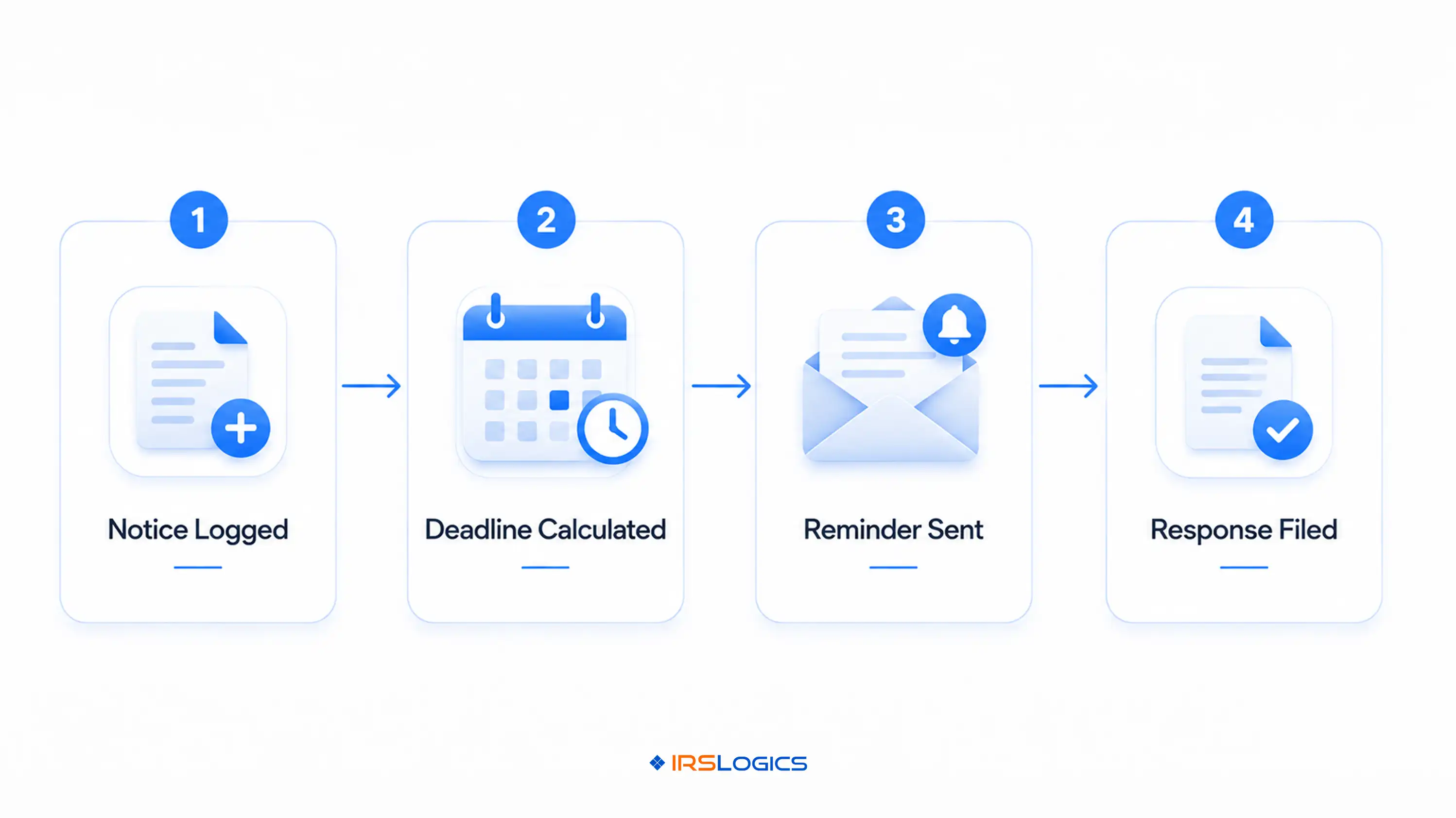
A notice comes in. Within minutes, it's logged into the client's case file with the type and date clearly marked. The system calculates the deadline automatically and flags it on the case manager's task list, with enough lead time to actually respond, not scramble. As the deadline approaches, a reminder fires again, because nobody should be relying on memory for something this consequential. The response gets filed, the notice moves into the case history, and everyone on the team, not just the person who opened the mail, can see exactly what happened and when.
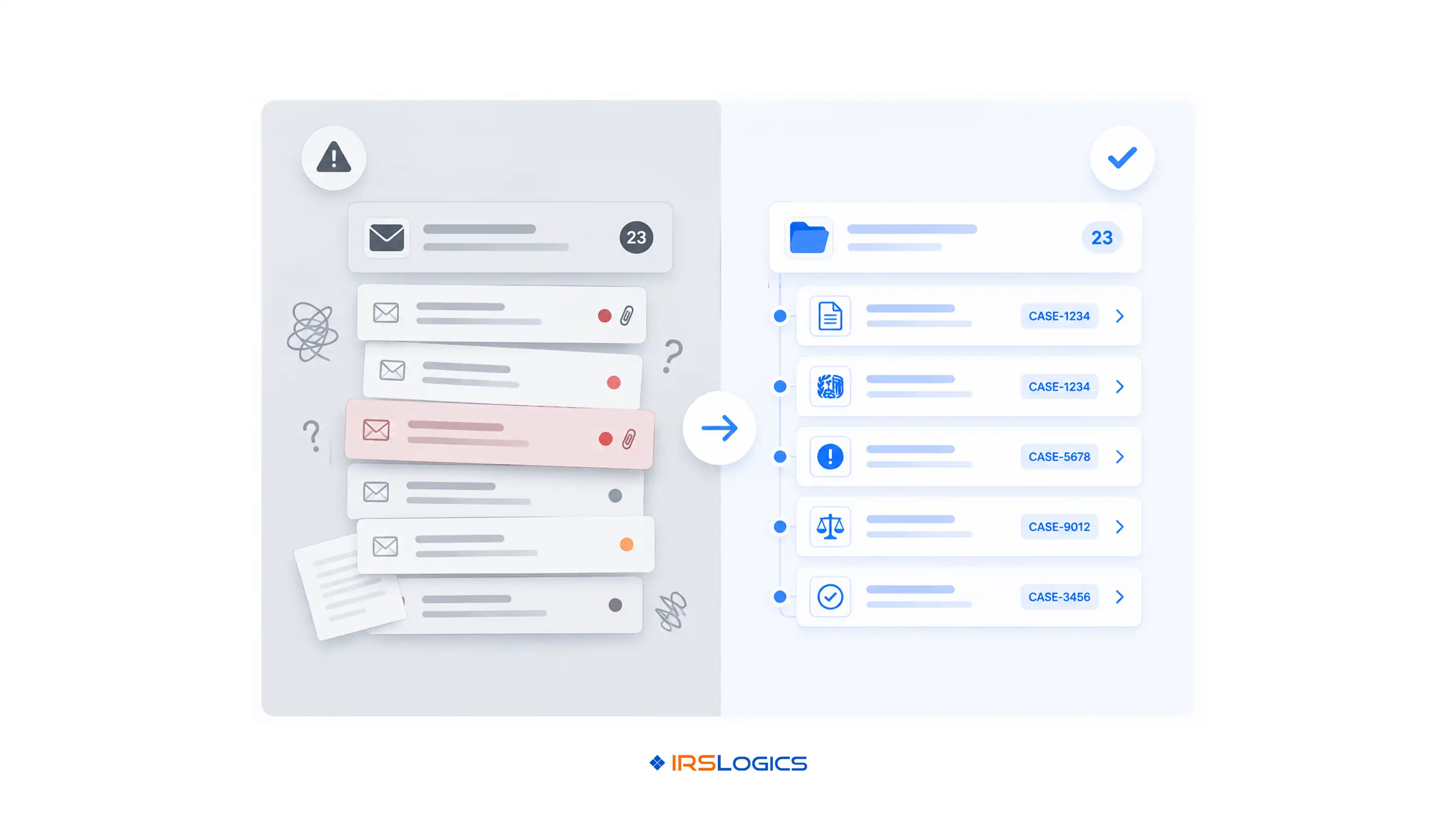
That's tax notice tracking done properly. Boring, almost. No fire drills. No last-minute scrambling. Just a quiet, reliable system doing the job a human memory was never built to do consistently, case after case, month after month. If you're curious about how deadlines get calculated, our FAQ page answers a few of the questions we hear most often, and our guide on what tax resolution software should include for CPAs covers the bigger picture beyond just notices.
This is where IRSLogics earns its keep. The Tasks module lets case managers schedule reminders and set deadlines the moment a notice enters a case, so nothing depends on someone remembering to check back in three weeks. Case Activities logs every action taken on a case automatically, which means when a notice comes in, gets reviewed, and gets responded to, that entire trail exists in one place instead of scattered across emails and sticky notes. You can see how this ties into broader case visibility in our piece on what a proper tax CRM should track for resolution work.
The Document Section and File Category features let your team store the actual notice alongside the client's full case record, organized clearly instead of buried in a shared drive somewhere nobody can find it fast. And because Case Status can be customized to reflect exactly where a case sits, whether that's "Notice Received," "Response Drafted," or "Response Filed," your whole team gets a shared, visual sense of urgency instead of relying on one person's memory to flag what's overdue.
None of this requires your firm to change how it handles cases day to day. It just gives the process a backbone that doesn't forget, get distracted, or quietly let a deadline slide past while everyone's attention is somewhere else. This is what IRS notice tracking software should feel like in practice, invisible until the moment it saves you. Curious what this actually looks like on a real case file? Book a demo and see the workflow in action, or browse our blog for more on how firms are tightening up their case operations.
The scariest part of missing an IRS deadline isn't the deadline itself. It's the silence before it, the days when nobody notices anything is wrong because nothing looks urgent yet. IRS notice tracking software exists to break that silence early, before it becomes a crisis your client pays for. Get the system right, and those Tuesday afternoon panics become a lot rarer. That's really the entire promise of good IRS notice tracking software: fewer surprises and more control.
Ready to stop losing sleep over missed deadlines? Talk to our team and see how IRS Logics keeps every notice and every deadline visible in one place.
It's software that logs incoming IRS notices, calculates response deadlines automatically, and alerts case managers before those deadlines pass, so nothing depends purely on memory or manual follow-up.
Email wasn't built to calculate deadlines or connect a letter to a specific case history. IRS notice management software ties each notice directly to the client record and the clock attached to it.
Yes, good IRS letter management software stores the document itself alongside the case file, so anyone on the team can pull it up instantly instead of searching through a shared drive.
Tax notice tracking removes reliance on human memory by automatically flagging deadlines and reminding the assigned case manager well before the response window closes.
No. Even small firms benefit, since a single missed deadline on even one case can cost real time, money, and client trust regardless of firm size.
IRS Logics uses Tasks, Case Activities, and customizable Case Status to give firms a full, organized view of every notice and its deadline, tied directly to the client's case record.
All
Tax Software
Workflow & Automation
Industry News
Resolution Tips
Tax Resolution Marketing

Lorem ipsum dolor sit amet, consectetur adipiscing elit. Suspendisse varius enim in eros elementum tristique. Duis cursus, mi quis viverra ornare, eros dolor interdum nulla, ut commodo diam libero vitae erat. Aenean faucibus nibh et justo cursus id rutrum lorem imperdiet. Nunc ut sem vitae risus tristique posuere.


Share this article directly by email. Simply enter the recipient’s details below.

Article has been send to you.