Tax Software


High-volume tax resolution software is what keeps 200 open IRS cases as organized as 20.
It puts intake, documents, transcripts, forms, and billing in one place.
Because, honestly, your firm did not fall apart because you got busy.
It fell apart because your tools stayed small.
Not every tool with a case list qualifies.
I know, I know. Every software page says "built for growth."
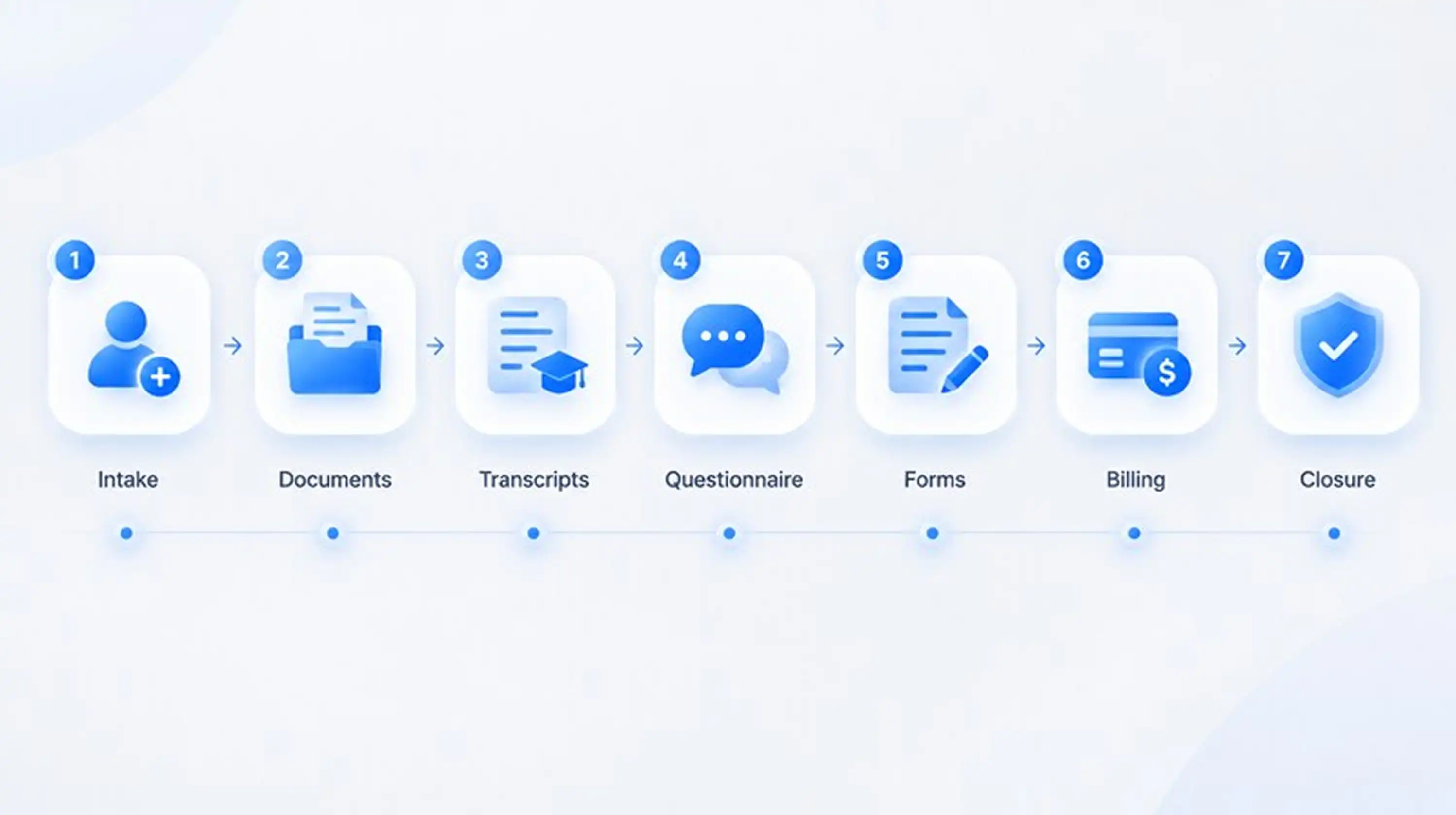
But high-volume tax resolution software is built around the full IRS case lifecycle:
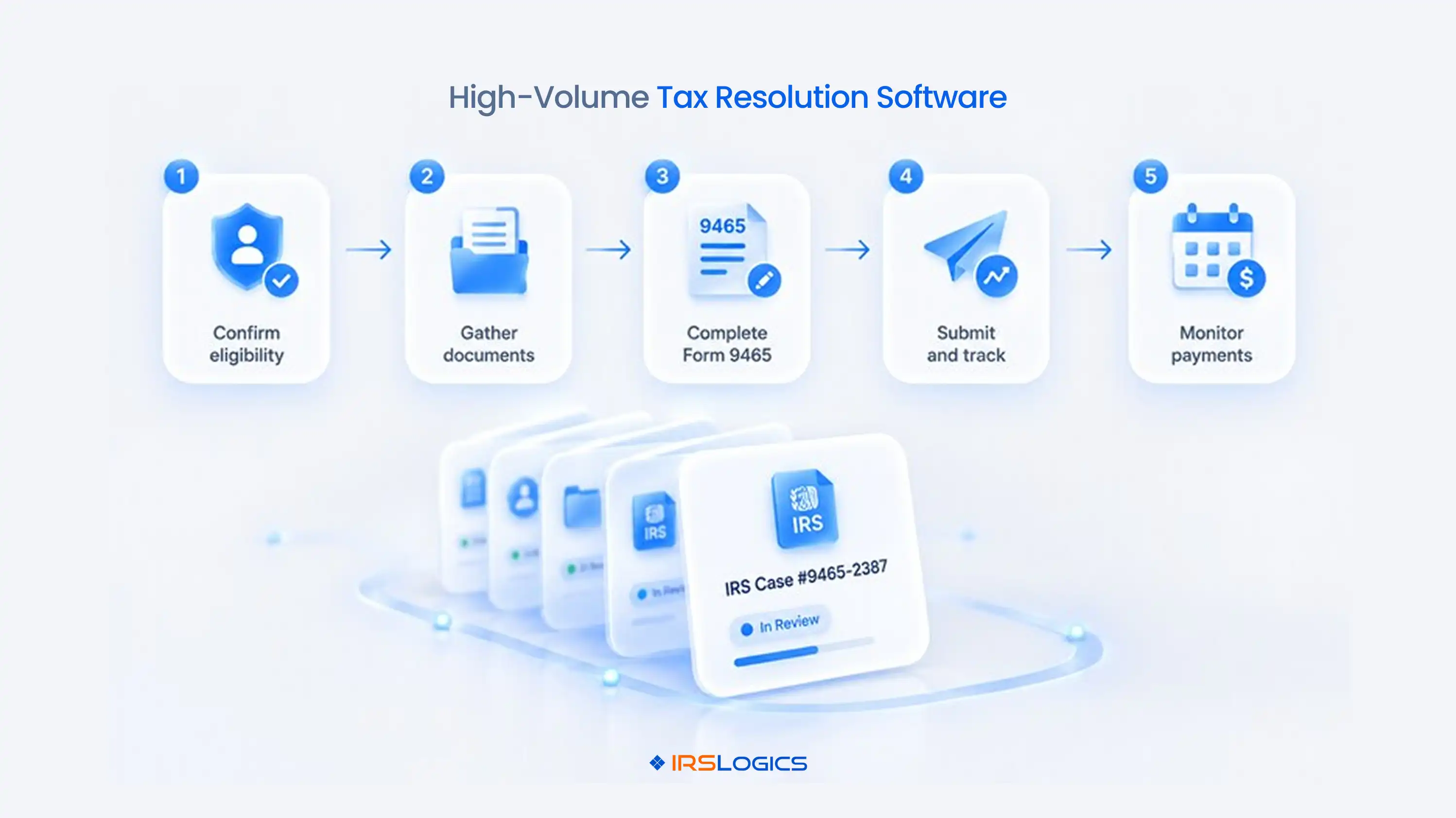
→ Intake
→ Transcripts
→ Form 433-A
→ OIC or installment agreement
→ Billing
→ Closure
Generic tools stop at "contact" and "task."
Resolution work does not.
Think of a home kitchen. Four plates? Easy.
Four hundred plates? The smoke alarm has opinions.
That is why tax settlement software is a different category from a general practice tool.
One manages clients. The other manages IRS cases with deadlines attached.
Not in the tax work.
Tax firm scalability breaks in the tiny gaps nobody owns.
→ A document request emailed and never tracked
→ A financial worksheet re-keyed three times
→ An invoice marked "paid" that was only half paid
→ A client text living on one person's personal phone
Each one looks harmless.
At 150 cases, they become your entire week.
And here is the plot twist.
Hiring more people does not fix it. You just get more people chasing the same missing bank statement.
Honestly, this is usually when firms start searching for tax resolution CRM vs general CRM.
Good instinct. A little late. But good.
High-volume tax case management sounds fancy.
It is really one idea.
Every case follows the same path, and the system makes sure nobody skips a step.
Let us walk through one case.
New client signs up.
Now you need pay stubs, bank statements, notices, prior returns.
Without a system, someone emails a list.
Then follows up. Then follows up again.
Then writes "just circling back" with a very tired face.
With a Document Collection Tab, requests are organised per case and every status is visible.
You see what is missing without opening one inbox.
Transcripts live here too. Pulling IRS transcripts inside the case record means no separate portal and no extra spreadsheet.
This is where hours quietly disappear.
The same income and expense numbers feed Form 433-A, Form 433-B, and the OIC worksheets.
Typing them again and again is slow. It is also exactly how a small typo becomes a big problem.
But guess what? A Financial Questionnaire breaks the loop.
The client fills it in. Your firm gets notified, approves it, and the data auto-populates the IRS financial forms.
Type once. Done.
Clients never contact you once.
They text. They call. They ask "any update?" at 9 PM.
A threaded SMS Conversation View keeps every message on the case, not on one employee's phone.
When that employee leaves, the history stays.
Billing has the same chaos at scale. If payments are not tied to invoices, nobody can say what is unpaid without opening a spreadsheet.
Tying payments to invoices fixes that in one view.
Scalable tax resolution software does more than store more records.
It removes manual steps as your case count grows.
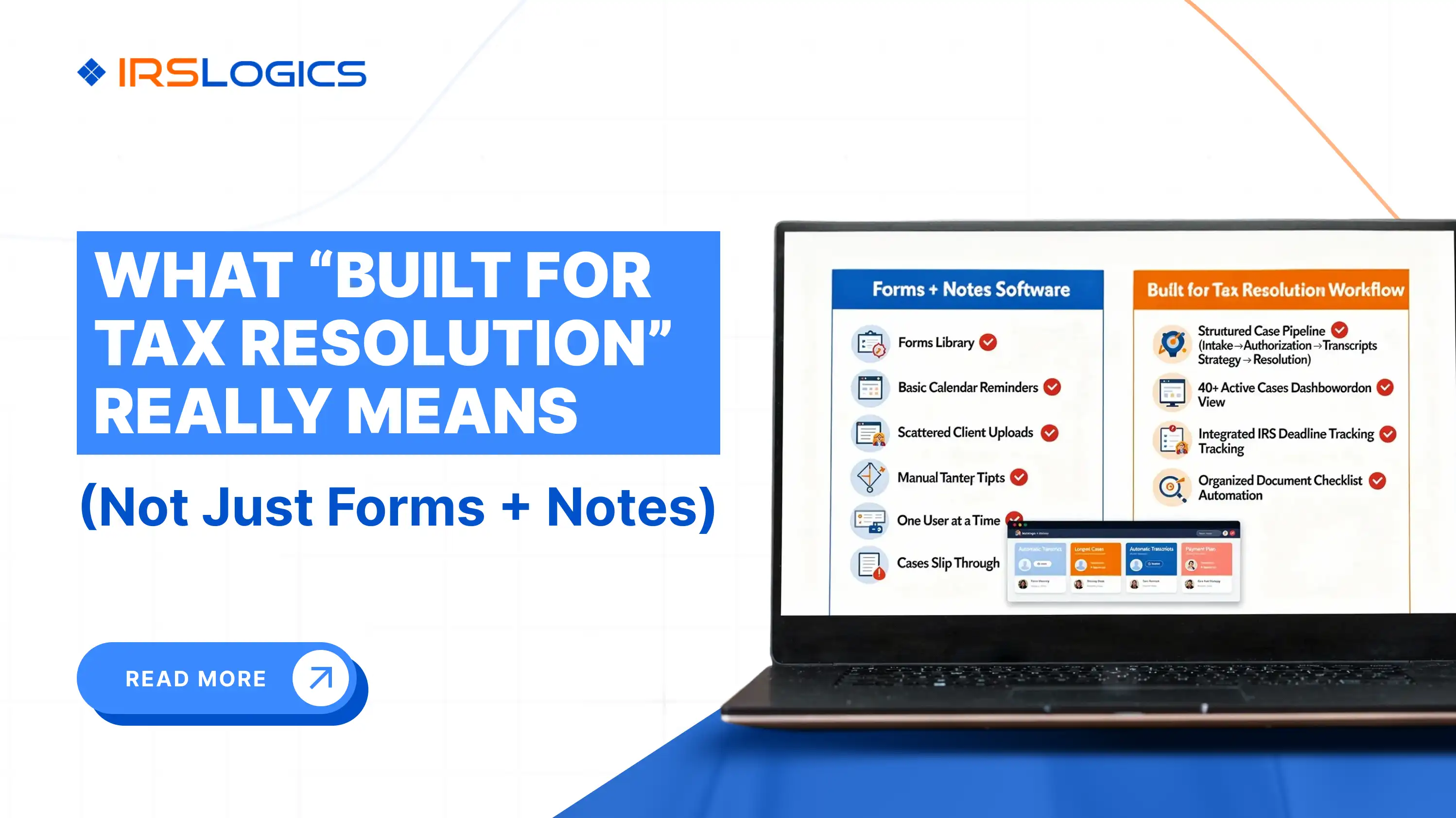
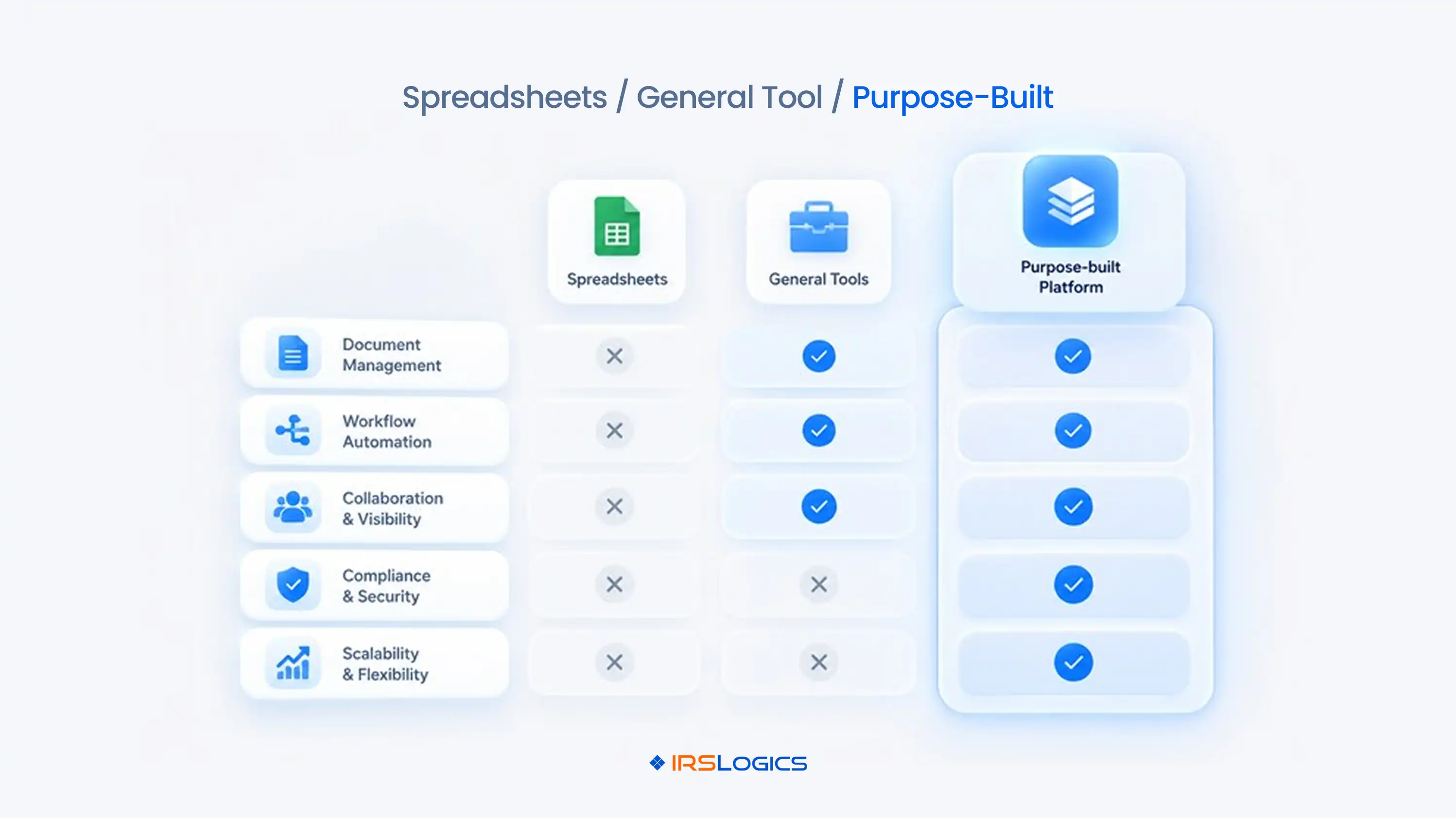
Here is a quick check you can run on any tool.
If a tool fails three or more rows, it is not ready for your growth. It is ready for your current size.
Those are not the same thing.
Yes. And no, it is not about bigger screens.
Tax resolution software for large firms needs control, not just capacity.
→ Roles and Permissions, so sales, case managers, and admins only see what they should
→ Lead Distribution, so new leads reach the right person by allocation ratio
→ Task Summary and Sales Summary reports, so managers spot stuck cases early
→ Audit Trail and Login History, so you can show who did what
Small firms run on trust.
Larger ones run on visibility.
Both are fine. Just know which one you are.
Nobody puts this in a budget. That is the whole problem.
It shows up as overtime, missed follow-ups, and that one case manager quietly updating her resume.
Picture one missed document.
It delays the Form 433-A.
That delays the OIC. The client calls, upset.
Your best person spends an hour calming them down instead of resolving two more cases.
Now repeat that every week.
Then look at the real cost of tax resolution software.
High-volume tax resolution software looks expensive until you price the chaos.
And the stakes are real. The IRS is clear that an Offer in Compromise needs all returns filed and payments current. One sloppy file can sink the whole offer.
Do not judge by feature count. Judge by your busiest Tuesday.
Ask these in every high-volume tax resolution software demo:
Also check who the tool was built for.
→ TaxDome and Canopy: strong practice management platforms
→ Drake: tax prep, a different category
→ PitBull Tax and IRS Solutions: resolution-focused
Match the tool to your daily work, not the other way around.
Keep the Form 433-A requirements open while you compare. And if enrolled agents are on your team, the NAEA is a solid reference for practice standards.
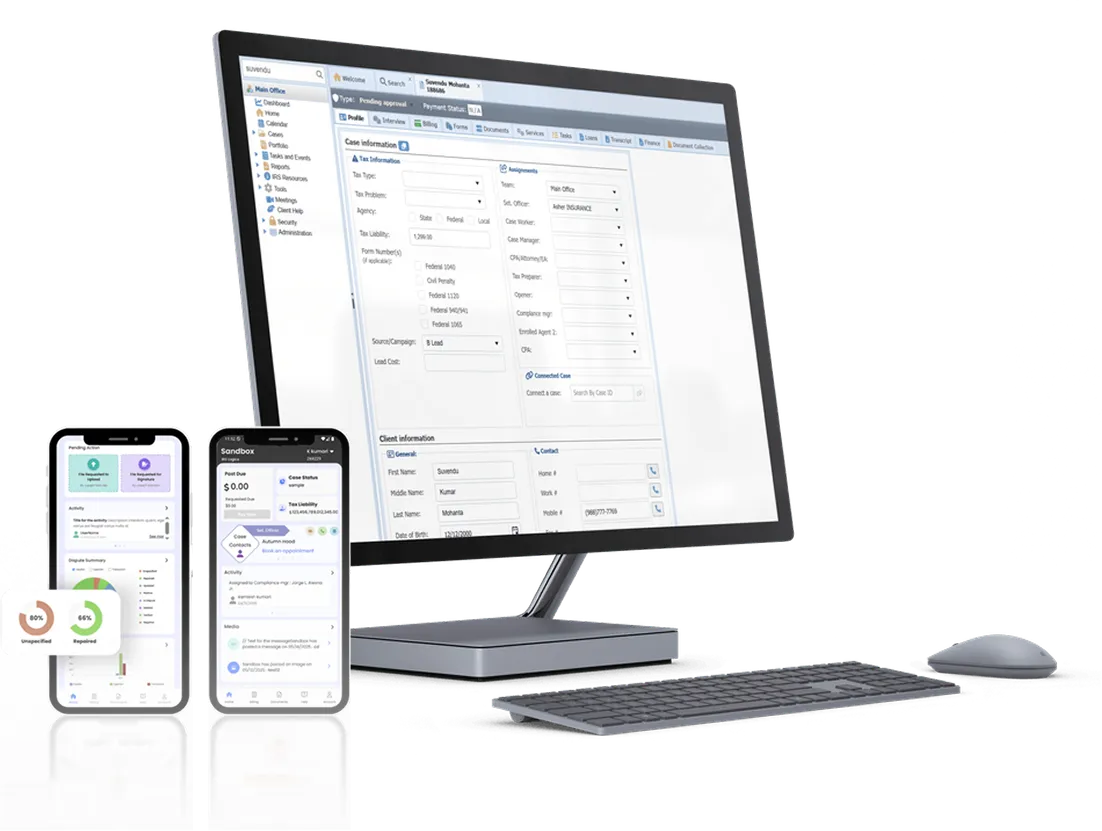
IRSLogics is built only for tax resolution. That is why it works for firms that need high-volume tax case management without stitching five tools together.
Here is how it plays out on a normal day:
→ A case manager collects files through the Document Collection Tab
→ The client completes the Financial Questionnaire, and the answers flow into the IRS forms
→ Billing sees exactly what is unpaid with payments tied to invoices
→ Appointments sync with Google Calendar, so no call gets double-booked
Add the Client Portal, e-sign, built-in federal and state forms, Filters, and the Rule Engine for your own automations.
That is what scalable tax resolution software looks like when it is actually used.
Click here to get a quote and see how it fits your caseload.
It is a platform built to manage large numbers of IRS cases at once. Intake, transcripts, forms, documents, billing, and communication sit in one system.
When admin work grows faster than revenue. Re-keyed financial data, untracked documents, and unclear invoice status are the usual signs.
It carries IRS-specific workflows like transcripts, Form 433-A, and OIC worksheets, plus role controls and reporting for bigger teams.
Yes. Auto-populating forms from one approved questionnaire removes repeat typing, which is where most mistakes begin.
No. Hiring only helps when processes are consistent. Software removes repeat tasks so the same team handles more cases.
Ask any vendor about role-based access, audit trails, and login history. Those controls show who accessed what, and when.
Ask to see one case from intake to closure, how forms populate, and how reporting works when your caseload doubles.
Growth should feel like progress, not panic.
The right high-volume tax resolution software gives your team one clear path for every case. Tax firm scalability stops being a worry and becomes a plan.
Questions? Call us at +1 (866) 386-2444.
Book a demo and see how IRSLogics handles your caseload.
P.S. What is the one task your team re-types every single week?
All
Tax Software
Workflow & Automation
Industry News
Resolution Tips
Tax Resolution Marketing
Lorem ipsum dolor sit amet, consectetur adipiscing elit. Suspendisse varius enim in eros elementum tristique. Duis cursus, mi quis viverra ornare, eros dolor interdum nulla, ut commodo diam libero vitae erat. Aenean faucibus nibh et justo cursus id rutrum lorem imperdiet. Nunc ut sem vitae risus tristique posuere.


Share this article directly by email. Simply enter the recipient’s details below.

Article has been send to you.