Tax Software


If your firm only needs to request, analyze, and monitor IRS transcripts, a full practice platform may be more software than you need. If transcripts are only one step in a longer workflow involving intake, forms, documents, case tasks, billing, and reporting, a transcript-focused tool may leave important handoffs outside the system. Tax Help Software is primarily a transcript management and analysis product, while IRSLogics is a broader cloud-based tax resolution operations platform. The better fit depends on whether your main bottleneck sits inside transcript work or across the entire lead-to-resolution process.
The deciding factor is workflow scope. Tax Help Software, also known as THS, publicly centers its product on requesting, downloading, analyzing, and monitoring IRS transcript data. Its published feature list includes intelligent transcript ordering, transcript analysis reports, client account monitoring, bulk authorization-form creation, and several optional tax resolution calculations.
IRSLogics covers transcript work inside a larger operating system for the firm. Its tax resolution software also supports lead routing, client intake, case tasks, financial questionnaires, forms, document collection, a client portal, e-signature, billing, payment reporting, and multi-office visibility.
Tax Help Software is strongest when transcript intelligence is the job to be done. According to the official THS product page, the software can determine which transcripts to request, download available transcript types, convert raw data into reports, monitor account changes, track estimated payments and federal tax deposits, and flag conditions such as audits, liens, collections, penalties, or filing gaps.
That focus can suit a preparer or resolution professional who already has separate systems for CRM, documents, billing, and project management. The practitioner can use THS as the specialized transcript layer without replacing the rest of the software stack.
THS also publishes support for bulk client import and bulk creation of Forms 2848 and 8821. Its form generator for the 433 series, Form 9465, and Form 656 is listed as optional. That distinction matters during a buying review because a feature shown on a product page may not be included in the standard license.
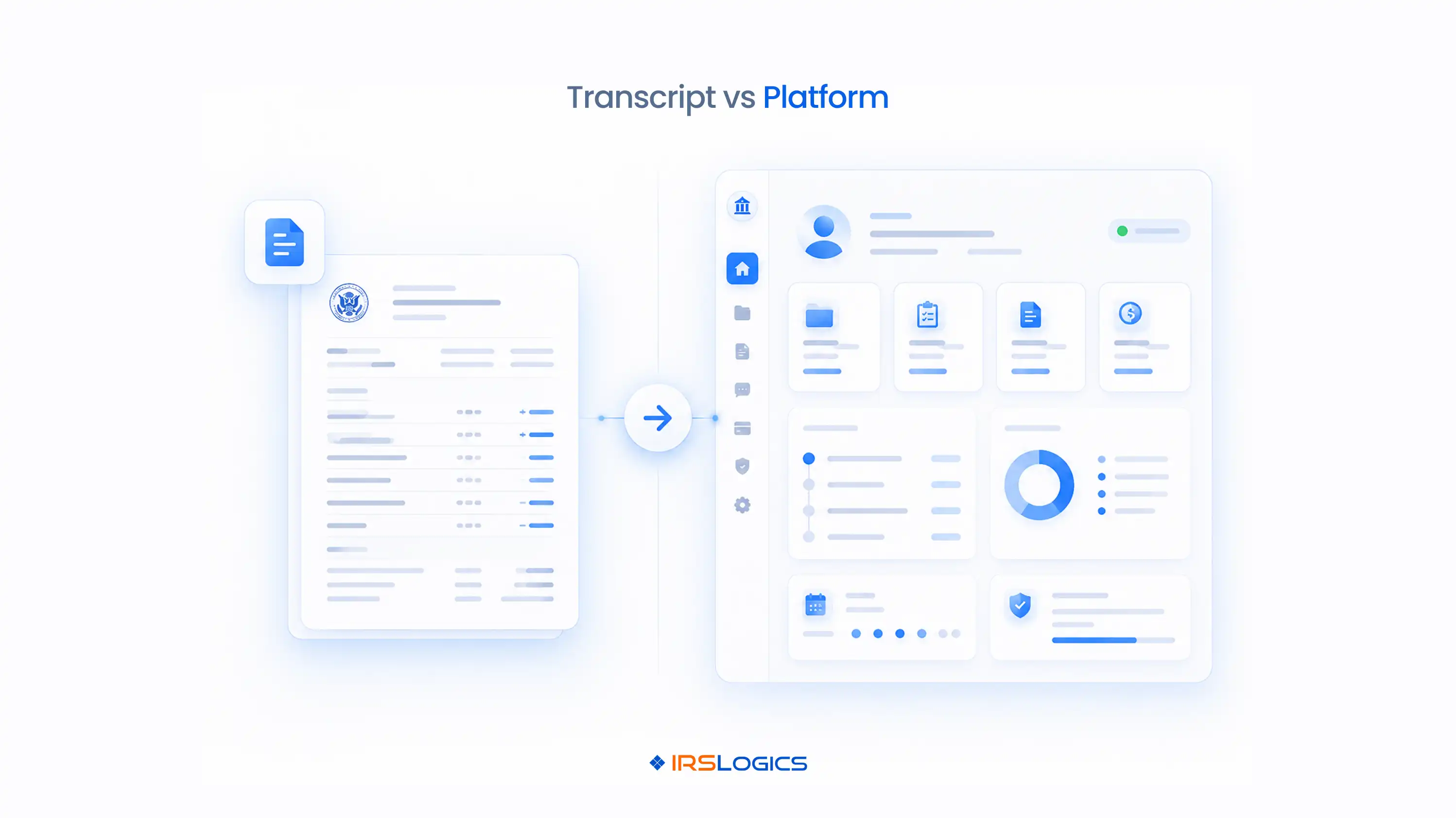
IRSLogics is strongest when case operations extend beyond the transcript itself. A transcript may reveal balances, filing history, income data, or collection activity, but the firm still has to assign work, request documents, conduct a financial interview, prepare forms, communicate with the client, record decisions, invoice services, and track payment status.
The IRSLogics feature set is designed to keep those activities connected to the same client and case record. Published capabilities include lead and deal management, tasks and follow-up reminders, structured document collection, form auto-fill, a digital financial questionnaire, threaded SMS, e-signature, invoicing, recurring payments, accounts receivable reporting, dashboards, and multiple-office management.
This broader model is most useful when several employees touch the same matter. Instead of asking whether a tool can pull a transcript, the practice owner can ask whether sales, investigation, resolution, and finance teams can see the next action without checking separate systems.
Both products operate within IRS authorization requirements. The IRS states that eligible electronic return originators and Circular 230 practitioners can use the Transcript Delivery System to request account transcripts, wage and income documents, return transcripts, records of account, and verification of non-filing letters. A properly executed Form 2848, Power of Attorney, or Form 8821, Tax Information Authorization, must be on file.
Tax Help Software says its products access transcripts through the IRS e-Services portal. Its support requirements identify e-Services access, an eligible EFIN connection, a CAF number, and taxpayer permission as necessary for TDS use.
IRSLogics includes transcript delivery within a broader case workflow. The practical difference is what happens after retrieval. A transcript-focused workflow concentrates on ordering, analysis, monitoring, and reports. A platform workflow connects transcript findings to case status, tasks, documents, forms, communications, and billing. Neither product gives a practitioner authority that the IRS has not recorded.
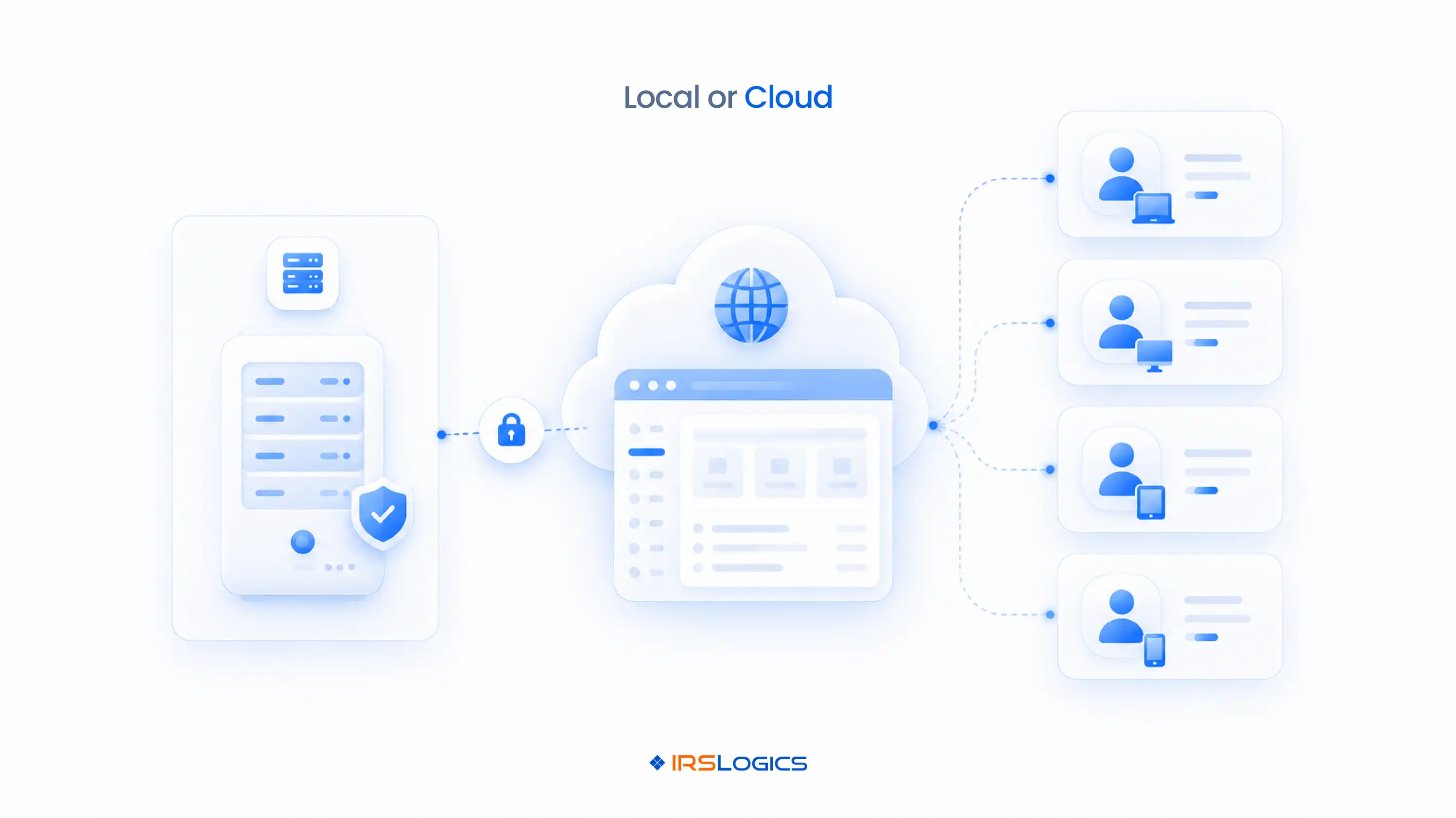
The deployment choice affects access, IT responsibility, and data flow. Tax Help Software states that its program installs on a local computer, network, or server and that transcript data is delivered directly to the firm's chosen environment. Firms that prioritize local control or already maintain managed desktop infrastructure may prefer that model.
Local installation also creates questions worth testing. Which operating systems are supported? How are updates deployed? Can remote staff use the program through the firm's network? Who maintains backups? What happens when a workstation changes or antivirus software blocks an executable? THS's support page specifically includes installation, update, firewall, and antivirus troubleshooting, so these are practical implementation issues rather than theoretical ones.
IRSLogics uses a browser-based cloud model. That can be a better fit for distributed teams, multiple offices, or owners who do not want to maintain a local application. The tradeoff is different: evaluate access controls, permissions, data export, vendor support, internet dependency, and how the platform fits your firm's written information security plan.
At higher volume, the main risk shifts from finding information to coordinating action. A solo practitioner may pull a transcript, review it, prepare a form, call the client, and create an invoice without losing context. In a ten-person firm, those actions may belong to four departments.
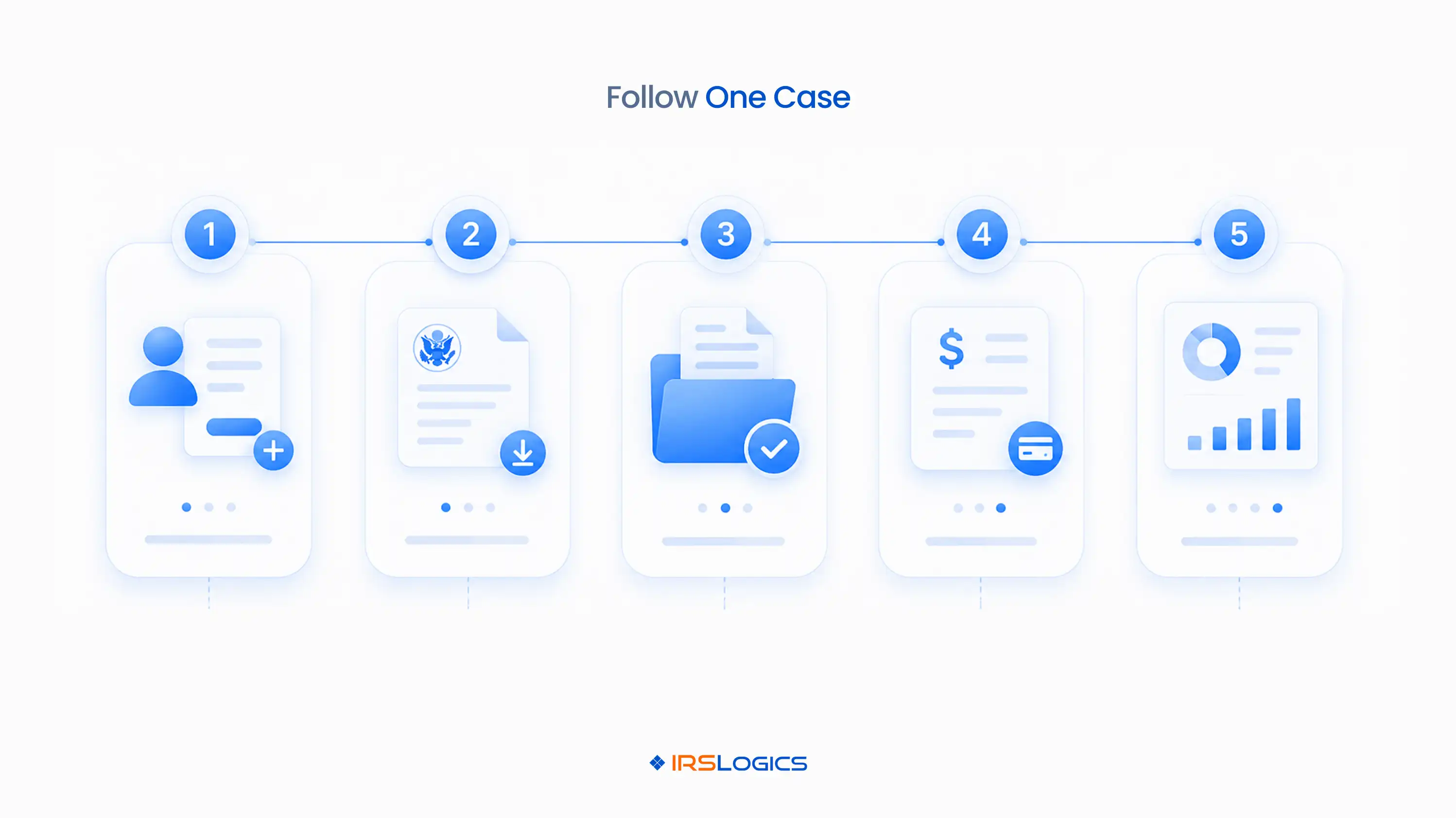
Consider an illustrative workflow. Sales closes a new matter and hands it to intake. Intake collects authorization and financial documents. A case manager requests transcripts, identifies missing returns, and assigns follow-up tasks. A resolution professional reviews alternatives and prepares forms. Finance schedules payments and monitors accounts receivable. Each handoff needs an owner, due date, status, and complete history.
A focused transcript tool can remain the right choice if the surrounding stack already manages those handoffs well. The failure mode appears when staff copy transcript findings into a CRM, rename files manually, create tasks elsewhere, and reconstruct the case history for billing or review. IRSLogics is designed to reduce those system boundaries by keeping the transcript and resolution workflow inside a wider case record.
Compare total operating cost, not a promotional number in isolation. Tax Help Software currently advertises a $249 three-month fully loaded Executive License for new users. Its product table also marks the IRS form generator and some bankruptcy or CSED analysis functions as optional. A buyer should confirm the recurring price after the introductory period, included installations, additional-user terms, optional module fees, support level, and any required companion tools.
IRSLogics states in its FAQ that pricing starts around $89 per user per month, while the current plans and pricing page asks firms to request a quote based on users and feature needs. Confirm the live quote, included implementation, support, integrations, data migration, and contract terms before deciding.
Then add the subscriptions that remain outside each product. If THS handles transcripts but your firm still needs CRM, portal, e-signature, billing, document management, and reporting, include those costs. If IRSLogics replaces several systems, include migration and training. The tax resolution software pricing guide provides a broader checklist for this calculation.
Use a live case walkthrough instead of a feature-count contest.
This test reveals whether the firm needs a dedicated transcript engine, a broader resolution platform, or a defined integration between specialized tools. The 2026 tax resolution software buyer's guide can help you turn the walkthrough into a scored evaluation.
The most common mistake is treating all tax software as interchangeable. Tax preparation software prepares and files returns. Transcript software retrieves and interprets IRS account data. Tax resolution software manages the longer case process around investigation, authorization, financial analysis, forms, client service, and billing.
Another mistake is comparing the longest feature lists without testing sequence. A product may support forms, transcripts, and billing as separate functions but still require manual re-entry between them. Ask the vendor to show how information moves through one case.
Do not assume cloud is automatically better than local installation, or the reverse. The better model depends on staff location, IT support, access controls, continuity planning, and how the firm handles taxpayer data.
Finally, do not treat software output as practitioner judgment. Transcript reports, alerts, calculations, and workflow rules can organize facts and surface issues. A qualified professional still has to verify authorization, interpret the account, evaluate resolution alternatives, apply current IRS guidance, and decide what action fits the client's facts.
Tax Help Software publicly presents itself primarily as an IRS transcript management, analysis, and monitoring product, not as an end-to-end CRM for sales, case management, billing, and multi-office operations. Firms can still use it alongside a separate CRM and practice-management stack.
No. IRSLogics includes transcript delivery, but its broader purpose is managing the tax resolution operation from lead intake through case work, documents, forms, client communication, billing, and reporting.
Tax Help Software may be the better starting point when a tax preparation firm mainly wants transcript-led onboarding, account monitoring, payment tracking, and post-filing issue detection. IRSLogics may fit better when the firm is building a structured, year-round resolution service with dedicated sales, case, and finance workflows.
IRSLogics is more directly aligned with high-volume operational coordination because it combines CRM, case workflows, document collection, client communication, billing, reporting, permissions, and multi-office management. A high-volume firm may still choose THS when its transcript analysis depth is the priority and its existing systems already handle the rest.
No. Software does not remove IRS authorization requirements. Form 2848 grants eligible representatives specified authority to act for a taxpayer, while Form 8821 authorizes disclosure of tax information without granting representation authority.
Tax Help Software states that its program installs on a computer, network, or server. Buyers with remote staff should confirm the supported access method, installation count, backup responsibilities, and network requirements during a demonstration.
Yes. IRSLogics describes its product as cloud-based and accessible through a browser without local software installation. Firms should still evaluate permissions, device controls, integrations, exports, support, and continuity procedures.
The lower-cost product depends on users, optional modules, post-promotion pricing, retained companion software, implementation, and support. Request current written quotes from both vendors and compare the complete three-year workflow cost.
Potentially, if the firm values THS for specialized transcript analysis and IRSLogics for wider case operations. Before buying both, confirm the data-transfer method, duplicate-entry risk, file ownership, staff responsibilities, and how transcript changes become tasks or case updates.
Choose Tax Help Software when your biggest operational gap is IRS transcript ordering, analysis, reporting, and monitoring, and your current CRM, billing, and document systems already work. Choose IRSLogics when the larger problem is keeping the whole resolution firm connected after a lead arrives and after transcript data is retrieved.
The next step is to map one real case, list every required handoff, and ask both vendors to demonstrate that sequence. If your evaluation points toward one connected system for sales, investigation, resolution, client service, and finance, book an IRSLogics workflow demo and compare the live case process against your current stack.
All
Tax Software
Workflow & Automation
Industry News
Resolution Tips
Tax Resolution Marketing

Lorem ipsum dolor sit amet, consectetur adipiscing elit. Suspendisse varius enim in eros elementum tristique. Duis cursus, mi quis viverra ornare, eros dolor interdum nulla, ut commodo diam libero vitae erat. Aenean faucibus nibh et justo cursus id rutrum lorem imperdiet. Nunc ut sem vitae risus tristique posuere.


Share this article directly by email. Simply enter the recipient’s details below.

Article has been send to you.