Tax Software


If you are already doing the work to qualify a tax resolution client, the last thing you want is to slow the case down with extra portals, scattered PDFs, or a “can you send me your credit report” email.
A clean workflow pulls the credit report where the case already lives, stores it with consent documentation, and gives your team a reliable snapshot to guide financing and payment conversations.
This step-by-step guide shows how to run tri-bureau credit pulls so your team can repeat them, audit them, and explain them clearly to clients.
Credit reports are regulated, and access is not “nice to have.” Under the Fair Credit Reporting Act, consumer report information cannot be provided to someone without a purpose specified in the Act.
The CFPB has also emphasized that certain permissible purposes are consumer-specific, which is a helpful reminder to keep identity and authorization tight.
Operationally, treat this as a non-negotiable checklist item:
iSoftPull’s own guidance reinforces that consent is required for soft credit checks and that consent can be obtained by phone, online, or in person.
Important retention note: iSoftPull states that written instructions must be stored for 5 years and may be requested during an audit.
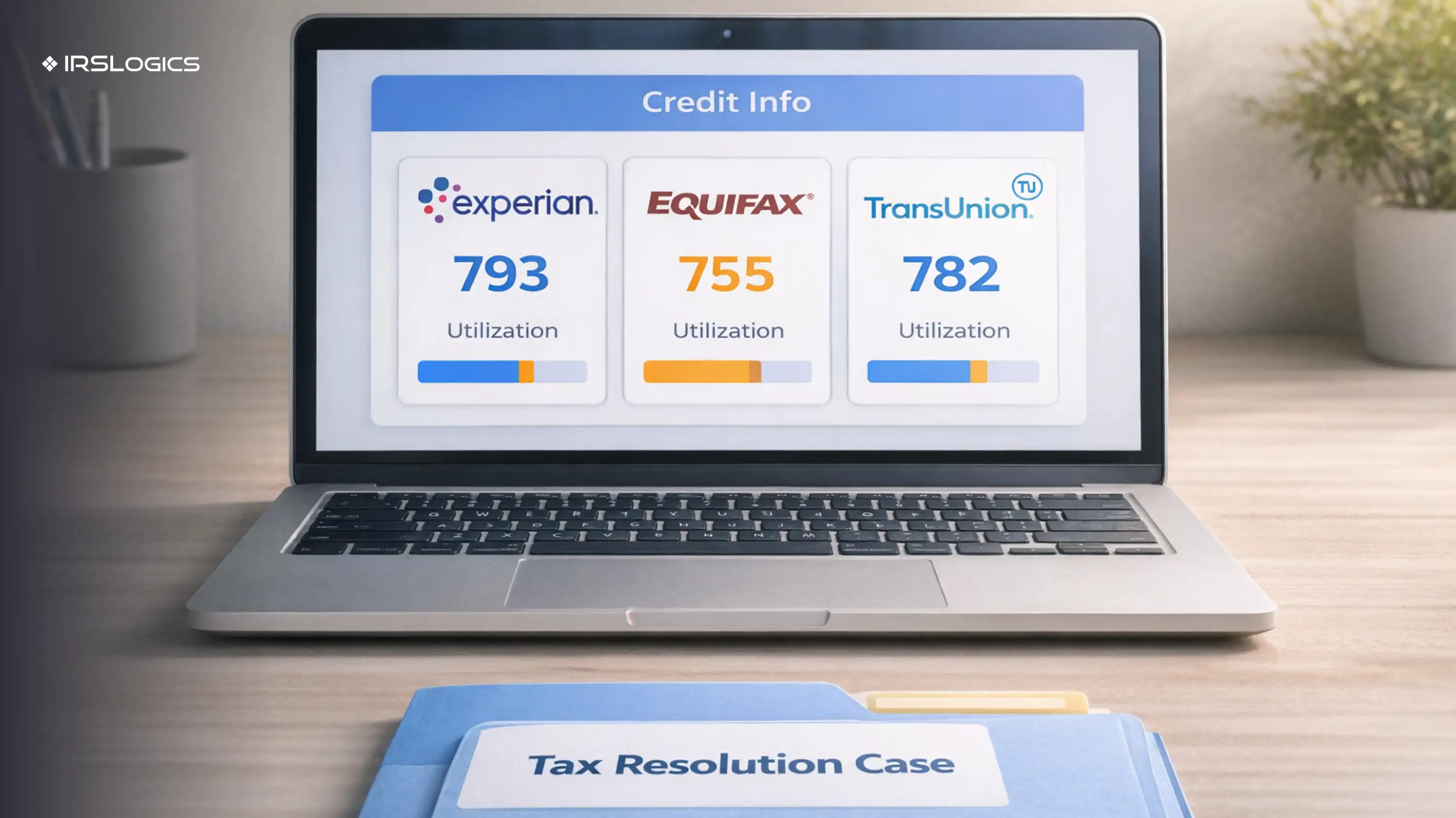
What you need can vary by setup and bureau rules, but iSoftPull markets workflows that can pull a full report and score using name and address only in certain scenarios.
Even if your workflow is “name and address,” you should still confirm the client record has accurate identifying information to avoid mismatches.
Only give credit-pull permissions to roles that truly need it. IRSLogics positions industry-leading encryption and access controls as part of its platform posture, which supports a least-privilege approach.
If your team uses IRSLogics for client portal collaboration and case workflows, keep the credit report in the system of record rather than emailing attachments.
A good rule is to pull when the result changes decisions, not when it only satisfies curiosity.
Here are practical moments that usually justify a pull:
Tri-bureau matters because scores and report contents can differ across bureaus, depending on which creditors report and what each bureau has on file.
Note: Labels can vary by configuration, but the operational steps stay the same.
Before you run anything:
If your team uses an online consent form, iSoftPull provides guidance and sample consent language concepts you can adapt to your process.
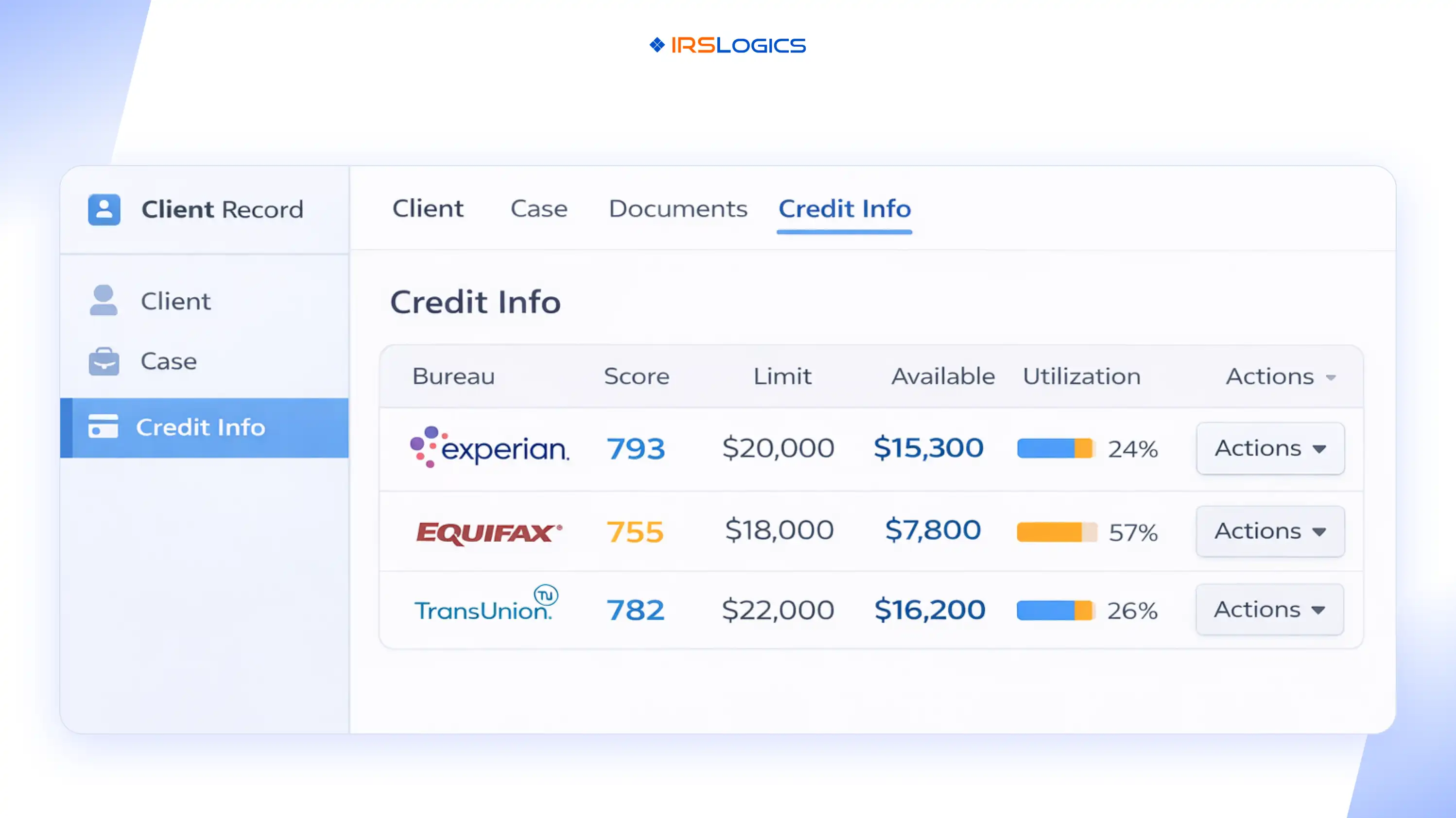
From the client profile, go to the section where credit results are displayed and managed.
Your screenshot format is ideal because it shows exactly what users need at a glance:
If your goal is financing readiness and fewer surprises, tri-bureau is typically the safest operational choice.
iSoftPull positions access to all three major bureaus through a single agreement and integration, supporting a unified workflow rather than juggling separate bureau relationships.
Run the pull through the Actions available on each bureau row, then allow the system to populate:
If your workflow allows downloading the report PDF from Actions, download and store it immediately in the client’s document area.
Start with what you can act on quickly:
Then open the full report for details if you need them for next steps.
Do not rely on “the system has it somewhere.” Make it obvious for the next staff member.
At minimum, log:
This also supports audit readiness, which matters because iSoftPull states bureaus may randomly select pulls for audit and consent verification.
Your job is not to label a client as “good” or “bad.” Your job is to guide options.
A simple internal decision pattern:
Even the client may not realize their three-bureau view can differ. Experian notes that lenders may not report to all bureaus, and inquiries and accounts can vary, which can produce different results.
Utilization can be a quick indicator of how “tight” a client’s revolving credit is, but it is not the full picture.
Use it to ask better questions:
Scores help you pre-qualify, but funding decisions depend on the lender, the model used, and the full report. Keep your language careful:
Use this checklist every time:
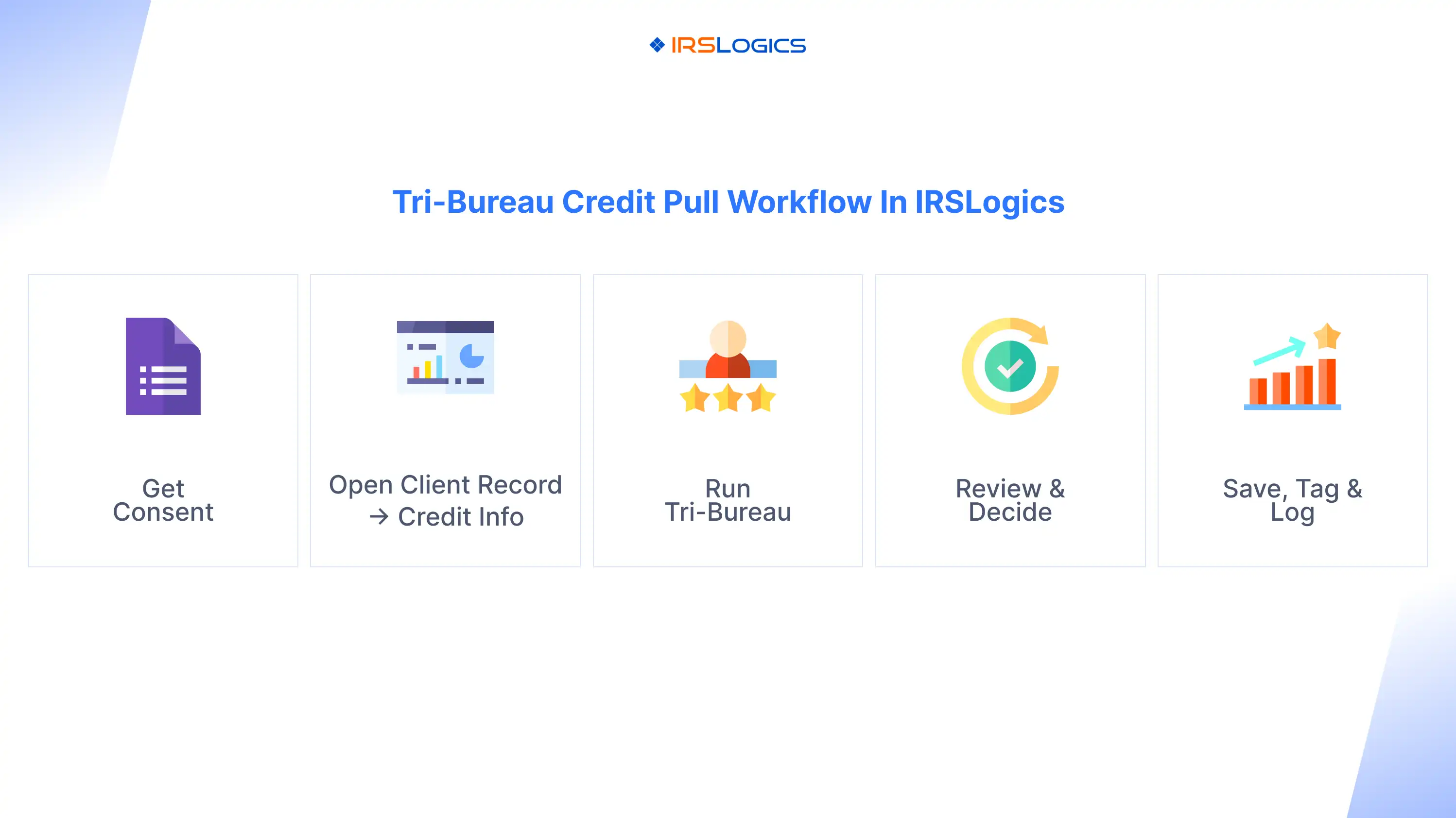
If you are building this workflow across a team, IRSLogics highlights case workflows, automation, client portal collaboration, and integrations as core features that support consistent execution.
Make “consent verified” a required internal step. iSoftPull explicitly states that consent is required and describes retention and audit expectations.
Re-pull only when it changes a decision, and document why.
Avoid emailing full reports. Keep the report in your system of record and share only what the client needs to understand the next step.
The FTC states that consumer report information cannot be provided to someone without a purpose specified in the Act. Keep your pulls tightly tied to the client’s requested service and documented consent.
Not always, but it reduces surprises when bureaus differ and when a financing conversation needs a complete picture.
iSoftPull states that soft credit checks require the consumer’s permission and describes multiple consent-capture methods.
Yes, and you should. iSoftPull’s business requirements specifically state that written instructions must be stored for 5 years and may be requested during audits.
That is a core positioning point for iSoftPull’s credit APIs, which describe pulling and viewing reports and scores from within a CRM or data management software.
Treat it like any other third-party dataset: document the concern, encourage the client to review their reports for errors, and adjust your financing conversation until the data is clarified. Scores and reports can differ across bureaus.
A tri-bureau credit pull inside the client record is not just a feature; it is a workflow. When your team captures consent first, pulls at the right moment, saves the report, and logs what changed in the plan, you reduce drop-off and keep the case moving.
Key Takeaways:
All
Tax Software
Workflow & Automation
Industry News
Resolution Tips
Tax Resolution Marketing

Lorem ipsum dolor sit amet, consectetur adipiscing elit. Suspendisse varius enim in eros elementum tristique. Duis cursus, mi quis viverra ornare, eros dolor interdum nulla, ut commodo diam libero vitae erat. Aenean faucibus nibh et justo cursus id rutrum lorem imperdiet. Nunc ut sem vitae risus tristique posuere.


Share this article directly by email. Simply enter the recipient’s details below.

Article has been send to you.